Scheduler ID values in sys.dm_os_schedulers start at 0 and then jump past one million. A script that counts every row then reports far more CPUs than the server has. A client asked why the CPU pressure script filtered the rows. This post groups the rows and shows the filter that keeps the numbers honest.

Count Every Row
SQL Server runs its work on schedulers. A scheduler is a worker queue, and each usable CPU gets one. The view sys.dm_os_schedulers lists them. Run it without a filter on the test server, which has 16 logical CPUs, and count the rows.
SELECT COUNT(*) AS AllRows FROM sys.dm_os_schedulers;
| AllRows |
|---|
| 47 |
The server has 16 CPUs and the view has 47 rows. The extra 31 rows aren’t extra CPUs. The next query groups the rows by what they do. Rows below 255 are user schedulers. A row whose status says DAC is the dedicated administrator connection. The rest are hidden.
SELECT CASE WHEN scheduler_id < 255 THEN N'User'
            WHEN status LIKE N'%DAC%' THEN N'DAC'
            ELSE N'Hidden' END AS Kind,
       COUNT(*) AS Schedulers,
       MIN(scheduler_id) AS LowestId,
       MAX(scheduler_id) AS HighestId,
       MIN(status) AS Status
FROM sys.dm_os_schedulers
GROUP BY CASE WHEN scheduler_id < 255 THEN N'User'
              WHEN status LIKE N'%DAC%' THEN N'DAC'
              ELSE N'Hidden' END
ORDER BY LowestId;| Kind | Schedulers | LowestId | HighestId | Status |
|---|---|---|---|---|
| User | 16 | 0 | 15 | VISIBLE ONLINE |
| DAC | 1 | 1048576 | 1048576 | VISIBLE ONLINE (DAC) |
| Hidden | 30 | 1048578 | 1048607 | HIDDEN ONLINE |
The Three Kinds of Scheduler ID Values
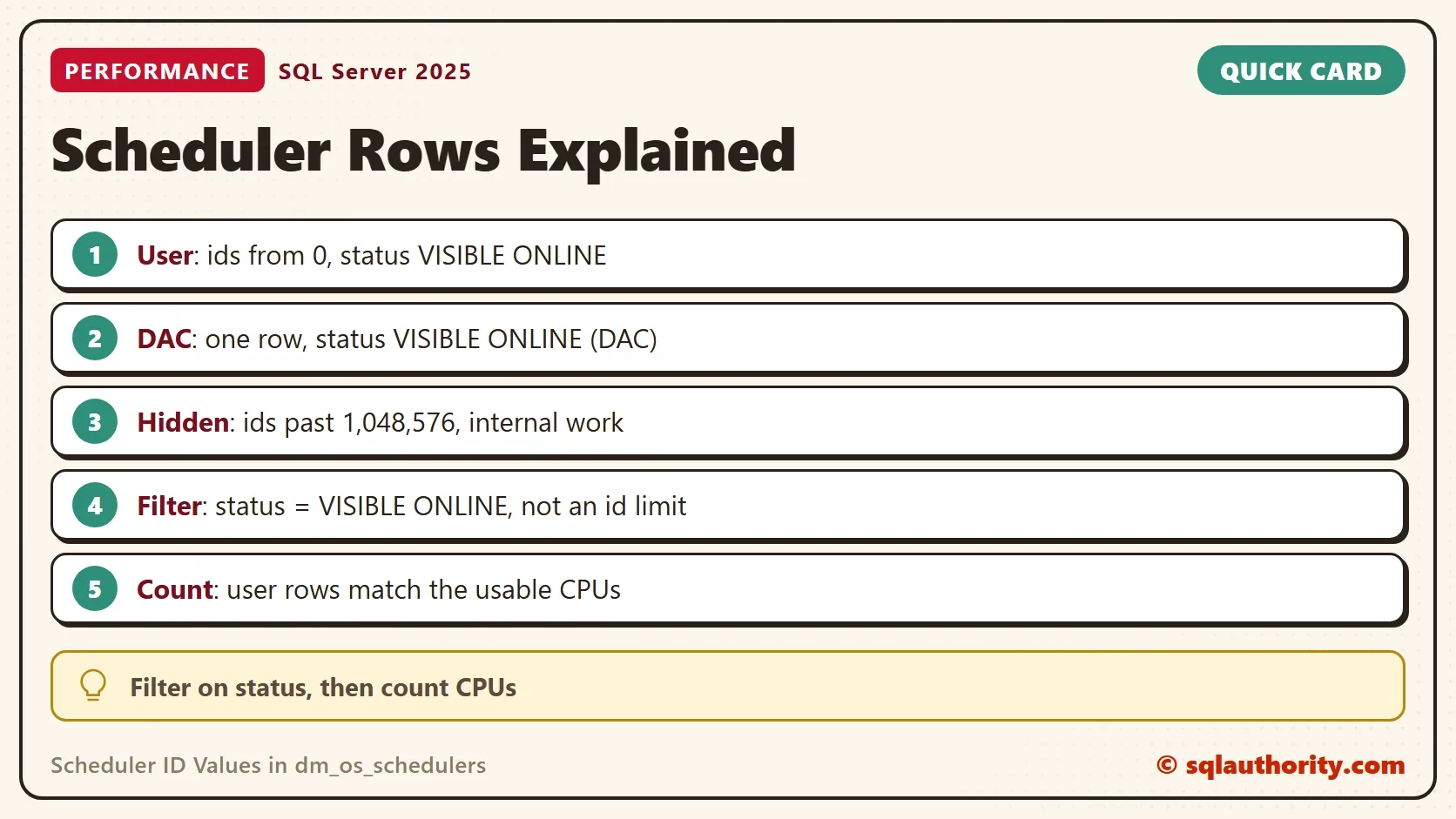
User schedulers run your queries. They have ids from 0 upward, one for each usable CPU, and their status is VISIBLE ONLINE. On this server that is 16, the CPU count. These are the rows a CPU pressure script wants.
The DAC row is the dedicated administrator connection. It exists once per instance, and it lets an administrator connect when the normal schedulers are saturated. Its status says so. Older descriptions give it the id 255. On SQL Server 2025 it has the id 1048576. A script that relies on 255 relies on a number that changed.
Hidden schedulers serve the Database Engine’s own requests, such as background and system tasks. The documentation calls them internal. Their ids sit in the same range past one million, and there are 30 of them on this server. The hidden count changes with the CPU count and the build, so yours will differ. Users have no use for them in a CPU pressure check.
Filter on Status, Not on a Number
A common script keeps rows where scheduler_id is below 255, and that works here. It also encodes a belief about how ids are handed out. The status column says what you mean. Filter for user schedulers like this, and the filter keeps working if the numbering changes.
SELECT COUNT(*) AS UserSchedulers, SUM(runnable_tasks_count) AS RunnableTasks
FROM sys.dm_os_schedulers
WHERE status = N'VISIBLE ONLINE';
| UserSchedulers | RunnableTasks |
|---|---|
| 16 | 0 |
Sixteen user schedulers match the 16 CPUs. The runnable count is the number of tasks that are ready to run and waiting for a CPU. It moves every second, and on this quiet server it reads 0. A runnable count that stays high under load points to CPU pressure. Measure CPU Pressure in SQL Server with Waits and Schedulers uses that count. The related post Signal Waits: Detect CPU Pressure With Wait Statistics reads the same pressure from waits.
Check the Count Against Your CPUs
The user scheduler count is also a check on the CPU count. Compare the two numbers in one query.
SELECT i.cpu_count AS LogicalCpus, s.UserSchedulers
FROM sys.dm_os_sys_info AS i
CROSS APPLY (SELECT COUNT(*) AS UserSchedulers FROM sys.dm_os_schedulers WHERE status = N'VISIBLE ONLINE') AS s;
| LogicalCpus | UserSchedulers |
|---|---|
| 16 | 16 |
The two numbers match here. They differ when SQL Server doesn’t use every CPU the operating system shows. An edition limit or a processor affinity setting causes that. The scheduler count is the number of CPUs your instance uses, which is the number a CPU sizing check needs.
Should You Ever Read the Hidden Rows?
You could argue that the hidden rows are worth a look. They show what SQL Server does behind your back. They do. Reading them is fine for curiosity. Adding them to a CPU pressure count isn’t, because they don’t run your queries.
What to Remember
The scheduler ID values fall into three kinds of rows. User schedulers match the usable CPUs, the DAC row is one per instance, and hidden rows are internal. Filter on status = N'VISIBLE ONLINE' when you want user schedulers, and count them against your CPUs as a check. Nothing here creates objects, so there is no cleanup.
A large scheduler number is not a fault, it is a row that was never meant for you.
Published by Pinal Dave on SQLAuthority. More of my work at pinaldave.com.
Discover more from SQL Authority with Pinal Dave
Subscribe to get the latest posts sent to your email.