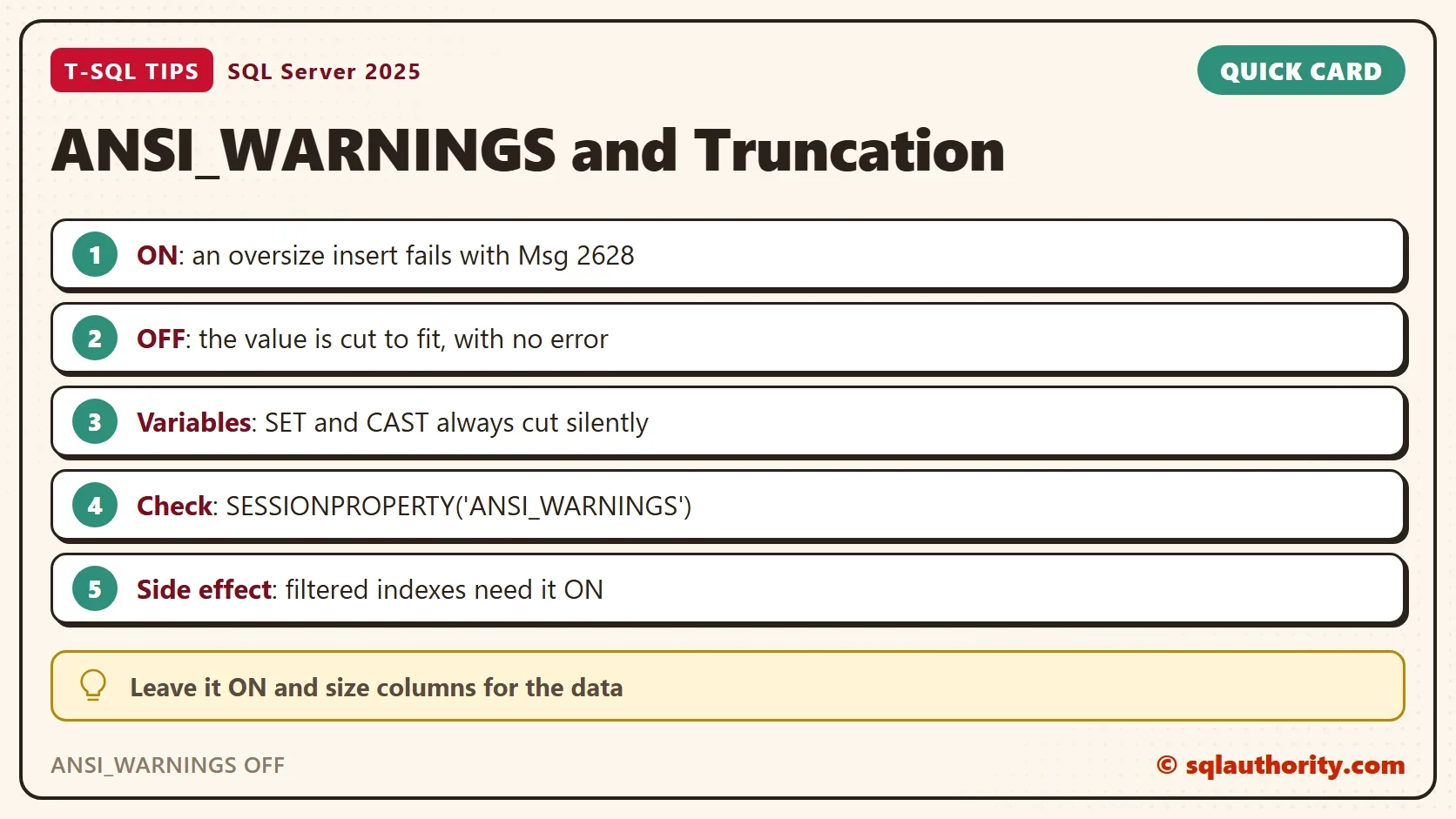
ANSI_WARNINGS OFF turns a data error into silent data loss. With the setting on, an insert that is too long for its column fails. With the setting off, SQL Server cuts the text to fit and reports success.

What ANSI_WARNINGS Controls
ANSI_WARNINGS is a session setting. It decides how SQL Server reacts to data that doesn’t fit, such as a string longer than its column. Every connection starts with its own value. SSMS and most drivers turn it on, and a script can change it with a SET statement.
The demo database named TruncateDemo has one table with a varchar(5) column. The first script creates both and reads the current setting. Then it inserts a name that is far too long.
IF DB_ID(N'TruncateDemo') IS NULL CREATE DATABASE TruncateDemo;
GO
USE TruncateDemo;
GO
DROP TABLE IF EXISTS dbo.Names;
CREATE TABLE dbo.Names (
    NameID int IDENTITY(1,1) NOT NULL PRIMARY KEY,
    MyName varchar(5) NOT NULL
);
SELECT SESSIONPROPERTY('ANSI_WARNINGS') AS AnsiWarningsOn;
INSERT INTO dbo.Names (MyName) VALUES ('SQLAuthority');| AnsiWarningsOn |
|---|
| 1 |
Msg 2628, Level 16, State 1, Line 2
String or binary data would be truncated in table 'TruncateDemo.dbo.Names', column 'MyName'. Truncated value: 'SQLAu'.
The statement has been terminated.
The insert fails, and the message names the table, the column and the value that would have been stored. The table stays empty. Message 2628 needs SQL Server 2019 or later and database compatibility level 150 or higher. At a lower level, or with VERBOSE_TRUNCATION_WARNINGS off, SQL Server prints message 8152 without the table, column and value. SQL Server 2016 SP2 and 2017 can print message 2628 with trace flag 460.
Run the Same Insert With ANSI_WARNINGS OFF
Now switch the setting off for this session and repeat the insert. Switch it back on right after, so the rest of the script runs normally.
SET ANSI_WARNINGS OFF;
SELECT SESSIONPROPERTY('ANSI_WARNINGS') AS AnsiWarningsOn;
INSERT INTO dbo.Names (MyName) VALUES ('SQLAuthority');
SET ANSI_WARNINGS ON;
SELECT NameID, MyName, LEN(MyName) AS Chars FROM dbo.Names;| AnsiWarningsOn |
|---|
| 0 |
| NameID | MyName | Chars |
|---|---|---|
| 2 | SQLAu | 5 |
The insert works, and the table holds SQLAu. SQL Server kept the first five characters and dropped the rest without a word. The NameID is 2, because the failed insert before it used up the value 1 of the identity column. The data loss is permanent, and nothing in the error log or the job history says it happened.
An UPDATE follows the same rule. With the setting on, an update to a longer name fails with message 2628. The truncated value is Priya. With the setting off, the row stores Priya and reports one row changed.
UPDATE dbo.Names SET MyName = 'Priya Shah' WHERE NameID = 2;
Msg 2628, Level 16, State 1, Line 1
String or binary data would be truncated in table 'TruncateDemo.dbo.Names', column 'MyName'. Truncated value: 'Priya'.
The statement has been terminated.
Where Truncation Is Silent Even With the Setting On
ANSI_WARNINGS covers INSERT and UPDATE into a column. Variables and conversions follow another rule. A string assigned to a variable, or cast to a shorter type, is cut with the setting on as well.
DECLARE @v varchar(5) = 'SQLAuthority';
SELECT @v AS Variable, CAST('SQLAuthority' AS varchar(5)) AS CastValue;| Variable | CastValue |
|---|---|
| SQLAu | SQLAu |
That is why a stored procedure with a too-small parameter or variable loses data even on a healthy connection. Size every variable at least as large as the column it feeds.
The Message Without Details
Message 2628 depends on a database scoped setting named VERBOSE_TRUNCATION_WARNINGS, which is on by default in SQL Server 2025. It also needs compatibility level 150 or higher. Switch the setting off, or lower the level to 140, and the older message 8152 returns. The next script does that for the demo database only and switches it back on.
ALTER DATABASE SCOPED CONFIGURATION SET VERBOSE_TRUNCATION_WARNINGS = OFF;
GO
INSERT INTO dbo.Names (MyName) VALUES ('SQLAuthority');
GO
ALTER DATABASE SCOPED CONFIGURATION SET VERBOSE_TRUNCATION_WARNINGS = ON;
Msg 8152, Level 16, State 30, Line 1
String or binary data would be truncated.
The statement has been terminated.
The error still stops the insert. It only hides which column and which value caused it, so a wide insert is harder to debug.
Other Effects of ANSI_WARNINGS OFF
Truncation is not the only change. With ANSI_WARNINGS OFF and ARITHABORT OFF, a division by zero returns NULL and the batch continues. With the settings on, the same statement stops with an error.
SELECT 1 / 0 AS Ratio;
Msg 8134, Level 16, State 1, Line 1
Divide by zero error encountered.
SET ANSI_WARNINGS OFF;
SET ARITHABORT OFF;
SELECT 1 / 0 AS Ratio;
SET ARITHABORT ON;
SET ANSI_WARNINGS ON;
| Ratio |
|---|
| NULL |
A second effect hits tables that use filtered indexes, indexed views, indexes on computed columns or XML methods. These features need ANSI_WARNINGS ON. Change a row of such a table from a session with the setting off. The statement fails, even when the data is fine.
CREATE UNIQUE INDEX UX_Names_MyName ON dbo.Names (MyName) WHERE MyName <> 'zzzzz';
SET ANSI_WARNINGS OFF;
INSERT INTO dbo.Names (MyName) VALUES ('ok');
SET ANSI_WARNINGS ON;
Msg 1934, Level 16, State 1, Line 2
INSERT failed because the following SET options have incorrect settings: 'ANSI_WARNINGS'. Verify that SET options are correct for use with indexed views and/or indexes on computed columns and/or filtered indexes and/or query notifications and/or XML data type methods and/or spatial index operations.
Find the Sessions That Run With It Off
A session can end up with ANSI_WARNINGS OFF through a driver option, a connection string or old code. The view sys.dm_exec_sessions has an ansi_warnings column for every session. The demo reads the column for the current session after the switch. To list every user session that runs with the setting off, filter on the column instead. Seeing other sessions needs the VIEW SERVER STATE permission. On a quiet server the second query returns no rows.
SET ANSI_WARNINGS OFF;
SELECT ansi_warnings FROM sys.dm_exec_sessions WHERE session_id = @@SPID;
SET ANSI_WARNINGS ON;
| ansi_warnings |
|---|
| 0 |
SELECT session_id, login_name, program_name
FROM sys.dm_exec_sessions
WHERE is_user_process = 1 AND ansi_warnings = 0;
When Turning It Off Seems Right
You could argue that an old application depends on silent truncation, and that switching the setting on would break it. That is true, and it is the only good reason to leave it off. The safer cure is to find the oversize values and widen the column or clean the data. A session that needs OFF for one statement should switch it on again, as the demos above do.
What to Remember
Leave ANSI_WARNINGS on. With ANSI_WARNINGS OFF, a long string is cut to fit its column and the insert succeeds. Check a session with SESSIONPROPERTY('ANSI_WARNINGS') when data arrives shorter than it was sent. Remember that variables and casts cut text silently with the setting on, so size them to match the columns.
When you finish the demo, drop the example database.
USE master;
GO
DROP DATABASE IF EXISTS TruncateDemo;
ANSI_WARNINGS OFF is not a convenience, it is a decision to lose data without being told.
Published by Pinal Dave on SQLAuthority. More of my work at pinaldave.com.
Discover more from SQL Authority with Pinal Dave
Subscribe to get the latest posts sent to your email.