
OPTION FAST N tells SQL Server to plan for the first N rows. The first rows arrive sooner, and the price is paid on the rest of the result. This post measures both sides, so you can see when the trade is worth it.

What OPTION FAST N Does
OPTION (FAST 100) doesn’t limit the result. The query still returns every row. The hint changes the plan. SQL Server builds a plan that returns the first 100 rows quickly. The whole result can then cost more. That is a row goal, the same idea as TOP. The post on DISABLE_OPTIMIZER_ROWGOAL: How a Row Goal Changes the Plan explains the goal itself.
The usual way to speed up the first rows is a nested loops join. Nested loops finds one match and returns it at once. A hash join first builds a hash table over one whole input, so nothing comes back until that table exists. The demo has two tables. Products holds 100,000 rows and OrderLines holds 300,000, and every order line points at one product.
IF DB_ID(N'FastHintDemo') IS NULL CREATE DATABASE FastHintDemo;
GO
USE FastHintDemo;
GO
DROP TABLE IF EXISTS dbo.OrderLines;
DROP TABLE IF EXISTS dbo.Products;
CREATE TABLE dbo.Products (
    ProductID   int NOT NULL CONSTRAINT PK_Products PRIMARY KEY,
    ProductName nvarchar(40) NOT NULL,
    ListPrice   decimal(10,2) NOT NULL
);
CREATE TABLE dbo.OrderLines (
    LineID    int NOT NULL CONSTRAINT PK_OrderLines PRIMARY KEY,
    ProductID int NOT NULL,
    Qty       int NOT NULL
);
INSERT INTO dbo.Products
SELECT TOP (100000) n, CONCAT(N'Product ', n), n % 50 + 5
FROM (SELECT ROW_NUMBER() OVER (ORDER BY (SELECT NULL)) AS n
      FROM sys.all_columns AS a CROSS JOIN sys.all_columns AS b) AS x;
INSERT INTO dbo.OrderLines
SELECT TOP (300000) n, n % 100000 + 1, n % 7 + 1
FROM (SELECT ROW_NUMBER() OVER (ORDER BY (SELECT NULL)) AS n
      FROM sys.all_columns AS a CROSS JOIN sys.all_columns AS b) AS x;
Count the Reads
The next script runs the join three times. Each run pours the result into a temp table, so the output stays small. STATISTICS IO reports the logical reads for each table. The Messages tab shows one line per table and per statement. The table below lists the two numbers that matter.
SET NOCOUNT ON;
CREATE TABLE #Sink (LineID int NOT NULL, ProductName nvarchar(40) NOT NULL);
SET STATISTICS IO ON;
INSERT INTO #Sink SELECT ol.LineID, p.ProductName FROM dbo.OrderLines AS ol INNER JOIN dbo.Products AS p ON p.ProductID = ol.ProductID;
TRUNCATE TABLE #Sink;
INSERT INTO #Sink SELECT ol.LineID, p.ProductName FROM dbo.OrderLines AS ol INNER JOIN dbo.Products AS p ON p.ProductID = ol.ProductID OPTION (FAST 100);
TRUNCATE TABLE #Sink;
INSERT INTO #Sink SELECT ol.LineID, p.ProductName FROM dbo.OrderLines AS ol INNER JOIN dbo.Products AS p ON p.ProductID = ol.ProductID OPTION (FAST 1);
SET STATISTICS IO OFF;
| Hint | Products reads | OrderLines reads |
|---|---|---|
| None | 647 | 784 |
| FAST 100 | 918,759 | 784 |
| FAST 1 | 918,759 | 784 |
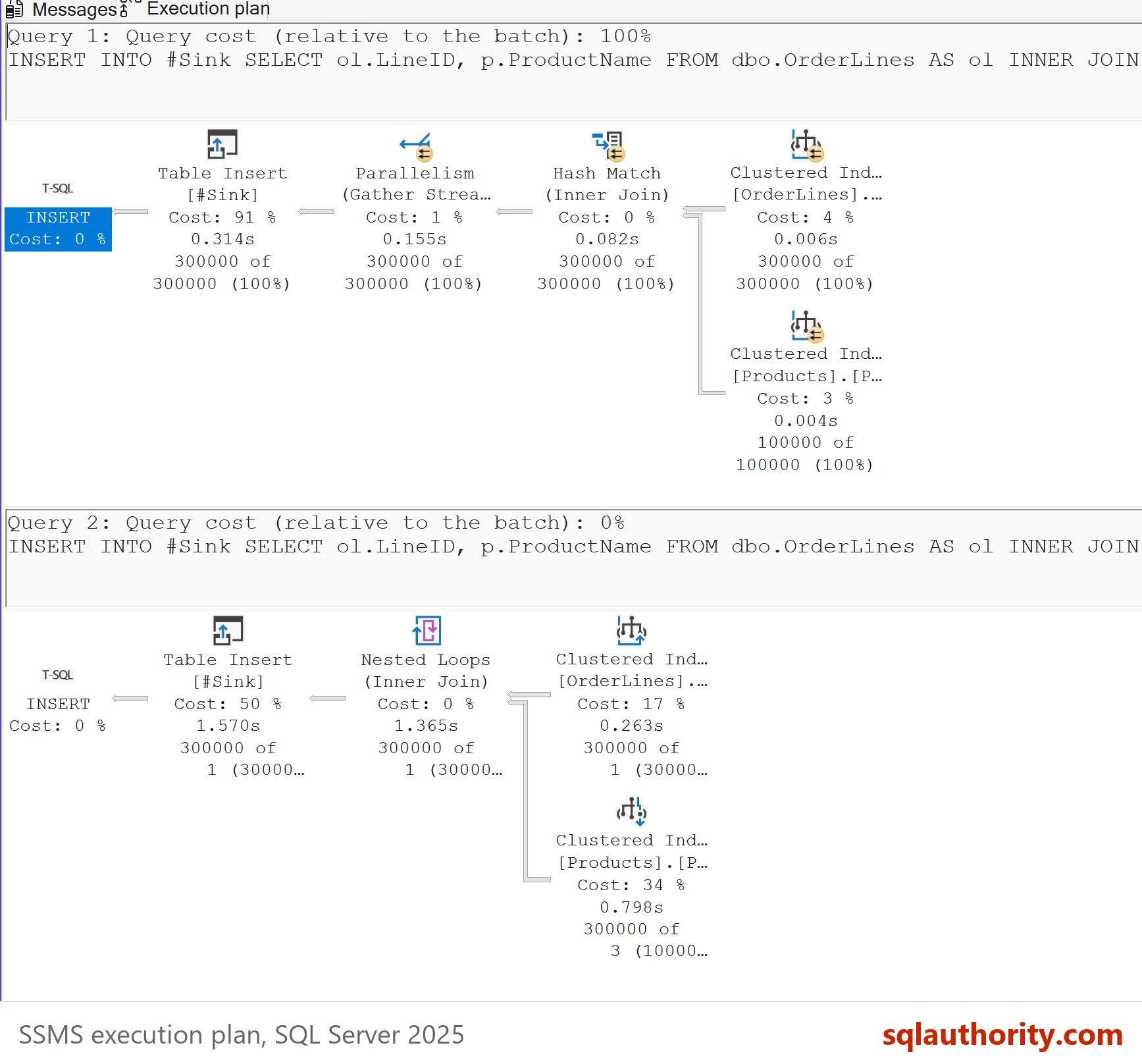
Without the hint, SQL Server hashes Products once. It reads 647 pages. With either hint it switches to nested loops and seeks into Products for every order line. That is 300,000 seeks. Each costs about three page reads, because the index on a table of this size has three levels. Reads on Products grew about 1,400 times, and the total about 640 times.
These counts come from the test server. A server that runs the plain query in parallel reads a few more pages, so the ratios drop a little.
The Messages tab also tells you which join ran. The plain run reports a scan count of 1 for Products, a single pass over the table. Both hinted runs report a scan count of 0 for Products, which is how seeks report. The actual plan shows the same change as a Hash Match turning into Nested Loops. Check for that change whenever you add a hint like this one.
The same join on a Products table of 500 rows and 150,000 order lines behaved differently. There FAST 100 kept the hash join, and only FAST 1 forced the loops. The size of the table decides where the plan flips, so test with your own sizes.
Time the First Row
Reads count work. Timing shows what the hint buys. SET STATISTICS TIME reports the whole run, not the first row. A small Windows PowerShell script reads the result row by row and stops a clock twice. It isn’t T-SQL, so replace the server name with yours.
foreach ($hint in '', ' OPTION (FAST 100)', ' OPTION (FAST 1)') {
    $cn = New-Object System.Data.SqlClient.SqlConnection 'Server=localhost;Database=FastHintDemo;Integrated Security=True;TrustServerCertificate=True'
    $cn.Open()
    $cmd = $cn.CreateCommand()
    $cmd.CommandText = 'SELECT ol.LineID, p.ProductName FROM dbo.OrderLines AS ol INNER JOIN dbo.Products AS p ON p.ProductID = ol.ProductID' + $hint
    $clock = [Diagnostics.Stopwatch]::StartNew()
    $reader = $cmd.ExecuteReader()
    [void]$reader.Read()
    $first = $clock.ElapsedMilliseconds
    while ($reader.Read()) { }
    "{0}: first row {1} ms, all rows {2} ms" -f $hint.Trim(), $first, $clock.ElapsedMilliseconds
    $reader.Close(); $cn.Close()
}| Hint | First row | All rows |
|---|---|---|
| None | 54 ms | 217 ms |
| FAST 100 | 5 ms | 828 ms |
| FAST 1 | 3 ms | 897 ms |
The first row arrives much sooner, and the whole result takes several times longer. A second run gave the same pattern with different digits, so treat the milliseconds as one run on one server.
Where the Hint Fits
A reader noted that the hint suits applications that cache a result and show it a page at a time. OPTION FAST N fits that case. A screen shows the first 100 rows and lets the user scroll. It wants those rows now. The rest can arrive in the background.
The hint is not a cure for bad plans. OPTIMIZE FOR UNKNOWN sets no row goal, so the plan stays the no-hint plan. A reader doubted the numbers and asked whether the first query only warmed the cache. Logical reads count cached pages too, so the 918,759 holds on a warm cache.
You could argue that a hint is fine, because the first row is what the user sees. It is, until the user scrolls to the end. Here that costs several times the total time and about 640 times the reads. Choose FAST n for one specific screen, measure the full run and don’t spread it across a system. A hint also stops the optimizer from adapting when your data grows.
What to Remember
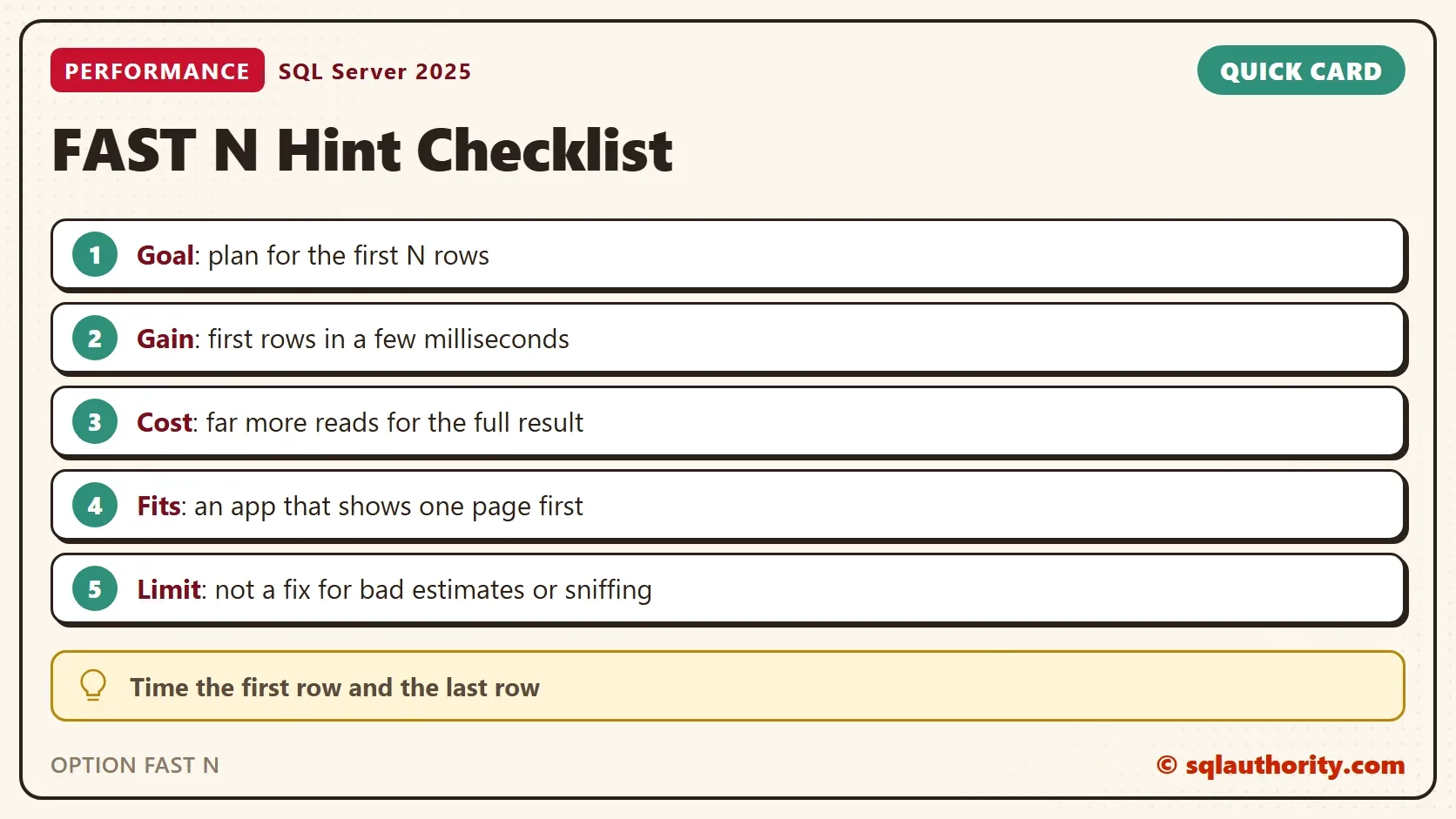
OPTION FAST N trades total work for first rows. Measure both numbers, with reads for the work and a client timer for the first row. Use it for paging screens. Leave it off for reports, exports and anything that reads the whole result.
Run the cleanup script when you finish the demo.
USE master;
GO
IF DB_ID(N'FastHintDemo') IS NOT NULL
BEGIN
    ALTER DATABASE FastHintDemo SET SINGLE_USER WITH ROLLBACK IMMEDIATE;
    DROP DATABASE FastHintDemo;
END;
A hint is not a speed-up, it is a trade you should be able to measure.
Published by Pinal Dave on SQLAuthority. More of my work at pinaldave.com.
Discover more from SQL Authority with Pinal Dave
Subscribe to get the latest posts sent to your email.



5 Comments. Leave new
great notes , i tested and i test Option (OPTIMIZE FOR UNKNOWN ) it show to me the same results of without Fast , i used Statistics Parser to compare the Statistics to know how many pages reads and How many logical read and CPU time
this means this option is good from performance wise or what
(OPTIMIZE FOR UNKNOWN )
Thanks
Good observation, but this is expected and predictable behavior . The FAST N query hint is designed for applications that may cache a result set and page the results to the application; i.e. if I show the user pages of 100 results at a time, I may want FAST 100. This is not designed to address bad plans due to out of date statistics or parameter sniffing. Note: this is not new to SQL 2019
You’re running the same data pull three times in a row. Are you sure the times shown in the plan aren’t simply because the first select is caching the data? Your two results make no sense together as the percentages shown in the first result are supposed to indicate what percentage of CPU time each select took.
I would say his results are correct because they are expected. FAST N creates a row goal by optimizing the query plan for the number given. In the case you want to page 100 rows at a time, FAST N will retrieve the first 100 rows much faster with a nested loop vs having to hash everything in a hash join first. The entire query may take longer, but a .NET application can use those first 100 rows right away while waiting for the query to finish.
I suspect there are 242634 rows in your Product table.