DISABLE_OPTIMIZER_ROWGOAL switches off the row goal, the optimizer’s bet that a query needs only a few rows. TOP, FAST, IN and EXISTS all place that bet. The plan is built for the small result. The bet pays off or fails depending on where the matching rows sit.

What a Row Goal Is
Normally the optimizer costs a plan as if every qualifying row had to be read. A query with TOP 25 can stop after 25 rows, so SQL Server plans for that. It estimates how much of the input it must read to find 25 matches. It then picks operators that deliver the first rows cheaply. IN and EXISTS do the same, because a semi join stops at the first match.
The estimate assumes matching rows are spread evenly through the data. Hold that thought, because it is where the bet fails. Row goals have always existed. A newer plan attribute, EstimateRowsWithoutRowGoal, shows what the optimizer would have estimated without the goal. It arrived in SQL Server 2016 SP2 and 2017 CU3.
An EXISTS subquery is a row goal of one, because it stops at the first match. TOP without ORDER BY adds a second effect. It returns whichever rows the plan meets first, so a different plan can return different rows. Add ORDER BY whenever the rows matter. For the earlier look at the same idea, read Row Goals: Why TOP and EXISTS Change the Plan.
The demo uses two tables. Orders marks the last 10,000 rows as Open and the rest as Done. That is the uneven spread that breaks the bet.
IF DB_ID(N'RowGoalDemo') IS NULL CREATE DATABASE RowGoalDemo;
GO
USE RowGoalDemo;
GO
DROP TABLE IF EXISTS dbo.Orders;
DROP TABLE IF EXISTS dbo.Customers;
CREATE TABLE dbo.Customers (
    CustomerID   int NOT NULL CONSTRAINT PK_Customers PRIMARY KEY,
    CustomerName nvarchar(40) NOT NULL
);
CREATE TABLE dbo.Orders (
    OrderID    int NOT NULL CONSTRAINT PK_Orders PRIMARY KEY,
    CustomerID int NOT NULL,
    Total      decimal(10,2) NOT NULL,
    Status     nvarchar(10) NOT NULL
);
INSERT INTO dbo.Customers (CustomerID, CustomerName)
SELECT TOP (2000) n, CONCAT(N'Customer ', n)
FROM (SELECT ROW_NUMBER() OVER (ORDER BY (SELECT NULL)) AS n FROM sys.all_columns) AS x;
INSERT INTO dbo.Orders (OrderID, CustomerID, Total, Status)
SELECT TOP (200000) n, n % 2000 + 1, n % 100 + 1, CASE WHEN n > 190000 THEN N'Open' ELSE N'Done' END
FROM (SELECT ROW_NUMBER() OVER (ORDER BY (SELECT NULL)) AS n
      FROM sys.all_columns AS a CROSS JOIN sys.all_columns AS b) AS x;
Read the Estimates With and Without DISABLE_OPTIMIZER_ROWGOAL
Run the same TOP (25) query twice, the second time with the hint that switches the row goal off. Each query is its own batch, so each gets its own plan.
SELECT TOP (25) OrderID, CustomerID, Total FROM dbo.Orders WHERE Total > 50;
GO
SELECT TOP (25) OrderID, CustomerID, Total FROM dbo.Orders WHERE Total > 50 OPTION (USE HINT ('DISABLE_OPTIMIZER_ROWGOAL'));
Now read both plans from the plan cache. The query lists each operator with its estimates, and it needs QUOTED_IDENTIFIER on, which SSMS sets by default.
WITH XMLNAMESPACES (DEFAULT 'http://schemas.microsoft.com/sqlserver/2004/07/showplan')
SELECT CASE WHEN st.text LIKE N'%DISABLE_OPTIMIZER_ROWGOAL%' THEN N'With hint' ELSE N'Default' END AS Query,
       x.r.value('@PhysicalOp', 'nvarchar(60)') AS Operator,
       x.r.value('@EstimateRows', 'float') AS EstimateRows,
       x.r.value('@EstimateRowsWithoutRowGoal', 'float') AS EstimateRowsWithoutRowGoal
FROM sys.dm_exec_cached_plans AS cp
CROSS APPLY sys.dm_exec_sql_text(cp.plan_handle) AS st
CROSS APPLY sys.dm_exec_query_plan(cp.plan_handle) AS qp
CROSS APPLY qp.query_plan.nodes('//RelOp') AS x(r)
WHERE st.dbid = DB_ID() AND st.text LIKE N'SELECT TOP (25)%dbo.Orders%'
ORDER BY Query, x.r.value('@NodeId', 'int');| Query | Operator | EstimateRows | EstimateRowsWithoutRowGoal |
|---|---|---|---|
| Default | Top | 25 | NULL |
| Default | Clustered Index Scan | 25 | 200000 |
| With hint | Top | 25 | NULL |
| With hint | Clustered Index Scan | 100000 | NULL |
The default plan expects the scan to produce 25 rows. Without the goal it would have expected 200,000. The hinted plan has no goal, so the scan estimates 100,000. That is the half of the table that passes the filter. The attribute exists only when a goal changed the estimate. That makes it the quickest proof that a goal is in play.
The Plan Shape Changes
A goal also changes operators. This join asks for 10 rows. Without a goal the optimizer would join all 200,000 orders, so it favors a hash join. With a goal it favors nested loops, which starts returning rows at once.
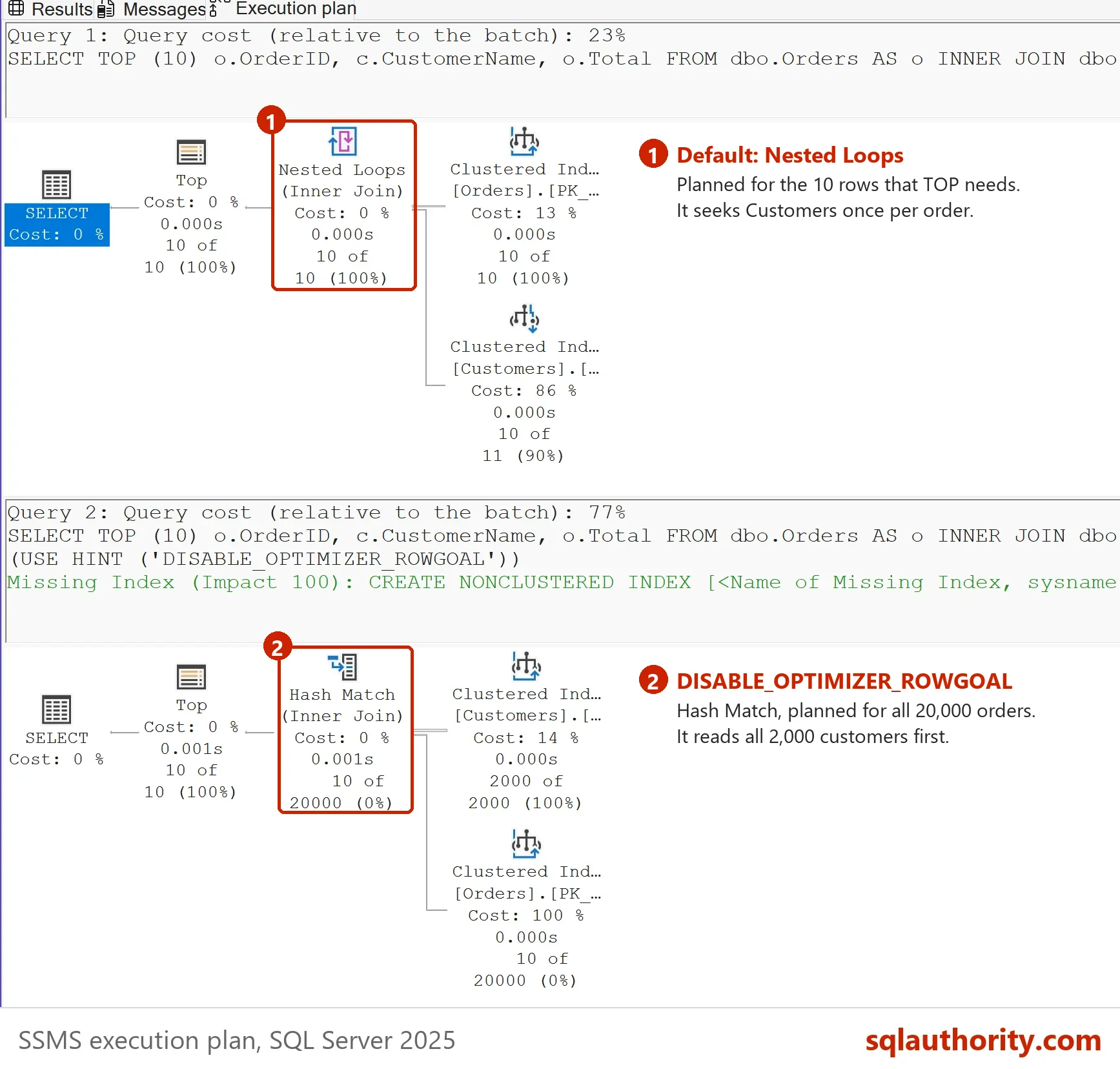
SELECT TOP (10) o.OrderID, c.CustomerName, o.Total FROM dbo.Orders AS o INNER JOIN dbo.Customers AS c ON c.CustomerID = o.CustomerID WHERE o.Total > 90;
GO
SELECT TOP (10) o.OrderID, c.CustomerName, o.Total FROM dbo.Orders AS o INNER JOIN dbo.Customers AS c ON c.CustomerID = o.CustomerID WHERE o.Total > 90 OPTION (USE HINT ('DISABLE_OPTIMIZER_ROWGOAL'));
GO
WITH XMLNAMESPACES (DEFAULT 'http://schemas.microsoft.com/sqlserver/2004/07/showplan')
SELECT CASE WHEN st.text LIKE N'%DISABLE_OPTIMIZER_ROWGOAL%' THEN N'With hint' ELSE N'Default' END AS Query,
       STRING_AGG(x.r.value('@PhysicalOp', 'nvarchar(60)'), N', ') WITHIN GROUP (ORDER BY x.r.value('@NodeId', 'int')) AS Operators
FROM sys.dm_exec_cached_plans AS cp
CROSS APPLY sys.dm_exec_sql_text(cp.plan_handle) AS st
CROSS APPLY sys.dm_exec_query_plan(cp.plan_handle) AS qp
CROSS APPLY qp.query_plan.nodes('//RelOp') AS x(r)
WHERE st.dbid = DB_ID() AND st.text LIKE N'SELECT TOP (10)%dbo.Orders%'
GROUP BY cp.plan_handle, st.text
ORDER BY Query;| Query | Operators |
|---|---|
| Default | Top, Nested Loops, Clustered Index Scan, Clustered Index Seek |
| With hint | Top, Hash Match, Clustered Index Scan, Clustered Index Scan |
The goal helps when the rows are easy to find. A dashboard that shows the first 25 rows of a huge table gets its answer fast. The plan never builds a hash table over the whole input. Leave the goal alone unless a measured plan shows harm.
When the Bet Fails
Now filter on Status. Only the last 10,000 orders are Open, and they sit at the end of the clustered index. The optimizer assumes they are spread evenly, so it expects to find 10 of them almost at once.
SET STATISTICS IO ON;
SELECT TOP (10) OrderID, CustomerID, Total, Status FROM dbo.Orders WHERE Status = N'Open';
SELECT TOP (10) OrderID, CustomerID, Total, Status FROM dbo.Orders WHERE Status = N'Open' OPTION (USE HINT ('DISABLE_OPTIMIZER_ROWGOAL'));
SET STATISTICS IO OFF;
Both statements print the same line on the Messages tab, with more counters after it.
Table 'Orders'. Scan count 1, logical reads 898, physical reads 0, ...
The scan read 898 pages to reach the first Open row. DISABLE_OPTIMIZER_ROWGOAL changed nothing. Both statements scan the clustered index. You could argue that the hint is the tool for this problem. Here it isn’t. The cure is an index that finds the Open rows directly and carries the columns the query returns.
CREATE INDEX IX_Orders_StatusCover ON dbo.Orders (Status) INCLUDE (CustomerID, Total);
GO
SET STATISTICS IO ON;
SELECT TOP (10) OrderID, CustomerID, Total, Status FROM dbo.Orders WHERE Status = N'Open';
SET STATISTICS IO OFF;
Table 'Orders'. Scan count 1, logical reads 3, physical reads 0, ...
The same query now reads 3 pages. The goal bet is safe once the index makes finding rows cheap wherever they sit. FAST n sets a row goal too. See OPTION FAST N: First Rows Sooner, Total Reads Higher.
What to Remember
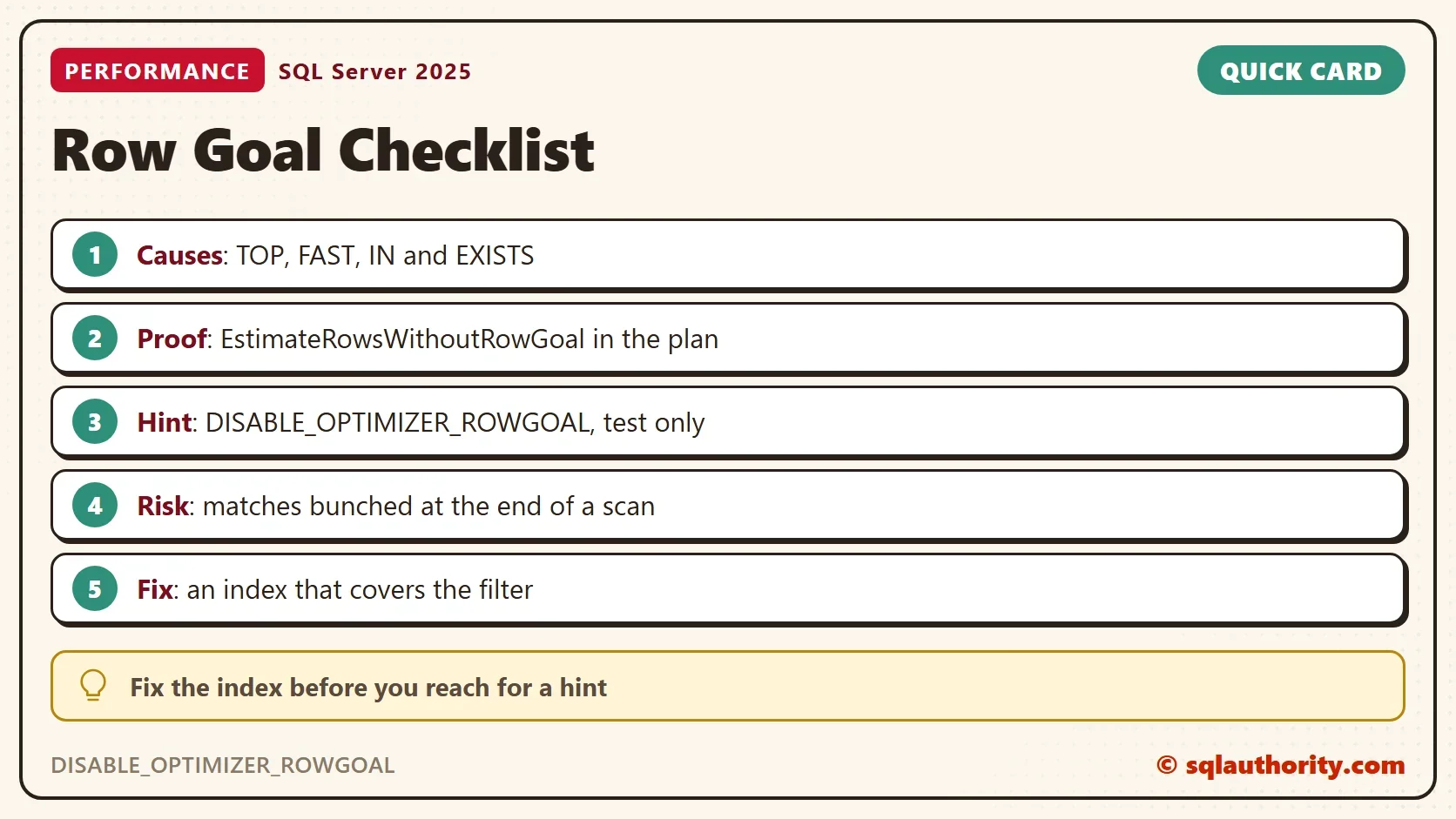
A row goal is a plan for few rows. Read EstimateRowsWithoutRowGoal to confirm one. Compare the plan with and without DISABLE_OPTIMIZER_ROWGOAL on a test server to see what the goal changed. Don’t ship the hint. Look at the filter column, and give it an index. Check how the matching rows are spread, too. A column whose matches cluster at one end of the table is the usual trap. A status or date column can behave that way.
Run the cleanup script when you finish the demo.
USE master;
GO
IF DB_ID(N'RowGoalDemo') IS NOT NULL
BEGIN
    ALTER DATABASE RowGoalDemo SET SINGLE_USER WITH ROLLBACK IMMEDIATE;
    DROP DATABASE RowGoalDemo;
END;
A row goal is not a speed feature, it is a bet about where your rows are.
Published by Pinal Dave on SQLAuthority. More of my work at pinaldave.com.
Discover more from SQL Authority with Pinal Dave
Subscribe to get the latest posts sent to your email.