
SqlServerWriter missing from the vssadmin output means a backup tool that relies on VSS cannot back up SQL Server. The cause sits on the SQL Server machine, not in the backup tool, and three checks find it.

What the Writer Does
There are several ways to back up a SQL Server database. Some third party tools use the Volume Shadow Copy Service, or VSS. The tool asks each application on the machine to get its data into a consistent state. An application takes part through a writer. For SQL Server, the writer is the SQL Server VSS Writer. Its service is called SQLWriter, and the writer it registers is named SqlServerWriter.
In the case behind this post, a third party backup failed. A working machine listed the writer, and the failing one did not. The command that lists writers is vssadmin. Run it in an elevated Command Prompt and filter the output.
vssadmin list writers | findstr /I SQLServerWriter
On a working machine, the command prints the line for SqlServerWriter. On the failing machine, it printed nothing. Nothing means that Windows knows no SQL Server writer. The next three sections look for the reason behind SqlServerWriter missing from the list.
Cause One: A Space at the End of a Database Name
One known cause is a database whose name ends with a space. A reader reported that this check solved a production problem. Such a name is legal, and it is easy to create by accident. A name pasted from a document can carry the space along. SQL Server stores it without a complaint.
The space hides from simple checks. The LEN function ignores trailing spaces, and a comparison pads strings, so name = LTRIM(RTRIM(name)) is true. The demo shows both traps. The script creates a database named VssNameDemo with a space at the end, then runs a check that sees it. The check compares byte lengths, which do not ignore the space. It also counts the length with a character appended.
USE master;
GO
IF DB_ID(N'VssNameDemo ') IS NULL AND DB_ID(N'VssNameDemo') IS NULL CREATE DATABASE [VssNameDemo ];
GO
SELECT QUOTENAME(name) AS ShownAs, DATALENGTH(name) / 2 AS StoredChars, LEN(name) AS LenFunction, LEN(name + N'|') - 1 AS CharsCounted
FROM sys.databases
WHERE DATALENGTH(name) <> DATALENGTH(LTRIM(RTRIM(name)));
| ShownAs | StoredChars | LenFunction | CharsCounted |
|---|---|---|---|
| [VssNameDemo ] | 12 | 11 | 12 |
The brackets from QUOTENAME make the space visible. The name has 12 characters. LEN reports 11, because it drops the trailing space. Appending a character before the count gives 12. A query that returns no rows means that no name starts or ends with a space. The check finds spaces only, not tabs or other hidden characters. Run it in every instance on the machine, because the writer looks at all of them.
The fix is a rename. The statement below removes the space, and the check then returns no rows.
ALTER DATABASE [VssNameDemo ] MODIFY NAME = VssNameDemo;
GO
SELECT name, DATALENGTH(name) / 2 AS StoredChars FROM sys.databases WHERE name LIKE N'VssNameDemo%';
SELECT name FROM sys.databases WHERE DATALENGTH(name) <> DATALENGTH(LTRIM(RTRIM(name)));
| name | StoredChars |
|---|---|
| VssNameDemo | 11 |
The name has 11 characters now, and the second query returns no rows. On a production server, a rename needs a short window with no connections. Tell the application owners first.
Cause Two: The Writer Login Lacks Rights
The SQL Server VSS Writer connects to every instance on the machine. Its documentation asks for sysadmin rights in each one. On current versions its login is NT SERVICE\SQLWriter. The next query shows three things. Does the login exist in this instance? Is it enabled? Does it hold the role?
SELECT name, is_disabled, IS_SRVROLEMEMBER(N'sysadmin', name) AS IsSysadmin
FROM sys.server_principals
WHERE name = N'NT SERVICE\SQLWriter';
| name | is_disabled | IsSysadmin |
|---|---|---|
| NT SERVICE\SQLWriter | 0 | 1 |
The login exists, it is enabled, and it is a sysadmin. A missing row, a disabled login or a zero in the last column points at this cause. Check each instance on the machine.
Cause Three: The Service Is Not Running
The writer exists only while its service runs. Check the service from PowerShell. The command reads the status and changes nothing.
Get-Service SQLWriter | Select-Object Name, Status, StartType
| Name | Status | StartType |
|---|---|---|
| SQLWriter | Stopped | Disabled |
On the test machine the service is stopped and disabled, so SqlServerWriter would not appear in the list. That is a fact of this machine. Backup tools that use VSS need the service enabled. Set its startup type to Manual or Automatic, and start it. Then run vssadmin again.
Is the Name Check Worth Running?
You could argue that a trailing space is too rare to check. It is rare. The check is one query, and the failure it prevents is a backup that stops without a clear message. Run it with the other two checks when you find SqlServerWriter missing after a failed VSS backup. Run it again after you restore or attach a database with a name you did not choose.
What to Remember
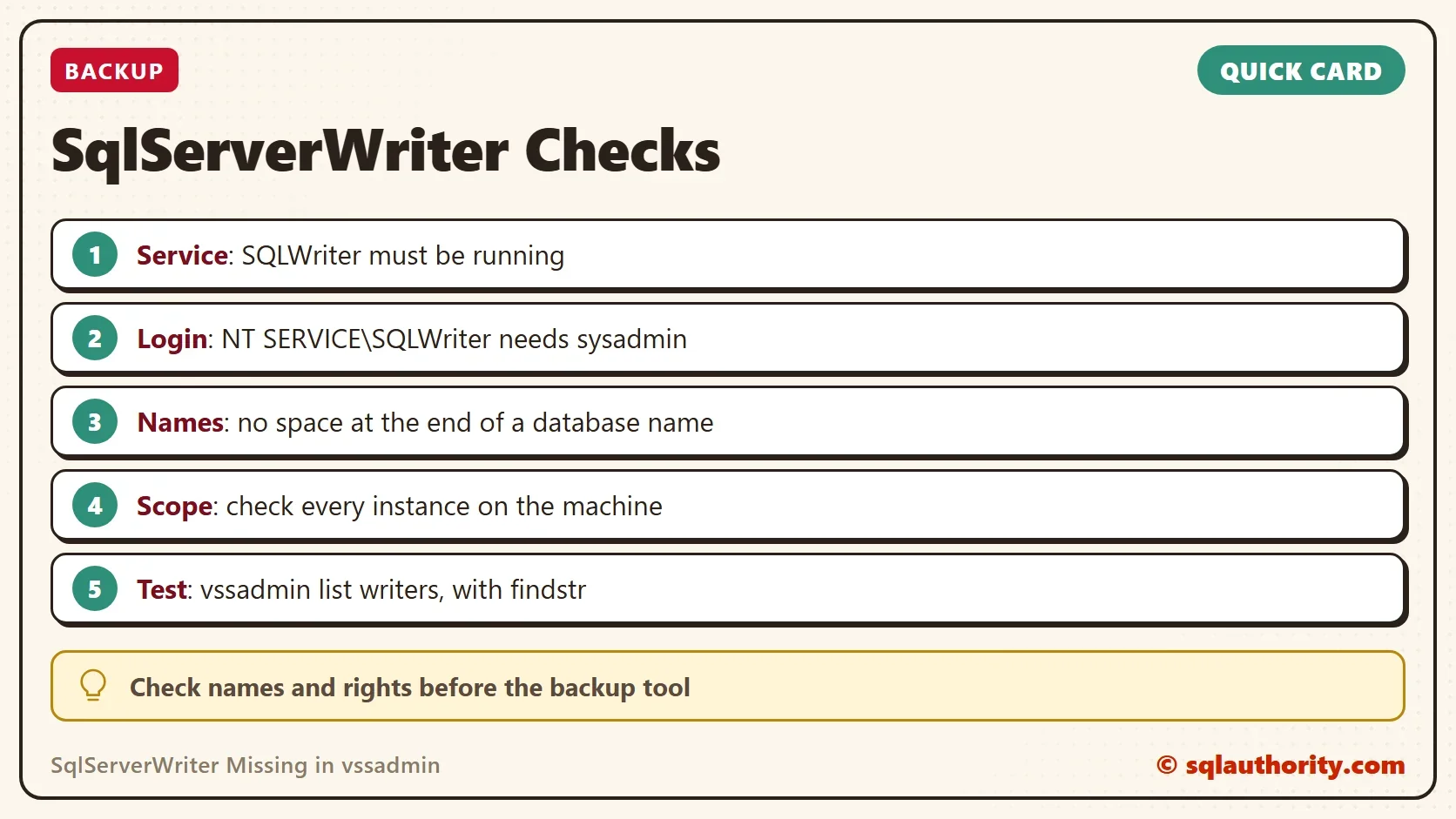
With SqlServerWriter missing, check three things. Look for a space at the end of a database name. Check the writer login for sysadmin. Make sure the SQLWriter service runs. Repeat the first two checks in every instance on the machine.
The demo database is gone after the cleanup script.
USE master;
GO
IF DB_ID(N'VssNameDemo') IS NOT NULL DROP DATABASE VssNameDemo;
IF DB_ID(N'VssNameDemo ') IS NOT NULL DROP DATABASE [VssNameDemo ];
A missing writer is not a failed tool, it is a machine that shows its data to no one.
Published by Pinal Dave on SQLAuthority. More of my work at pinaldave.com.
Discover more from SQL Authority with Pinal Dave
Subscribe to get the latest posts sent to your email.




1 Comment. Leave new
Thanks a lot for the space tweak in DB name, cause you solve an huge issue of my SQL production.