The HADRAG error “Did not find the instance to connect in SqlInstToNodeMap key” kept an availability group offline. I solved it for a client during an On Demand (50 Minutes) consulting session.
The Error
This is the relevant part of the cluster log:
INFO [RES] SQL Server Availability Group <PRODAG>: [hadrag] The DeadLockTimeout property has a value of 300000
INFO [RES] SQL Server Availability Group <PRODAG>: [hadrag] The PendingTimeout property has a value of 180000
ERR [RES] SQL Server Availability Group <PRODAG>: [hadrag] Did not find the instance to connect in SqlInstToNodeMap key.
ERR [RHS] Online for resource PRODAG failed.
ERR is the tag I look for in a cluster log, and you should too. The line before the failure carries the error.
What the Client Saw
The cluster had been unstable. It caused a few unexpected failovers of the availability group from node1 to node2, and sometimes back again. When the client contacted me, the clustered resource for the availability group wouldn’t come online.
My first step is always to get the error that SQL Server, the cluster or Windows reports. The event log said this:
Cluster resource 'PRODAG' of type 'SQL Server Availability Group' in clustered role 'PRODAG' failed.That message is generic and tells us nothing new. So I asked for a cluster log. If you need help, here are my steps to generate a Windows cluster log. The log gave us the lines above.
Why It Happens
I searched and found that SqlInstToNodeMap is a registry key. It should hold the same information as sys.dm_hadr_instance_node_map. Here, it didn’t.
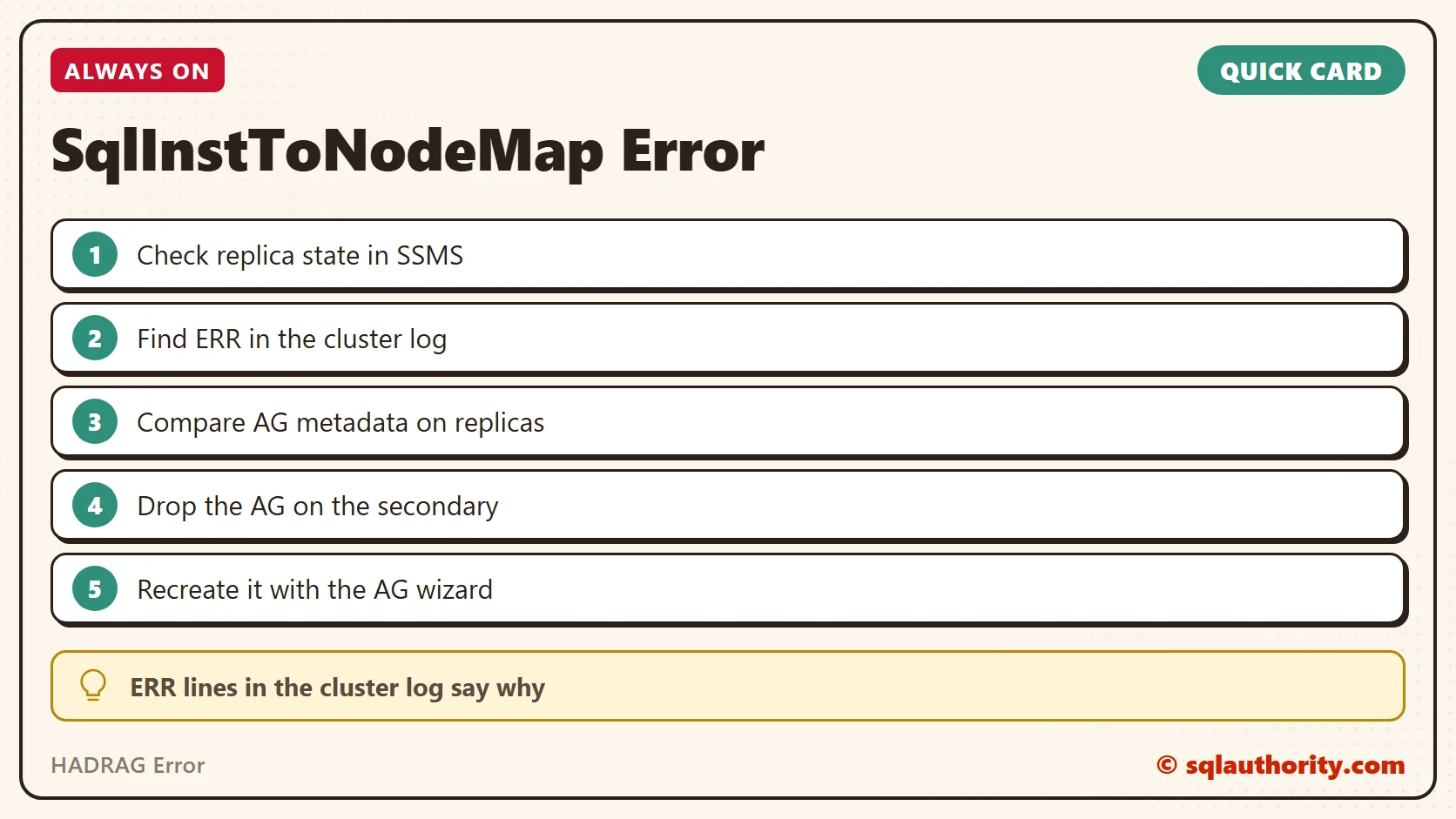
The symptoms all pointed to a metadata mismatch between the cluster and SQL Server. Even the two replicas disagreed about the availability group.
How to Check
We looked at three things:
- In SSMS, the secondary replica wasn’t connected to the primary. The connected state was DISCONNECTED in the DMV, and SSMS showed a red symbol for the replica.
- On the primary replica, SSMS showed no availability group under the availability group node. It showed no replicas under the availability replica node.
- Querying sys.dm_hadr_database_replica_states returned no results.

The Fix
We ran this command on the secondary to remove the availability group information. The UI gave an error, so we couldn’t use it.
DROP AVAILABILITY GROUP PRODAGConfirm It Worked
As soon as the command ran, the databases went into the restoring state. The availability group information was cleared from all the DMVs and from the cluster. Then we recreated the availability group with the wizard. We were back in business in less than 20 minutes of the call.
How to Prevent It
Read the ERR lines in the cluster log before you change anything. And before you drop an availability group, write down its settings, because you’ll create it again from scratch.
A stuck availability group is not a broken cluster, it is metadata that stopped agreeing.
Published by Pinal Dave on SQLAuthority. More of my work at pinaldave.com.
Discover more from SQL Authority with Pinal Dave
Subscribe to get the latest posts sent to your email.