
Memory grant feedback explained in one line: SQL Server compares the memory a query asked for with what it used. Then it corrects the grant for the next run. The loop works only on a plan that SQL Server reuses.

What a Memory Grant Is
Some operators need working space before they can return a row. A sort has to hold its rows, and a hash join has to hold its build side. SQL Server reserves that space before the query starts. The reservation is the memory grant.
SQL Server sizes the grant from its row estimate, and the estimate is a guess made at compile time. A grant that is too big wastes memory and can keep other queries waiting. A grant that is too small makes the operator spill to tempdb, which is slow. Memory grant feedback fixes both.
Build a Query That Over-Estimates
The demo creates a database named GrantIntroDemo with one table of 200,000 orders. Each row carries a text note, so the sort has real data to hold. Run it on a test server.
IF DB_ID(N'GrantIntroDemo') IS NULL CREATE DATABASE GrantIntroDemo;
GO
USE GrantIntroDemo;
GO
DROP TABLE IF EXISTS dbo.Orders;
CREATE TABLE dbo.Orders (
    OrderID int IDENTITY(1,1) NOT NULL PRIMARY KEY,
    Remarks varchar(200) NOT NULL
);
INSERT INTO dbo.Orders (Remarks)
SELECT REPLICATE(CONVERT(varchar(36), NEWID()), 3)
FROM GENERATE_SERIES(1, 200000) AS s;
The procedure copies its parameter into a local variable. SQL Server can’t look inside a local variable at compile time. It guesses that the condition matches 30 percent of the table, which is 60,000 rows. The call below asks for the last 1,000 orders.
CREATE OR ALTER PROCEDURE dbo.OrdersAbove @MinID int
AS
DECLARE @Floor int = @MinID;
SELECT OrderID, Remarks
FROM dbo.Orders
WHERE OrderID > @Floor
ORDER BY Remarks;
Run It Five Times and Log Every Grant
The next script calls the procedure five times. After each call it reads sys.dm_exec_query_stats, which keeps the last grant and the last memory used. INSERT ... EXEC swallows the rows, so the result stays short. The view needs the VIEW SERVER STATE permission.
DROP TABLE IF EXISTS #sink, #log;
CREATE TABLE #sink (OrderID int, Remarks varchar(200));
CREATE TABLE #log (Run int, GrantedKB bigint, UsedKB bigint);
DECLARE @run int = 1;
WHILE @run <= 5
BEGIN
    INSERT #sink EXEC dbo.OrdersAbove @MinID = 199000;
    INSERT #log (Run, GrantedKB, UsedKB)
    SELECT @run, qs.last_grant_kb, qs.last_used_grant_kb
    FROM sys.dm_exec_query_stats AS qs
    CROSS APPLY sys.dm_exec_sql_text(qs.sql_handle) AS st
    WHERE st.dbid = DB_ID()
      AND st.objectid = OBJECT_ID(N'dbo.OrdersAbove')
      AND qs.max_grant_kb > 0;
    SET @run += 1;
END;
SELECT Run, GrantedKB, UsedKB FROM #log ORDER BY Run;| Run | GrantedKB | UsedKB |
|---|---|---|
| 1 | 13256 | 160 |
| 2 | 1536 | 160 |
| 3 | 1536 | 160 |
| 4 | 1536 | 160 |
| 5 | 1536 | 160 |
The first run got 13256 KB and used 160 KB. From the second run on, the grant is 1536 KB and stays there. SQL Server saw the waste after run one and cut the grant. Your sizes can differ by server, but the shape holds: one large grant, then a small stable one.
Run the demo on a fresh database. SQL Server keeps what it learned in Query Store. A second run of the same procedure starts at the small grant. This persistence needs Query Store to be on and in read-write mode.
Read the Status in the Plan
T-SQL shows the sizes. The actual plan shows what SQL Server decided. Turn on Include Actual Execution Plan, run the procedure, click the SELECT operator and open Properties. Under Memory Grant Info, the property IsMemoryGrantFeedbackAdjusted names the state.
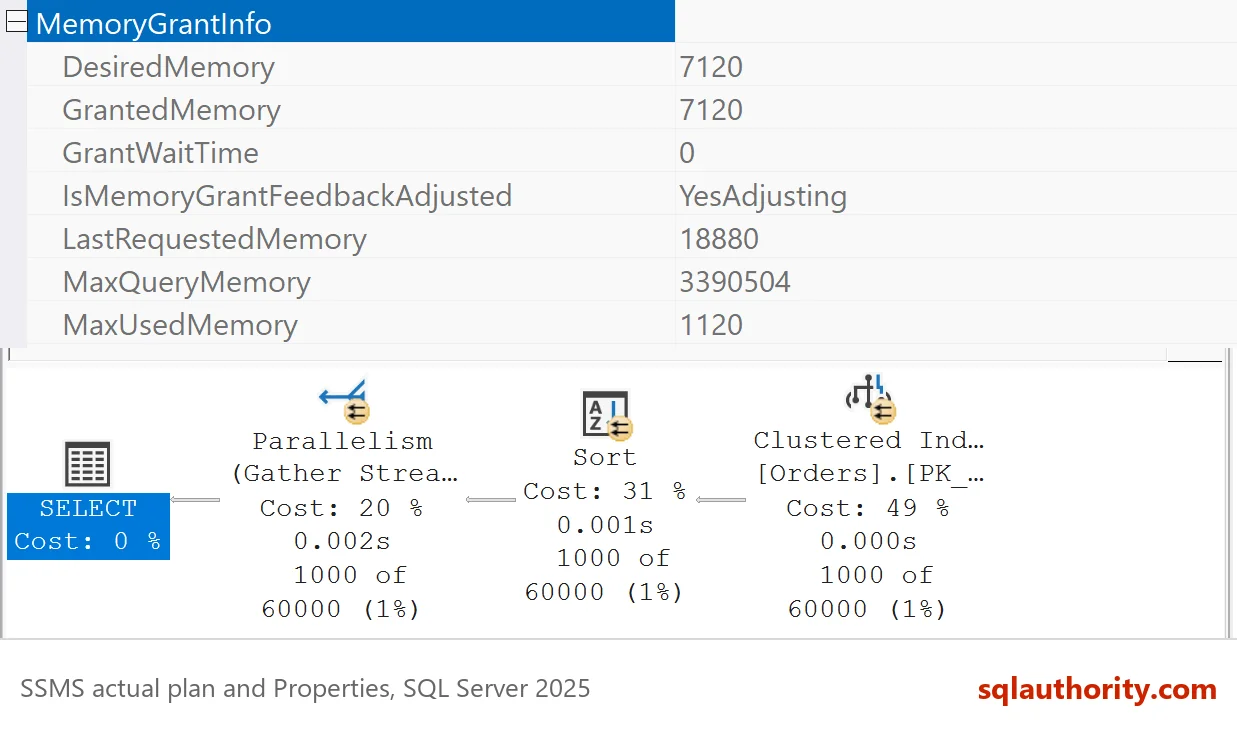
| Run | GrantedKB | IsMemoryGrantFeedbackAdjusted |
|---|---|---|
| 1 | 13256 | No: First Execution |
| 2 | 1536 | Yes: Adjusting |
| 3 | 1536 | Yes: Stable |
| 4 | 1536 | Yes: Stable |
| 5 | 1536 | Yes: Stable |
The status column comes from the plan properties of the same five runs. Run one has no history, so nothing can be adjusted. Run two uses the adjusted grant and says so. Run three finds nothing left to change, and the status turns stable. The Properties window in SSMS prints the same words without spaces, such as YesAdjusting. The post on IsMemoryGrantFeedbackAdjusted Values: What Each Status Means lists every value.
What Feedback Needs
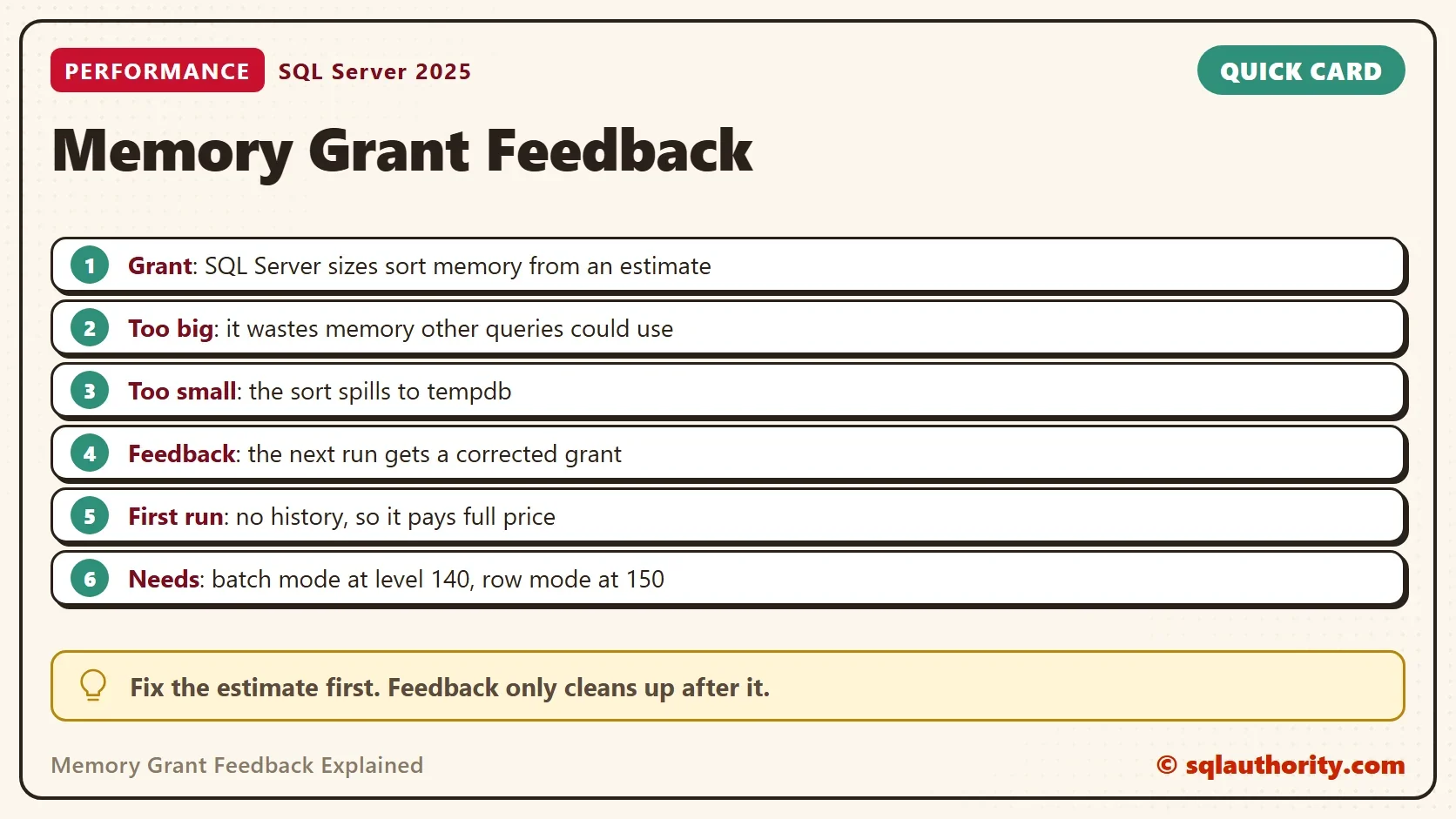
Memory grant feedback is on by default. Batch mode operators got it with SQL Server 2017 at compatibility level 140. Row mode operators, such as the sort in this demo, got it with SQL Server 2019 at level 150. A row mode sort on SQL Server 2017 keeps its first grant. That is the rule, not a bug.
SQL Server 2022 and later can also keep what they learned in Query Store. A restart doesn’t throw it away. Persistence needs Query Store to be on and in read-write mode. A new database on this server has both. The post on Stop Memory Grant Feedback: Database Setting and Query Hint shows how to turn each piece off.
Feedback Fixes the Next Run, Not This One
The demo comes down to one rule: feedback fixes the next run. Feedback can’t help a query that runs once. On SQL Server 2019 and earlier, the learned grant lived in the plan. When the plan leaves the cache, the lesson is lost.
On SQL Server 2022 and later, a plan that is compiled again picks the learned grant up from Query Store. In a test, the first run after a cache clear got 1536 KB, not 13256 KB. The first run of a brand new plan, in a new database, always pays full price.
A Better Estimate Beats Feedback
You could argue that feedback is a repair for something that should not have broken. It is. Memory grant feedback explained honestly is a repair job. The grant was wrong because the estimate was wrong, and the local variable caused the estimate. The next script passes the parameter straight through.
CREATE OR ALTER PROCEDURE dbo.OrdersAboveDirect @MinID int
AS
SELECT OrderID, Remarks
FROM dbo.Orders
WHERE OrderID > @MinID
ORDER BY Remarks;
GO
INSERT #sink EXEC dbo.OrdersAboveDirect @MinID = 199000;
SELECT qs.last_grant_kb AS GrantedKB, qs.last_used_grant_kb AS UsedKB
FROM sys.dm_exec_query_stats AS qs
CROSS APPLY sys.dm_exec_sql_text(qs.sql_handle) AS st
WHERE st.dbid = DB_ID()
  AND st.objectid = OBJECT_ID(N'dbo.OrdersAboveDirect')
  AND qs.max_grant_kb > 0;
| GrantedKB | UsedKB |
|---|---|
| 1024 | 160 |
SQL Server looks at the real value when it compiles. It expects about 1,000 rows and grants 1024 KB on the first run. Feedback still earns its place where one estimate can’t fit every call. The post on Memory Grant Feedback Loop: When SQL Server Stops Adjusting covers that case.
What to Remember
Memory grant feedback explained in two lines: read the grant and the memory used, then look at the estimate. Read both before you decide a query needs tuning. When the grant is many times the use, look for the estimate that caused it. A local variable, an old statistic and a table variable are common causes.
Feedback is a safety net, so I check the estimate first and treat feedback as the second line. When you finish testing, remove the demo database.
USE master;
GO
ALTER DATABASE GrantIntroDemo SET SINGLE_USER WITH ROLLBACK IMMEDIATE;
DROP DATABASE GrantIntroDemo;
A memory grant is not a promise, it is a guess that SQL Server learns to correct.
Published by Pinal Dave on SQLAuthority. More of my work at pinaldave.com.
Discover more from SQL Authority with Pinal Dave
Subscribe to get the latest posts sent to your email.




6 Comments. Leave new
Hi Pinal,
> When you run it again and check the execution plan, you will notice that the warning is disappeared and the execution plan now automatically predicts the correct amount of the memory required by the query.
I continue to see excessive memory grants. Is there perhaps a setting at the database level to allow this type of feedback?
Also, did you intend to change the input parameter from 120 to 223?
Thanks,
Tom
Please change it to the latest compatibility level.
Yes, I intended to change the input parameter so the memory grant does not get settled.
Is this example only intended to work with SQL Server 2019? I was using SQL Server 2017 with compatibility level = 140, when trying out your sample.
I even upgraded to the latest CU (I think it is 18, if memory serves correctly). Sorry, I’m not sitting at the computer at the moment, so I can’t quote exact numbers. The initial memory grant was very close to your example, and it dropped some, but it was still in the 500,000 KB range on each successive run, including after updating table stats!
17 and 19 to begin with. In 19 it moves forward with many new features.
I think you are saying that it should have worked as advertised, in SQL Server 2017, CU18 (Developer Edition), but I’m only seeing an initial drop (to something still in excess of 500,000 KB for a memory grant.
Do you have access to this version to test, or perhaps another reader who might be reading this Q&A – if you are using the same version as me, what results are you getting back?
I will test with 2017 soon. I have only tested in 2019 with the compatibility level of 2017.