
Removing old SQL backup files from Azure Storage should start with a retention inventory. After I set up a SQL Agent backup job, its blobs kept accumulating. An age cutoff could find old files. It could not tell me whether a restore still needed them.

Keep Naming and Retention Separate
This post followed How to Add Date to Database Backup Filename?. A fresh file name prevents an accidental overwrite. A date in the name does not decide how long to keep the backup.
LastModified is a storage timestamp. It is not the time the SQL backup finished, your recovery window or proof of a complete chain. An older full backup can still support a differential or log backup you retain.
Inventory One Container and Prefix
The script below uses the Az.Storage module and an existing approved Azure sign-in with blob data read access. Run it on an authorized management machine. Replace the account, the container and the case-sensitive prefix. Add a trailing slash when your naming scheme uses a folder per database.
It lists block and page blobs with a .bak, .trn or .dif suffix. It follows every continuation page and flags blobs with no timestamp. The 72 hour cutoff is only an example. Adjust the suffix list to your naming convention.
param(
    [string]$StorageAccount = 'YourStorageAccount',
    [string]$Container = 'YourBackupContainer',
    [ValidateNotNullOrEmpty()][string]$Prefix = 'YourDatabase/',
    [DateTimeOffset]$CutoffUtc = [DateTimeOffset]::UtcNow.AddHours(-72)
)
# Requires an existing approved Az sign-in and blob data read access.
# Inventory only. No removal, lease, snapshot or version changes.
$ErrorActionPreference = 'Stop'
$context = New-AzStorageContext -StorageAccountName $StorageAccount -UseConnectedAccount
$token = $null
$inventory = @(
    do {
        $page = @(Get-AzStorageBlob -Container $Container -Prefix $Prefix `
            -Context $context -MaxCount 500 -ContinuationToken $token)
        $token = if ($page.Count) { $page[-1].ContinuationToken } else { $null }
        foreach ($blob in $page) {
            if (-not $blob.Name.StartsWith($Prefix, [StringComparison]::Ordinal)) { continue }
            if ($blob.Name -notmatch '\.(bak|trn|dif)$') { continue }
            if ([string]$blob.BlobType -notin @('BlockBlob', 'PageBlob')) { continue }
            if ($blob.SnapshotTime -or $blob.IsDeleted) { continue }
            $modified = $null
            $status = 'Unknown timestamp: investigate'
            if ($null -ne $blob.LastModified) {
                try {
                    $modified = ([DateTimeOffset]$blob.LastModified).ToUniversalTime()
                    $status = if ($modified -lt $CutoffUtc) {
                        'Older than cutoff: review restore dependencies'
                    } else { 'At or after cutoff: retain' }
                } catch { $status = 'Invalid timestamp: investigate' }
            }
            [pscustomobject]@{
                Account = $StorageAccount
                Container = $Container
                Name = $blob.Name
                BlobType = [string]$blob.BlobType
                LastModifiedUtc = $modified
                Bytes = $blob.Length
                ReviewStatus = $status
            }
        }
    } while ($null -ne $token)
)
$inventory | Sort-Object Name | Format-Table Name, LastModifiedUtc, BlobType, ReviewStatus -AutoSize
I could not run it against a real storage account, so I tested it offline. I replaced the two Azure cmdlets with local functions that returned fixture blobs on two pages. The script listed seven blobs from both pages. It skipped a text file, an append blob, a snapshot, a deleted entry and a blob outside the prefix. With the default cutoff it flagged four blobs for review, kept two and marked one with no timestamp.
No removal command is included. A blob older than the cutoff is a review candidate, not an approved deletion. The script does not request deleted blobs or versions, and it skips snapshot entries. Review snapshot, version and soft-delete retention separately.
Ask SQL Server What Its Backups Need
Storage knows names and dates. msdb knows the chain. This query reads the backup history for files under one device pattern. It shows each file’s backup type and its number of stripes. It also shows whether the backup came before the newest full backup of that database.
DECLARE @DeviceLike nvarchar(260) = N'https://yourstorageaccount.blob.core.windows.net/yourbackupcontainer/%';
WITH backups AS (
    SELECT bs.database_name, bs.type, bs.backup_start_date, bs.backup_finish_date,
           bs.is_copy_only, bmf.media_set_id, bmf.physical_device_name
    FROM msdb.dbo.backupset AS bs
    JOIN msdb.dbo.backupmediafamily AS bmf ON bmf.media_set_id = bs.media_set_id
    WHERE bmf.physical_device_name LIKE @DeviceLike
)
SELECT database_name, physical_device_name,
       CASE type WHEN 'D' THEN 'Full' WHEN 'I' THEN 'Differential' WHEN 'L' THEN 'Log' ELSE type END AS backup_type,
       backup_finish_date,
       COUNT(*) OVER (PARTITION BY media_set_id) AS stripes,
       CASE WHEN backup_start_date < MAX(CASE WHEN type = 'D' AND is_copy_only = 0 THEN backup_start_date END)
                                     OVER (PARTITION BY database_name)
            THEN 'Before the newest full backup' ELSE 'In the newest chain' END AS review_note
FROM backups
ORDER BY database_name, backup_start_date;
On my instance I wrote four backups to a test folder. They were a full, a log, a striped full and a differential. The striped backup showed two rows with a stripe count of 2. The first full backup and its log came back as before the newest full backup. Those are review candidates, and your retention policy still decides.
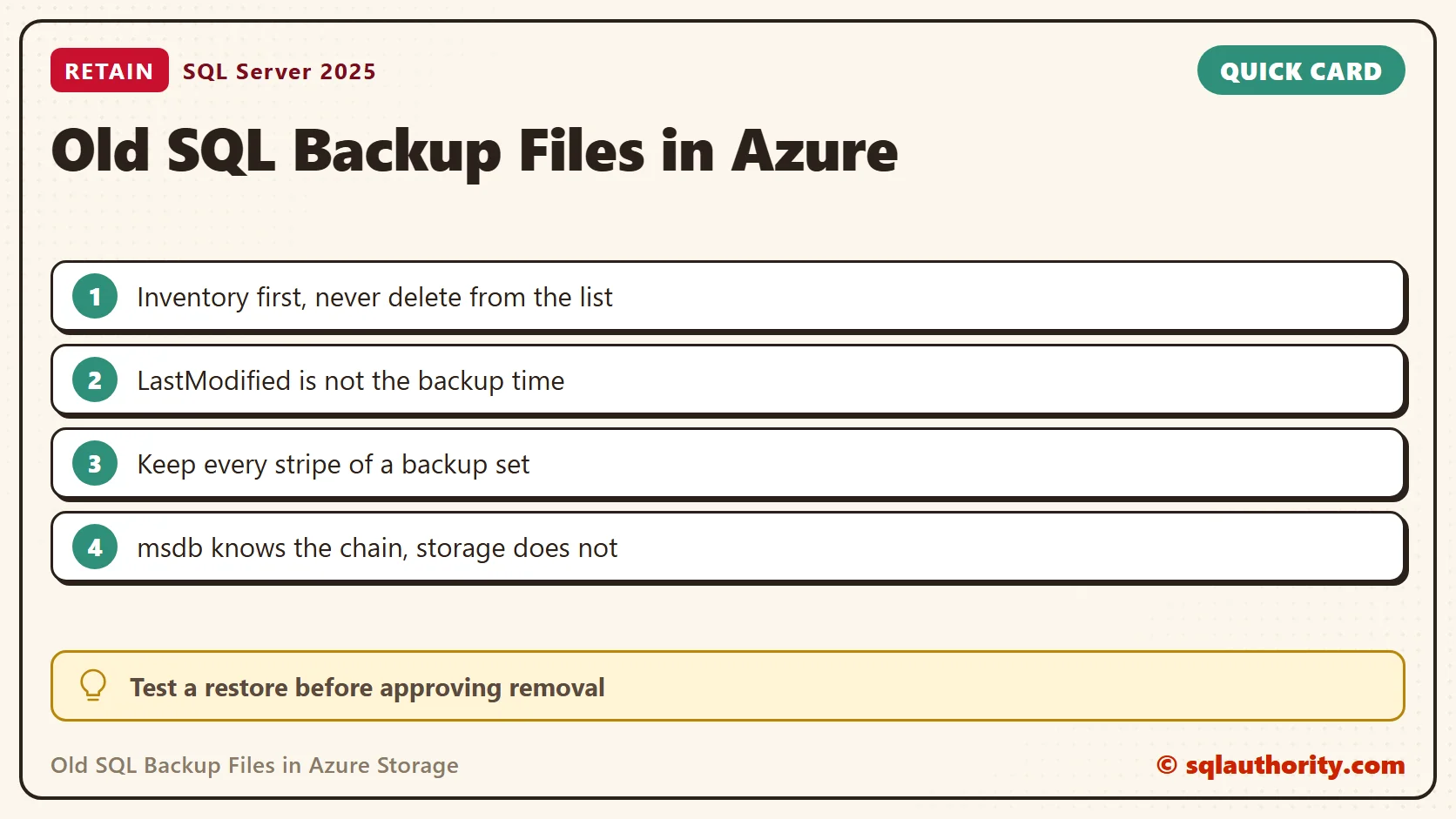
Check the Restore Set Before You Approve Cleanup
- Keep the full backup and every differential and log backup needed to reach each recovery point.
- Keep every stripe of a backup set. One missing blob makes the set unusable.
- Reconcile the storage inventory with the backup history and the backup headers. A file extension does not identify the backup type.
- Confirm that secondary copies and encryption certificates or keys are available.
- Run a representative restore test, and get approval for the exact removal list.
A leased blob, a legal hold or an immutability policy needs investigation, not a bypass. Read permission for the inventory does not imply delete permission. A WhatIf preview in a later cleanup tool shows intended targets. It does not prove that Azure will authorize the deletion.
Keep Cleanup a Separate Step
Never pipe this age-based inventory straight into a removal command. Write the approved list to a file, review it, and run cleanup as its own operation. My post Previewing Old Azure Backup Blobs Before Removal with PowerShell explains the same review-first approach.
Backup age is not permission to delete, it is one clue in a restore retention review.
Published by Pinal Dave on SQLAuthority. More of my work at pinaldave.com.
Discover more from SQL Authority with Pinal Dave
Subscribe to get the latest posts sent to your email.




6 Comments. Leave new
But this leaves all the .log files as well. What we need is to find the .bak closest to that date and delete all .log and .bak files earlier than that file then we get nice cleanup. I will try and work on that script.
Very true. If you can share it here, it would help others.
Shouldn’t the last line be:
Thank you, I fixed it!
Hi I am looking for solution to restore SQL native backup in azure. Please share if any…
You mean OnPrem to IaaS Azure VM?