
To check index fragmentation with row count, read sys.dm_db_index_physical_stats in SAMPLED mode. Keep the page count and the row count next to every percentage, because a percentage alone says little.

Why a Percentage Needs a Row Count
Fragmentation means the pages of an index are out of order or half empty. The percentage tells you how out of order. It doesn’t tell you how much is out of order. An index of four pages at 50 percent fragmentation costs nothing. An index of half a million pages at 30 percent costs real reads. The page count and the row count give the percentage its meaning.
I don’t start a tuning job with an index rebuild, and the demo shows why. It builds a database named IndexFragDemo with three tables. OrderLines gets keys in a scattered order, so its pages split. Orders gets ascending keys, so its pages stay in order. Colors is tiny. A loop inserts one row at a time, the way an application does. Run the script on a test server.
IF DB_ID(N'IndexFragDemo') IS NULL CREATE DATABASE IndexFragDemo;
GO
USE IndexFragDemo;
GO
DROP TABLE IF EXISTS dbo.OrderLines, dbo.Colors, dbo.Orders;
CREATE TABLE dbo.OrderLines (LineKey int NOT NULL CONSTRAINT PK_OrderLines PRIMARY KEY, Note char(100) NOT NULL);
CREATE TABLE dbo.Colors (ColorKey int NOT NULL CONSTRAINT PK_Colors PRIMARY KEY, Note char(100) NOT NULL);
CREATE TABLE dbo.Orders (OrderID int NOT NULL CONSTRAINT PK_Orders PRIMARY KEY, Note char(100) NOT NULL);
GO
SET NOCOUNT ON;
DECLARE @n int = 1;
WHILE @n <= 30000
BEGIN
    INSERT INTO dbo.OrderLines (LineKey, Note) VALUES ((@n * 7919) % 100003, 'x');
    INSERT INTO dbo.Orders (OrderID, Note) VALUES (@n, 'x');
    IF @n <= 150 INSERT INTO dbo.Colors (ColorKey, Note) VALUES ((@n * 7919) % 1009, 'x');
    SET @n += 1;
END;
Pick the Scan Mode
The function sys.dm_db_index_physical_stats has three modes. LIMITED is the fast one. It reads only the pages above the leaf level, and it returns NULL for the row count. SAMPLED reads a sample of the leaf pages. It reads all of them when an index has fewer than 10,000 pages, and it returns the row count. DETAILED reads every page and takes the longest.
SELECT o.name AS TableName, ips.page_count AS Pages, ips.record_count AS RowsInIndex
FROM sys.dm_db_index_physical_stats(DB_ID(), OBJECT_ID(N'dbo.Orders'), NULL, NULL, 'LIMITED') AS ips
JOIN sys.objects AS o ON o.object_id = ips.object_id
WHERE ips.index_level = 0;
| TableName | Pages | RowsInIndex |
|---|---|---|
| Orders | 423 | NULL |
The page count is there, and the row count is NULL. SAMPLED is the best default for a report that shows both. The report below uses it.
Report Every Index in One Database
The query joins the function to sys.indexes, sys.objects and sys.schemas for the names. It keeps only the leaf level of in-row data, and it skips heaps and system objects. The variable @MinPages hides small indexes. It starts at 0 here, so you can see everything.
DECLARE @MinPages int = 0;
SELECT s.name AS SchemaName, o.name AS TableName, i.name AS IndexName,
       ips.page_count AS Pages, ips.record_count AS RowsInIndex,
       CONVERT(decimal(5,1), ips.avg_fragmentation_in_percent) AS FragmentationPercent
FROM sys.dm_db_index_physical_stats(DB_ID(), NULL, NULL, NULL, 'SAMPLED') AS ips
JOIN sys.indexes AS i ON i.object_id = ips.object_id AND i.index_id = ips.index_id
JOIN sys.objects AS o ON o.object_id = ips.object_id
JOIN sys.schemas AS s ON s.schema_id = o.schema_id
WHERE o.is_ms_shipped = 0
  AND ips.index_level = 0
  AND ips.alloc_unit_type_desc = N'IN_ROW_DATA'
  AND ips.index_id > 0
  AND ips.page_count >= @MinPages
ORDER BY ips.page_count DESC;| SchemaName | TableName | IndexName | Pages | RowsInIndex | FragmentationPercent |
|---|---|---|---|---|---|
| dbo | OrderLines | PK_OrderLines | 517 | 30000 | 98.8 |
| dbo | Orders | PK_Orders | 423 | 30000 | 0.5 |
| dbo | Colors | PK_Colors | 4 | 150 | 50.0 |
Your pages and percentages can differ a little, and the pattern holds. Colors is fragmented at 50 percent, but it has four pages, so nobody should rebuild it. Set @MinPages to 100 and it disappears from the list. On a production server I start at 1,000 pages. The same 30,000 rows take 517 pages in OrderLines and 423 in Orders, which is 22 percent more pages. That is the real cost here: more pages to read, cache and back up.
Report Every Online Database
The function accepts NULL as the database id, and it then returns rows for every database. That tempts people to join the result to sys.indexes. The join fails, because sys.indexes belongs to the current database. Run from one database, such a query matched none of the rows of the others. A coincidence of object numbers could also give a row the wrong name. Names must come from each database’s own catalog.
To check index fragmentation on a whole server, the loop below visits each online user database in turn. The offline ones are skipped, because their state is not ONLINE. A TRY block skips a database that refuses the query. Set @OnlyDatabase to NULL to visit all of them. SAMPLED reads leaf pages, so run it in a quiet period and start with one database. The demo limits it to IndexFragDemo.
DECLARE @OnlyDatabase sysname = N'IndexFragDemo';
DECLARE @MinPages int = 100, @db sysname, @sql nvarchar(max);
CREATE TABLE #Frag (DatabaseName sysname, SchemaName sysname, TableName sysname, IndexName sysname NULL,
                    Pages bigint, RowsInIndex bigint, FragmentationPercent decimal(5,1));
DECLARE dbs CURSOR LOCAL FAST_FORWARD FOR
    SELECT name FROM sys.databases
    WHERE state_desc = N'ONLINE' AND database_id > 4 AND (@OnlyDatabase IS NULL OR name = @OnlyDatabase);
OPEN dbs;
FETCH NEXT FROM dbs INTO @db;
WHILE @@FETCH_STATUS = 0
BEGIN
    SET @sql = N'USE ' + QUOTENAME(@db) + N';
INSERT INTO #Frag
SELECT DB_NAME(), s.name, o.name, i.name, ips.page_count, ips.record_count, CONVERT(decimal(5,1), ips.avg_fragmentation_in_percent)
FROM sys.dm_db_index_physical_stats(DB_ID(), NULL, NULL, NULL, ''SAMPLED'') AS ips
JOIN sys.indexes AS i ON i.object_id = ips.object_id AND i.index_id = ips.index_id
JOIN sys.objects AS o ON o.object_id = ips.object_id
JOIN sys.schemas AS s ON s.schema_id = o.schema_id
WHERE o.is_ms_shipped = 0 AND ips.index_level = 0 AND ips.alloc_unit_type_desc = N''IN_ROW_DATA''
  AND ips.index_id > 0 AND ips.page_count >= ' + CONVERT(nvarchar(20), @MinPages) + N';';
    BEGIN TRY
        EXEC (@sql);
    END TRY
    BEGIN CATCH
        PRINT N'Skipped ' + @db + N': ' + ERROR_MESSAGE();
    END CATCH;
    FETCH NEXT FROM dbs INTO @db;
END;
CLOSE dbs;
DEALLOCATE dbs;
SELECT * FROM #Frag ORDER BY Pages DESC;
DROP TABLE #Frag;| DatabaseName | SchemaName | TableName | IndexName | Pages | RowsInIndex | FragmentationPercent |
|---|---|---|---|---|---|---|
| IndexFragDemo | dbo | OrderLines | PK_OrderLines | 517 | 30000 | 98.8 |
| IndexFragDemo | dbo | Orders | PK_Orders | 423 | 30000 | 0.5 |
Fix the One Index That Matters
OrderLines is big enough, and it is almost entirely out of order. A rebuild writes the pages again in key order. The usual guidance is to reorganize between 5 and 30 percent and to rebuild above 30 percent. Treat those numbers as a starting point, not a law.
ALTER INDEX PK_OrderLines ON dbo.OrderLines REBUILD;
After the rebuild, OrderLines takes 423 pages with 0.0 percent fragmentation, the same as its neighbor Orders. A rebuild isn’t free. It uses CPU and log space, and the plain form blocks writers while it runs. A table that must stay open needs a different approach. Create an Index Online in SQL Server: What ONLINE = ON Locks explains it.
Does Fragmentation Even Matter?
You could argue that fragmentation no longer matters on fast storage. It matters less for read-ahead on a scan, that is true. The extra pages still cost memory, backup size and every read that touches them. The demo’s 22 percent is a good measure of the waste. I treat the percentage as one clue. I check the server’s waits, memory and queries before I spend a night rebuilding indexes.
What to Remember
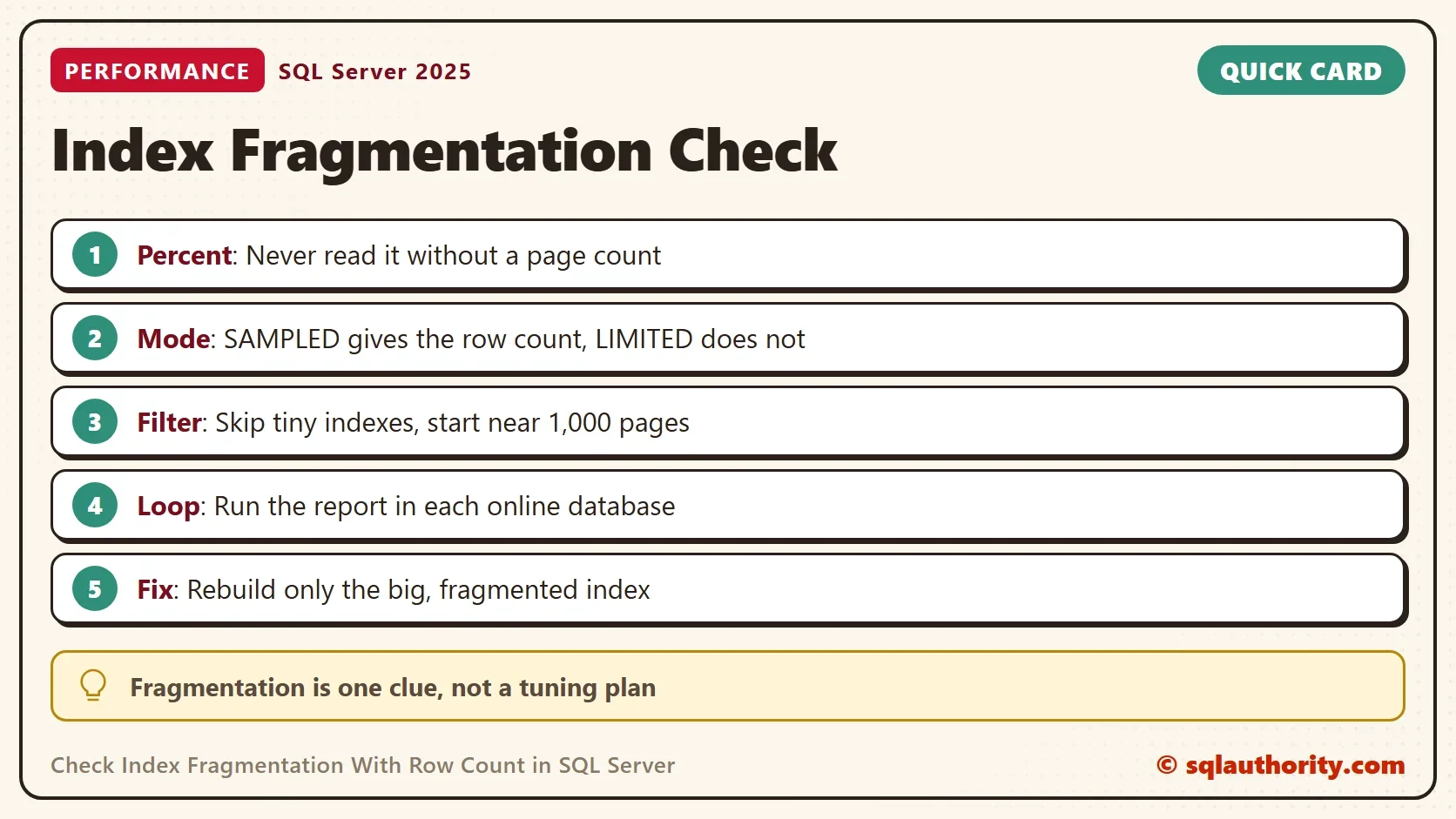
To check index fragmentation, read the page count and the row count next to the percentage. Use SAMPLED mode for a report. Skip indexes under about 1,000 pages. Run the report in each database on its own. Rebuild only the large indexes that are badly out of order.
When you finish with the demo, run the cleanup script.
USE master;
GO
ALTER DATABASE IndexFragDemo SET SINGLE_USER WITH ROLLBACK IMMEDIATE;
DROP DATABASE IndexFragDemo;
A fragmentation percentage is not a diagnosis, it is a clue that needs a page count to mean anything.
Published by Pinal Dave on SQLAuthority. More of my work at pinaldave.com.
Discover more from SQL Authority with Pinal Dave
Subscribe to get the latest posts sent to your email.




4 Comments. Leave new
Thanks Pinal
Hi,
How to skip offline databases?
Thanks
This query not at all working for all databases or where ips.database_id = DB_ID(‘DBNAME’)
You should add DB_ID() in the where and in the sys.dm_db_index_physical_stats part for querying just 1 specific DB.
FROM sys.dm_db_index_physical_stats (DB_ID(), NULL, NULL, NULL, ‘SAMPLED’) ips — QuickResult
INNER JOIN sys.indexes ix ON ips.[object_id] = ix.[object_id]
AND ips.index_id = ix.index_id
INNER JOIN sys.objects ob ON ix.[object_id] = ob.[object_id]
WHERE ob.[type] IN(‘U’,’V’)
AND ob.is_ms_shipped = 0
AND ix.[type] IN(1,2,3,4)
AND ix.is_disabled = 0
AND ix.is_hypothetical = 0
AND ips.alloc_unit_type_desc = ‘IN_ROW_DATA’
AND ips.index_level = 0
— AND ips.page_count >= 1000 — Filter to check only table with over 1000 pages
AND ips.record_count >= 100 — Filter to check only table with over 1000 rows
AND ips.database_id = DB_ID() — Filter to check only current database
AND ips.avg_fragmentation_in_percent > 50 — Filter to check over 50% indexes
ORDER BY DatabaseName