
To remove extra tempdb files safely, empty each file first and then remove it. Two statements do the work. The judgment is in deciding which files are extra.

Why Servers End Up With Too Many Files
An old rule says to create one tempdb file for every processor core. The rule is not accurate for every server. More files spread the allocation work, and they help only when sessions wait on the allocation pages. A server with few cores and no waits gains nothing from 32 files.
The cost is real. In one client case, a drive held 32 pre-sized tempdb files, and over 97 percent of their space was empty. A busy database needed that drive and couldn’t move there. Removing the extra files fixed it.
Check Before You Remove
Start with two reads. The first query counts the data files and compares them with the CPUs. It also shows the smallest and largest file, because the files should match in size. The second query looks for sessions that wait on allocation pages in tempdb right now.
SELECT (SELECT COUNT(*) FROM tempdb.sys.database_files WHERE type = 0) AS DataFiles,
       (SELECT cpu_count FROM sys.dm_os_sys_info) AS Cpus,
       (SELECT MIN(size) / 128 FROM tempdb.sys.database_files WHERE type = 0) AS SmallestMB,
       (SELECT MAX(size) / 128 FROM tempdb.sys.database_files WHERE type = 0) AS LargestMB;

SELECT wt.session_id, wt.wait_type, wt.wait_duration_ms, wt.resource_description
FROM sys.dm_os_waiting_tasks AS wt
WHERE wt.wait_type LIKE N'PAGELATCH%' AND wt.resource_description LIKE N'2:%';| DataFiles | Cpus | SmallestMB | LargestMB |
|---|---|---|---|
| 8 | 16 | 8 | 8 |
The test server has 8 files for 16 CPUs, all the same size, and the second query returns no row. Nothing waits on the allocation pages, so there is no sign that these files are too few. Run the second query many times while the server is busy. A single empty result proves little.
SQL Server setup picks the number of tempdb files for you, up to eight. The test server shows that result: eight files for 16 CPUs. A server with more than eight files and no allocation waits is a candidate for removal. Remove the extras in small steps, and watch the waits after each step.
Practice on a Demo Database
A user database needs the same two steps as tempdb, so rehearse there. The next script creates FileRemovalDemo with three data files of 8 MB each, in the default data folder. It reads the folder from the server, so you don’t type a path.
DECLARE @path nvarchar(260) = CONVERT(nvarchar(260), SERVERPROPERTY('InstanceDefaultDataPath'));
DECLARE @sql nvarchar(max) = N'CREATE DATABASE FileRemovalDemo ON PRIMARY
    (NAME = FileRemovalDemo, FILENAME = N''' + @path + N'FileRemovalDemo.mdf'', SIZE = 8MB),
    (NAME = FileRemovalDemo2, FILENAME = N''' + @path + N'FileRemovalDemo2.ndf'', SIZE = 8MB),
    (NAME = FileRemovalDemo3, FILENAME = N''' + @path + N'FileRemovalDemo3.ndf'', SIZE = 8MB)
LOG ON (NAME = FileRemovalDemo_log, FILENAME = N''' + @path + N'FileRemovalDemo_log.ldf'', SIZE = 8MB);';
IF DB_ID(N'FileRemovalDemo') IS NULL EXEC (@sql);
GO
USE FileRemovalDemo;
GO
DROP TABLE IF EXISTS dbo.Filler;
CREATE TABLE dbo.Filler (Id int IDENTITY(1,1) PRIMARY KEY, Pad char(2000) NOT NULL DEFAULT 'x');
INSERT INTO dbo.Filler (Pad) SELECT TOP (3000) 'x' FROM sys.all_objects AS a CROSS JOIN sys.all_objects AS b;
SELECT name, size / 128 AS SizeMB, FILEPROPERTY(name, 'SpaceUsed') / 128 AS UsedMB FROM sys.database_files WHERE type = 0 ORDER BY file_id;| name | SizeMB | UsedMB |
|---|---|---|
| FileRemovalDemo | 8 | 5 |
| FileRemovalDemo2 | 8 | 2 |
| FileRemovalDemo3 | 8 | 2 |
SQL Server spreads the rows over all three files. Now try the shortcut and remove the third file at once.
ALTER DATABASE FileRemovalDemo REMOVE FILE FileRemovalDemo3;
Msg 5042, Level 16, State 1, Line 1
The file 'FileRemovalDemo3' cannot be removed because it is not empty.
A file with data in it can’t be removed. Empty it first. The EMPTYFILE option moves its pages into the other files of the same filegroup. After that, the removal works.
DBCC SHRINKFILE (FileRemovalDemo3, EMPTYFILE);
GO
ALTER DATABASE FileRemovalDemo REMOVE FILE FileRemovalDemo3;
GO
SELECT name, size / 128 AS SizeMB, FILEPROPERTY(name, 'SpaceUsed') / 128 AS UsedMB FROM sys.database_files WHERE type = 0 ORDER BY file_id;
SELECT COUNT(*) AS RowsLeft FROM dbo.Filler;
| name | SizeMB | UsedMB |
|---|---|---|
| FileRemovalDemo | 8 | 5 |
| FileRemovalDemo2 | 8 | 3 |
| RowsLeft |
|---|
| 3000 |
The third file is gone, its pages moved to the others, and all 3,000 rows are still there. The DBCC statement also returns a small result row with the file id and sizes, which is left out here.
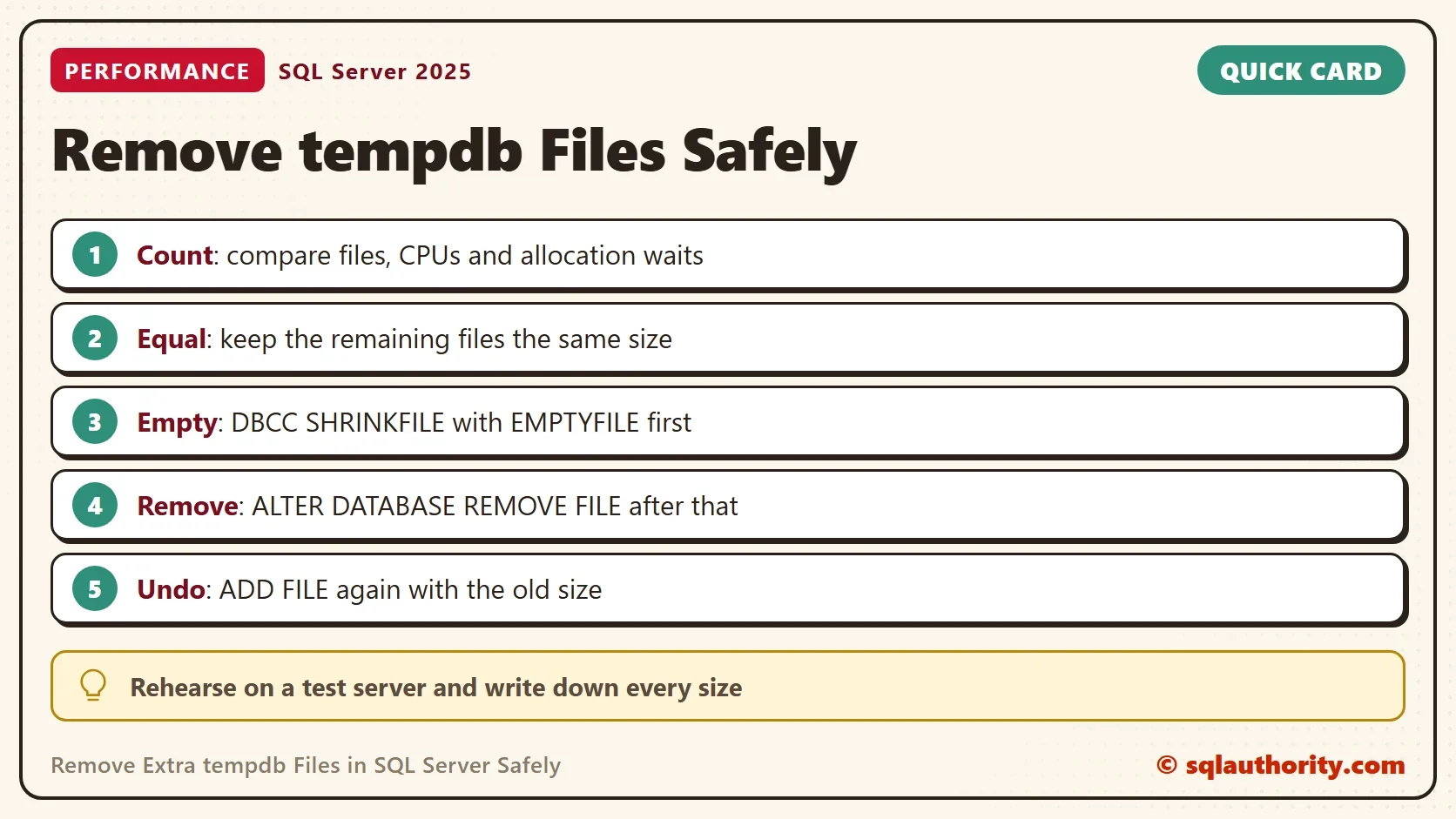
The Same Steps for tempdb
The next block does the same in tempdb, so the demo doesn’t run it. Run it on a test server first, and write down the file sizes before you start. On a busy server the removal can fail while a session holds pages, with an error like Msg 5042.
USE tempdb;
DBCC SHRINKFILE (temp8, EMPTYFILE);
ALTER DATABASE tempdb REMOVE FILE temp8;
The undo is a separate statement. It adds the file again, in the same folder as the other tempdb files, with the size you wrote down. Replace the folder placeholder with your own path.
ALTER DATABASE tempdb ADD FILE (NAME = temp8, FILENAME = N'<folder of the other files>\temp8.ndf', SIZE = 200MB);
Keep the remaining files the same size, or SQL Server fills the larger ones first and the waits come back.
When the Emptying Fails
Pages that are in use can’t move. User temporary tables, the work areas of running queries and the version store all hold pages. The version store matters on a server that uses snapshot isolation or read committed snapshot. An old open transaction keeps its row versions, and the file can’t empty until it ends.
The simplest cure is a restart. Tempdb starts empty, so the emptying works right after it. The extra files stay in the configuration through the restart, so the same two statements empty and remove them. A restart needs a window, so find the old transaction first if you can.
You could argue that you should leave the extra files alone. Disk is cheap, and a file that sits empty hurts nobody. That’s right when space is not tight and the waits are absent. Remove extra tempdb files when you need the space, or when the count has no reason behind it.
What to Remember
Remove extra tempdb files only after you have read the file count, the sizes and the allocation waits. Empty a file, remove it, and keep the survivors the same size. Keep the undo statement next to the change.
Rehearse on a demo database and write the sizes into your change notes. When you finish, drop the demo database. SQL Server deletes its files too.
USE master;
GO
IF DB_ID(N'FileRemovalDemo') IS NOT NULL
BEGIN
    ALTER DATABASE FileRemovalDemo SET SINGLE_USER WITH ROLLBACK IMMEDIATE;
    DROP DATABASE FileRemovalDemo;
END;
An extra file is not a safety margin, it is a cost until a wait proves it earns its place.
Published by Pinal Dave on SQLAuthority. More of my work at pinaldave.com.
Discover more from SQL Authority with Pinal Dave
Subscribe to get the latest posts sent to your email.




2 Comments. Leave new
My recollection is hearing about the rule of 1 tempdb file per processor in the mid-2000’s and that it was not a brand new rule at the time. This meant the rule pre-dates multi-core processors (and version 2005). No test data accompanied the rule, but there may have been a MS KB article citing contention on the PFS page(s).
I am inclined to believe that someone ran a test on a 4-way SMP system (the standard for high-end databases, may be a ProFusion 8-way), finding that 2 files was better than one and 4 files was better than 2, but not necessarily 2X better, perhaps just 1.2X better which would still be worthwhile.
I recall hearing that PFS contention was reduced in 2005 (SP), but the use of tempdb increased in some version. In any case, a test based on a 4-core system should not be extrapolated too far, perhaps 8, but definitely not 32 or 64, especially since the original reason has since been (partially) resolved.
In high-end systems, storage is distributed over multiple volumes and multiple IO channels. Heavy volume filegroups should one or two files per volume and path.
Its funny that working where you work you think that “if it fixed this SQL, it will fix em all” XD
Seriously tho, my current theory is that this worked because RCSI or Snapshots were not enabled or it was and ADR was enabled.
if those are enabled (without ADR) tempdb is being used for row versioning, and so far not sure how to remove them without maybe changing those settings, removing the files, and resetting them ? I need to test this on a mirror server.