
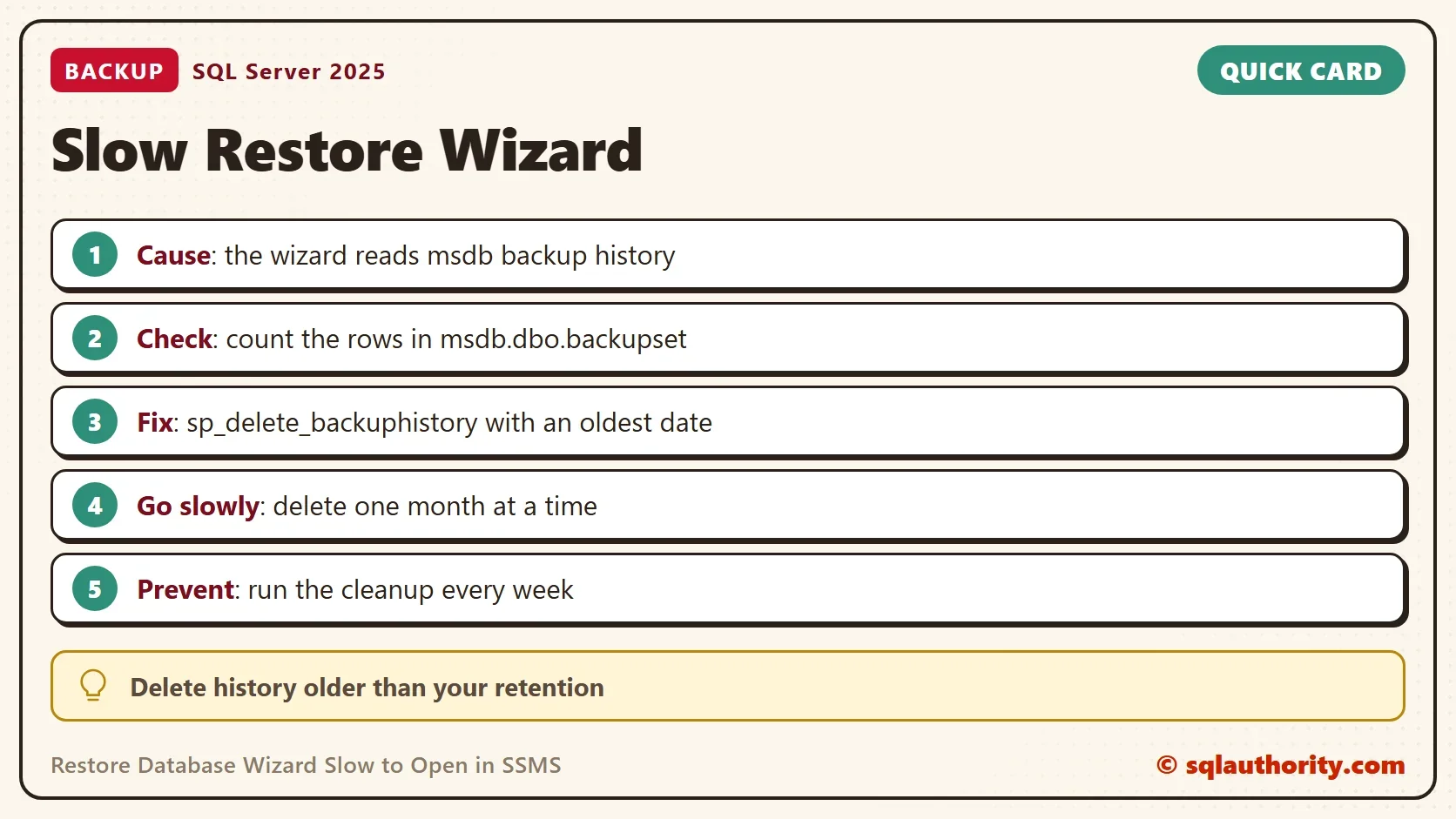
The Restore Database Wizard is slow to open when msdb holds years of backup history. The wizard reads that history before it draws the first screen. The fix has three parts. Count the history, delete the old part in small steps, and keep it short from then on.

Why the Restore Database Wizard Reads History
SQL Server writes one row to the msdb database for every backup it takes. It also keeps rows for every file inside the backup and for every restore. The Restore Database wizard reads those rows to build the list of backup sets you can restore. Nothing deletes them by default, so a busy server collects them for years.
A server with 15-minute log backups writes about 96 history rows a day for one database. That is 24 hours times 4. Across many databases and several years, the list gets long. The wizard is the first place you notice, because it is the one screen that reads all of it.
Count the History
Start by measuring. This query gives the total number of backup rows and the date of the oldest one.
SELECT COUNT(*) AS BackupRows, MIN(backup_start_date) AS OldestBackup
FROM msdb.dbo.backupset;
| BackupRows | OldestBackup |
|---|---|
| 221 | 2025-11-14 13:06:02.000 |
This development server holds 221 rows going back to November 2025, which is small. Your numbers will differ. On a production server, a count far above this one tells you why the wizard stalls. Some advice says the history tables have no useful indexes. On SQL Server 2025, backupset has five. They are the primary key plus indexes on database name, finish date, media set and backup set ID. So an index isn’t the first thing to add.
Measure One Database
To see how history builds up, the demo database takes 40 backups to the NUL device. That is a bit bucket, so no file is written, but SQL Server still records each backup in msdb. COPY_ONLY keeps the backups out of any real backup chain.
IF DB_ID(N'RestoreWizardHistoryDemo') IS NULL CREATE DATABASE RestoreWizardHistoryDemo;
GO
DECLARE @i int = 1;
WHILE @i <= 40
BEGIN
    BACKUP DATABASE RestoreWizardHistoryDemo TO DISK = N'NUL' WITH COPY_ONLY;
    SET @i += 1;
END;
GO
SELECT COUNT(*) AS BackupRows
FROM msdb.dbo.backupset
WHERE database_name = N'RestoreWizardHistoryDemo';
The Messages tab fills with 40 groups of progress lines. The count is 40 rows. The file table backupfile holds 80 more, a data file and a log file for each backup. That is why history grows faster than the number of backups.
Back Up msdb First
History deletion can’t be undone, and some teams keep that history on purpose. Ask the owners of the databases whether they need it. Then back up msdb. The backup is your way back. This statement writes a full msdb backup file, so the demo doesn’t run it. Use your own folder.
BACKUP DATABASE msdb TO DISK = N'D:\SqlBackups\msdb_before_history_cleanup.bak' WITH CHECKSUM, INIT;
Delete It in Steps
The built-in procedure for this is sp_delete_backuphistory. It deletes history older than a date, for every database on the server. Run it with an old date, so the first call touches only a little.
On a server with years of history, one call with a recent date deletes everything at once. A large delete runs as one transaction. It grows the msdb log, and it can grow tempdb too. Monthly steps keep each transaction small. Each call is a separate unit of work, so you can stop between calls. This script reads the oldest date in backupset and prints one statement for each month up to your retention. It changes nothing. You review the list and run the statements in order.
SET NOCOUNT ON;
DECLARE @keepFrom date = DATEADD(DAY, -90, CAST(SYSDATETIME() AS date));
DECLARE @first date = (SELECT CAST(MIN(backup_start_date) AS date) FROM msdb.dbo.backupset);
WITH steps AS (
    SELECT DATEADD(MONTH, 1, @first) AS cutoff
    UNION ALL
    SELECT DATEADD(MONTH, 1, cutoff) FROM steps WHERE DATEADD(MONTH, 1, cutoff) < @keepFrom
)
SELECT CONCAT(N'EXEC msdb.dbo.sp_delete_backuphistory @oldest_date = ''', CONVERT(char(10), cutoff, 120), N''';') AS StatementToRun
FROM steps
WHERE cutoff < @keepFrom
UNION ALL
SELECT CONCAT(N'EXEC msdb.dbo.sp_delete_backuphistory @oldest_date = ''', CONVERT(char(10), @keepFrom, 120), N''';')
WHERE @first < @keepFrom
ORDER BY 1
OPTION (MAXRECURSION 1000);| StatementToRun |
|---|
| EXEC msdb.dbo.sp_delete_backuphistory @oldest_date = ‘2025-12-14’; |
| EXEC msdb.dbo.sp_delete_backuphistory @oldest_date = ‘2026-01-14’; |
| EXEC msdb.dbo.sp_delete_backuphistory @oldest_date = ‘2026-02-14’; |
| EXEC msdb.dbo.sp_delete_backuphistory @oldest_date = ‘2026-03-14’; |
| EXEC msdb.dbo.sp_delete_backuphistory @oldest_date = ‘2026-04-14’; |
| EXEC msdb.dbo.sp_delete_backuphistory @oldest_date = ‘2026-05-14’; |
| EXEC msdb.dbo.sp_delete_backuphistory @oldest_date = ‘2026-06-14’; |
| EXEC msdb.dbo.sp_delete_backuphistory @oldest_date = ‘2026-07-08’; |
The server here keeps 90 days. Choose your own retention. A business that must restore to any day of the last year needs a year of history. Its retention is longer.
To clean one database only, such as a dropped database, call sp_delete_database_backuphistory with its name. It removes every history row for that name.
EXEC msdb.dbo.sp_delete_database_backuphistory @database_name = N'RestoreWizardHistoryDemo';
SELECT COUNT(*) AS BackupRowsAfter
FROM msdb.dbo.backupset
WHERE database_name = N'RestoreWizardHistoryDemo';
| BackupRowsAfter |
|---|
| 0 |
Keep It Short
A cleanup that runs once helps for a while, and then the history grows back. Run it every week at a quiet hour. Count the rows before and after the first few runs, so you know the job does its work. A maintenance plan has a History Cleanup task for this. Without SQL Server Agent, as on Express, call the procedure from a scheduled task with sqlcmd.
A stored procedure parameter can’t be an expression, so compute the date into a variable first. The next two statements delete history older than 90 days for every database. The demo doesn’t run them, because that would delete real history on this server. A run with a date five years back deleted nothing and gave no error.
DECLARE @oldest datetime = DATEADD(DAY, -90, GETDATE());
EXEC msdb.dbo.sp_delete_backuphistory @oldest_date = @oldest;
Put the same two statements in the scheduled job.
You could argue that deleting history is risky, because the wizard builds its list from it. It does. A restore from a known file in T-SQL needs none of it, and the backup files themselves stay untouched. Delete only history older than any backup you would still use.
When the History Is Small
When the history is short and the wizard is still slow, the cause is elsewhere. Open the wizard from SSMS on another computer. If it opens fast there, look at the first computer’s own SSMS install or its list of drives.
What to Remember
Count the rows first. Delete in monthly steps from the oldest date. Keep a retention you can defend, and schedule the cleanup. Then the Restore Database Wizard opens quickly again. Run the cleanup script when you finish with the demo.
USE master;
GO
IF DB_ID(N'RestoreWizardHistoryDemo') IS NOT NULL
BEGIN
    ALTER DATABASE RestoreWizardHistoryDemo SET SINGLE_USER WITH ROLLBACK IMMEDIATE;
    DROP DATABASE RestoreWizardHistoryDemo;
END;
EXEC msdb.dbo.sp_delete_database_backuphistory @database_name = N'RestoreWizardHistoryDemo';
A slow wizard is not a broken SSMS, it is a history nobody cleaned.
Published by Pinal Dave on SQLAuthority. More of my work at pinaldave.com.
Discover more from SQL Authority with Pinal Dave
Subscribe to get the latest posts sent to your email.



17 Comments. Leave new
This is very strange situation an I’ll never delete backup history to try to solve this issue. Backup history can be deleted after business approval
Sure. Business priorities are important. You can always use T-SQL.
True. if MSDB is huge due the backup history data and we try clean the history , I have seen for some reason TEMPDB grows during the clean up task.
Thanks for sharing Raghu.
This is fantastic to know. I had the same issue. Thanks Pinal!
Your welcome!
If you have a ridiculous amount of history covering many years, the delete can take a long time…MS has no indexes on the backupset group of tables by default. I have had to add indexes and delete data one day at a time in the past for this very issue. –Kevin3NF
This is so very true. When taking over a decade-old server where backup history has never been deleted. Executing the proc to delete the history will blow up tempdb. I had to write a script to batch-delete the history when I find myself in this situation.
Totally agree. Can you please share that with others?
I had this same problem on one of my servers on which we run our own backup / checkdb / index maintenance, but have not been addressing backup history. SSMS was getting progressively slower when opening the restore wizard, taking several minutes (< 5 minutes…but still a long time) just to display the screen.
Instead of just running the stored procedure, I decided to look more carefully at it.
I first backed up history (just in case):
USE mydatabase
SELECT * INTO dbo.SQLBackupset_20190526 FROM msdb.dbo.backupset
I then had SSMS script out the stored procedure. This worked fine. I deleted the CREATE PROCEDURE, the top level BEGIN/END, and added a SET @oldest_date = '4/1/2019'. I executed…and it ran just fine. It took just a few seconds, and had no errors.
(I first reviewed what the stored procedure—now a query–did…just for my own knowledge.)
What is strange: there were only a total of 8,277 rows in the table for all databases, and only 1,403 rows for the database I was trying to restore. This includes log files. Is this a lot of backups? Yes, and of course most of these are not actually available…and so preserving the history makes no sense.
Is this so much data that it should cripple SSMS? No…not at all. In terms of rows, this isn't really a lot.
FYI, this was on SSMS v17.9.1 against: Microsoft SQL Server 2016 (SP2-GDR) (KB4293802) – 13.0.5081.1 (X64) Jul 20 2018 22:12:40 Copyright (c) Microsoft Corporation Standard Edition (64-bit) on Windows Server 2016 Standard 10.0 (Build 14393: )
Thank you for your post! It was very helpful. Now I’ll be sure to delete backup history regularly.
i always say you are the best. So i say it one more time. I was searching but couldn’t find the answer ,i was waiting for years to open the select button to choose the backup when trying to restore. by running your commands EXEC sp_delete_backuphistory @oldest_date = ’07/18/2019′; on msdb database ,saved my life. Thank you for your existence…
Hi Pinal Dave, What do you suggest for this exact same problem – but on a brand new install of SQL Server? I create a brand new database and try to restore and the file selection dialog never appears. The database has no backup history and actually has no tables. Any ideas?
Mike
Same situation here. SQL 2017 Standard. In fact, I’m moving my live databases over using the restore wizard, that’s how new it is (select * from msdb..backupset shows 8 results for the whole server!). I can, however, connect to this server from my workstation (using SSMS 2012) and the restore wizard there only takes a few seconds to open the ‘Add Device’ dialog. This is how I restored all of the DB’s but it still confuses me why it takes so long directly on the server’s 2017 SSMS.
Why does the file selection dialog take so long to appear? I tried your solution, but same problem after I start restore wizard, click on “Device” then click on the dot-dot-dot button to choose file. I find if I wait 5-10 minutes, it will appear. I’ve been doing SQL for over 20 years. This one is odd.
Very useful for a development server.
Thank you.
Just posting here to give some metrics, with a database that has transaction log backups every 15 minutes.
We had been retaining 180 days worth of history. I needed to restore a DB and found that it was taking >12 minutes to open the dialog (I actually don’t know how long, — I gave up at the 12 minute mark and killed SSMS). We dropped the history down to 30 days retention (so 8854 rows in msdb..backupset down to 1553), and then tried again. This time it took 3m12s to open the dialog. So I dropped the history down to 4 days (230 rows) and this time it only took 29s.
Fantastic article/post as usual. THANK you Pinal. Now… This, and subsequent comments, raise questions. Some say there was no history at all and still it would take a long time to open.
1- Has anyone come up with the answer as to why?
Someone mentioned indexing the table(s)/view(s)/object(s). I am most interested in this idea. So,…
2- Any insights as to what to index, how, and also very important, any deleterious issues that could be caused by creating such index(es)? Meaning: Is it OK to go ahead and create these indexes, or because these are technically system tables meddling with them would be a no-go, maybe?
Help appreciated. TIA, Raphael