
Question: How do you search for special characters in a table column? Try asking your team before reading further.

I use this question in interviews because it catches people who know LIKE well. We want the literal text [blog.], including its brackets. The opening bracket has another job inside a LIKE pattern: it starts a character set.
A backslash isn’t a default escape character in T-SQL. Adding one before the bracket doesn’t solve the problem. Declare an escape character with ESCAPE, then put it before the literal opening bracket.
DECLARE @Samples table (Col1 nvarchar(100));
INSERT @Samples (Col1)
VALUES (N'[blog.]SQLAuthority.com'),
       (N'blog.SQLAuthority.com'),
       (N'[blogX]SQLAuthority.com');
SELECT Col1
FROM @Samples
WHERE Col1 LIKE N'%![blog.]%' ESCAPE N'!';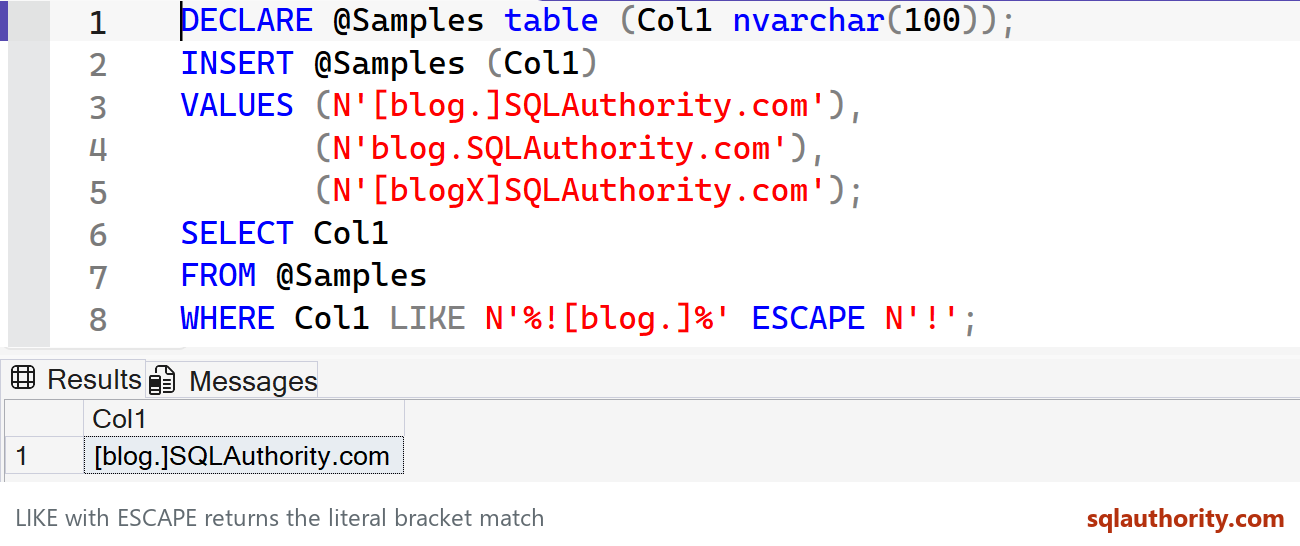
LIKE with ESCAPE returns the literal bracket match. Captured in SSMS on SQL Server 2025.
This returns [blog.]SQLAuthority.com. The other two rows don’t contain that exact substring. The percent signs still mean any surrounding text; the exclamation mark makes the opening bracket literal.
Choose the search you need
You can use $ instead of !, as in my original example. The escape character must be one character. If the search text contains that character too, escape it first.
WHERE Col1 LIKE N'%$[blog.]%' ESCAPE N'$'For a plain substring search, CHARINDEX avoids wildcard syntax altogether:
WHERE CHARINDEX(N'[blog.]', Col1) > 0I’d choose CHARINDEX when no pattern is needed. Use LIKE when wildcards are part of the search. Both still follow the expression’s collation for comparisons.
Did you know about ESCAPE before this question? The useful interview answer includes why the original pattern fails.
Published by Pinal Dave on SQLAuthority. More of my work at pinaldave.com.
Discover more from SQL Authority with Pinal Dave
Subscribe to get the latest posts sent to your email.




5 Comments. Leave new
I use this to search string “[ABC”
LIKE ‘[[]abc’
there’s more than one way to skin a cat
Thanks! very helpful
Great. Thanks!
SELECT *
FROM TestTable
WHERE col1 like ‘%’ + ‘[blog.]’ + ‘%’
GO