
Working with powershell scripts can be interesting. I have in the past shown a number of such scripts that we can use with SQL Server. In this blog, I was playing around understanding how I can use the get-process commandlet and how it can be used with SQL Server. This exploration and playing around has got me to write this rather simple yet something useful blog that you might use in your environments. So here is get-process with SQL Server in a few simple steps.
I start off my looking for the SQL Server process information from the list of processes available running inside a system.
#list all running process
Get-process

#list only sql server running processes
Get-process sqlservr
As you can see the output would look something like this. Here we have the host’s process id too.

There is additional information we can get from the same, but that we will reserve for some other day. What I was interested in understanding how we can extend and what all members can be called as an extension.
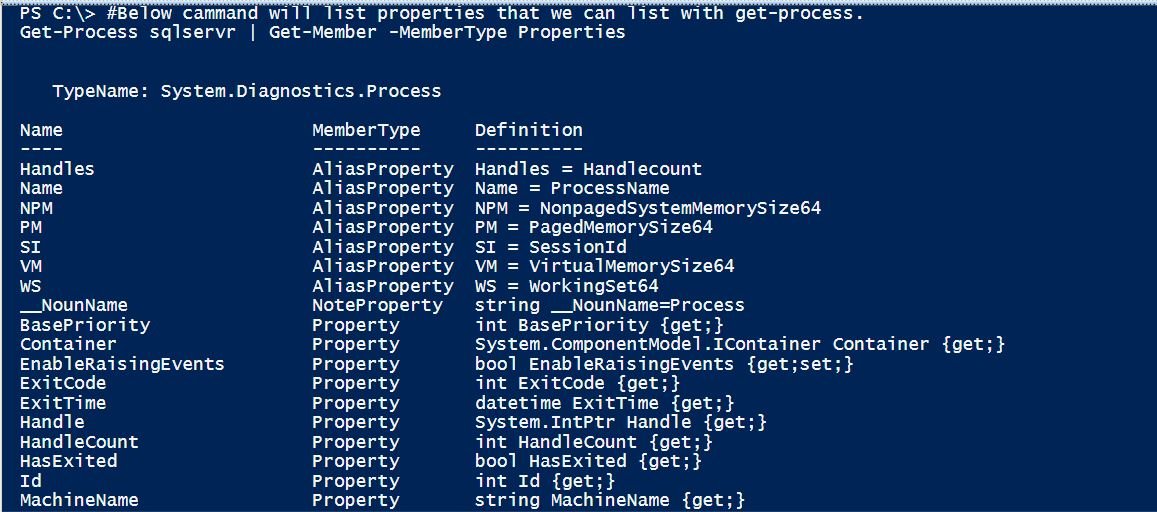
#Below cammand will list properties that we can list with get-process.
Get-Process sqlservr | Get-Member -MemberType Properties
Now this gives us all the extensions we can use with the Get-Process commandlets. The output will look like below:
What I was experimenting was if there is a method to copy content from the output window. First I was playing around to understand how to copy from the command line window. It was interesting and nothing new. But what I found was an interesting extension that can help you copy the output to clipboard.
#To save time of copying the output.We can put the output in
#clipboard so that we can directly copy the output at our end.
Get-Process sqlservr | select ProcessName, id, StartTime,
FileVersion, Path, Description, product | clip
Now that we have it in our clipboard, we can paste the same into any of the application of choice.
I thought this was worth a share as I play more with SQL Server and PowerShell combinations. Though such learnings get me started with some simple scripts, I would love to learn from you to how you use PowerShell with SQL Server in your environments.
Published by Pinal Dave on SQLAuthority. More of my work at pinaldave.com.
Discover more from SQL Authority with Pinal Dave
Subscribe to get the latest posts sent to your email.




2 Comments. Leave new
With Out-GridView data are shown in a window. You can select and copy cells.
Get-Process sqlservr | select * | Out-GridView
where to start powershell first time..