
In SQL Server to get the total number of rows affected by the last statement, you can use the system variable @@ROWCOUNT. Similarly, in MySQL you can find it using FOUND_ROWS() function.
Let us create this dataset
CREATE TABLE TEST(ID INT, NAME VARCHAR(30));
INSERT INTO TEST(ID,NAME)
SELECT 1,'NAME1' UNION ALL
SELECT 2,'NAME2' UNION ALL
SELECT 3,'NAME3' UNION ALL
SELECT 4,'NAME4' UNION ALL
SELECT 5,'NAME5';

SELECT * FROM TEST;
SELECT FOUND_ROWS();
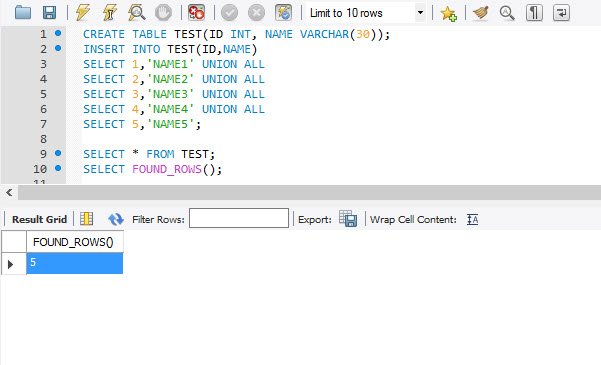
The above will return two resultsets. The second result set will be 5 (no of rows for the SELECT statement).
You can also use SQL_CALC_FOUND_ROWS along with FOUND_ROWS () to get the total number of rows in a table. When SQL_CALC_FOUND_ROWS is used FOUND_ROWS() will omit the LIMIT clause.
SELECT * FROM TEST LIMIT 2;The above will return 2 rows only.
SELECT SQL_CALC_FOUND_ROWS * FROM TEST LIMIT 2;
SELECT FOUND_ROWS();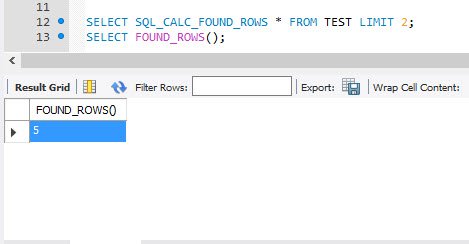
When you execute the above, it returns two result sets. The first result set will return two rows. The second result set will return 5 (total number of rows without LIMIT clause).
I think this is really interesting function and we can use it in daily application. Do leave a comment if you are using an application where you need to know how many rows were affected with the previous comment.
Published by Pinal Dave on SQLAuthority. More of my work at pinaldave.com.
Discover more from SQL Authority with Pinal Dave
Subscribe to get the latest posts sent to your email.



1 Comment. Leave new
Thank you. very good article.