Async updates save hours when each message carries everything the reader needs. A reader who gets the whole picture never has to ask a follow-up. A status meeting moves the same facts at a much higher price.

A Meeting Is a Blocking Call
In code, a synchronous call holds the caller until the answer comes back. A meeting does the same to people. Everyone stops at the same moment, whether or not the topic concerns them. Most of the time goes to one person talking while the rest wait.
The bill is larger than it looks. A half-hour meeting with six people uses three hours of working time. The calendar shows thirty minutes, but the team pays three hours.
Many status meetings exist because the messages before them were weak. “Quick question, got a minute?” is a request with no parameters. The reader can’t answer it, so they ask what it’s about, and the round trips begin. Fix the message and most of the meeting has no reason to exist.
Before and After
Most of us have sent “Do you have a minute to talk about the nightly load?” at some point. It has no status, no change, no request and no deadline. The reader has to reply with questions, wait for the answers and reply again. That’s three round trips before any work starts.
Now send the same news with everything attached. The reader opens it once, understands the situation and either answers or doesn’t need to. Nobody’s afternoon is blocked.
What the Payload Contains
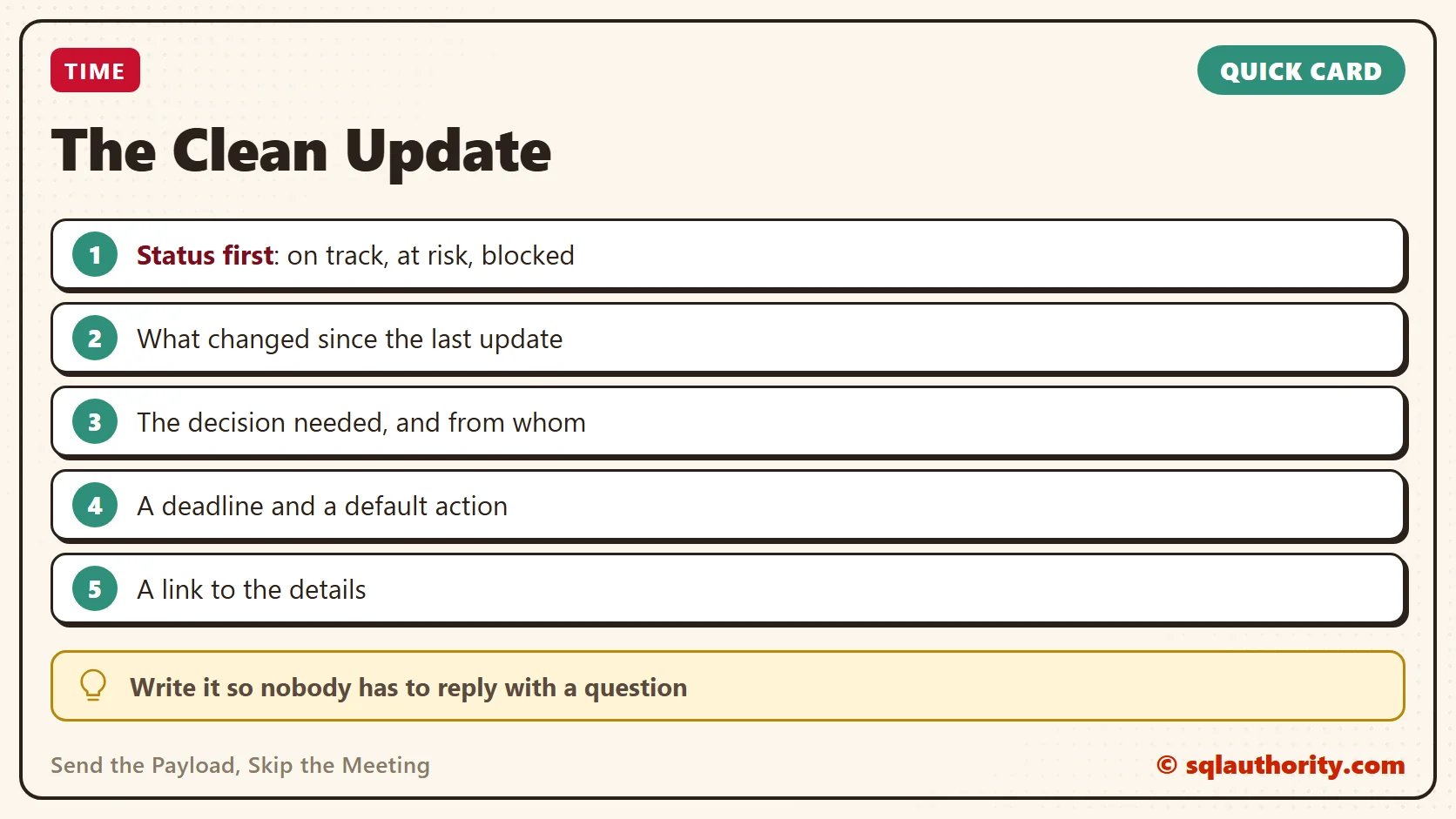
An API rejects a request that lacks a required field. A human reader can’t reject it, so they spend a reply asking for what’s missing. A good update ships with five fields filled in.
| Field | What goes in it |
|---|---|
| Status | One word: on track, at risk or blocked |
| Change | What is different since the last update |
| Need | The decision or help you want, and from whom |
| Deadline | When you need the answer, and what happens if you don’t get one |
| Details | A link to the ticket, the query or the plan, for readers who want more |
Here is a made-up example for a slow nightly load. The reader can act on it without asking anything.
Status: At risk
Change: The nightly load took 3 hours 10 minutes on Monday, up from 2 hours.
Need: Approval from the data owner to start the load at 1 AM instead of midnight.
Deadline: Thursday noon. With no reply, I'll move it to 1 AM for one week and review.
Details: See the load ticket for the timings and the two plans.
Every field gets a line, even when there’s little to say. “Need: nothing this week” is a useful answer, because it tells the reader to relax.

Keep the Details by Reference
Put long material behind a link instead of inside the message. The ticket, the query and the plan all belong there. The first lines serve the reader who has thirty seconds. The link serves the reader who wants to check your work.
Don’t paste a two-hundred-line log into the update. Nobody reads it, and the one useful line gets buried. Quote that line, and link the rest.
Write It So One Word Answers It
Ask questions that can be answered with a yes, a no or a choice between two options. “Which do you prefer?” invites an essay. “Do you approve moving the load to 1 AM?” invites one word. The easier the reply, the sooner it comes.
Add a default. Notice the last sentence of the Deadline field above: with no reply, the work proceeds in a stated way. It works like a command timeout. Nobody has to chase anybody, and silence becomes a decision instead of a stall. Use it only for changes you can undo.
Close the Loop
A reply deserves the same care as the update. Answer in the same thread, and answer only what was asked. When the decision is made, post one line that says so. Something like “Approved, the load moves to 1 AM on Friday” is enough. Everyone who watched the thread now knows the outcome without asking.
Write for the Busiest Reader
Your readers want different depths. A manager needs the status and the risk. A teammate needs the detail to do their part. Serve both by putting the answer first and the support after it. The first two lines should be enough for anyone who stops there. Everything below them is for the reader who keeps going.
Put the topic and the status in the subject line, too. A reader scanning a list of messages can then tell which ones need attention today.
Pick One Place and One Rhythm
Post updates in one agreed place, such as a team channel or the ticket itself. Readers should never have to guess where the latest status lives. Then pick a rhythm. A project in flight needs a short update every day or two. A steady service needs one a week.
Send it at the same time every time. A reader who knows the update lands on Friday morning stops asking for a status on Thursday. Predictability removes a whole class of small interruptions before they start.
Replace the standing status meeting with the written update for a month. If nobody misses the meeting, drop it. If a topic keeps drawing long reply threads, that topic earns a meeting, and you’ll know it from evidence.

Time Zones Stop Mattering
A distributed team gives the strongest case for this habit. A meeting that suits one office lands at midnight for another. A written update arrives while the reader sleeps, and the answer is waiting at the start of the next day. With a deadline and a default in the message, the work keeps moving the whole time.
When a Meeting Still Wins
Some things don’t belong in writing. Bad news that needs care and a real disagreement both go better with voices. A good rule: if the last three replies in a thread have disagreed, stop typing and talk for fifteen minutes.
The point isn’t to ban meetings. Spend them where they earn their cost, and send everything else as a message that stands on its own.
Read It as a Stranger Would
Before you send, read the update as someone with no context. Could they act on it? Check each field. If one is empty, fill it, or write that there is nothing to report. An empty field is a question you’ve handed to your reader.
The Fair Objection
A fair objection: writing a clean update takes longer than talking, and nobody reads long messages anyway. Writing does take ten minutes. A meeting takes thirty minutes multiplied by every attendee. A written update can also be read later, searched and forwarded, and a meeting leaves nothing behind but memory. As for length, five short fields aren’t a long message. If readers still skip them, the first field should say so loudly: “Blocked”.
Try This Week
- Pick one recurring status meeting and draft its update in the five-field form.
- Send it in place of the meeting for the next two weeks.
- Start every update with a one-word status.
- End every request with a deadline and a default action.
- Rewrite your next “quick question” so it can be answered with one word.
- Keep updates in one place, and tell your team where it is.
A good update is not a smaller meeting, it is a message that needs no reply.
Published by Pinal Dave on SQLAuthority. More of my work at pinaldave.com.
Discover more from SQL Authority with Pinal Dave
Subscribe to get the latest posts sent to your email.