Context switching costs you far more than the seconds it takes to change windows. Every interruption makes you load the task back into your head, and you pay that price each time. A one-line question pays the same entry fee as a long one.

What One Switch Costs
Say a teammate asks a quick question while you’re tracing a blocking chain. You answer in thirty seconds. Then you spend minutes finding your place again, rereading the query and rebuilding the picture in your head. The answer was cheap. The return trip was not.
The cost belongs to the switch, not to the size of the interruption. That’s why ten tiny pings hurt more than one long meeting of the same total length. The meeting asks you to switch once. The pings ask you to switch ten times.
The cost never shows on a timesheet. The ticket still says thirty seconds. You see it only at night, when a full day has little to show for it.
Which Work Is Expensive to Interrupt
A reply to a ticket carries little state. You can drop it and pick it up again with no loss. Tracing a blocking chain or reading an execution plan is different. The details sit in your head, and a switch throws them away.
So the more state a task holds, the more a switch costs. Guard the heavy tasks, and let the light ones absorb the batches. A good test is to ask how long you’d need to get back to where you were.
Autocommit for People
SQL Server’s default mode is autocommit. Every statement is its own transaction, and each commit waits until the log records reach disk. That wait is a fixed charge per commit, however small the change is. If you wrap many statements in one transaction, you pay the charge once.
CREATE TABLE dbo.Pings (PingId int NOT NULL);

-- One commit per row: 20,000 commits, each waiting on the log
DECLARE @i int = 1;
WHILE @i <= 20000
BEGIN
    INSERT dbo.Pings (PingId) VALUES (@i);
    SET @i += 1;
END;

-- One commit in total: the same rows, one wait on the log at the end
TRUNCATE TABLE dbo.Pings;
SET @i = 1;
BEGIN TRANSACTION;
WHILE @i <= 20000
BEGIN
    INSERT dbo.Pings (PingId) VALUES (@i);
    SET @i += 1;
END;
COMMIT TRANSACTION;
In my test on SQL Server 2025, the first loop took between two and three seconds. The second finished in under 0.2 seconds. Timing depends on your hardware, but the shape of the result won’t change. Your attention works the same way: it’s the number of commits that hurts, not the amount of work.

Batch What You Can
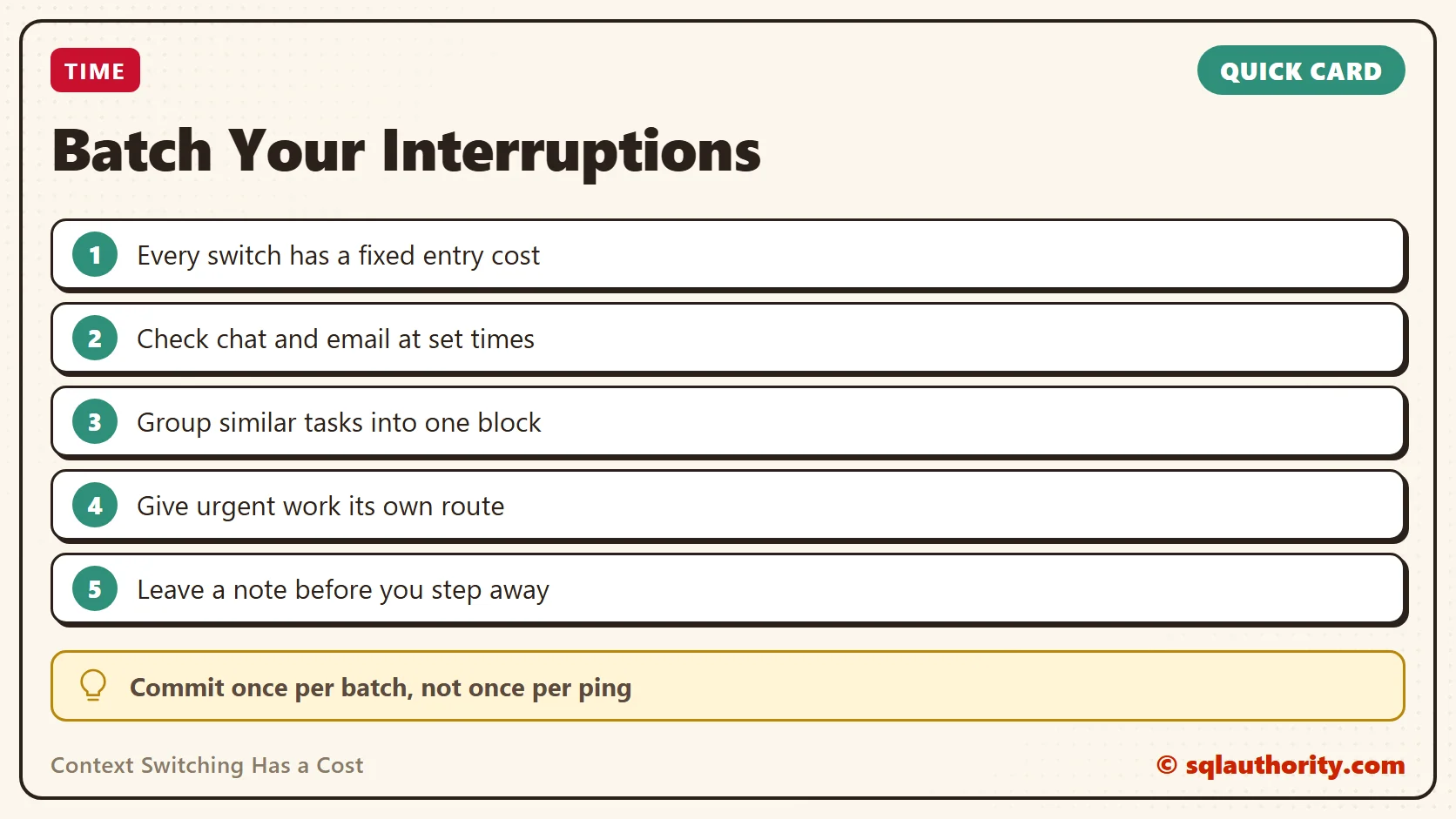
Pick set times to read chat and email, and keep notifications off between them. Twice a day is a good start, say at ten and at two. A message that lands at eleven waits until two, and most work can live with that. Each visit then handles everything that arrived since the last one.
Treat your ticket queue the same way. Set two visits, one after your first block of work and one late in the afternoon. Skim, answer what takes under two minutes, and move the rest into your plan. For code reviews, ask teammates to describe each change in a few lines. One pass then replaces three rounds of questions.
Group similar work into one block. Do all your code reviews in one sitting. Answer all your small admin requests together. Similar tasks share context, so switching between them costs less than switching between a review and a production issue.
Give Urgent Work Its Own Route
Batching only works if people trust that real emergencies still reach you. Agree on a separate path for them, such as a phone call or an on-call page. Everything else goes through the batch. Tell your team how long a message waits, for example “I answer by the end of the morning.”
That promise does most of the work. People stop pinging twice because they know when the reply will come. And when someone does use the urgent route, you know it’s serious.
You can batch the interruptions you can’t avoid, too. When someone walks up or sends a message, say “I’m in the middle of something. Can I get back to you at eleven?” Many requests survive a two-hour wait. A reply with a time on it gives the other person something to plan around.
Batch Your Own Questions Too
You interrupt other people as well. Five separate questions to one teammate cost them five switches. Collect them as the day goes, and send them as one message with a clear numbered list. They answer once, in a sitting, and you get better answers because they can see the whole picture.
This also tells you something about your own work. If a question can wait until the batch goes out, it didn’t need to be asked right now.

Count Your Switches for One Day
Keep a scrap of paper beside you and make a tick each time you change tasks. Count every switch, whether you chose it or not. When the day is done, add them up. The total tells you whether batching is worth the trouble for you, and it makes everything above personal.
Do it again after a week of batching. The second number is your own evidence, and no study or article can give you that.
Leave a Note Before You Step Away
You can’t avoid every interruption. When one is coming, take thirty seconds to write down where you are and what you’d do next. Write it somewhere you’ll see it when you return.
A useful note has the finding and the next action. For example: “The blocker is the session holding the lock on Orders. Next: read its last statement, then ask its owner.” Two lines like that carry the whole picture. When you come back, you start with the next action instead of the search for it.
This works like a bookmark. It turns a rebuild of your whole picture into a quick reread. A note costs thirty seconds, and it saves the minutes you’d spend finding your place.
Where Batching Doesn’t Fit
On-call duty exists to be interrupted, so don’t batch the pager. Batch everything around it: the chat, the email, the routine tickets and the reviews. During an on-call week, shorten the interval between checks. Your team will notice the difference in how quickly their questions come back.
The Fair Objection
The SQL comparison has a limit, and it argues against me. A huge transaction holds its locks until it commits, so it blocks everyone else. Batch your attention for a whole week and you do the same to your team. Questions pile up and people stall waiting for you.
So keep the batches small. Check messages every couple of hours, not once a day. The right interval is the longest one your team can wait without stalling. Start there, and shorten it if someone tells you they’re blocked.
Try This Week
- Turn off chat and email notifications for one focus block each day.
- Pick two or three set times to read messages, and tell your team.
- Agree on one urgent route, such as a call, for real emergencies.
- Move all your code reviews into a single block.
- Write a two-line note before every planned break: where you are and the next step.
- Ask your team after one week whether anyone got stuck waiting, and adjust the interval.
Focus is not a talent you either have or lack, it is a count of the commits you make.
Published by Pinal Dave on SQLAuthority. More of my work at pinaldave.com.
Discover more from SQL Authority with Pinal Dave
Subscribe to get the latest posts sent to your email.