
Error 598 can stop SQL Server from starting right after you apply a patch. This is a common question in my mailbox. One reader sent me the details, and their UAT instance would not start after SP1.

The Error
The reader saw this message in the SQL Server application log:
Script level upgrade for database 'master' failed because upgrade step 'sqlagent100_msdb_upgrade.sql' encountered error 598, state 1, severity 25. This is a serious error condition which might interfere with regular operation and the database will be taken offline. If the error happened during the upgrade of the 'master' database, it will prevent the entire SQL Server instance from starting. Examine the previous error log entries for errors, take the appropriate corrective actions and re-start the database so that the script upgrade steps run to completion.What the Reader Sent
The reader wrote that they couldn’t start their SQL Server 2008 R2 instance on the UAT environment after applying SP1. The message above tells you to examine the previous error log entries, so I asked for the SQL Server ERRORLOG. If you don’t know where yours is, read my guide to finding the ERRORLOG.
Here are the lines that matter.
Error: 5123, Severity: 16, State: 1.
CREATE FILE encountered operating system error 5(Access is denied.) while attempting to open or create the physical file 'C:\Program Files\Microsoft SQL Server\MSSQL10_50.MSSQLSERVER\MSSQL\temp_MS_AgentSigningCertificate_database.mdf'.
Error: 1802, Severity: 16, State: 4.
CREATE DATABASE failed. Some file names listed could not be created. Check related errors.
Error: 912, Severity: 21, State: 2.
Script level upgrade for database 'master' failed because upgrade step 'sqlagent100_msdb_upgrade.sql' encountered error 598, state 1, severity 25. ...
Why It Happens
After you patch an instance, the service restarts and then upgrades the system databases. The patch carries scripts for this step, usually named like sqlagentxxx_msdb_upgrade.sql. They run only after the restart.

While the scripts run, a normal login gets this message:
Login failed for user 'LoginName'. Reason: Server is in script upgrade mode. Only administrator can connect at this time.I explained that message in an earlier post. Here the cause was different. The first error in the log is error 5123, access denied, while creating a temporary database file. The upgrade script could not create that file, so it failed, and the instance could not start.
How to Check
I asked the reader to check which account the SQL Server service runs under. It was set to Network Service.
Then we checked the permissions on the instance folder, here C:\Program Files\Microsoft SQL Server\MSSQL10_50.MSSQLSERVER\MSSQL. The Network Service account had no permissions on it.
The Fix
I suggested two options. Change the service account to Local System, or give the service account permission on that folder. Either way, the sqlservr.exe process account must be able to create the temp database so the upgrade can finish.
Confirm It Worked
Once the permission was given, the restart was successful.
How to Prevent It
After you patch, make sure the service account can write to the instance folder. If the service will not start, read the lines before error 598 in the ERRORLOG before you try anything else.
Have you run into a script upgrade failure like this one? Tell me in the comments.
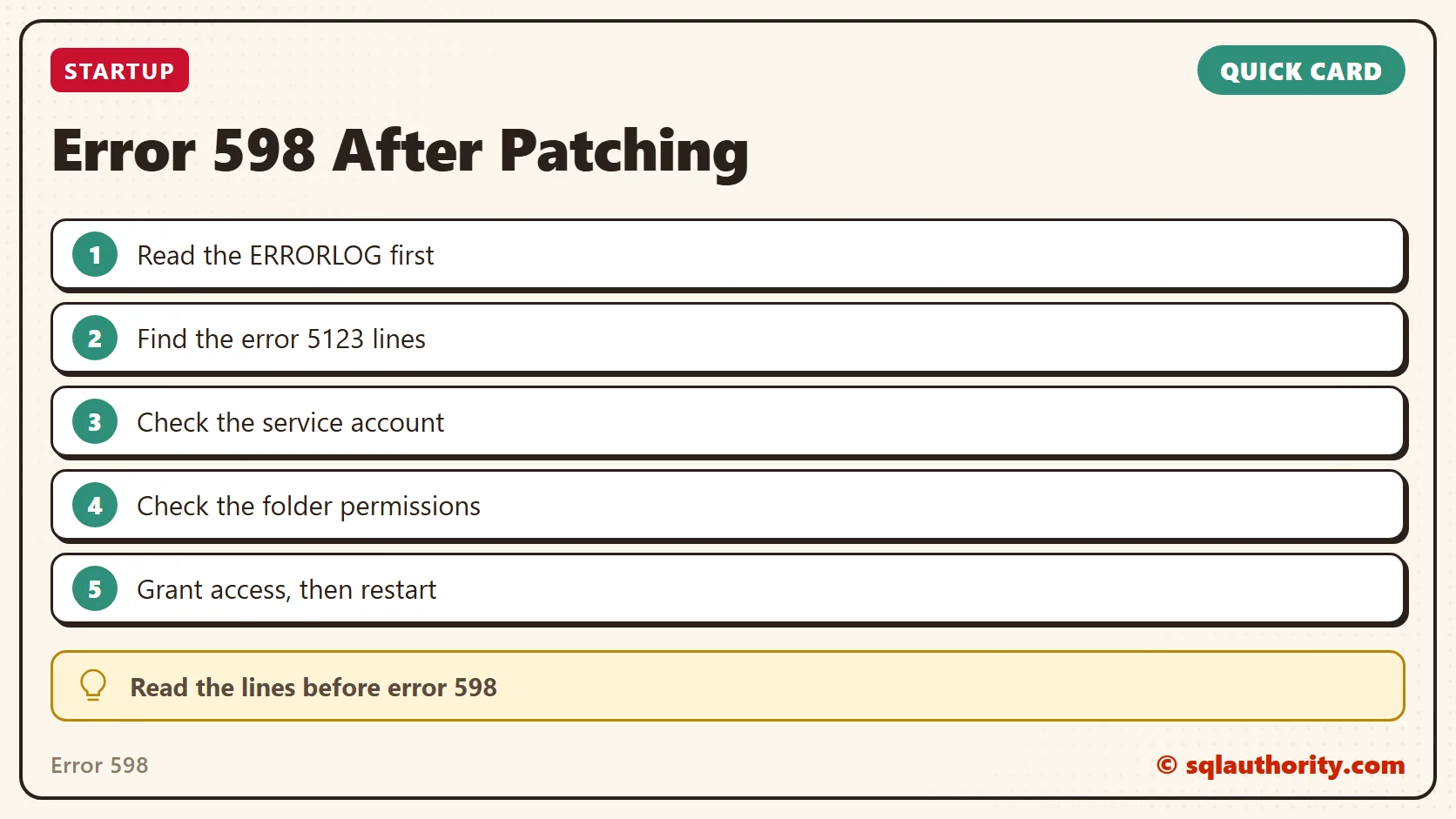
Error 598 is not the problem, it is the last line of a longer story in the ERRORLOG.
Published by Pinal Dave on SQLAuthority. More of my work at pinaldave.com.
Discover more from SQL Authority with Pinal Dave
Subscribe to get the latest posts sent to your email.



1 Comment. Leave new
Bravo Pinal, as always elegant solution to the problem. Thank you very much!