
[Notes from Pinal]: A readable secondary in Standard Edition is possible, and this episode shows how. In the early days of SQL Server, a secondary server served as a backup or for high availability. You could not read from it. Human nature is greedy: when we get one thing, we want the next. The server sat idle most of the time, so we wanted to read from it. I asked Kenneth what we can do to make a secondary server readable.

This is the 107th episode of Notes from the Field. Database expert Kenneth Urena, a partner at Linchpin People, shares how to create a readable secondary server in Standard Edition.
AlwaysOn Availability Groups are a great technology for creating up-to-date, readable secondaries. They also move read-only load to servers that are not involved in read/write operations. There is one main license requirement: your servers must run SQL Server Enterprise Edition.
What if you need this functionality but run SQL Server Standard Edition? Transactional replication is a tool you can look at. This post clears up some misconceptions about it. It also reviews the considerations and tips you need to configure it successfully.
Understanding Transactional Replication
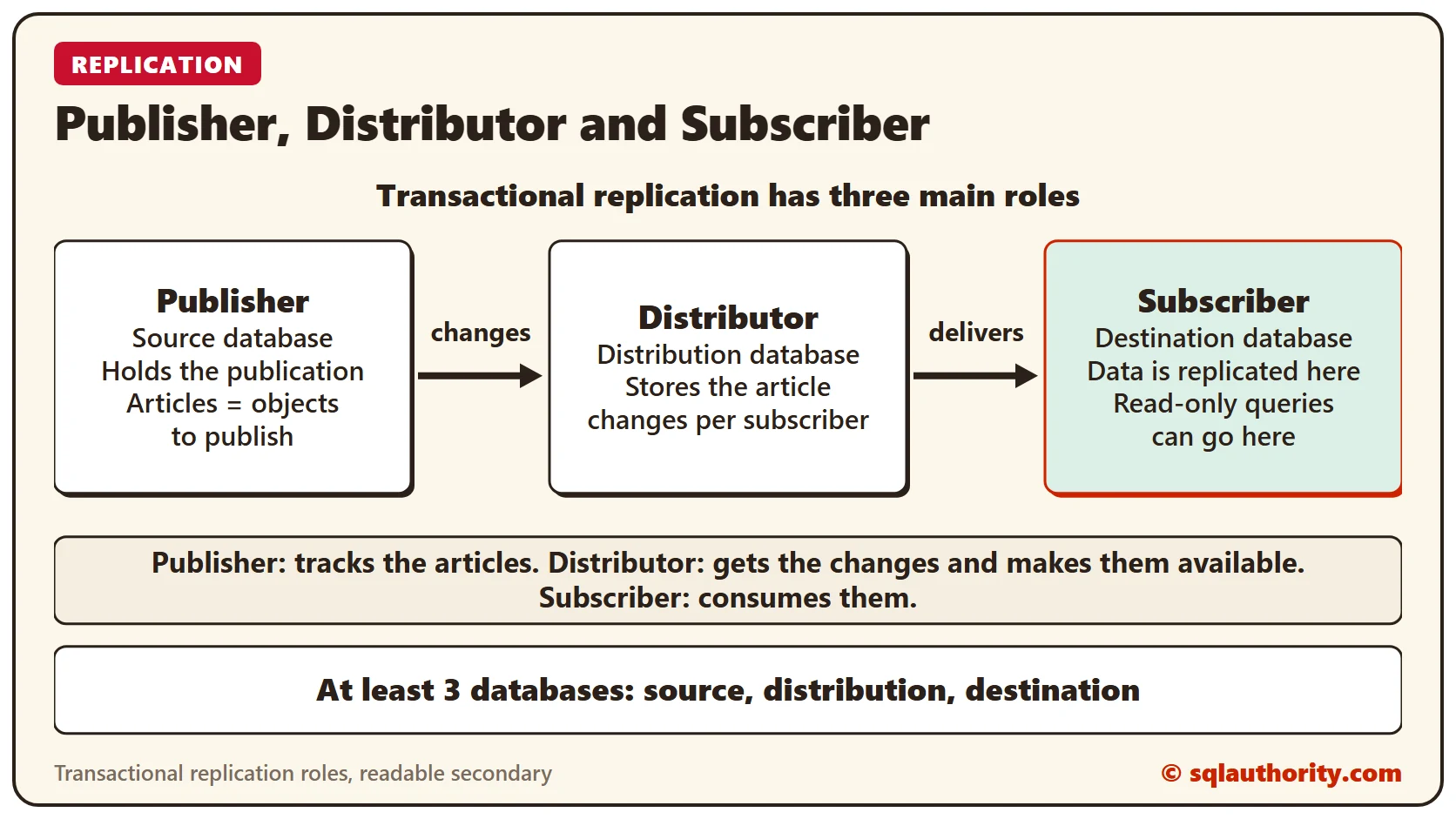
Transactional replication has three main roles: the Publisher, the Distributor and the Subscriber. The Publisher tracks which objects of the database (the articles) are published. The Distributor gets the changes from the Publisher and makes them available for the Subscriber to consume.
Transactional Replication Requirements
The physical implementation of this technology needs at least three databases:
- The source database: your actual production database. It holds the publication on the Publisher.
- The distribution database: it hosts all the article modifications per subscriber per database. It also keeps this information for a set time frame.
- The destination database: the database where all the data is replicated. You can redirect read-only queries to it. It is hosted on the subscriber.
Configuring Transactional Replication Properly
In replication, one server can host all the roles. That choice can cause a worse problem than the one we are trying to solve, which is load balancing. Keep these tips in mind before you configure transactional replication:
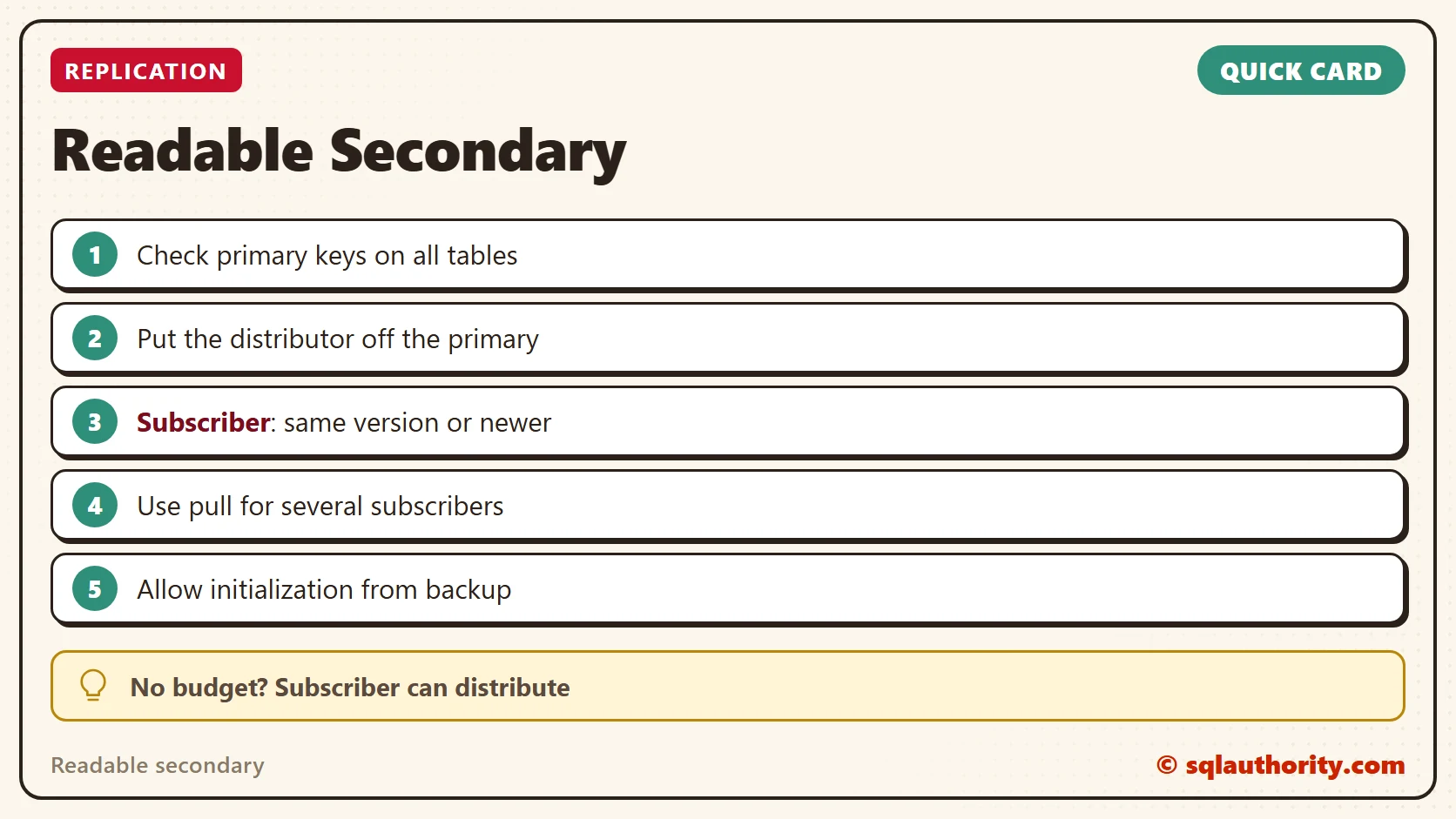
- Make sure all the tables in the source database have primary keys. Otherwise that article cannot be included in the publication.
- The goal is to take load off the primary server. So configure the distribution role on a different server. If you have no budget for a distribution server, use the subscriber as the distributor. Otherwise you overload the server during high traffic.
- The configuration with the subscriber as the distributor looks like this:
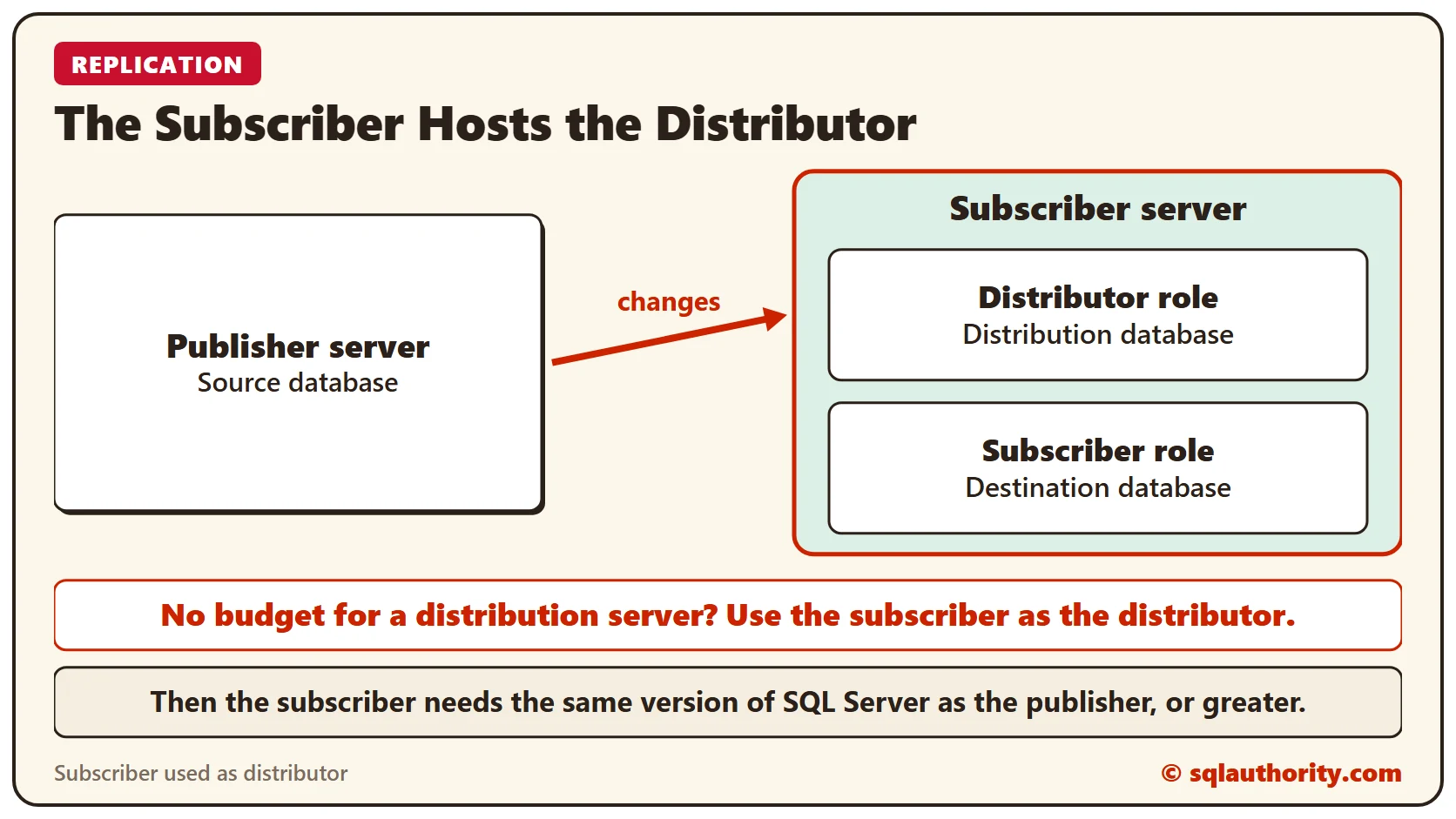
- If the subscriber hosts the distributor database, check the version. The secondary server must run the same version of SQL Server as the publisher, or a greater one.
- Say you host publications from several servers on one distributor, each with multiple databases. Then you can configure one distribution database per publisher server. Here is how. The server name and the password in the code are placeholders:
USE MASTER
EXEC sp_adddistributor @distributor = N'YourServer', @password = N'YourPassword'
GO
EXEC sp_adddistributiondb @database = N'distribution', @data_folder = N'C:\Program Files\Microsoft SQL Server\MSSQL13.SQL2016\MSSQL\Data', @log_folder = N'C:\Program Files\Microsoft SQL Server\MSSQL13.SQL2016\MSSQL\Data', @log_file_size = 2, @min_distretention = 0, @max_distretention = 72, @history_retention = 48, @security_mode = 1
GO
USE [distribution]
IF (NOT EXISTS (SELECT * FROM sysobjects WHERE name = 'UIProperties' AND TYPE = 'U '))
CREATE TABLE UIProperties(id INT)
IF (EXISTS (SELECT * FROM:: fn_listextendedproperty('SnapshotFolder', 'user', 'dbo', 'table', 'UIProperties', NULL, NULL)))
EXEC sp_updateextendedproperty N'SnapshotFolder', N'C:\Program Files\Microsoft SQL Server\MSSQL13.SQL2016\MSSQL\ReplData', 'user', dbo, 'table', 'UIProperties'
ELSE
EXEC sp_addextendedproperty N'SnapshotFolder', N'C:\Program Files\Microsoft SQL Server\MSSQL13.SQL2016\MSSQL\ReplData', 'user', dbo, 'table', 'UIProperties'
GO
EXEC sp_adddistpublisher @publisher = N'YourServer', @distribution_db = N'distribution', @security_mode = 1, @working_directory = N'C:\Program Files\Microsoft SQL Server\MSSQL13.SQL2016\MSSQL\ReplData', @trusted = N'false', @thirdparty_flag = 0, @publisher_type = N'MSSQLSERVER'
GO- If you plan to have several subscribers on different servers for one publication, configure that publication as pull. Then the distribution database does not get overloaded.
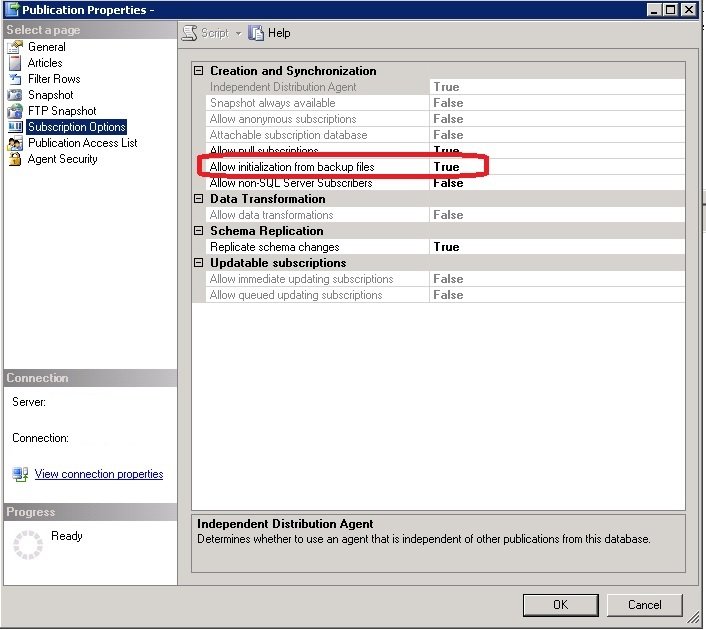
- If your publication holds most of the tables of the source database, initializing the subscriber from backups is quicker. Make sure the publication allows initialization from backups:
- Expand the Replication folder
- Expand the Local Publication folder
- Right-click the publication
- Click Properties
- Select Subscription Options
- Make sure Allow Initialization from Backup Files is set to True
Readable Secondaries and More Balanced Loads
Transactional replication needs a bit more setup. Still, it is a satisfactory replacement for Enterprise level AlwaysOn Availability Groups in the Standard Edition of SQL Server. Configure and maintain it properly, and it goes a long way toward up-to-date, readable secondaries and a workable load balance.
A secondary is not only a spare, it is a second server that can share the reads.
Published by Pinal Dave on SQLAuthority. More of my work at pinaldave.com.
Discover more from SQL Authority with Pinal Dave
Subscribe to get the latest posts sent to your email.




1 Comment. Leave new
intresting concept, but I still not imagine, is that become 2 database in secondary one used by always on (not readable) and second is subscirber?
if the concept is on same database how could database that mark as not readable become readable after configure replication?