
What are filegroups in SQL Server? A filegroup is a named container for data files. An ordinary table or index lives in exactly one of them. You never pick a single file for a table. You pick the filegroup, and SQL Server spreads the rows across its files.

What Are Filegroups Made Of
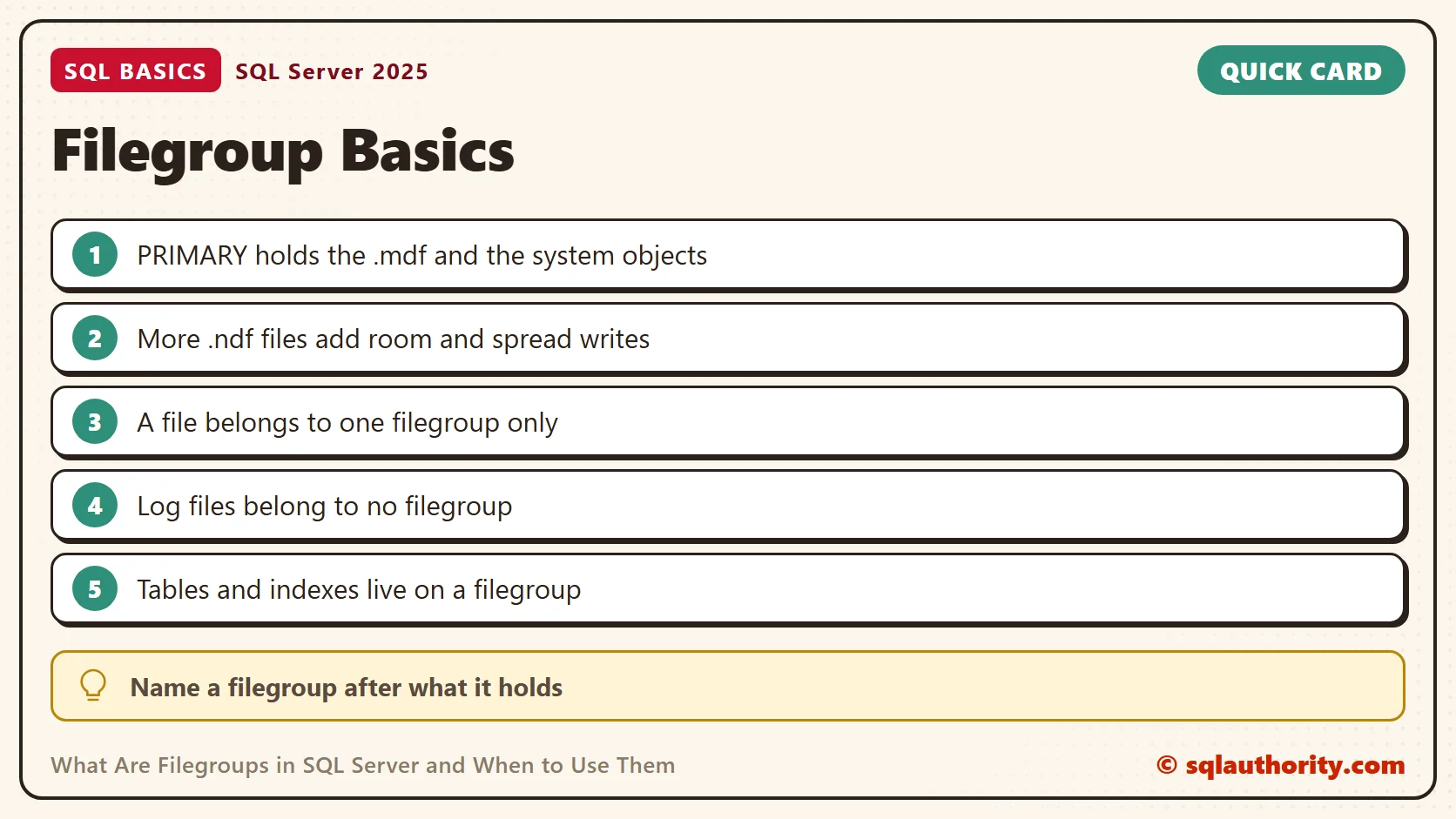
Every database has a PRIMARY filegroup. It holds the primary data file, the .mdf, and the system objects for that database. You can add more data files to it, and those use the .ndf extension.
You can also add your own filegroups, called user-defined filegroups. Each one holds one or more .ndf files, and a file belongs to only one filegroup. Log files, the .ldf files, belong to no filegroup at all. The log is written in sequence and follows its own rules.
Inside a filegroup, SQL Server fills the files in proportion to their free space. Keep the files of one filegroup the same size, so the writes spread evenly across them. Indexes follow the same rule as tables. An index can live on a different filegroup than its table.
One exception is worth knowing. A partition scheme can spread the partitions of one table across several filegroups. This post covers ordinary, unpartitioned tables and indexes.
Create a Filegroup and Put a Table on It
The first script creates a database named SqlBasicsFilegroups if it’s missing. The database is used only for this example. The script then adds a filegroup called FG_Orders with one file. Run it on a test instance. Edit the folder on the first line before you run it. The folder must exist, and the SQL Server service account needs permission to write there.
USE master;
GO
-- Edit this folder first. It must exist, end with a backslash, and be writable by the SQL Server service account.
DECLARE @DataFolder nvarchar(260) = N'C:\SqlBasicsFilegroupsFiles\';
DECLARE @sql nvarchar(max);
IF DB_ID(N'SqlBasicsFilegroups') IS NULL
BEGIN
  SET @sql = N'CREATE DATABASE SqlBasicsFilegroups ON PRIMARY (NAME = SqlBasicsFilegroups_Data, FILENAME = N''' + @DataFolder + N'SqlBasicsFilegroups_Data.mdf'', SIZE = 16MB) LOG ON (NAME = SqlBasicsFilegroups_Log, FILENAME = N''' + @DataFolder + N'SqlBasicsFilegroups_Log.ldf'', SIZE = 8MB);';
  EXEC (@sql);
END;
SET @sql = N'IF NOT EXISTS (SELECT 1 FROM SqlBasicsFilegroups.sys.filegroups WHERE name = N''FG_Orders'') ALTER DATABASE SqlBasicsFilegroups ADD FILEGROUP FG_Orders;';
EXEC (@sql);
IF NOT EXISTS (SELECT 1 FROM sys.master_files WHERE database_id = DB_ID(N'SqlBasicsFilegroups') AND name = N'SqlBasicsFilegroups_Orders1')
BEGIN
  SET @sql = N'ALTER DATABASE SqlBasicsFilegroups ADD FILE (NAME = SqlBasicsFilegroups_Orders1, FILENAME = N''' + @DataFolder + N'SqlBasicsFilegroups_Orders1.ndf'', SIZE = 16MB) TO FILEGROUP FG_Orders;';
  EXEC (@sql);
END;
GO
CREATE DATABASE and ADD FILE need a literal path. So the script builds each statement as a string and runs it with EXEC. That’s the only reason the dynamic SQL is there. The script is safe to run twice, because every step checks first.
Now create a table. Run this block after the first script, because it needs the database and FG_Orders. It drops and rebuilds dbo.OrderHistory inside SqlBasicsFilegroups, so running it twice is safe. The ON clause names the filegroup where the table will live.
USE SqlBasicsFilegroups;
GO
DROP TABLE IF EXISTS dbo.OrderHistory;
CREATE TABLE dbo.OrderHistory
(
  OrderID int NOT NULL CONSTRAINT PK_OrderHistory PRIMARY KEY,
  OrderDate date NOT NULL,
  Item nvarchar(60) NOT NULL
) ON FG_Orders;
INSERT INTO dbo.OrderHistory (OrderID, OrderDate, Item)
VALUES (1, '20260105', N'Masala chai'), (2, '20260106', N'Green tea'), (3, '20260107', N'Mango juice');
The primary key built a clustered index, and a clustered index holds the table rows. So the whole table sits on FG_Orders. If you leave out the ON clause, the table lands in the default filegroup instead.
See Where Everything Landed
Two queries confirm the result. The first shows which filegroup holds the table. It joins each index straight to a filegroup, so it covers ordinary, unpartitioned tables and indexes only. A partitioned object points at a partition scheme instead, and this query leaves it out. The second lists every file with its filegroup and size. The log file shows a NULL filegroup, which matches what you read above.
USE SqlBasicsFilegroups;
GO
SELECT t.name AS table_name, i.type_desc AS index_type, fg.name AS filegroup_name
FROM sys.tables AS t
JOIN sys.indexes AS i ON i.object_id = t.object_id
JOIN sys.filegroups AS fg ON fg.data_space_id = i.data_space_id
WHERE t.name = N'OrderHistory';

SELECT fg.name AS filegroup_name, df.name AS file_name, df.physical_name, CAST(df.size AS bigint) / 128 AS size_mb
FROM sys.database_files AS df
LEFT JOIN sys.filegroups AS fg ON fg.data_space_id = df.data_space_id
ORDER BY df.file_id;

One more thing is worth knowing now. Moving an existing table to another filegroup depends on how it is stored. A table with a clustered index moves when you rebuild that index on the new filegroup with DROP_EXISTING. The rows move because the clustered index is the table. A heap has no clustered index, so you create one on the new filegroup. Nonclustered indexes stay put until you rebuild them too.
The Default Filegroup
New tables go to the default filegroup when you give no ON clause. Until you change it, the default is PRIMARY. Only one filegroup can be the default at a time, and it must hold at least one file. Run this block after the first script, because it needs FG_Orders.
ALTER DATABASE SqlBasicsFilegroups MODIFY FILEGROUP FG_Orders DEFAULT;
-- Put it back when you finish experimenting.
ALTER DATABASE SqlBasicsFilegroups MODIFY FILEGROUP [PRIMARY] DEFAULT;
Some teams keep PRIMARY for system objects only and make a user filegroup the default. Then every new table lands away from the system objects without anyone remembering to ask for it. It’s a common habit, not a rule.
When Filegroups Help
The first benefit is storage layout. You can place files on different volumes, so a busy table doesn’t compete with everything else for the same disk. This helps only when the volumes are truly separate devices. Two folders on one volume add no speed.
The second benefit is control over backup and restore. You can back up or restore one filegroup on its own. A partitioned table can also place each partition on a different filegroup. That lets you handle old and new data differently. Restore works the same way. SQL Server can bring a database back one filegroup at a time. The most important data returns first.
Names matter more than people expect. I name a filegroup after what it holds, such as FG_Orders, and I give its files the same prefix. When a disk fills at night, a clear name tells the person on call which data is affected. A name like Filegroup2 tells them nothing.
When They Only Add Work
Most small and mid-size databases run well on PRIMARY alone. Every extra filegroup is one more thing to size, watch and back up. When a filegroup runs out of room and can’t grow, writes to every object in it fail.
That last point is why I watch free space per filegroup, not only per disk. This query adds up the size and the used space of each filegroup in SqlBasicsFilegroups. It casts each value to bigint before adding, so a large file cannot overflow.
USE SqlBasicsFilegroups;
GO
SELECT fg.name AS filegroup_name, SUM(CAST(df.size AS bigint)) / 128 AS size_mb, SUM(CAST(FILEPROPERTY(df.name, 'SpaceUsed') AS bigint)) / 128 AS used_mb
FROM sys.database_files AS df
JOIN sys.filegroups AS fg ON fg.data_space_id = df.data_space_id
GROUP BY fg.name;
Each extra filegroup also multiplies the planning work. Someone must decide its size, its growth setting and its place in the backup plan. A small team rarely has time for that, and the extra layout buys nothing in return.
My advice is to start with PRIMARY. Add a filegroup when you can name the exact problem it solves. Two examples are a huge history table and a partition plan. A filegroup added without a reason is only a new place for things to go wrong.
Related reading
New to the file names? Start with Data Files and Log Files: What Each One Does in SQL Server. Sizing files well comes next. Autogrowth Settings: Why 1 MB and 10 Percent Still Hurt explains the common mistakes. To change where files live later, read Move Database Files MDF and LDF to Another Location.
A filegroup is not a speed boost, it is a way to say where your data lives.
Published by Pinal Dave on SQLAuthority. More of my work at pinaldave.com.
Discover more from SQL Authority with Pinal Dave
Subscribe to get the latest posts sent to your email.




1 Comment. Leave new
Thq for helping me out