A state machine in T-SQL is a table of allowed moves plus a rule that rejects every other move. An order can go from New to Paid to Packed, but not from New straight to Shipped. This post builds the rule with a transitions table and a trigger. Then it tests one row and several rows in one UPDATE.
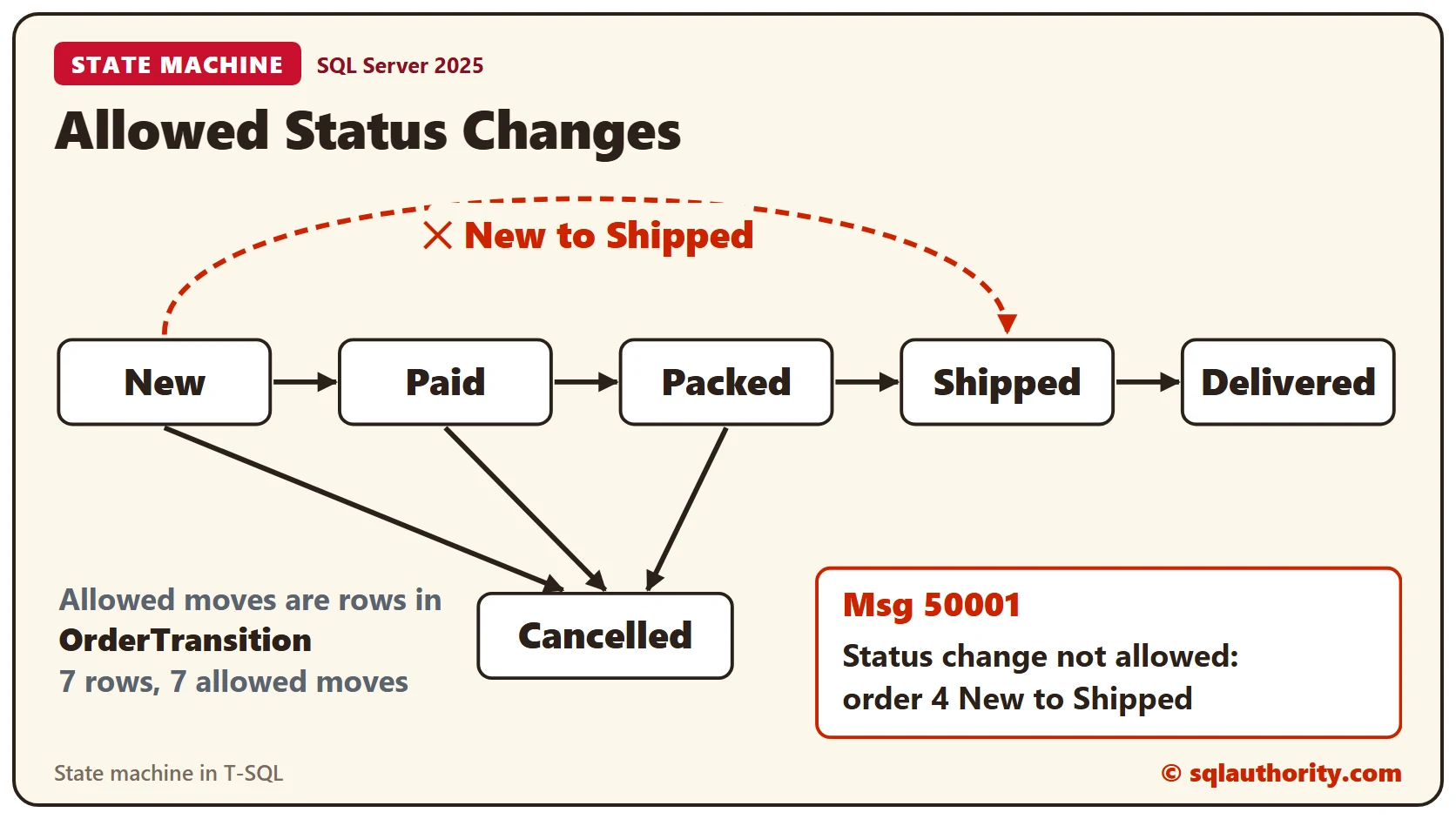
The Idea
A status column holds the current state. Each allowed change is a transition, a pair of an old status and a new status. Keep those pairs as rows in a table. The rules then live in data, and the code only asks one question: is this pair in the table?
The Sample Tables
OrderTransition lists the seven moves we allow. Orders holds six orders in different states. Run this in any test database. Every result in this post comes from SQL Server 2025.
CREATE TABLE dbo.OrderTransition (
  FromStatus varchar(12) NOT NULL,
  ToStatus varchar(12) NOT NULL,
  CONSTRAINT PK_OrderTransition PRIMARY KEY (FromStatus, ToStatus)
);
INSERT INTO dbo.OrderTransition (FromStatus, ToStatus) VALUES
  ('New', 'Paid'), ('New', 'Cancelled'), ('Paid', 'Packed'), ('Paid', 'Cancelled'),
  ('Packed', 'Shipped'), ('Packed', 'Cancelled'), ('Shipped', 'Delivered');
CREATE TABLE dbo.Orders (
  OrderID int NOT NULL PRIMARY KEY,
  Item varchar(30) NOT NULL,
  Status varchar(12) NOT NULL
);
INSERT INTO dbo.Orders (OrderID, Item, Status) VALUES
  (1, 'Fern', 'New'), (2, 'Basil', 'Paid'), (3, 'Cactus', 'Packed'),
  (4, 'Orchid', 'New'), (5, 'Tulip bulbs', 'Shipped'), (6, 'Lavender', 'Delivered');
The Trigger
A trigger can see both versions of a changed row. The inserted table holds the new values, and the deleted table holds the old ones. The trigger joins them on OrderID and keeps the rows whose status changed and whose pair isn’t in OrderTransition.
It works on all rows of the statement at once, so there is no loop. A brand-new row has no old version, and it must start as New. If any row is bad, THROW stops the statement and the message names every bad row.
CREATE TRIGGER dbo.trg_Orders_Status ON dbo.Orders AFTER INSERT, UPDATE AS
BEGIN
  SET NOCOUNT ON;
  DECLARE @Bad varchar(400);
  SELECT @Bad = STRING_AGG(CONCAT('order ', i.OrderID, ' ', COALESCE(d.Status, '(none)'), ' to ', i.Status), ', ')
  FROM inserted AS i
  LEFT JOIN deleted AS d ON d.OrderID = i.OrderID
  WHERE (d.OrderID IS NULL AND i.Status <> 'New')
     OR (d.OrderID IS NOT NULL AND i.Status <> d.Status
         AND NOT EXISTS (SELECT 1 FROM dbo.OrderTransition AS t
                         WHERE t.FromStatus = d.Status AND t.ToStatus = i.Status));
  IF @Bad IS NOT NULL
  BEGIN
    DECLARE @Msg varchar(500) = CONCAT('Status change not allowed: ', @Bad);
    THROW 50001, @Msg, 1;
  END;
END;
A Legal Change and a Jump
Order 1 is New, and New to Paid is in the table. The change goes through. Order 4 is New too, but New to Shipped isn’t in the table.
UPDATE dbo.Orders SET Status = 'Paid' WHERE OrderID = 1;
SELECT OrderID, Status FROM dbo.Orders WHERE OrderID = 1;
UPDATE dbo.Orders SET Status = 'Shipped' WHERE OrderID = 4;SQL Server returns error 50001 with the text Status change not allowed: order 4 New to Shipped. The statement is undone, and order 4 is still New.
SELECT OrderID, Status FROM dbo.Orders WHERE OrderID = 4;Several Rows in One UPDATE
This is where a row-by-row check goes wrong. The next statement moves orders 1 and 4 to Packed. Order 1 is Paid, so its move is legal. Order 4 is New, so its move isn’t.
UPDATE dbo.Orders SET Status = 'Packed' WHERE OrderID IN (1, 4);The message is Status change not allowed: order 4 New to Packed. The legal row doesn’t sneak through, because the whole statement fails. Look at both orders afterwards.
SELECT OrderID, Status FROM dbo.Orders WHERE OrderID IN (1, 4) ORDER BY OrderID;Order 1 is still Paid and order 4 is still New. When every row is legal, the statement works, even when the rows start from different states. This one cancels both orders.
UPDATE dbo.Orders SET Status = 'Cancelled' WHERE OrderID IN (1, 4);
SELECT OrderID, Status FROM dbo.Orders WHERE OrderID IN (1, 4) ORDER BY OrderID;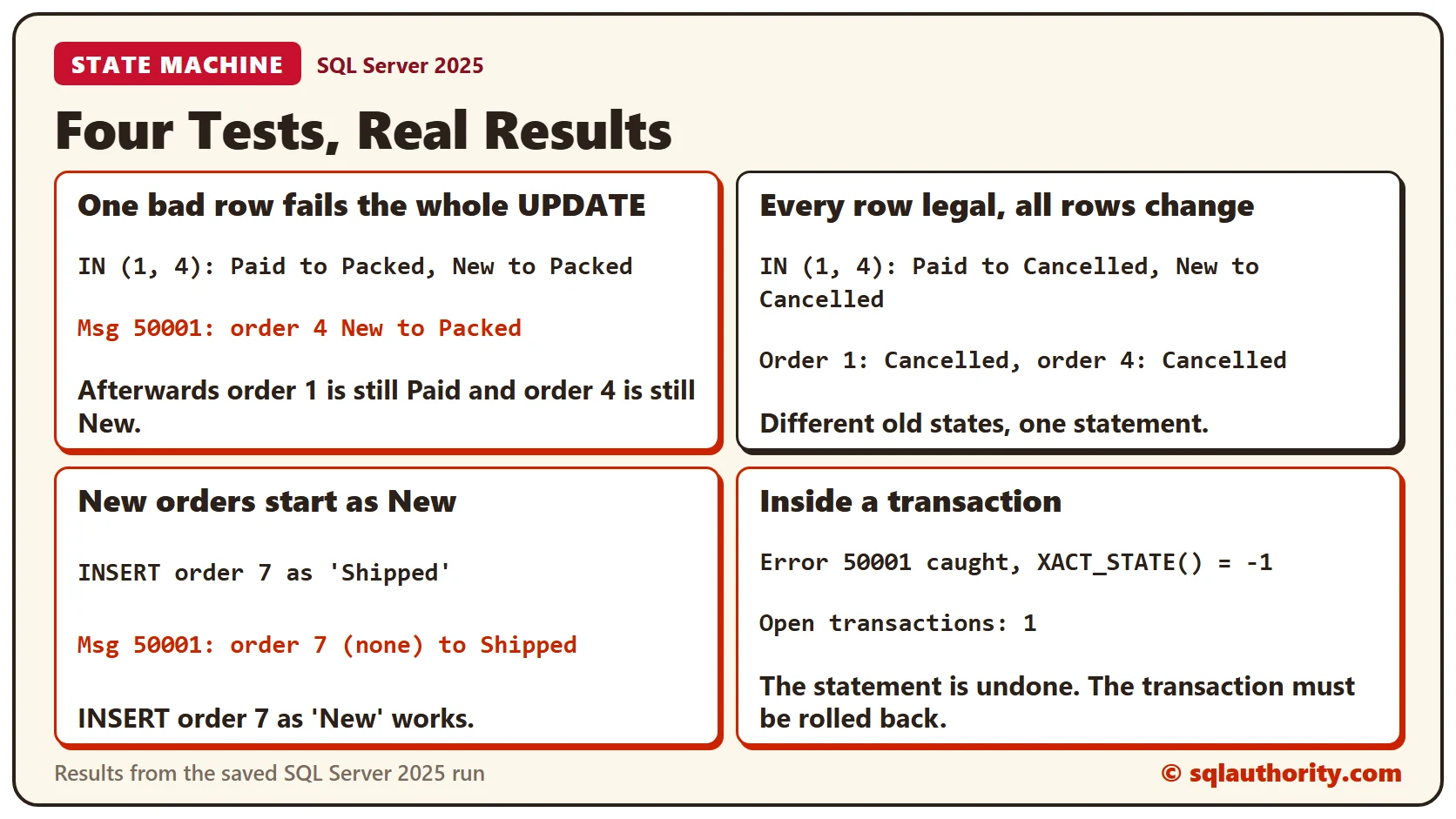
New Orders and Other Edits
An INSERT has no old status, so the trigger demands New. A new order created as Shipped is rejected, and the same order created as New works.
INSERT INTO dbo.Orders (OrderID, Item, Status) VALUES (7, 'Rose', 'Shipped');INSERT INTO dbo.Orders (OrderID, Item, Status) VALUES (7, 'Rose', 'New');
SELECT OrderID, Item, Status FROM dbo.Orders WHERE OrderID = 7;An update that doesn’t change the status is none of the trigger’s business. This one renames the item on a Shipped order and leaves it Shipped, so it passes. A status that appears in no pair fails like any other jump.
UPDATE dbo.Orders SET Item = 'Tulip bulbs, red', Status = 'Shipped' WHERE OrderID = 5;
SELECT OrderID, Item, Status FROM dbo.Orders WHERE OrderID = 5;
UPDATE dbo.Orders SET Status = 'Teleported' WHERE OrderID = 2;The message is Status change not allowed: order 2 Paid to Teleported.
Inside a Transaction
In autocommit mode, the failed statement is undone. In an explicit transaction there is one more thing to know. The trigger’s error leaves the transaction doomed. XACT_STATE() is -1, and the only thing left to do is ROLLBACK.
BEGIN TRY
  BEGIN TRANSACTION;
  UPDATE dbo.Orders SET Status = 'Packed' WHERE OrderID = 7;
  COMMIT TRANSACTION;
END TRY
BEGIN CATCH
  SELECT ERROR_NUMBER() AS ErrorNumber, XACT_STATE() AS XactState, @@TRANCOUNT AS OpenTransactions;
  IF @@TRANCOUNT > 0 ROLLBACK TRANSACTION;
END CATCH;
The catch block sees error 50001, XACT_STATE() of -1 and one open transaction. Always roll back in your CATCH block, and the order stays as it was.
What Can an Order Do Next?
The same table answers the question a screen needs for its buttons. Join each order to the moves out of its current status.
SELECT o.OrderID, o.Status, COALESCE(STRING_AGG(t.ToStatus, ', '), '(none)') AS CanMoveTo
FROM dbo.Orders AS o
LEFT JOIN dbo.OrderTransition AS t ON t.FromStatus = o.Status
GROUP BY o.OrderID, o.Status
ORDER BY o.OrderID;
Order 2 is Paid and can move to Cancelled or Packed. Order 5 is Shipped and can only be Delivered. Orders 1, 4 and 6 have nowhere to go, because Cancelled and Delivered end the road.
A New Rule Is One Row
Suppose a customer can send a delivered order back. Order 6 is Delivered, and today that move fails.
UPDATE dbo.Orders SET Status = 'Returned' WHERE OrderID = 6;The message is Status change not allowed: order 6 Delivered to Returned. Add the rule as a row, and the same statement works without touching the trigger.
INSERT INTO dbo.OrderTransition (FromStatus, ToStatus) VALUES ('Delivered', 'Returned');UPDATE dbo.Orders SET Status = 'Returned' WHERE OrderID = 6;
SELECT OrderID, Status FROM dbo.Orders WHERE OrderID = 6;Clean Up
Dropping the table drops its trigger too.
DROP TABLE dbo.Orders;
DROP TABLE dbo.OrderTransition;
What to Remember
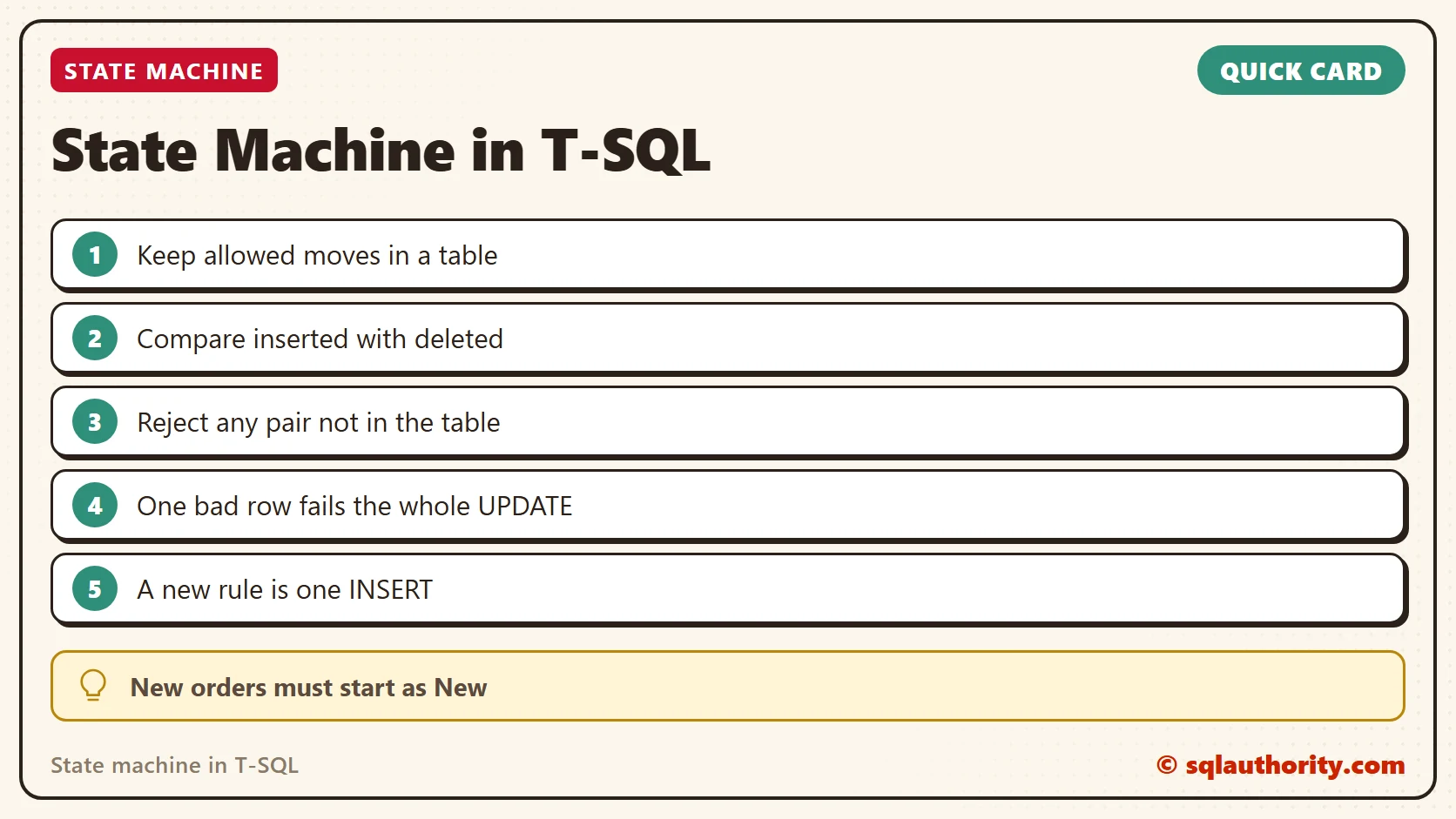
Keep the allowed moves as rows, compare inserted with deleted, and reject any pair that isn’t in the table. The check judges the whole statement, so one bad row fails every row. A trigger enforces nothing while it’s disabled, so treat that permission with care.
To go further, read Status Changes Only: Collapsing Repeated Rows With LAG and Measuring Time Between Workflow Steps With LEAD.
A state machine is not a pile of IF statements, it is a table of moves you can read.
Published by Pinal Dave on SQLAuthority. More of my work at pinaldave.com.
Discover more from SQL Authority with Pinal Dave
Subscribe to get the latest posts sent to your email.