
Querying pattern ranges with LIKE takes two tools, the % wildcard and a range in square brackets. Readers ask me about it again and again. This puzzle uses both tools, so try it before you read the answer.
![A table of 12 first names with the 6 matches marked Yes, beside the pattern LIKE '[a-m]%z' split into three parts: one letter from a to m, any run of characters, and a final z](https://blog.sqlauthority.com/wp-content/uploads/2026/10/querying-pattern-ranges-with-like-a-wildcard-puzzle-with-the-answer-cover.webp)
The Sample Table
Members holds twelve first names. Some start with a letter from A to M and end with z, and some don’t. Run this in any test database. Every result in this post comes from SQL Server 2025.
CREATE TABLE dbo.Members (MemberId int IDENTITY(1,1) PRIMARY KEY, FirstName varchar(20) NOT NULL);
INSERT INTO dbo.Members (FirstName)
VALUES ('Liz'), ('Inez'), ('Beatriz'), ('Luz'), ('Fritz'), ('Moritz'), ('Ada'), ('Maya'), ('Raz'), ('Tomaz'), ('Zane'), ('Nina');
The Puzzle
Find every first name that starts with a letter from A to M and ends with the letter z. Six queries follow, labeled a to f. Which one returns the right names? Read all six before you choose.
-- a
SELECT FirstName FROM dbo.Members WHERE FirstName LIKE 'm%z';

-- b
SELECT FirstName FROM dbo.Members WHERE FirstName LIKE 'a-m%z';

-- c
SELECT FirstName FROM dbo.Members WHERE FirstName = '[a-m]%z';

-- d
SELECT FirstName FROM dbo.Members WHERE FirstName LIKE '[a-m]%z';

-- e
SELECT FirstName FROM dbo.Members WHERE FirstName LIKE '[a-m]z%';

-- f
SELECT FirstName FROM dbo.Members WHERE FirstName LIKE '%[a-m]%z';
The Answer
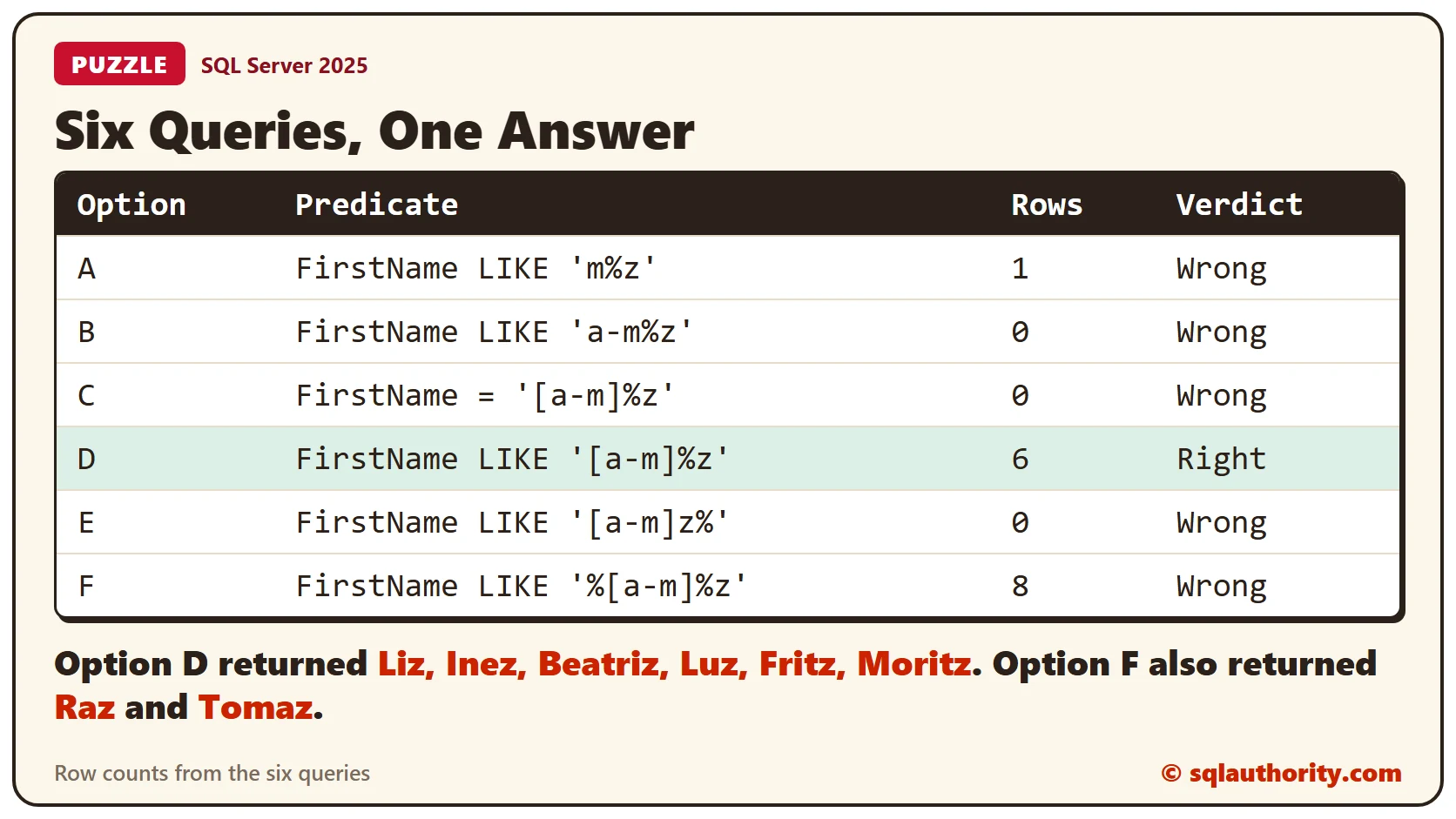
Option d is the answer. It returned Liz, Inez, Beatriz, Luz, Fritz and Moritz. The pattern reads from left to right. The [a-m] part matches one letter from a to m. The % matches any run of characters, even none, and the z matches the last letter.
The other five fail in different ways.
- Option a returned Moritz only, because m is one letter and not a range.
- Option b returned no rows. Without brackets, SQL Server reads a-m as three ordinary characters.
- Option c used = with a pattern. SQL Server compared the text as plain characters, raised no error and returned no rows.
- Option e asks for z as the second letter, and no name has one.
- Option f accepts any letter from a to m anywhere before the final z. Raz and Tomaz slipped in, 8 rows in all.
The Old Way: A Chain of OR
Before ranges, you’d write one predicate for every letter. This query finds names from A to K that way.
SELECT FirstName FROM dbo.Members
WHERE FirstName LIKE 'A%' OR FirstName LIKE 'B%' OR FirstName LIKE 'C%' OR FirstName LIKE 'D%' OR FirstName LIKE 'E%'
   OR FirstName LIKE 'F%' OR FirstName LIKE 'G%' OR FirstName LIKE 'H%' OR FirstName LIKE 'I%' OR FirstName LIKE 'J%'
   OR FirstName LIKE 'K%'
ORDER BY FirstName;
It returned Ada, Beatriz, Fritz and Inez. A range does the same job in one line.
SELECT FirstName FROM dbo.Members WHERE FirstName LIKE '[A-K]%' ORDER BY FirstName;It returned the same four names.
Two Predicates and a Reversed Range
Splitting the condition in two also works. This query returned the same 6 names as option d. The single pattern is shorter.
SELECT FirstName FROM dbo.Members WHERE FirstName LIKE '[a-m]%' AND FirstName LIKE '%z';A caret inside the brackets reverses the range. The [^a-m] part matches one letter outside a to m.
SELECT FirstName FROM dbo.Members WHERE FirstName LIKE '[^a-m]%z';It returned Raz and Tomaz, the two names that end in z but start after M.
The Hidden Trick: Collation
The first letter of Moritz is a capital M. Whether it counts as inside a-m depends on the collation. The database I used has the collation SQL_Latin1_General_CP1_CI_AS, which ignores case. This query runs the same pattern under three collations.
SELECT 'Case insensitive' AS Collation_, COUNT(*) AS Matches FROM dbo.Members WHERE FirstName COLLATE Latin1_General_CI_AS LIKE '[a-m]%z'
UNION ALL
SELECT 'Case sensitive', COUNT(*) FROM dbo.Members WHERE FirstName COLLATE Latin1_General_CS_AS LIKE '[a-m]%z'
UNION ALL
SELECT 'Binary', COUNT(*) FROM dbo.Members WHERE FirstName COLLATE Latin1_General_BIN2 LIKE '[a-m]%z';
The case-insensitive collation matched 6 names. The case-sensitive one matched 5. Moritz dropped out, because in that sort order the capital M comes after the lowercase m. The binary collation matched 0, because it compares code points and every name starts with a capital letter.
A case-sensitive column needs a range in the right case. Writing [A-M] returned all 6 names. For more traps like this, read LIKE Character Ranges: [a-f], [^0-9] and Collation Traps.
SELECT FirstName FROM dbo.Members WHERE FirstName COLLATE Latin1_General_CS_AS LIKE '[A-M]%z';Other Databases
The bracket range is SQL Server syntax. Oracle’s LIKE understands only % and _, so use REGEXP_LIKE there for a range.
Clean Up
Remove the sample table when you finish.
DROP TABLE dbo.Members;What to Remember
Use LIKE for patterns and never =. Put the range inside square brackets and the wildcard outside them. Check the collation before you trust a range.
To go further, read Wildcard Basics in SQL Server: How LIKE Patterns Work. For more on ranges and collations, read LIKE Character Ranges: [a-f], [^0-9] and Collation Traps. For a literal percent sign, read LIKE ESCAPE: Search for a Literal Percent Sign.
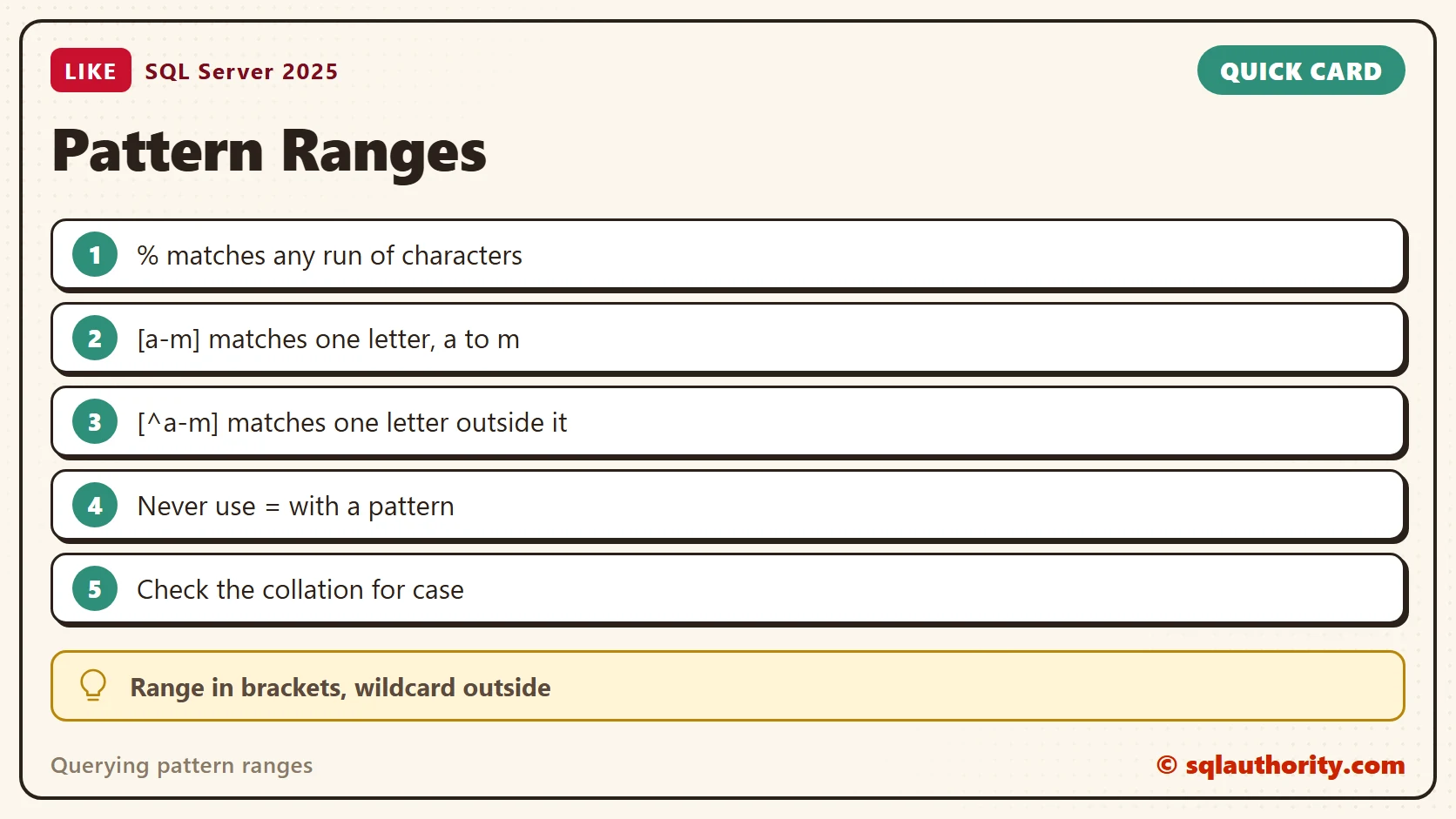
A wildcard is not a range, it is a placeholder, and the range lives in the brackets.
Published by Pinal Dave on SQLAuthority. More of my work at pinaldave.com.
Discover more from SQL Authority with Pinal Dave
Subscribe to get the latest posts sent to your email.




3 Comments. Leave new
Hmm I’d say none of the above since all have = operator instead of LIKE operator. Also if using case sensitive collation without explicit cast using lower case letters in expression will not find upper case column values.
SELECT * FROM Customer WHERE FirstName LIKE ‘[A-M]%Z’ should do it.
I tried with following query in Oracle db, But it is not working
select name from employee where name like ‘[a-v]%’, Not sure what is wrong?
The query is for SQL Server. For Oracle you need to use REGEXP function