
This ANSI_NULLS puzzle starts with two queries that look alike, and only one of them returns a row. Readers shared their answers to the original puzzle in May 2013, and I published the puzzle solution. This is episode 52 of SQL in Sixty Seconds, the follow-up where I switched ANSI_NULLS from ON to OFF.

The Two Queries
Run both with ANSI_NULLS on, which is the default for most connections. Both ask about the same list of letters, and both end in a NULL.
SET ANSI_NULLS ON;
-- Query 1
SELECT 'SQLAuthority' AS Statement11
WHERE 'Authority' IN ('S', 'Q', 'L', 'Authority', NULL);
-- Query 2
SELECT 'SQLAuthority' AS Statement12
WHERE 'Authority' NOT IN ('S', 'Q', 'L', NULL);
Query 1 returned one row. Query 2 returned nothing, even though ‘Authority’ is not S, Q or L. That is the puzzle.
Why Query 2 Returns Nothing
A comparison with NULL is neither true nor false. It is UNKNOWN. A WHERE clause keeps a row only when the whole condition is TRUE.
In Query 1, ‘Authority’ matches the fourth value, so one part is TRUE. TRUE or UNKNOWN is TRUE, and the row stays. In Query 2, NOT IN means not equal to every value, including NULL. The NULL part is UNKNOWN, and NOT of UNKNOWN is UNKNOWN. The row is dropped.
| Part of the condition | Result |
|---|---|
| ‘Authority’ = ‘S’ | FALSE |
| ‘Authority’ = ‘Q’ | FALSE |
| ‘Authority’ = ‘L’ | FALSE |
| ‘Authority’ = ‘Authority’ | TRUE |
| ‘Authority’ = NULL | UNKNOWN |
| Query 1: IN, joined with OR | TRUE, row returned |
| Query 2: NOT IN, joined with AND | UNKNOWN, row dropped |
I checked both conditions with a CASE expression. The first came out TRUE. The second came out as not TRUE. Query 2 never reaches a state where every part is FALSE, because the NULL part stays UNKNOWN.
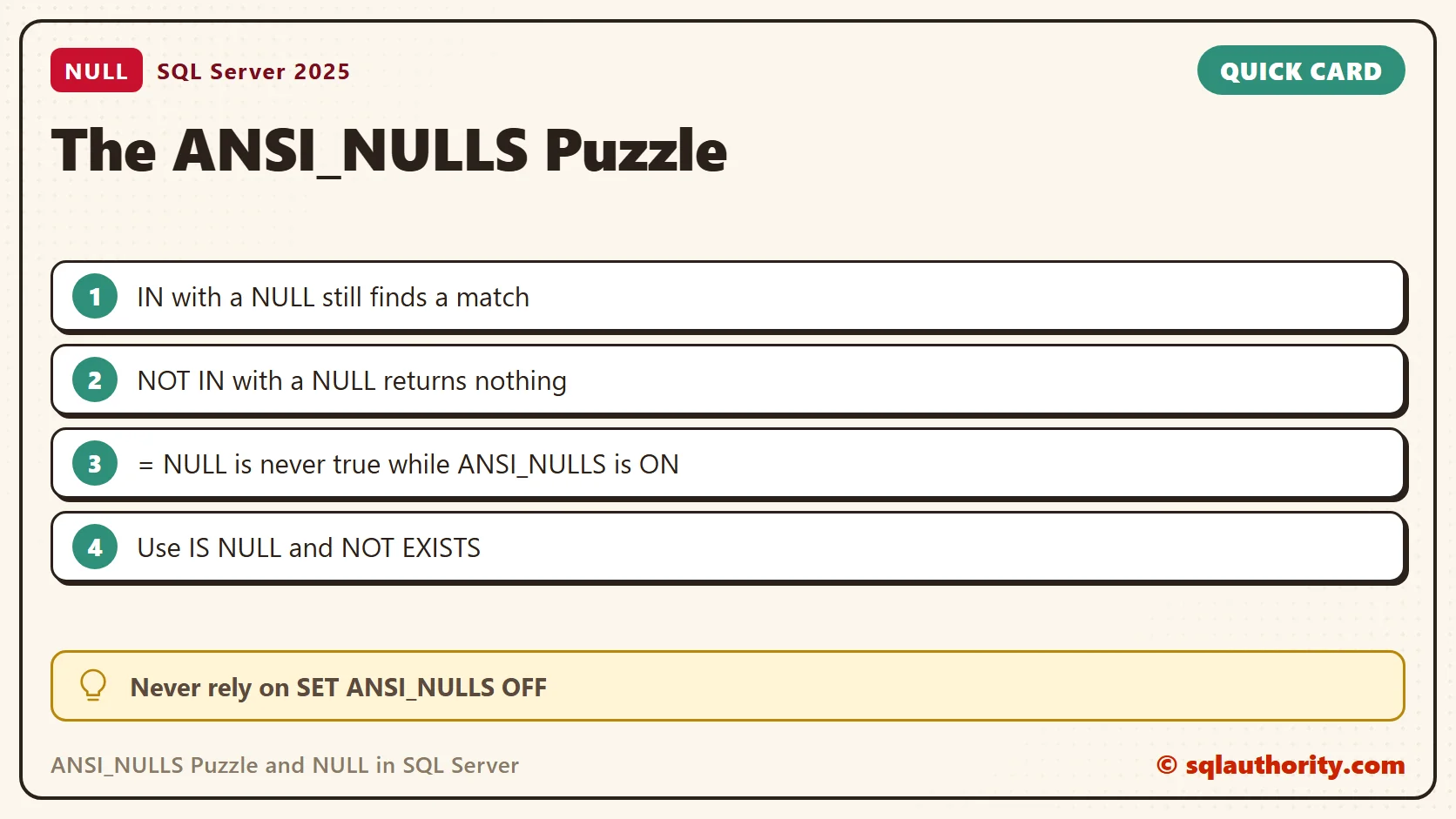
What ANSI_NULLS OFF Changes
The 2013 follow-up repeated the queries with the setting off. With the setting off, a comparison to NULL behaves like a test with IS NULL. Run this in a scratch session and set it back afterwards.
SET ANSI_NULLS OFF;
-- Query 3
SELECT 'SQLAuthority' AS Statement21
WHERE 'Authority' IN ('S', 'Q', 'L', 'Authority', NULL);
-- Query 4
SELECT 'SQLAuthority' AS Statement22
WHERE 'Authority' NOT IN ('S', 'Q', 'L', NULL);
SET ANSI_NULLS ON;| Query | ANSI_NULLS ON | ANSI_NULLS OFF |
|---|---|---|
| IN (…, NULL) | 1 row | 1 row |
| NOT IN (…, NULL) | no rows | 1 row |
With the setting off, NULL no longer poisons NOT IN. That looks friendly, and it is the reason to avoid it. The same query changes meaning with one session setting.
Is the Setting Still Alive on SQL Server 2025
Some sources say ANSI_NULLS has been always ON since SQL Server 2017. My test says otherwise. On SQL Server 2025 (build 17.0.5015.4, compatibility level 170), SET ANSI_NULLS OFF was accepted, and it changed the results above.
A table with four rows and two NULL notes shows more. The test Note = NULL counted 0 rows with the setting ON and 2 rows with OFF. A variable that held NULL behaved the same way. The correct test, Note IS NULL, counted 2 rows in both modes.
A stored procedure remembers the setting from the moment it was created. I created one with the setting OFF. It still counted 2 rows for Note = NULL when I ran it from a session with the setting ON. Treat OFF as a legacy feature on its way out, and never use it in new code.
The Same Trap in Real Queries
You rarely write NULL inside a list. The trap hides in a subquery. This script finds teas that nobody ordered, but one order has no tea ID.
CREATE TABLE #Teas (TeaId int PRIMARY KEY, TeaName varchar(20) NOT NULL);
CREATE TABLE #Orders (OrderId int PRIMARY KEY, TeaId int NULL);
INSERT #Teas VALUES (1, 'Assam'), (2, 'Sencha'), (3, 'Rooibos'), (4, 'Jasmine');
INSERT #Orders VALUES (1, 1), (2, 2), (3, NULL);
SELECT TeaName FROM #Teas WHERE TeaId NOT IN (SELECT TeaId FROM #Orders);
SELECT TeaName FROM #Teas AS t
WHERE NOT EXISTS (SELECT 1 FROM #Orders AS o WHERE o.TeaId = t.TeaId)
ORDER BY TeaName;
DROP TABLE #Teas, #Orders;
The NOT IN query returned no rows, because of the NULL order. The NOT EXISTS query returned Jasmine and Rooibos. Adding WHERE TeaId IS NOT NULL inside the subquery gave the same two teas.
Check the Column First
NOT IN is safe when the column cannot hold NULL. I rebuilt the Orders table with TeaId int NOT NULL. Then NOT IN returned Jasmine and Rooibos, the same as NOT EXISTS. An insert of a NULL tea ID failed with Msg 515, so the trap could not form. Check the column definition before you trust the query.
What I Do Now
I test for missing values with IS NULL and IS NOT NULL. I write NOT EXISTS instead of NOT IN when a subquery can return NULL. I leave ANSI_NULLS alone.
Related Reading
- Three-Valued Logic: TRUE, FALSE and UNKNOWN in a WHERE Clause
- The ANSI_NULLS puzzle solution
- QUOTED_IDENTIFIER and ANSI_NULLS explained
NULL is not a value to compare against, it is the absence of one.
Published by Pinal Dave on SQLAuthority. More of my work at pinaldave.com.
Discover more from SQL Authority with Pinal Dave
Subscribe to get the latest posts sent to your email.




1 Comment. Leave new
When you set ANSI_NULLS off, it will not follow the ISO Standard and in comparison with column and NULL, it will always return TRUE.
Query 3 :
‘Authority’ = ‘S’ OR ‘Authority’ = ‘Q’ OR ‘Authority’ = ‘L’ OR ‘Authority’ = ‘Authority’ OR ‘Authority’ = NULL
Returns FALSE OR FALSE OR FALSE OR TRUE OR TRUE so the final result is TRUE.
RESULT : the query will return the value SQLAUTHORITY
===================================
Query 4 :
‘Authority’ != ‘S’ AND ‘Authority’ != ’Q’ AND ‘Authority’ != ’L’ AND ‘Authority’ != NULL
Returns TRUE AND TRUE AND TRUE AND TRUE so the final result is TRUE.
RESULT : the query will return the value SQLAUTHORITY