
Generate script for schema and data in SSMS to share a small sample database or seed a test environment.

A backup and restore suits a complete database. A small example calls for a readable script with selected object definitions and rows. The Generate Scripts wizard lets you choose that scope, and SQL in Sixty Seconds #021 demonstrates it.
I did not click through the wizard for this update. Instead, I built a similar script with T-SQL on SQL Server 2025. That let me test what such a script must handle.
Watch the Original Scripting Episode
Choose Schema and Data in the Wizard
- In Object Explorer, right-click the source database and select Tasks, Generate Scripts.
- Choose the objects you want, or select the whole database when that is the scope you intend.
- On Set Scripting Options, open Advanced.
- Set Types of data to script to Schema and data. The default is schema only.
- Check the target server version and the other options, then save the script and read it.
Schema describes the objects, such as table definitions. Data supplies the rows. If the file holds table definitions but no INSERT statements, go back and check the data option.
Build the Same Kind of Script with T-SQL
Here is a small table with an identity column, a NULL price and a name that contains an apostrophe. A second table with the same shape stands in for the new database.
CREATE TABLE dbo.Product (ProductId int IDENTITY(1,1) PRIMARY KEY, ProductName nvarchar(60) NOT NULL,
                          Price decimal(8,2) NULL, AddedOn date NOT NULL);
INSERT INTO dbo.Product (ProductName, Price, AddedOn)
VALUES (N'Cardamom Tea', 6.50, '2026-01-05'), (N'Farmer''s Blend', NULL, '2026-02-11'), (N'Mint Leaves', 2.25, '2026-03-20');
CREATE TABLE dbo.ProductCopy (ProductId int IDENTITY(1,1) PRIMARY KEY, ProductName nvarchar(60) NOT NULL,
                              Price decimal(8,2) NULL, AddedOn date NOT NULL);
The query below writes one INSERT statement per row. It wraps them in SET IDENTITY_INSERT and doubles every apostrophe. It writes NULL without quotes and formats dates the same way each time. Then it runs the script it built.
DECLARE @Script nvarchar(max) =
    N'SET IDENTITY_INSERT dbo.ProductCopy ON;' + CHAR(10)
  + (SELECT STRING_AGG(CONVERT(nvarchar(max), CONCAT(N'INSERT INTO dbo.ProductCopy (ProductId, ProductName, Price, AddedOn) VALUES (',
            ProductId, N', N''', REPLACE(ProductName, N'''', N''''''), N''', ',
            COALESCE(CONVERT(nvarchar(20), Price), N'NULL'), N', ''', CONVERT(nvarchar(10), AddedOn, 23), N''');')), CHAR(10))
            WITHIN GROUP (ORDER BY ProductId)
     FROM dbo.Product)
  + CHAR(10) + N'SET IDENTITY_INSERT dbo.ProductCopy OFF;';
SELECT @Script AS GeneratedScript;
EXEC (@Script);
Compare the copy with the source before you trust it. Counting rows is not enough, so I used EXCEPT in both directions. Each query lists the rows that one table has and the other lacks.
SELECT (SELECT COUNT(*) FROM dbo.Product) AS SourceRows, (SELECT COUNT(*) FROM dbo.ProductCopy) AS CopyRows;
SELECT COUNT(*) AS MissingFromCopy FROM
  (SELECT ProductId, ProductName, Price, AddedOn FROM dbo.Product
   EXCEPT SELECT ProductId, ProductName, Price, AddedOn FROM dbo.ProductCopy) AS d;
SELECT COUNT(*) AS ExtraInCopy FROM
  (SELECT ProductId, ProductName, Price, AddedOn FROM dbo.ProductCopy
   EXCEPT SELECT ProductId, ProductName, Price, AddedOn FROM dbo.Product) AS d;
Both tables held 3 rows, and both EXCEPT queries returned 0. The apostrophe, the NULL and the dates all arrived intact.
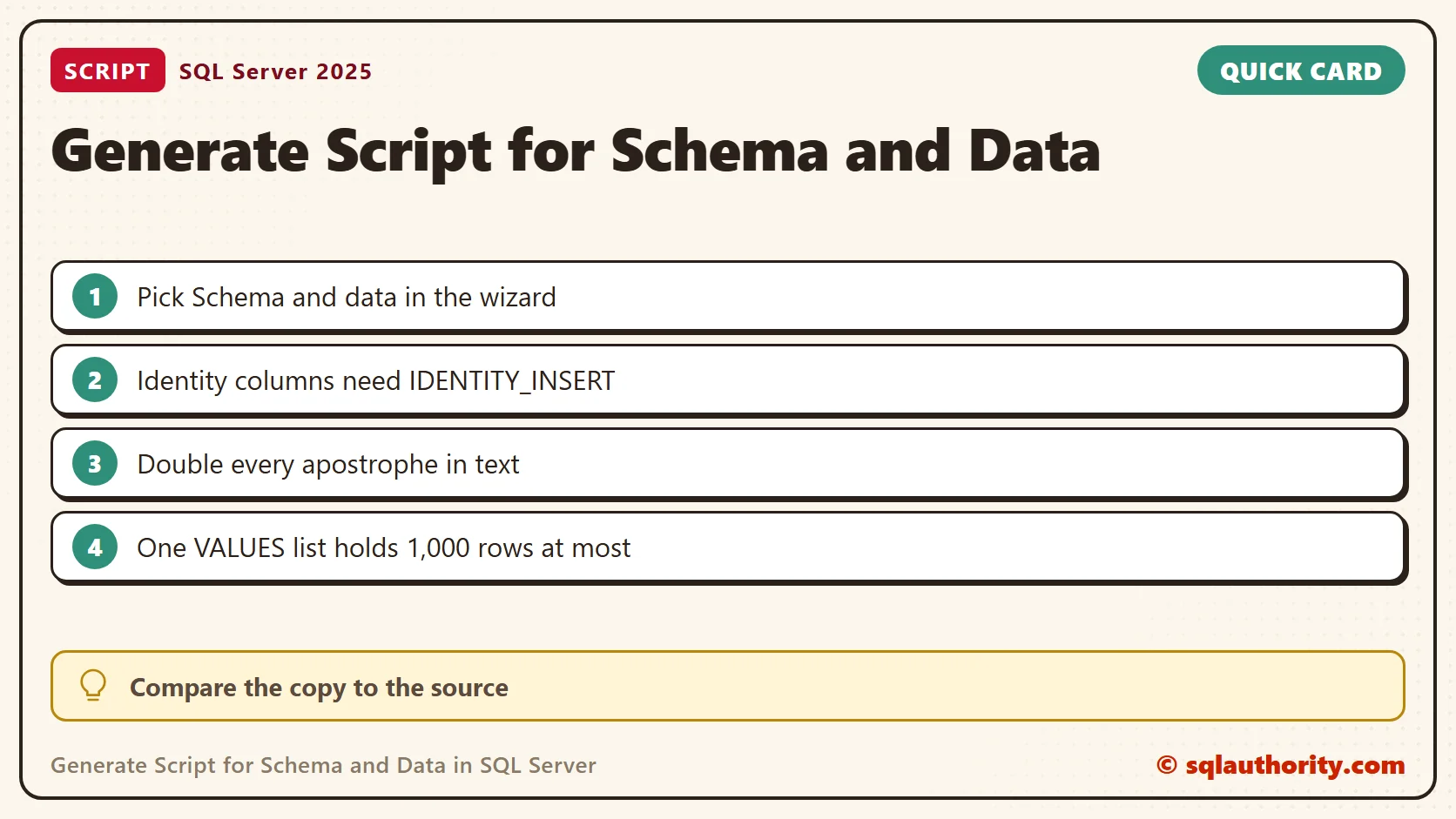
Three Ways a Data Script Breaks
Each trap below failed in my tests, and each is something a generated script has to handle.
An identity column rejects explicit values. Without SET IDENTITY_INSERT ON, my insert of ProductId 1 failed with Msg 544. A text value with one apostrophe, as in Farmer’s Blend, ends the string early. It failed with Msg 102 until I doubled the quote.
A single VALUES list holds at most 1,000 rows. A statement with 1,001 failed with Msg 10738, and 1,000 worked. A script that packs a big table into one statement hits that wall.
Review the Script Before Executing It
Check the destination connection and any USE statement in the file. A script should run against the database you intend. Read the CREATE, DROP and INSERT statements before you execute, and test with an empty disposable database first.
Check dependencies and the options for indexes, constraints and triggers too. Selecting a few tables does not include every related object or server setting. Decide what the example needs, and confirm the script holds it.
After a test run, compare row counts and look at representative values. If you plan to share the script, read the row values as well as the definitions. Use suitable sample data, not copies of private customer or employee records.
Keep the Export Manageable
A script full of INSERT statements suits a small, reproducible example. For large volumes, use a bulk transfer method or a backup and restore. A generated script is not a substitute for a tested database backup.

More Database Scripting Examples
- Create Script to Copy Database Schema and All the Objects
- Copy Database With Data: Generate T-SQL for Inserting Data from One Table to Another
- Copy Database from One Instance to Another
A generated script is not a complete backup, it is a portable set of statements to review and test.
Published by Pinal Dave on SQLAuthority. More of my work at pinaldave.com.
Discover more from SQL Authority with Pinal Dave
Subscribe to get the latest posts sent to your email.




22 Comments. Leave new
Hello!
I’ve tried this way to generate the database scripts, but it’s not working quite properly. I’m always missing one specific table und quite half of my views in the script. I also changed some options to find a difference, but no success. Also create a script only for all tables or all views didn’t help. But when I just create a script with this wizzard for my missing table it works. The output says everything was ok.
Is there something which can prevent the wizard to script the object? Is there another easy way to script all schema objects?
Thanks for any advice!
Kind regards!
My thanks to you!
Once again convinced that SQL Authority is the best site with SQL info and examples! Only here I FINALLY FOUND the method of exporting data to SQL file!!!!!!!!
If I want to copy only partial data or delta records then how can I achieve this by doing generate scripts automatically?
I got errors when my table contains huge records when generate script with data. is there any way to get it
I used bcp to export and import the data. Its the best choice I think.
Could you use this to copy all data and schemas from SQL 2012 to SQL 2008r2 installation on a different server?
Thanks a lot
Hi Pinal,
Thanks For all your help!
Can you suggest a way to script or copy a maintenance plan without Integration Services?
Thanks you,
shani
many thanks.
Is there any way if we could generate script without Sql Server Management Studio ?
Did you find a way to do this? I’m searching… Thanks
Did you both find anything to do so? If found then plz share…I’m looking for some command for this task rather than any software
Thanks! Helped me to move local DB to the cloud without any hassle.
As always, Pinal Dave’s instructions are easy to follow and they work.
Thanks Dean.
Thanks. Concise and helpful!
Thanks!
Thanks so much Pinal
Thank you – had been looking for this for a while!
I Love you! Thxs!!!!!
Hello Seniors, may you help me how to generate online script in sql server 2008 r2 with data and schema
are you not able to follow steps given in video?