
Declare and initialize variables in a single DECLARE statement, and every variable starts with a value you chose.

In SQL in Sixty Seconds #003, Vinod Kumar shows this syntax. It keeps a variable and its starting value on one line. The first two episodes covered converting a subquery to a CTE and T-SQL errors and reactions. This episode covers a detail that appears in nearly every script. I tested each example on SQL Server 2025.
Watch the Original Episode
Declare and Initialize in One Statement
SQL Server 2008 added the starting value to DECLARE. Before that, a variable needed a DECLARE and then a separate SET. One DECLARE can also hold several variables, separated by commas. Each variable still needs its own data type.
DECLARE @Quantity int = 4,
        @UnitPrice decimal(8,2) = 12.50,
        @ItemName nvarchar(30) = N'Cardamom Tea';
SELECT @ItemName AS ItemName, @Quantity AS Quantity, @UnitPrice AS UnitPrice,
       @Quantity * @UnitPrice AS TotalAmount;
The result was Cardamom Tea, 4, 12.50 and a total of 50.00. The decimal type kept its two places, so the total printed as 50.00 and not 50.
A Variable Without a Value Is NULL
A variable declared without a starting value holds NULL, not zero and not an empty string. Arithmetic on NULL stays NULL. That is why I give a starting value to any variable I plan to add to.
DECLARE @Discount decimal(4,2);
SELECT @Discount AS BeforeSet, @Discount + 1 AS PlusOne;
SET @Discount = 0.10;
SELECT @Discount AS AfterSet;
Both columns in the first result were NULL. After the SET, the variable returned 0.10.
Use an Expression or a Subquery
The starting value can be an expression or a scalar subquery. That helps when the value lives in a table. Here is a small table to read from.
CREATE TABLE dbo.OrderLine (LineId int IDENTITY(1,1) PRIMARY KEY,
                            ItemName nvarchar(30) NOT NULL, Quantity int NOT NULL);
INSERT INTO dbo.OrderLine (ItemName, Quantity)
VALUES (N'Cardamom Tea', 4), (N'Ginger Biscuits', 12), (N'Mint Leaves', 7);
DECLARE @LineCount int = (SELECT COUNT(*) FROM dbo.OrderLine),
        @LargestLine int = (SELECT MAX(Quantity) FROM dbo.OrderLine);
SELECT @LineCount AS LineCount, @LargestLine AS LargestLine;
It returned 3 and 12. A subquery that returns two rows fails with Msg 512, so use one that returns a single value. One DECLARE also cannot read a variable declared in the same statement. Setting @b int = @a + 1 beside @a failed with Msg 137. Split them into two DECLARE statements.
A Loop Does Not Reset an Uninitialized Variable
A DECLARE inside a WHILE loop looks like it starts fresh on every pass. Only the variable with a starting value does.
DECLARE @Pass int = 1;
WHILE @Pass <= 3
BEGIN
    DECLARE @NoStart int;
    DECLARE @WithStart int = 0;
    SET @NoStart = ISNULL(@NoStart, 0) + 1;
    SET @WithStart += 1;
    SELECT @Pass AS Pass, @NoStart AS NoStart, @WithStart AS WithStart;
    SET @Pass += 1;
END;
NoStart climbed 1, 2 and 3, because the bare DECLARE did not reset it. WithStart returned 1 on every pass, because its starting value is assigned each time the DECLARE runs. Initialize anything that must begin clean.
Always State the Length
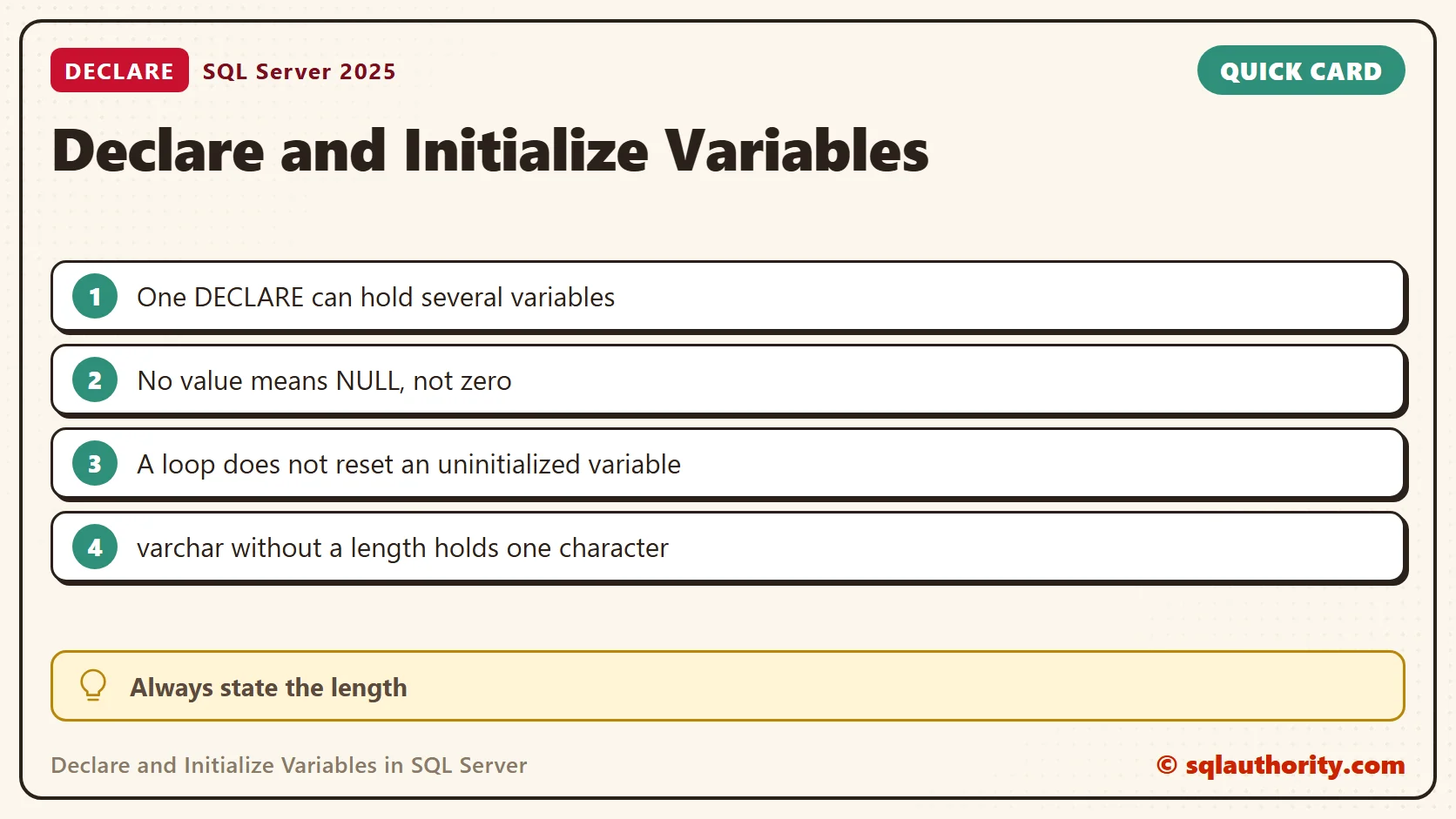
A varchar variable declared without a length holds one character. My value Assam came back as A, with a length of 1. No error warns you. The same word cast without a length kept all five characters, because CAST uses a default of 30 characters. Name the length every time.
DECLARE @Short varchar = 'Assam', @Right varchar(10) = 'Assam';
SELECT @Short AS NoLength, LEN(@Short) AS NoLengthLen, @Right AS WithLength,
       CAST('Assam' AS varchar) AS CastNoLength;
SELECT and SET Differ When Rows Are Missing
Assigning with SELECT leaves the variable unchanged when the query finds no row. SET with a subquery sets it to NULL. With three matching rows, SELECT keeps the last one it reads. That makes SELECT convenient and easy to misread.
DECLARE @Name nvarchar(30) = N'unchanged';
SELECT @Name = ItemName FROM dbo.OrderLine WHERE Quantity > 1000;
SELECT @Name AS AfterSelect;
SET @Name = (SELECT ItemName FROM dbo.OrderLine WHERE Quantity > 1000);
SELECT @Name AS AfterSet;
DECLARE @Last nvarchar(30);
SELECT @Last = ItemName FROM dbo.OrderLine ORDER BY LineId;
SELECT @Last AS LastRowWins;
The first check returned unchanged and the second returned NULL. The last query returned Mint Leaves, the third row.
A Variable Lives Until the Batch Ends
A local variable belongs to its batch or procedure. GO ends the batch in SSMS and sqlcmd. The next batch cannot see the variable and fails with Msg 137, so declare it again there. Declaring the same name twice in one batch fails with Msg 134.
My Habit
When I know a value up front, I declare and initialize it on one line. When a query supplies the value, I declare first and assign right after with SET or SELECT. Either way, the reader sees the type and the starting point together. That makes a long script easier to audit.

More Variable Examples
Initialization is not a replacement for a data type, it is the starting value for that type.
Published by Pinal Dave on SQLAuthority. More of my work at pinaldave.com.
Discover more from SQL Authority with Pinal Dave
Subscribe to get the latest posts sent to your email.



3 Comments. Leave new
Very-very small concept for a video! Be more disruptive…
Rahul,
The goal of video is to cover very small concept in very short time. For detailed information you can listen our course – – where we have covered 2.5 hours of learning material.
How can I listen to those videos??