
This Table Partitioning Quiz tests a common belief: split a big table into pieces, and every query gets faster. The truth is narrower, and it changes how you plan a partitioned design. Read the setup, pick your answer, and then run the script to check yourself.

The Quiz
Morgan manages a sales table with about 600,000 rows covering six months. Reports on it feel slow, so Morgan partitions the table by month on the order date. Each month now sits in its own partition.
The next report asks for last month’s sales only. The table already had a clustered index on the order date before the split.
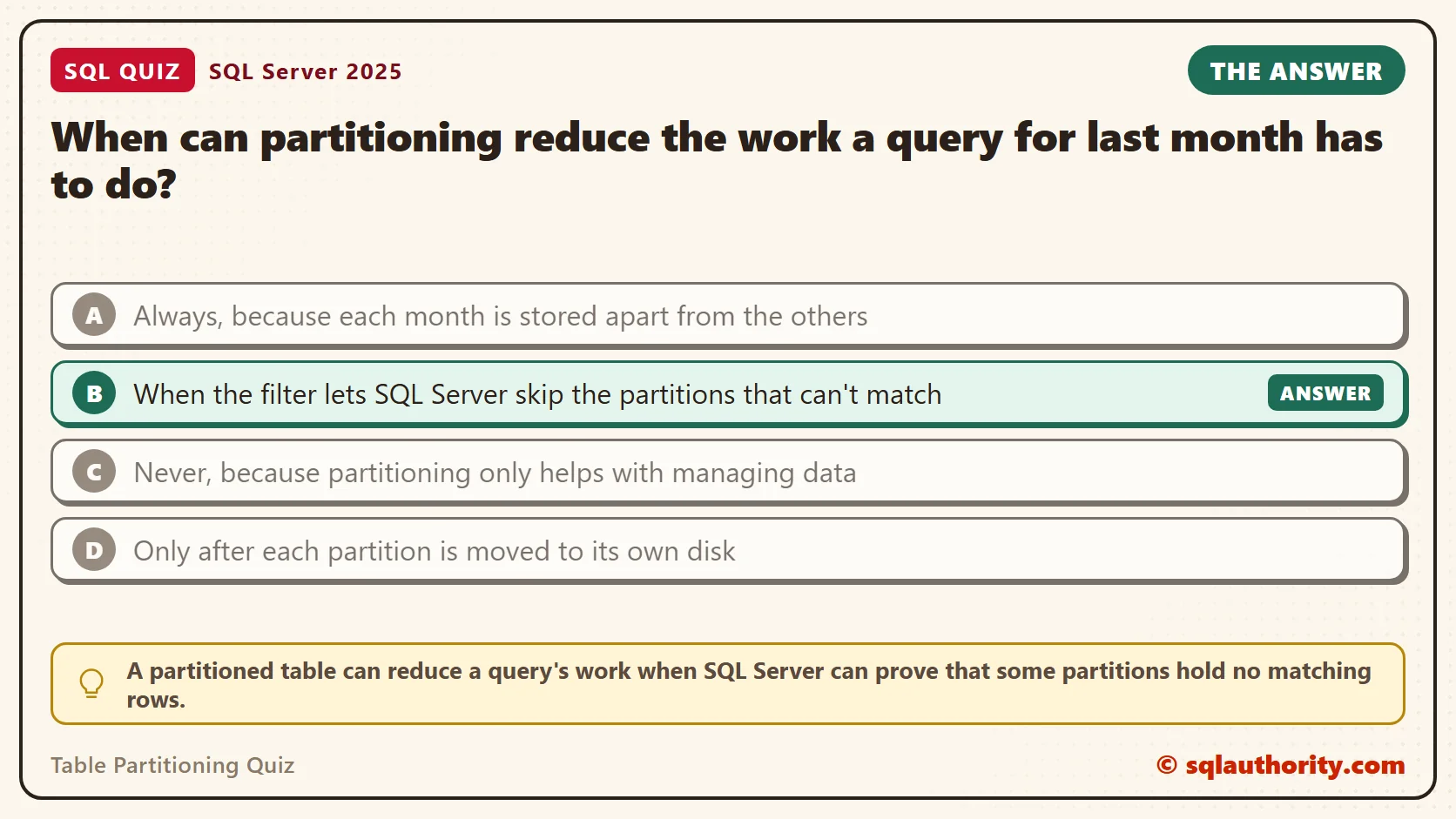
When can partitioning reduce the work a query for last month has to do?
A. Always, because each month is stored apart from the others
B. When the filter lets SQL Server skip the partitions that can’t match
C. Never, because partitioning only helps with managing data
D. Only after each partition is moved to its own disk
Take a moment and pick one before you read on.
The Answer
The answer is B. A partitioned table can reduce a query’s work when SQL Server can prove that some partitions hold no matching rows. It then skips them. This is called partition elimination. It is a possible benefit, not a promise.
The filter has to use the partitioning column in a way the optimizer can read. A plain date range works. A function on the column, or a filter on a different column, makes SQL Server read every partition. Even when elimination works, you get about what a clustered index on the date already gave you. So benchmark a partitioned design against the index you have today.
So partitioning isn’t mainly a speed feature. Its real value is managing data: moving a whole month in or out of a table in a blink. The script below shows both sides. For syntax, see SQL SERVER – 2005 – Database Table Partitioning Tutorial – How to Horizontal Partition Database Table.
Prove It
The script creates a database called SqlQuizTablePartitioning, used only for this example, so run it on a test server. It builds two tables with the same 600,000 rows. QuizSale is partitioned by month. QuizSaleFlat is an ordinary table with the same clustered key. January to June 2026 fills six partitions.
IF DB_ID(N'SqlQuizTablePartitioning') IS NULL CREATE DATABASE SqlQuizTablePartitioning;
GO
USE SqlQuizTablePartitioning;
GO
ALTER DATABASE SqlQuizTablePartitioning SET RECOVERY SIMPLE;
DROP TABLE IF EXISTS dbo.QuizSale;
DROP TABLE IF EXISTS dbo.QuizSaleFlat;
DROP TABLE IF EXISTS dbo.QuizSaleStage;
IF EXISTS (SELECT 1 FROM sys.partition_schemes WHERE name = N'psQuizMonth') DROP PARTITION SCHEME psQuizMonth;
IF EXISTS (SELECT 1 FROM sys.partition_functions WHERE name = N'pfQuizMonth') DROP PARTITION FUNCTION pfQuizMonth;
CREATE PARTITION FUNCTION pfQuizMonth (date) AS RANGE RIGHT FOR VALUES ('2026-02-01', '2026-03-01', '2026-04-01', '2026-05-01', '2026-06-01');
CREATE PARTITION SCHEME psQuizMonth AS PARTITION pfQuizMonth ALL TO ([PRIMARY]);
CREATE TABLE dbo.QuizSale
(
    SaleID int NOT NULL, OrderDate date NOT NULL, CustomerID int NOT NULL, Amount decimal(10,2) NOT NULL, Note char(100) NOT NULL,
    CONSTRAINT PK_QuizSale PRIMARY KEY CLUSTERED (OrderDate, SaleID)
) ON psQuizMonth (OrderDate);
CREATE TABLE dbo.QuizSaleFlat
(
    SaleID int NOT NULL, OrderDate date NOT NULL, CustomerID int NOT NULL, Amount decimal(10,2) NOT NULL, Note char(100) NOT NULL,
    CONSTRAINT PK_QuizSaleFlat PRIMARY KEY CLUSTERED (OrderDate, SaleID)
) ON [PRIMARY];
WITH n AS (SELECT TOP (600000) ROW_NUMBER() OVER (ORDER BY (SELECT NULL)) - 1 AS N FROM sys.all_objects AS a CROSS JOIN sys.all_objects AS b)
INSERT INTO dbo.QuizSale (SaleID, OrderDate, CustomerID, Amount, Note)
SELECT N, DATEADD(DAY, N % 181, '2026-01-01'), N % 5000 + 1, (N % 900) / 10.0 + 5, 'sale' FROM n;
INSERT INTO dbo.QuizSaleFlat SELECT * FROM dbo.QuizSale;
Now four queries, each run with logical reads switched on. The first asks for the fifth month with a plain date range. The second asks for the same month with MONTH and YEAR. The third filters on the customer. The fourth runs the date range on the flat table.
SET STATISTICS IO ON;
SELECT COUNT(*) AS SalesRows FROM dbo.QuizSale WHERE OrderDate >= '2026-05-01' AND OrderDate <= '2026-05-31';
SELECT COUNT(*) AS SalesRows FROM dbo.QuizSale WHERE MONTH(OrderDate) = 5 AND YEAR(OrderDate) = 2026;
SELECT COUNT(*) AS SalesRows FROM dbo.QuizSale WHERE CustomerID = 77;
SELECT COUNT(*) AS SalesRows FROM dbo.QuizSaleFlat WHERE OrderDate >= '2026-05-01' AND OrderDate <= '2026-05-31';
SET STATISTICS IO OFF;
To see the partition count, turn on Include Actual Execution Plan in SSMS. Then hover over the scan or seek and read Actual Partition Count. The logical reads come from the Messages tab. Here is what I got.
| Query | Rows counted | Actual Partition Count | Logical reads |
|---|---|---|---|
| 1. Partitioned, date range | 102,765 | 1 | 1,667 |
| 2. Partitioned, MONTH and YEAR | 102,765 | 6 | 9,732 |
| 3. Partitioned, filter on CustomerID | 120 | 6 | 9,732 |
| 4. Flat table, date range | 102,765 | not partitioned | 1,669 |
Queries 1 and 2 return the same rows, but query 2 read almost six times as many pages. The function on OrderDate hid the dates from the optimizer, so it read all six partitions. Query 3 filters on a column that isn’t the partitioning column, so it reads all six as well.
The last row is the quiet one. The flat table read 1,669 pages for the same report. The partitioned table read 1,667. Partitioning didn’t beat a clustered index on the date. It matched it.
Why the Other Answers Are Wrong
A is the belief behind most partitioning projects. Queries 2 and 3 are partitioned queries too, and they read every partition. Storing months apart doesn’t help a query that can’t use the split.
C goes too far the other way. Partition elimination is real, and query 1 used it. It read one partition instead of six. The flat table with its clustered index read nearly the same number of pages.
D confuses partitioning with storage layout. You can map partitions to different filegroups and disks, and some designs do. The pruning shown above needed none of it. All six partitions here sit in PRIMARY.
Where Partitioning Pays: Switching and Truncating
Now the real benefit. Say the business keeps six months of sales and wants January gone. On the flat table, that is a DELETE, and it writes every row to the log. On the partitioned table, SWITCH moves the whole partition to another table by changing metadata only.
CREATE TABLE dbo.QuizSaleStage
(
    SaleID int NOT NULL, OrderDate date NOT NULL, CustomerID int NOT NULL, Amount decimal(10,2) NOT NULL, Note char(100) NOT NULL,
    CONSTRAINT PK_QuizSaleStage PRIMARY KEY CLUSTERED (OrderDate, SaleID)
) ON [PRIMARY];
GO
DECLARE @t0 datetime2 = SYSDATETIME(), @t1 datetime2, @t2 datetime2;
DELETE FROM dbo.QuizSaleFlat WHERE OrderDate < '2026-02-01';
SET @t1 = SYSDATETIME();
ALTER TABLE dbo.QuizSale SWITCH PARTITION 1 TO dbo.QuizSaleStage;
SET @t2 = SYSDATETIME();
SELECT DATEDIFF(MILLISECOND, @t0, @t1) AS DeleteMs, DATEDIFF(MILLISECOND, @t1, @t2) AS SwitchMs;
SELECT (SELECT COUNT(*) FROM dbo.QuizSale) AS SaleRows, (SELECT COUNT(*) FROM dbo.QuizSaleStage) AS StageRows;
Both statements moved the same 102,765 January rows. The DELETE took 161 milliseconds. The SWITCH took 11. After it, QuizSale held 497,235 rows and the staging table held 102,765.
The staging table is now a normal table. You can archive it, copy it elsewhere, or empty it. To empty it, and to clear a single partition of the main table, use these two statements.
TRUNCATE TABLE dbo.QuizSaleStage;
TRUNCATE TABLE dbo.QuizSale WITH (PARTITIONS (2));
SELECT partition_number, rows FROM sys.partitions WHERE object_id = OBJECT_ID(N'dbo.QuizSale') AND index_id = 1 ORDER BY partition_number;
The row counts per partition show both months gone.
| partition_number | rows |
|---|---|
| 1 | 0 |
| 2 | 0 |
| 3 | 102,765 |
| 4 | 99,450 |
| 5 | 102,765 |
| 6 | 99,435 |
The same pattern works in the other direction. Load a new month into a staging table, check it, and switch it in. Readers never see a half-loaded month.
What to Remember
Partition a table to manage its data, not to speed up its queries. Fast loads and fast removal of old data are the dependable gains. A faster query is a bonus that appears only when the filter uses the partitioning column directly.
When I look at a partitioning plan, I ask for two things. Show me the retention rule that needs it, and show me the actual partition count of the main queries. If the count is the full set, the design needs a closer look. Write date filters as plain ranges, and keep functions off the partitioning column.
When you finish testing, remove the example database.
USE master;
GO
ALTER DATABASE SqlQuizTablePartitioning SET SINGLE_USER WITH ROLLBACK IMMEDIATE;
DROP DATABASE SqlQuizTablePartitioning;
Table partitioning is not a speed switch, it is a way to move whole pieces of data in one step.
Published by Pinal Dave on SQLAuthority. More of my work at pinaldave.com.
Discover more from SQL Authority with Pinal Dave
Subscribe to get the latest posts sent to your email.




2 Comments. Leave new
Thank you Pinal, you explain everything in a basic and more understandable way , so you don’t make it complicated as other sites.