This Reclaiming Space Quiz is about a surprise that almost everyone meets after a big cleanup. You delete a lot of rows, you look at the disk, and nothing has changed. The script below shows where the space went.

The Quiz
Quinn keeps a log table called QuizLog. It holds 400,000 rows, and the data file is sized for the table. The oldest 200,000 rows are no longer needed, so Quinn deletes them. The disk is tight, so the hope is a smaller file.
What happens to the size of the data file?
A. It shrinks by about half on its own
B. It stays the same, and the freed space stays inside the file
C. It shrinks at the next checkpoint, because the database uses the SIMPLE recovery model
D. It shrinks at the next backup
Pick one before you read on.
The Answer
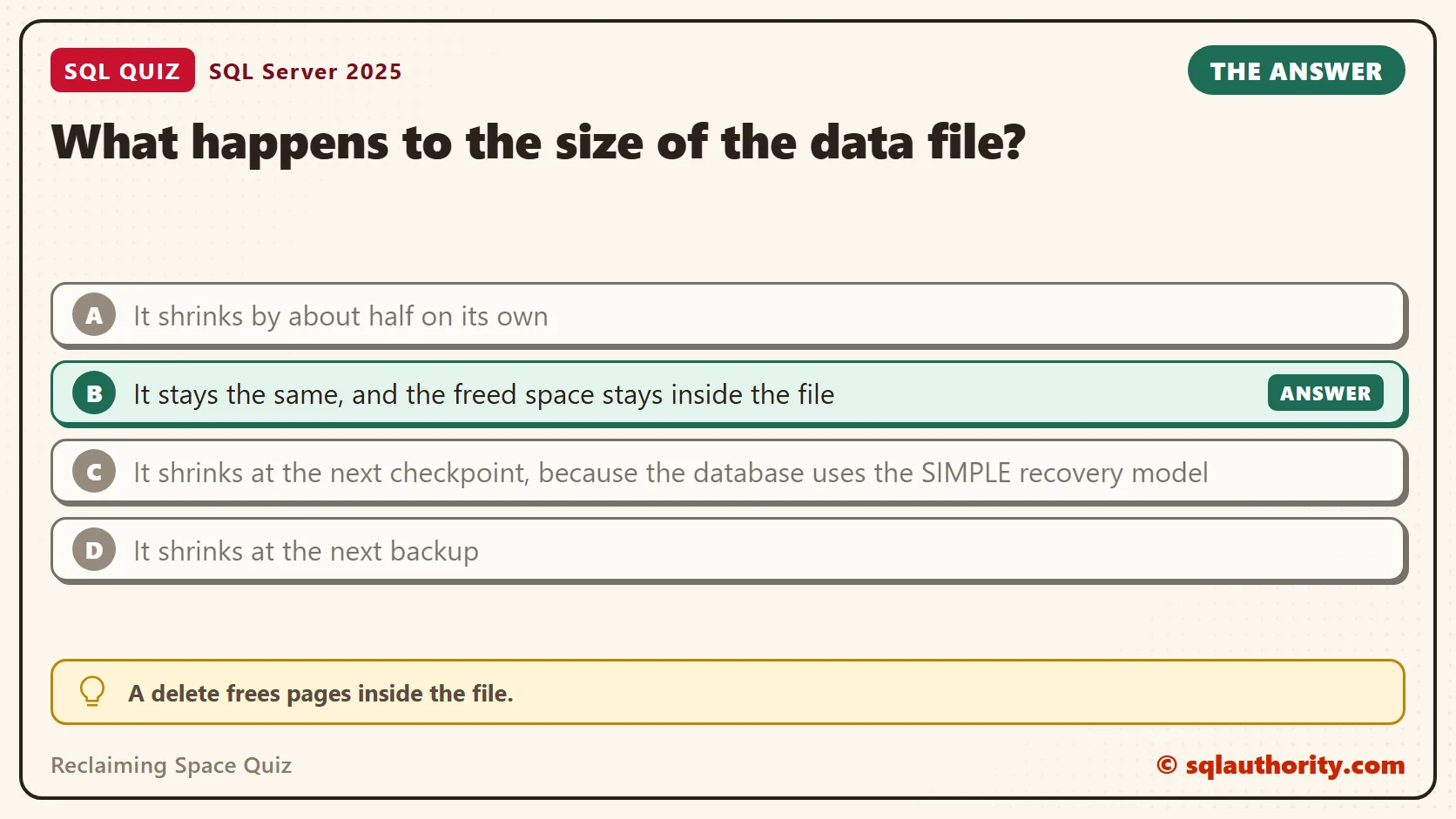
The answer is B. A delete frees pages inside the file. It doesn’t hand them back to Windows. The file is a container, and SQL Server keeps it at the size it has reached.
That’s usually fine. The next inserts reuse the free pages first, so the file doesn’t need to grow. Only a shrink command makes the file smaller, and it has side effects.
Prove It
This script creates a database called SqlQuizReclaimingSpace, used only for this example, so run it on a test server. It builds a table with 400,000 rows. The recovery model is set to SIMPLE, which keeps the log small and matches answer C.
IF DB_ID(N'SqlQuizReclaimingSpace') IS NULL CREATE DATABASE SqlQuizReclaimingSpace;
GO
USE SqlQuizReclaimingSpace;
GO
ALTER DATABASE SqlQuizReclaimingSpace SET RECOVERY SIMPLE;
DROP TABLE IF EXISTS dbo.QuizLog;
CREATE TABLE dbo.QuizLog
(
    LogID int NOT NULL,
    Message char(200) NOT NULL,
    CONSTRAINT PK_QuizLog PRIMARY KEY CLUSTERED (LogID)
);
INSERT INTO dbo.QuizLog (LogID, Message)
SELECT TOP (400000) ROW_NUMBER() OVER (ORDER BY (SELECT NULL)), N'Entry'
FROM sys.all_objects AS a CROSS JOIN sys.all_objects AS b CROSS JOIN sys.all_objects AS c;
Next, a small view reads four numbers. They are the row count, the file size, the space used and the index fragmentation. The first query shows the state before any delete.
CREATE OR ALTER VIEW dbo.QuizSpaceState AS
SELECT (SELECT COUNT(*) FROM dbo.QuizLog) AS TableRows,
       (SELECT size / 128 FROM sys.database_files WHERE type = 0) AS FileMB,
       (SELECT FILEPROPERTY(name, 'SpaceUsed') / 128 FROM sys.database_files WHERE type = 0) AS UsedMB,
       (SELECT CAST(avg_fragmentation_in_percent AS decimal(5,1))
        FROM sys.dm_db_index_physical_stats(DB_ID(), OBJECT_ID(N'dbo.QuizLog'), 1, NULL, 'LIMITED')) AS FragPct;
GO
SELECT * FROM dbo.QuizSpaceState;| TableRows | FileMB | UsedMB | FragPct |
|---|---|---|---|
| 400000 | 136 | 86 | 0.0 |
Now delete the oldest half and look again.
DELETE FROM dbo.QuizLog WHERE LogID <= 200000;
SELECT * FROM dbo.QuizSpaceState;
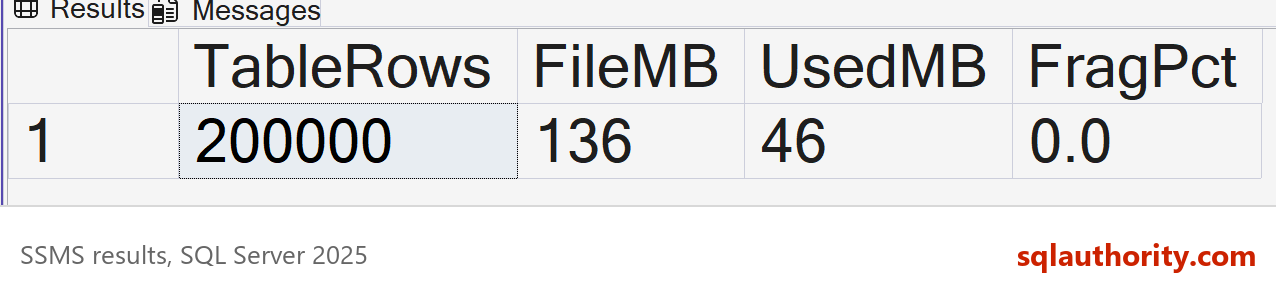
The row count dropped to 200,000. The file is still 136 MB, but the space used inside it fell from 86 MB to 46 MB. The rest of the file is free space, waiting for new rows.
| TableRows | FileMB | UsedMB | FragPct |
|---|---|---|---|
| 200000 | 136 | 46 | 0.0 |
Why the Other Answers Are Wrong
A needs a setting called AUTO_SHRINK, and it is off by default. This query reads it for the test database.
SELECT is_auto_shrink_on, recovery_model_desc FROM sys.databases WHERE name = N'SqlQuizReclaimingSpace';
| is_auto_shrink_on | recovery_model_desc |
|---|---|
| 0 | SIMPLE |
C mixes up two things. The recovery model controls how the transaction log is reused. A checkpoint writes changed pages to disk. Neither one resizes the data file, and the test database is already in SIMPLE recovery.
D has the same flaw. A backup reads the used pages and writes them somewhere else. The data file stays as it was.
Giving the Space Back, and What It Costs
The gentle option comes first. DBCC SHRINKFILE with TRUNCATEONLY releases only the free space at the end of the file. It moves no pages, so it can’t scramble anything.
DBCC SHRINKFILE (1, TRUNCATEONLY) WITH NO_INFOMSGS;
SELECT * FROM dbo.QuizSpaceState;
| TableRows | FileMB | UsedMB | FragPct |
|---|---|---|---|
| 200000 | 126 | 46 | 0.0 |
It gave back 10 MB, from 136 to 126, and nothing more. Pages that are still in use sit near the end of the file. The free space lies in front of them, and only a shrink that moves pages can reach it.
You can force the file smaller with DBCC SHRINKFILE and a target size. File 1 is the main data file. Here it targets 60 MB, which is above the 46 MB in use.
DBCC SHRINKFILE (1, 60) WITH NO_INFOMSGS;
SELECT * FROM dbo.QuizSpaceState;
| TableRows | FileMB | UsedMB | FragPct |
|---|---|---|---|
| 200000 | 60 | 46 | 60.6 |
The file is now 60 MB, and the table’s index is 60.6 percent fragmented. A shrink moves pages from the end of the file into free space near the start. It doesn’t care about their order, so it scrambles the index. Fragmentation like this makes scans slower.
To repair it, use REORGANIZE. It works in place, and it needs almost no extra room.
ALTER INDEX PK_QuizLog ON dbo.QuizLog REORGANIZE;
SELECT * FROM dbo.QuizSpaceState;
| TableRows | FileMB | UsedMB | FragPct |
|---|---|---|---|
| 200000 | 60 | 45 | 0.1 |
Fragmentation fell to 0.1 percent, and the file stayed at 60 MB. A rebuild would also fix the order. But it builds a full new copy of the index before it drops the old one. Run this to see the price.
ALTER INDEX PK_QuizLog ON dbo.QuizLog REBUILD;
WAITFOR DELAY '00:00:05';
SELECT * FROM dbo.QuizSpaceState;
| TableRows | FileMB | UsedMB | FragPct |
|---|---|---|---|
| 200000 | 124 | 45 | 0.0 |
The file grew from 60 MB to 124 MB. A rebuild needs room for a full second copy of the index, and the shrink had taken that room away. So the file grew again, and the shrink was undone.
Letting the Free Space Work
Free space inside a file costs nothing but disk. New rows use it first. This script adds 100,000 rows to the table.
INSERT INTO dbo.QuizLog (LogID, Message)
SELECT TOP (100000) 400000 + ROW_NUMBER() OVER (ORDER BY (SELECT NULL)), N'Entry'
FROM sys.all_objects AS a CROSS JOIN sys.all_objects AS b;
SELECT * FROM dbo.QuizSpaceState;
| TableRows | FileMB | UsedMB | FragPct |
|---|---|---|---|
| 300000 | 124 | 65 | 0.0 |
The space used rose to 65 MB, and the file stayed at 124 MB. The inserts needed no growth, because the free pages were already there. To see how much room your own file has, compare FileMB and UsedMB in the view. The gap is your free space.
What to Remember
A delete frees space inside the file. Only a shrink returns it to the disk, and a shrink scrambles your indexes. Shrink once, after a large one-time purge, to a target with some room above the used size. Then run REORGANIZE on the indexes.
Before any shrink, I note the gap between FileMB and UsedMB. If the data will grow back within weeks, the gap is a cushion, not waste. A shrink would only make the file grow again.
When I see a nightly shrink job, I ask what it is fighting. The file grows again the next day, and the growth costs time. Leave the free space alone, and size the file for the data you expect. If the disk is truly full, a bigger drive is a better fix than a shrink loop.
When you finish testing, remove the example database.
USE master;
GO
ALTER DATABASE SqlQuizReclaimingSpace SET SINGLE_USER WITH ROLLBACK IMMEDIATE;
DROP DATABASE SqlQuizReclaimingSpace;
A delete is not a refund of disk space, it is a promise to reuse it.
Published by Pinal Dave on SQLAuthority. More of my work at pinaldave.com.
Discover more from SQL Authority with Pinal Dave
Subscribe to get the latest posts sent to your email.