This Date Functions Quiz uses two dates that are one day apart, and the answer surprises many people. It’s about what DATEDIFF measures. Read the setup, pick your answer, and then run the script to check yourself.

The Quiz
A form asks for the number of years between two dates. The first date is the last day of 2025. The second date is the first day of 2026. They sit one day apart, and you call DATEDIFF with year as the unit.
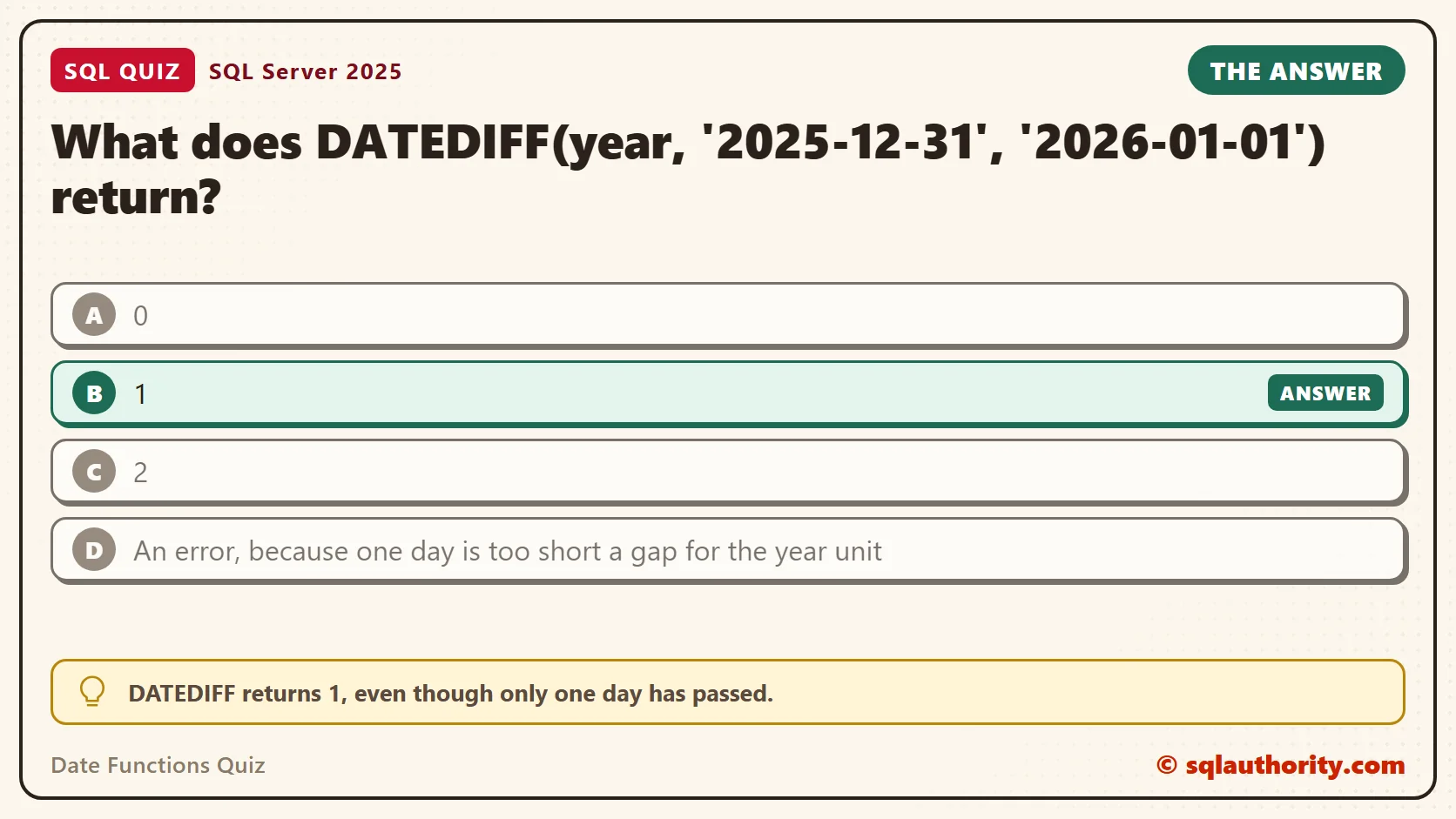
What does DATEDIFF(year, ‘2025-12-31’, ‘2026-01-01’) return?
A. 0
B. 1
C. 2
D. An error, because one day is too short a gap for the year unit
Take a moment and pick one before you read on.
The Answer
The answer is B. DATEDIFF returns 1, even though only one day has passed.
The function doesn’t count full years. It counts how many times the unit’s boundary is crossed between the two dates. Between December 31 and January 1, the calendar crosses one year boundary, so the answer is 1.
Prove It
Here is the quiz as a script. It creates a small database called SqlQuizDateFunctions, used only for this example, so run it on a test server. The second column asks for days, and the third column uses dates almost a year apart.
IF DB_ID(N'SqlQuizDateFunctions') IS NULL CREATE DATABASE SqlQuizDateFunctions;
GO
USE SqlQuizDateFunctions;
GO
SELECT
    DATEDIFF(year, '2025-12-31', '2026-01-01') AS YearsCounted,
    DATEDIFF(day, '2025-12-31', '2026-01-01') AS DaysCounted,
    DATEDIFF(year, '2025-01-01', '2025-12-31') AS AlmostAYear;
On SQL Server 2025, the query returned one row.
| YearsCounted | DaysCounted | AlmostAYear |
|---|---|---|
| 1 | 1 | 0 |
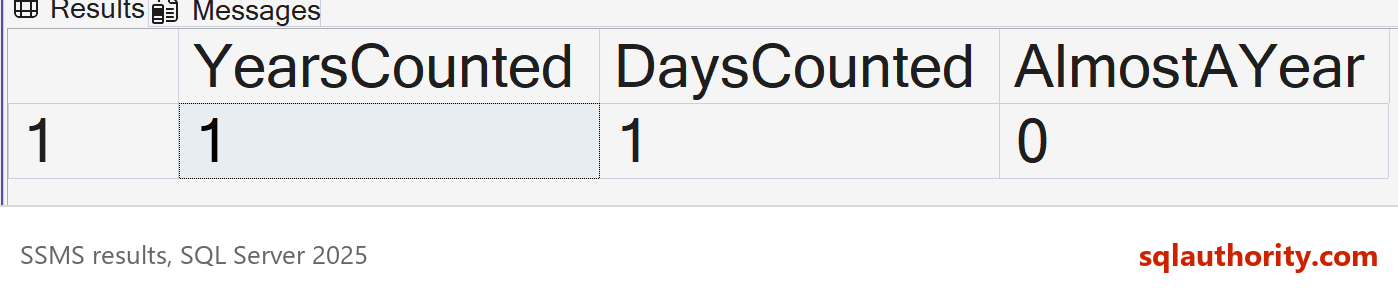
One day apart gave 1 year. Almost a full year apart, from January 1 to December 31 of the same year, gave 0. The year unit looks only at the year part of each date.
Why the Other Answers Are Wrong
A is the answer most people give, because one day is far less than a year. That is a fair instinct, and it is how a person counts. DATEDIFF doesn’t count that way. It checks whether the year number changed.
C assumes the function counts every year the two dates touch, 2025 and 2026. It doesn’t. It subtracts one year number from the other, and 2026 minus 2025 is 1.
D is wrong because a small gap is valid for the year unit, and for every other unit. One day apart returns 1 here, with no error. An error shows up at the other end, when a count is too big for the result type.
The Same Rule for Months
The rule holds for every unit. Months work the same way, and a quick test shows it.
SELECT DATEDIFF(month, '2026-01-31', '2026-02-01') AS MonthsCounted,
       DATEDIFF(month, '2026-01-01', '2026-01-31') AS SameMonth;
The first column returned 1, for two dates one day apart. The second returned 0, for two dates thirty days apart that sit in the same month. So DATEDIFF is the right tool for questions such as “how many month boundaries are in this range”. It isn’t the right tool for “how old is this person”.
Work Out a Real Age
To get a true age, take the year difference and subtract 1 when the birthday hasn’t happened yet. The script finds this year’s birthday with DATEADD and compares it with the as-of date. It uses a fixed as-of date of June 14, 2026, so your result matches mine.
DROP TABLE IF EXISTS dbo.QuizPerson;
CREATE TABLE dbo.QuizPerson
(
    PersonName nvarchar(30) NOT NULL PRIMARY KEY,
    BirthDate date NOT NULL
);
INSERT INTO dbo.QuizPerson (PersonName, BirthDate)
VALUES (N'Avery', '1990-06-15'), (N'Jordan', '2000-02-29'), (N'Riley', '2025-12-31');
DECLARE @AsOf date = '2026-06-14';
SELECT PersonName, BirthDate,
       DATEDIFF(year, BirthDate, @AsOf) AS NaiveAge,
       DATEDIFF(year, BirthDate, @AsOf)
         - CASE WHEN DATEADD(year, DATEDIFF(year, BirthDate, @AsOf), BirthDate) > @AsOf THEN 1 ELSE 0 END AS RealAge
FROM dbo.QuizPerson
ORDER BY PersonName;| PersonName | BirthDate | NaiveAge | RealAge |
|---|---|---|---|
| Avery | 1990-06-15 | 36 | 35 |
| Jordan | 2000-02-29 | 26 | 26 |
| Riley | 2025-12-31 | 1 | 0 |
Avery’s birthday is tomorrow, so the naive answer is off by one. Riley is five months old, and the naive answer says 1. Jordan was born on a leap day, and the formula still works. SQL Server moves the anniversary to February 28 in years without a February 29.
When the Count Is Too Big
DATEDIFF returns an int, which tops out at 2,147,483,647. Counting seconds across two centuries goes past that, and SQL Server raises an error. This query asks for the seconds between 1900 and 2100.
SELECT DATEDIFF(second, CAST('1900-01-01' AS datetime2), CAST('2100-01-01' AS datetime2)) AS SecondsCounted;This is the text SSMS shows in the Messages tab. It is output, not code to run.
Msg 535, Level 16, State 1, Line 1
The datediff function resulted in an overflow. The number of dateparts separating two date/time instances is too large. Try to use datediff with a less precise datepart.
The fix is DATEDIFF_BIG. It takes the same arguments and counts the same boundaries, but it returns a bigint.
SELECT DATEDIFF_BIG(second, CAST('1900-01-01' AS datetime2), CAST('2100-01-01' AS datetime2)) AS SecondsCounted;| SecondsCounted |
|---|
| 6311433600 |
Small units over long spans are the risk. The int limit is about 68 years of seconds, or about 24 days of milliseconds. For years, months and days, the int is plenty.
Two Newer Helpers
Two functions remove a lot of old date arithmetic. DATETRUNC cuts a date down to the start of a unit, and it arrived in SQL Server 2022. EOMONTH returns the last day of a month. Both are easy to read and easy to test.
SELECT DATETRUNC(month, CAST('2026-10-17' AS date)) AS FirstOfMonth,
       EOMONTH('2026-02-10') AS EndOfFebruary,
       EOMONTH('2026-10-17', 1) AS EndOfNextMonth,
DATEADD(day, 1, EOMONTH('2026-10-17')) AS FirstOfNextMonth;| FirstOfMonth | EndOfFebruary | EndOfNextMonth | FirstOfNextMonth |
|---|---|---|---|
| 2026-10-01 | 2026-02-28 | 2026-11-30 | 2026-11-01 |
The last column is a handy trick. Add one day to the end of a month, and you have the first day of the next month. A filter then keeps every row on or after the first of the month. It also requires a date before the first of the next month. That catches each row in the month, whatever its time of day. It also avoids guessing the last second of the month.
Two more puzzles cover the neighboring date functions. For more practice, try SQL SERVER – Quiz with DATEADD Function – SQL Puzzle. Then read SQL SERVER – Quiz on knowing DATEPART and DATENAME Behaviors.
What to Remember
DATEDIFF counts boundaries crossed. Use it to count how many year, month or day lines sit between two dates. Don’t use it alone to measure age or full months of elapsed time. Choose the unit that matches the question, and test it with dates on both sides of a boundary.
When I review a query with DATEDIFF, I read the unit first and ask what the report needs to say. If the answer is “how many complete years”, the query needs the birthday check. When you finish testing, remove the example database.
USE master;
GO
ALTER DATABASE SqlQuizDateFunctions SET SINGLE_USER WITH ROLLBACK IMMEDIATE;
DROP DATABASE SqlQuizDateFunctions;
DATEDIFF is not a measure of elapsed time, it is a count of calendar lines crossed.
Published by Pinal Dave on SQLAuthority. More of my work at pinaldave.com.
Discover more from SQL Authority with Pinal Dave
Subscribe to get the latest posts sent to your email.