This Fill Factor Quiz starts with a number that looks like a trick. What does a fill factor of 0 mean? Many people read it as zero percent full, or as an empty page. The scripts below show what the number does, and what it never does.

The Quiz
Casey reviews the indexes of an item table and runs a query against sys.indexes. One clustered index shows a fill_factor of 0. Another, on a copy of the same data, shows 100. The server-wide fill factor setting is still at its default.
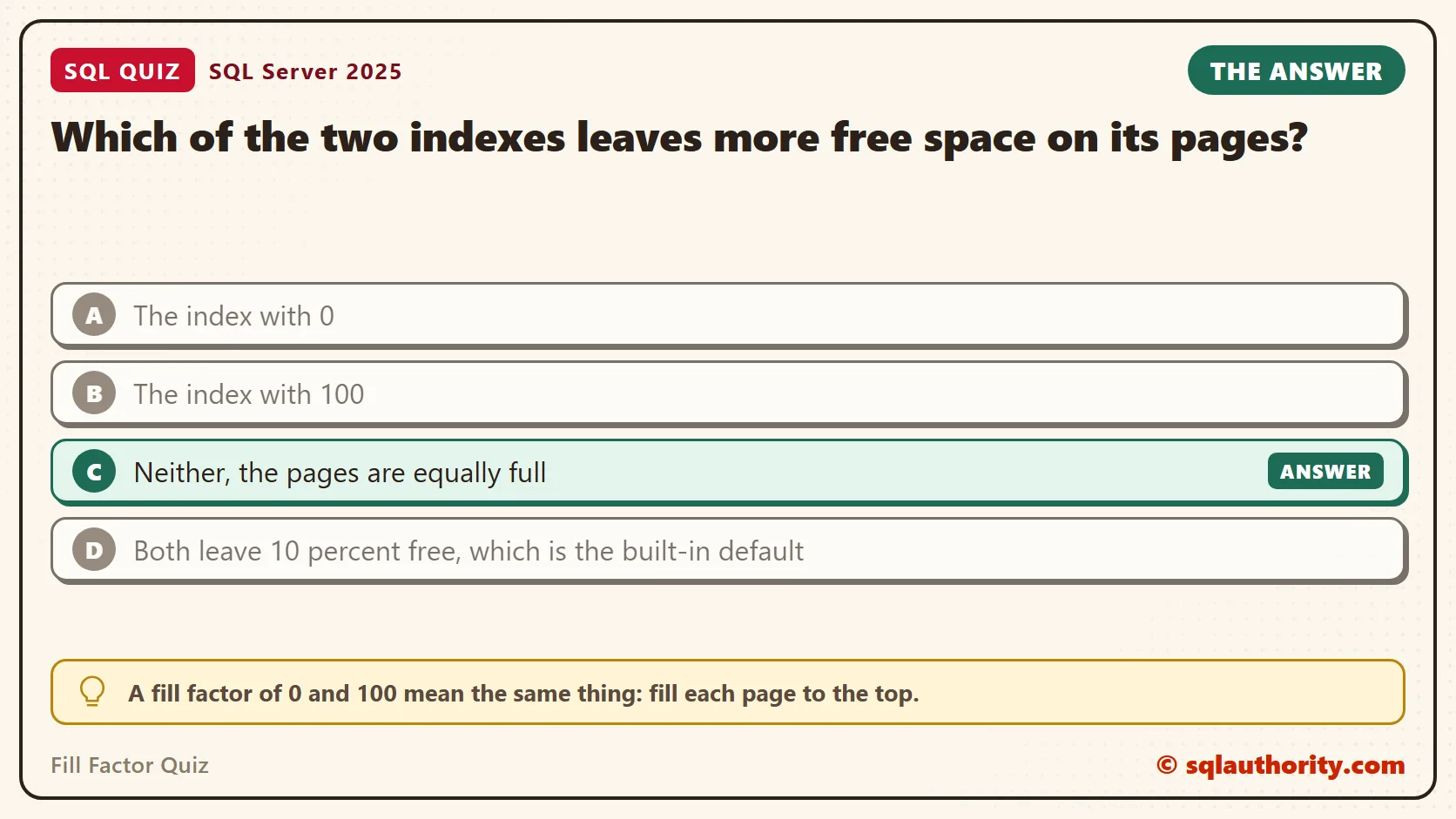
Which of the two indexes leaves more free space on its pages?
A. The index with 0
B. The index with 100
C. Neither, the pages are equally full
D. Both leave 10 percent free, which is the built-in default
Pick one before you read on.
The Answer
The answer is C. A fill factor of 0 and 100 mean the same thing: fill each page to the top. The value 0 is only how SQL Server records that nobody gave a setting. In that case, it falls back to the server-wide default, and the default is 0.
The fill factor never keeps free space for you after the index is built. It is applied once, when the index is created or rebuilt. After that, new rows fill the room, and full pages split.
Prove It
This script creates a database called SqlQuizFillFactor, used only for this example, so run it on a test server. It makes three copies of a table with 100,000 rows. Each copy gets a clustered index: one with no fill factor, one with 100, and one with 70.
IF DB_ID(N'SqlQuizFillFactor') IS NULL CREATE DATABASE SqlQuizFillFactor;
GO
USE SqlQuizFillFactor;
GO
DROP TABLE IF EXISTS dbo.QuizFillDefault, dbo.QuizFillFull, dbo.QuizFillSeventy;
CREATE TABLE dbo.QuizFillDefault (ItemID int NOT NULL, ItemName char(100) NOT NULL);
INSERT INTO dbo.QuizFillDefault (ItemID, ItemName)
SELECT TOP (100000) ROW_NUMBER() OVER (ORDER BY (SELECT NULL)) * 10, N'Item'
FROM sys.all_objects AS a CROSS JOIN sys.all_objects AS b;
SELECT * INTO dbo.QuizFillFull FROM dbo.QuizFillDefault;
SELECT * INTO dbo.QuizFillSeventy FROM dbo.QuizFillDefault;
CREATE CLUSTERED INDEX CX_QuizFillDefault ON dbo.QuizFillDefault (ItemID);
CREATE CLUSTERED INDEX CX_QuizFillFull ON dbo.QuizFillFull (ItemID) WITH (FILLFACTOR = 100);
CREATE CLUSTERED INDEX CX_QuizFillSeventy ON dbo.QuizFillSeventy (ItemID) WITH (FILLFACTOR = 70);
Next, a small view reads the saved setting and the real page usage of each index. Then it shows the starting point.
CREATE OR ALTER VIEW dbo.QuizFillState AS
SELECT OBJECT_NAME(i.object_id) AS TableName, i.fill_factor AS SavedFillFactor, s.page_count AS Pages,
       CAST(s.avg_page_space_used_in_percent AS decimal(5,1)) AS PageFullPct,
       CAST(s.avg_fragmentation_in_percent AS decimal(5,1)) AS FragPct
FROM sys.indexes AS i
CROSS APPLY sys.dm_db_index_physical_stats(DB_ID(), i.object_id, i.index_id, NULL, 'DETAILED') AS s
WHERE OBJECT_NAME(i.object_id) LIKE N'QuizFill[DFS]%' AND s.index_level = 0;
GO
SELECT * FROM dbo.QuizFillState ORDER BY TableName;
On my test, the first two indexes were identical. Both used 1409 pages at 99.1 percent full. Only the saved value differs, 0 against 100. The index built with 70 needed 1961 pages.
| TableName | SavedFillFactor | Pages | PageFullPct | FragPct |
|---|---|---|---|---|
| QuizFillDefault | 0 | 1409 | 99.1 | 0.0 |
| QuizFillFull | 100 | 1409 | 99.1 | 0.0 |
| QuizFillSeventy | 70 | 1961 | 71.2 | 0.1 |
You can’t even ask for 0. SQL Server refuses it in an index definition. This is the text SSMS shows in the Messages tab. It is output, not code to run.
Msg 129, Level 15, State 1, Line 1
Fillfactor 0 is not a valid percentage; fillfactor must be between 1 and 100.
This is the command that produces it.
CREATE CLUSTERED INDEX CX_QuizFillDefault ON dbo.QuizFillDefault (ItemID) WITH (DROP_EXISTING = ON, FILLFACTOR = 0);
Why the Other Answers Are Wrong
A treats 0 as an empty page. It means no setting. B treats 100 as a page with something held back, but 100 means every byte is used. Both indexes in the table above are 99.1 percent full.
D invents a built-in 10 percent. SQL Server has no such default. The server-wide setting is 0 out of the box, and this query reads it.
SELECT name, value_in_use FROM sys.configurations WHERE name = N'fill factor (%)';
| name | value_in_use |
|---|---|
| fill factor (%) | 0 |
What Fill Factor Does at Insert Time
Free space matters when new rows arrive in the middle of the key range. This script adds 10,000 rows, spread evenly across the keys, to all three tables. Then it reads the same view.
SELECT TOP (10000) ROW_NUMBER() OVER (ORDER BY (SELECT NULL)) * 100 + 5 AS ItemID, N'Late' AS ItemName
INTO #NewItem FROM sys.all_objects AS a CROSS JOIN sys.all_objects AS b;
INSERT INTO dbo.QuizFillDefault (ItemID, ItemName) SELECT ItemID, ItemName FROM #NewItem;
INSERT INTO dbo.QuizFillFull (ItemID, ItemName) SELECT ItemID, ItemName FROM #NewItem;
INSERT INTO dbo.QuizFillSeventy (ItemID, ItemName) SELECT ItemID, ItemName FROM #NewItem;
SELECT * FROM dbo.QuizFillState ORDER BY TableName;
The indexes with 0 and 100 had no room. Every page split, so the page count doubled. Each page ended up about half full, and fragmentation was close to 100 percent. The index built with 70 absorbed the new rows with no splits.
| TableName | SavedFillFactor | Pages | PageFullPct | FragPct |
|---|---|---|---|---|
| QuizFillDefault | 0 | 2817 | 54.5 | 98.1 |
| QuizFillFull | 100 | 2817 | 54.5 | 97.6 |
| QuizFillSeventy | 70 | 1961 | 78.3 | 0.1 |
Free space has a price. The 70 index took 1961 pages from the start, against 1409 for the full ones. That means more pages to read and more memory to hold them. A fill factor pays off only on an index that takes inserts or growing updates all through its range.
A rebuild applies the saved setting again. This script rebuilds the 70 index and the default index without naming any option.
ALTER INDEX CX_QuizFillSeventy ON dbo.QuizFillSeventy REBUILD;
ALTER INDEX CX_QuizFillDefault ON dbo.QuizFillDefault REBUILD;
SELECT * FROM dbo.QuizFillState ORDER BY TableName;
| TableName | SavedFillFactor | Pages | PageFullPct | FragPct |
|---|---|---|---|---|
| QuizFillDefault | 0 | 1550 | 99.1 | 0.0 |
| QuizFillFull | 100 | 2817 | 54.5 | 97.6 |
| QuizFillSeventy | 70 | 2157 | 71.2 | 0.0 |
Each index went back to its own setting. The 70 index is 71 percent full again, and the default index is full. The index built with 100 still shows the damage, because nobody rebuilt it.
To change one, see How to Change Fill Factor in SQL Server – Interview Question of the Week #080.
When a Fill Factor Is Wasted
A common mistake is to set 70 on every index to be safe. It only helps where rows land between existing rows. This script appends 10,000 rows to the 70 table, with keys above the current maximum. A growing log or an identity column does the same.
INSERT INTO dbo.QuizFillSeventy (ItemID, ItemName)
SELECT TOP (10000) 2000000 + ROW_NUMBER() OVER (ORDER BY (SELECT NULL)), N'Newest'
FROM sys.all_objects AS a CROSS JOIN sys.all_objects AS b;
SELECT * FROM dbo.QuizFillState WHERE TableName = N'QuizFillSeventy';
The table grew from 2157 to 2298 pages, and it is still only 72.9 percent full. The new rows filled 141 fresh pages to the top. The old pages kept their 30 percent of free space, and no appended row will ever use it. For this table, the lower fill factor only cost space.
| TableName | SavedFillFactor | Pages | PageFullPct | FragPct |
|---|---|---|---|---|
| QuizFillSeventy | 70 | 2298 | 72.9 | 0.1 |
To find such indexes, ask sys.indexes for user indexes with a saved fill factor from 1 to 99. Check how the keys of each one arrive.
SELECT OBJECT_NAME(object_id) AS TableName, name AS IndexName, fill_factor
FROM sys.indexes
WHERE fill_factor BETWEEN 1 AND 99 AND OBJECTPROPERTY(object_id, N'IsUserTable') = 1;
| TableName | IndexName | fill_factor |
|---|---|---|
| QuizFillSeventy | CX_QuizFillSeventy | 70 |
What to Remember
Treat 0 and 100 as the same number. Lower values buy room for inserts, and they cost pages. The setting is applied at build time only, so a low value on an index with no inserts wastes space.
When I review an index, I look at how its keys arrive. Ever-growing keys, such as dates or identity values, add rows at the end, and they gain nothing from free space. Random keys are where a fill factor of 70 to 90 can help. Measure the page count before and after, as this script does.
When you finish testing, remove the example database.
USE master;
GO
ALTER DATABASE SqlQuizFillFactor SET SINGLE_USER WITH ROLLBACK IMMEDIATE;
DROP DATABASE SqlQuizFillFactor;
A fill factor is not a promise of free space, it is the room you leave on build day.
Published by Pinal Dave on SQLAuthority. More of my work at pinaldave.com.
Discover more from SQL Authority with Pinal Dave
Subscribe to get the latest posts sent to your email.