This Create Constraints Quiz is about the keyword that adds a rule to a table that already breaks it. The keyword works, and it leaves something behind. Read the setup, pick your answer, and then run the script to check yourself.

The Quiz
A shop keeps its orders in a table. Order 1 has a quantity of 5. Order 2 has a quantity of -3, a typo that nobody fixed. You add the rule CHECK (Quantity > 0) to the table and put WITH NOCHECK in the statement.
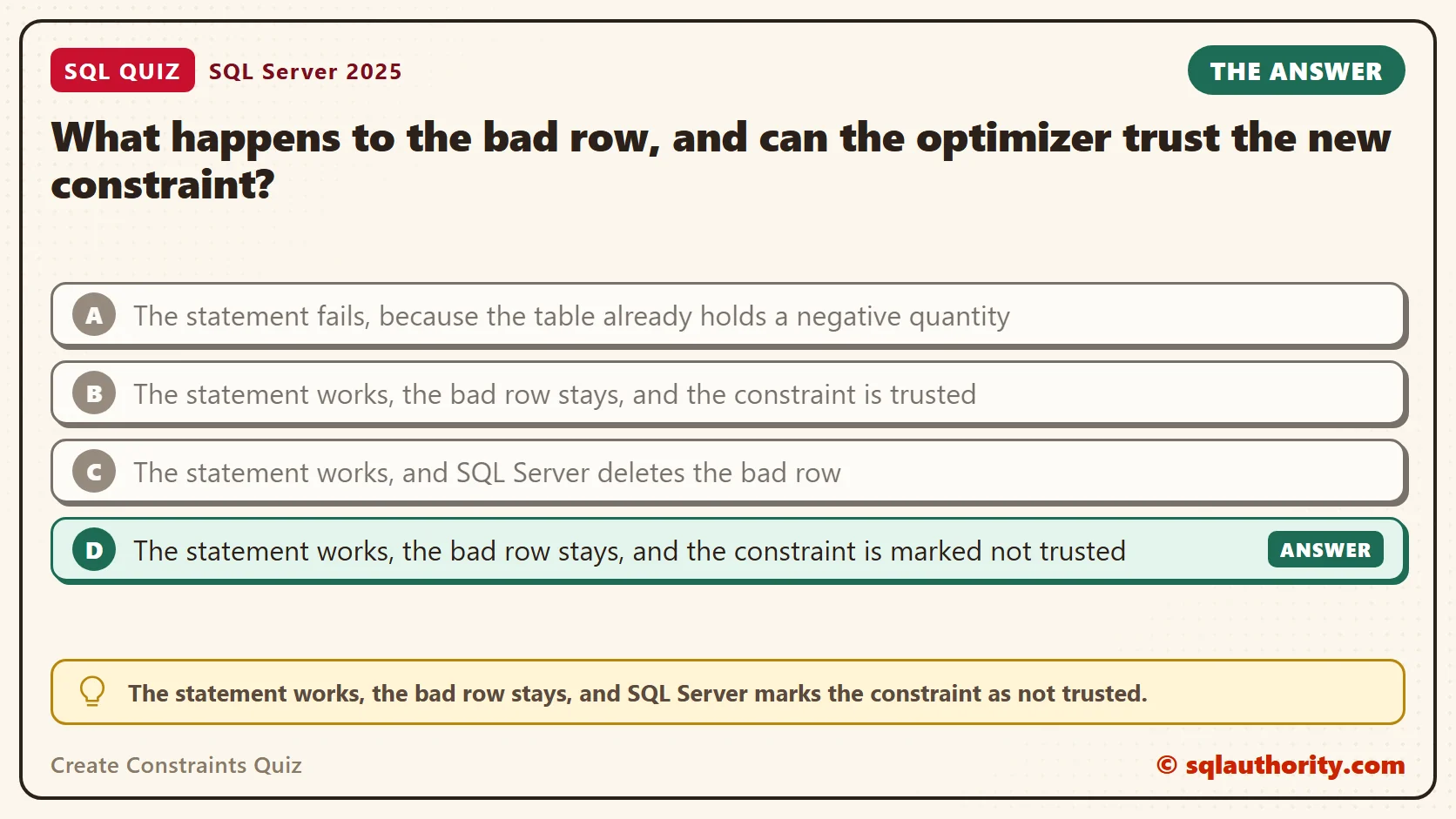
What happens to the bad row, and can the optimizer trust the new constraint?
A. The statement fails, because the table already holds a negative quantity
B. The statement works, the bad row stays, and the constraint is trusted
C. The statement works, and SQL Server deletes the bad row
D. The statement works, the bad row stays, and the constraint is marked not trusted
Take a moment and pick one before you read on.
The Answer
The answer is D. The statement works, the bad row stays, and SQL Server marks the constraint as not trusted.
WITH NOCHECK tells SQL Server to skip checking the existing rows. The rule applies to new and changed data from then on. But SQL Server never verified the old rows, so it can’t promise that every row follows the rule. That is what “not trusted” means.
Prove It
Here is the quiz as a script. It creates a small database called SqlQuizCreateConstraints, used only for this example, so run it on a test server. The last statement adds the constraint without NOCHECK, to show what happens first.
IF DB_ID(N'SqlQuizCreateConstraints') IS NULL CREATE DATABASE SqlQuizCreateConstraints;
GO
USE SqlQuizCreateConstraints;
GO
DROP TABLE IF EXISTS dbo.QuizOrder;
CREATE TABLE dbo.QuizOrder
(
    OrderID int NOT NULL PRIMARY KEY,
    Quantity int NOT NULL
);
INSERT INTO dbo.QuizOrder (OrderID, Quantity) VALUES (1, 5), (2, -3);
GO
ALTER TABLE dbo.QuizOrder ADD CONSTRAINT CK_QuizOrder_Quantity CHECK (Quantity > 0);
This is the text SSMS shows in the Messages tab. It is output, not code to run.
Msg 547, Level 16, State 1, Line 1
The ALTER TABLE statement conflicted with the CHECK constraint "CK_QuizOrder_Quantity". The conflict occurred in database "SqlQuizCreateConstraints", table "dbo.QuizOrder", column 'Quantity'.
So by default, SQL Server checks the old rows and refuses the rule. Now add WITH NOCHECK, then look at the rows and at the constraint.
ALTER TABLE dbo.QuizOrder WITH NOCHECK ADD CONSTRAINT CK_QuizOrder_Quantity CHECK (Quantity > 0);
SELECT OrderID, Quantity FROM dbo.QuizOrder ORDER BY OrderID;
SELECT name, is_disabled, is_not_trusted FROM sys.check_constraints WHERE parent_object_id = OBJECT_ID(N'dbo.QuizOrder');
On SQL Server 2025, this time the statement worked. Both rows are still there, including the -3.
| OrderID | Quantity |
|---|---|
| 1 | 5 |
| 2 | -3 |
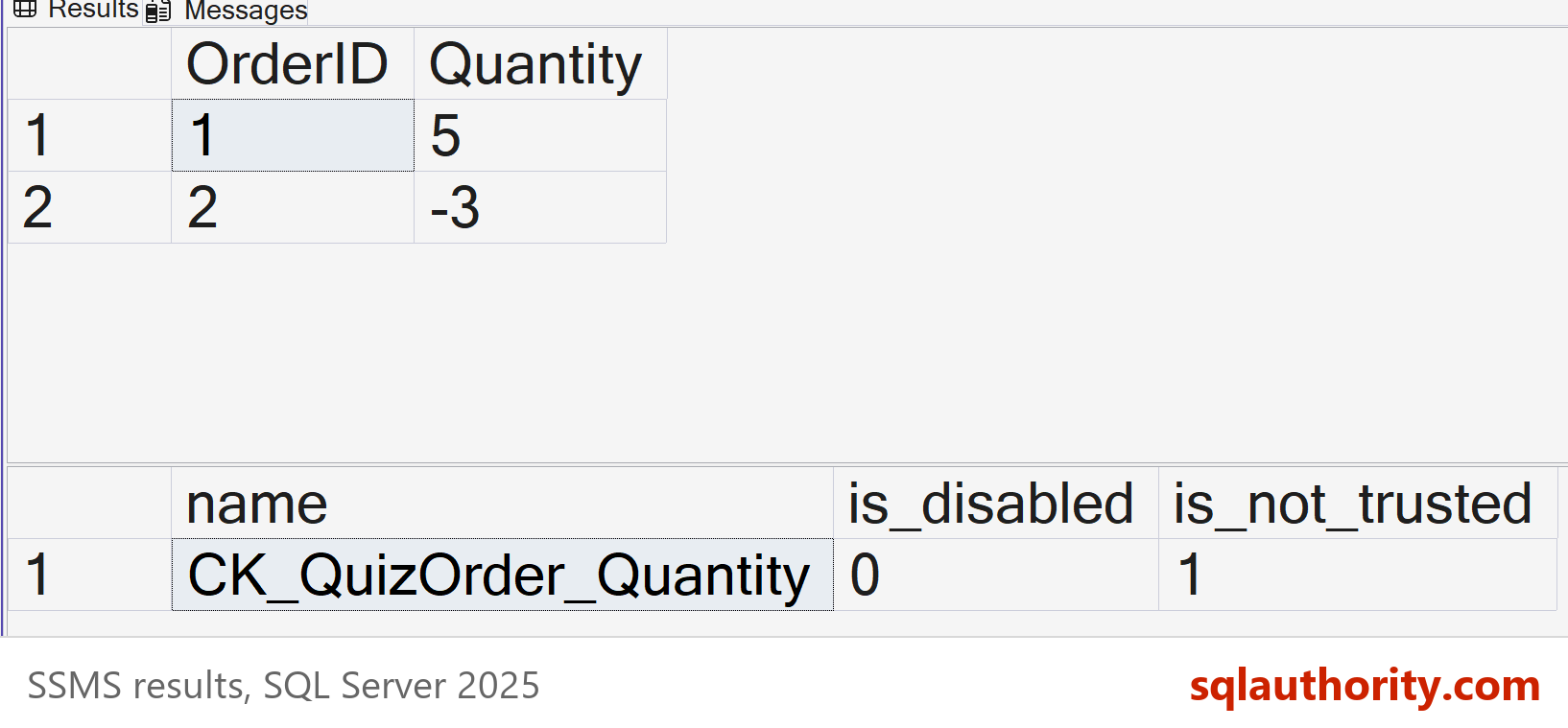
The catalog view shows the rest. The constraint is enabled, because is_disabled is 0, and it is not trusted, because is_not_trusted is 1.
| name | is_disabled | is_not_trusted |
|---|---|---|
| CK_QuizOrder_Quantity | 0 | 1 |
Why the Other Answers Are Wrong
A describes the default. Without NOCHECK, SQL Server checks every existing row and the statement fails, as the first run showed. NOCHECK is the keyword that removes that check.
B is half right. The statement works and the bad row stays. But the constraint is not trusted, because the bad row was never checked.
C is the answer people hope for. SQL Server never deletes data to satisfy a rule. The row stays until you fix it yourself.
The Rule Still Guards New Data
An untrusted constraint is still enabled. Try to add another bad row, and SQL Server stops you. Try to change the bad row to another bad value, and it stops you again.
INSERT INTO dbo.QuizOrder (OrderID, Quantity) VALUES (3, -1);
GO
UPDATE dbo.QuizOrder SET Quantity = -4 WHERE OrderID = 2;
Both statements failed with error 547, the same one as before. Only the first words changed, to INSERT and UPDATE. The old bad row can stay, but nothing new can join it.
Making the Constraint Trusted
To earn trust back, ask SQL Server to check every row. While the bad row exists, that request fails. Fix the data first, then run the check again.
ALTER TABLE dbo.QuizOrder WITH CHECK CHECK CONSTRAINT CK_QuizOrder_Quantity;
GO
UPDATE dbo.QuizOrder SET Quantity = 1 WHERE OrderID = 2;
ALTER TABLE dbo.QuizOrder WITH CHECK CHECK CONSTRAINT CK_QuizOrder_Quantity;
SELECT name, is_disabled, is_not_trusted FROM sys.check_constraints WHERE parent_object_id = OBJECT_ID(N'dbo.QuizOrder');
The first check failed with error 547, because order 2 was still negative. After the correction, the check passed, and is_not_trusted changed to 0. The odd-looking WITH CHECK CHECK is not a typo. The first part says to verify the rows. The second part turns the constraint on.
Switching a Constraint Off
A related command, NOCHECK CONSTRAINT, turns the rule off. Bad rows then go in without any complaint. The next script proves it, removes the bad row again and switches the rule back on with a full check.
ALTER TABLE dbo.QuizOrder NOCHECK CONSTRAINT CK_QuizOrder_Quantity;
INSERT INTO dbo.QuizOrder (OrderID, Quantity) VALUES (4, -9);
SELECT name, is_disabled, is_not_trusted FROM sys.check_constraints WHERE parent_object_id = OBJECT_ID(N'dbo.QuizOrder');
DELETE FROM dbo.QuizOrder WHERE OrderID = 4;
ALTER TABLE dbo.QuizOrder WITH CHECK CHECK CONSTRAINT CK_QuizOrder_Quantity;
SELECT name, is_disabled, is_not_trusted FROM sys.check_constraints WHERE parent_object_id = OBJECT_ID(N'dbo.QuizOrder');
While the rule was off, the insert of -9 worked, and the catalog showed is_disabled 1 and is_not_trusted 1. After the delete and the full check, the rule was on and trusted again. Switching a rule off in production lets bad data in. Switch it back on in the same script.
Why Trust Matters
A trusted constraint is a fact, and the optimizer uses facts to skip work. A foreign key shows this best. This script adds a foreign key WITH NOCHECK. It runs a join that needs only child table columns, then repeats the join after the check.
DROP TABLE IF EXISTS dbo.QuizLine;
DROP TABLE IF EXISTS dbo.QuizCustomer;
CREATE TABLE dbo.QuizCustomer (CustomerID int NOT NULL PRIMARY KEY, CustomerName nvarchar(40) NOT NULL);
CREATE TABLE dbo.QuizLine (LineID int NOT NULL PRIMARY KEY, CustomerID int NOT NULL);
INSERT INTO dbo.QuizCustomer VALUES (1, N'Avery'), (2, N'Jordan');
INSERT INTO dbo.QuizLine VALUES (10, 1), (11, 2), (12, 2);
ALTER TABLE dbo.QuizLine WITH NOCHECK ADD CONSTRAINT FK_QuizLine_Customer FOREIGN KEY (CustomerID) REFERENCES dbo.QuizCustomer (CustomerID);
SET STATISTICS IO ON;
SELECT l.LineID FROM dbo.QuizLine AS l INNER JOIN dbo.QuizCustomer AS c ON c.CustomerID = l.CustomerID;
GO
SET STATISTICS IO OFF;
ALTER TABLE dbo.QuizLine WITH CHECK CHECK CONSTRAINT FK_QuizLine_Customer;
SET STATISTICS IO ON;
SELECT l.LineID FROM dbo.QuizLine AS l INNER JOIN dbo.QuizCustomer AS c ON c.CustomerID = l.CustomerID;
SET STATISTICS IO OFF;
The Messages tab told the story. With the untrusted key, SQL Server read QuizCustomer, with 6 logical reads, and QuizLine, with 2. With the trusted key, it read only QuizLine. It knew every line has a customer, so the join to QuizCustomer could be dropped. Both runs returned the same three rows.
Four Ways to Create a Constraint
You can write a constraint inside the column definition, inside the table definition, or later with ALTER TABLE. Name each one yourself. An unnamed constraint gets a generated name with a random suffix, and that makes scripts hard to repeat.
DROP TABLE IF EXISTS dbo.QuizProduct;
CREATE TABLE dbo.QuizProduct
(
    ProductID int NOT NULL CONSTRAINT PK_QuizProduct PRIMARY KEY,
    Sku nvarchar(20) NOT NULL CONSTRAINT UQ_QuizProduct_Sku UNIQUE,
    Price decimal(8,2) NOT NULL CONSTRAINT DF_QuizProduct_Price DEFAULT (1.00),
    Stock int NOT NULL,
    CONSTRAINT CK_QuizProduct_Stock CHECK (Stock >= 0)
);
ALTER TABLE dbo.QuizProduct ADD CONSTRAINT CK_QuizProduct_Price CHECK (Price > 0);
SELECT name, type_desc FROM sys.objects
WHERE parent_object_id = OBJECT_ID(N'dbo.QuizProduct') AND type IN ('PK','UQ','D','C')
ORDER BY name;
The first three constraints sit inside the columns. The CHECK on Stock sits at table level, and the CHECK on Price arrived by ALTER TABLE. The fourth way is WITH NOCHECK, which you met above. The query listed all five objects.
| name | type_desc |
|---|---|
| CK_QuizProduct_Price | CHECK_CONSTRAINT |
| CK_QuizProduct_Stock | CHECK_CONSTRAINT |
| DF_QuizProduct_Price | DEFAULT_CONSTRAINT |
| PK_QuizProduct | PRIMARY_KEY_CONSTRAINT |
| UQ_QuizProduct_Sku | UNIQUE_CONSTRAINT |
What to Remember
WITH NOCHECK adds the rule and skips the old rows. The bad data stays, new data is still checked, and the constraint is untrusted until a full check passes. Use it only as a short step on the way to cleaning the data.
When I audit a database, I look for constraints where is_not_trusted is 1. Each one is a promise the database made and never verified. I list them, fix the rows behind them and run WITH CHECK CHECK, so the optimizer can use them again.
When you finish testing, remove the example database.
USE master;
GO
ALTER DATABASE SqlQuizCreateConstraints SET SINGLE_USER WITH ROLLBACK IMMEDIATE;
DROP DATABASE SqlQuizCreateConstraints;
A constraint is not a rule you declared, it is a rule the database has proven.
Published by Pinal Dave on SQLAuthority. More of my work at pinaldave.com.
Discover more from SQL Authority with Pinal Dave
Subscribe to get the latest posts sent to your email.