This Resource Database Quiz asks where SQL Server keeps the definition of sys.objects. It also asks whether BACKUP DATABASE can protect it. Most people answer master. Pick your answer first, then run the script and check.

The Quiz
Riley is a DBA who queries sys.objects every day. Every database has it, and every database shows the same system views and procedures. Riley starts to wonder where the definition of that view is physically stored.
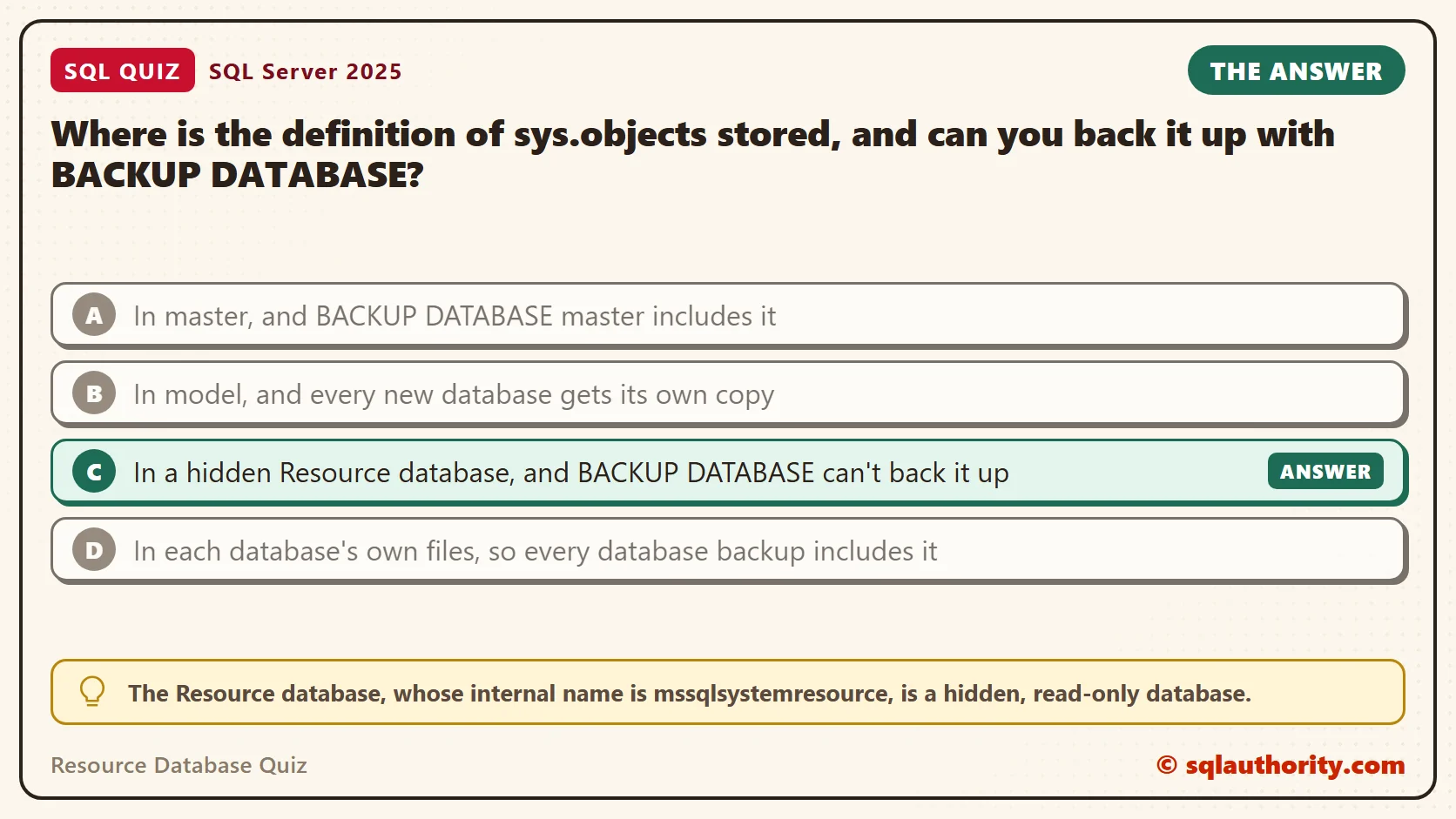
Where is the definition of sys.objects stored, and can you back it up with BACKUP DATABASE?
A. In master, and BACKUP DATABASE master includes it
B. In model, and every new database gets its own copy
C. In a hidden Resource database, and BACKUP DATABASE can’t back it up
D. In each database’s own files, so every database backup includes it
Take a moment and pick one before you read on.
The Answer
The answer is C. The Resource database, whose internal name is mssqlsystemresource, is a hidden, read-only database. It holds the definitions of every system object that ships with SQL Server: the system views, procedures and functions.
BACKUP DATABASE can’t target it. You protect it by copying its two files as plain binary files, the way you would copy a program file. One detail is easy to miss. The rows that describe your own tables stay in your own database. Only the definitions of the objects Microsoft ships live in the Resource database.
This design has a practical reason. A cumulative update can replace all the system objects by replacing one file. Nothing inside your databases has to change.
Prove It
This script creates a database called SqlQuizResourceDatabase, used only for this example, so run it on a test server. It reads the version of the Resource database and prints the definition of sys.objects. Then it counts the system objects an empty database can see.
IF DB_ID(N'SqlQuizResourceDatabase') IS NULL CREATE DATABASE SqlQuizResourceDatabase;
GO
USE SqlQuizResourceDatabase;
GO
DROP TABLE IF EXISTS dbo.Cup;
SELECT SERVERPROPERTY('ResourceVersion') AS ResourceVersion,
       SERVERPROPERTY('ResourceLastUpdateDateTime') AS ResourceLastUpdated,
       SERVERPROPERTY('ProductVersion') AS ProductVersion;
SELECT OBJECT_DEFINITION(OBJECT_ID(N'sys.objects')) AS ViewDefinition;
SELECT COUNT(*) AS ListedInSysDatabases FROM sys.databases WHERE name = N'mssqlsystemresource';
SELECT COUNT(*) AS SystemObjects,
       SUM(IIF(type = 'P', 1, 0)) AS SystemProcedures,
       SUM(IIF(type = 'V', 1, 0)) AS SystemViews,
       (SELECT COUNT(*) FROM sys.objects WHERE is_ms_shipped = 0) AS UserObjects
FROM sys.all_objects
WHERE is_ms_shipped = 1;
CREATE TABLE dbo.Cup (CupID int);
SELECT COUNT(*) AS SystemObjects,
       (SELECT COUNT(*) FROM sys.objects WHERE is_ms_shipped = 0) AS UserObjects
FROM sys.all_objects
WHERE is_ms_shipped = 1;
On SQL Server 2025, the first result showed the version and the last update date of the Resource database. They line up with the product build.
| ResourceVersion | ResourceLastUpdated | ProductVersion |
|---|---|---|
| 17.00.5005 | 2026-08-27 10:25:16.140 | 17.0.5005.3 |
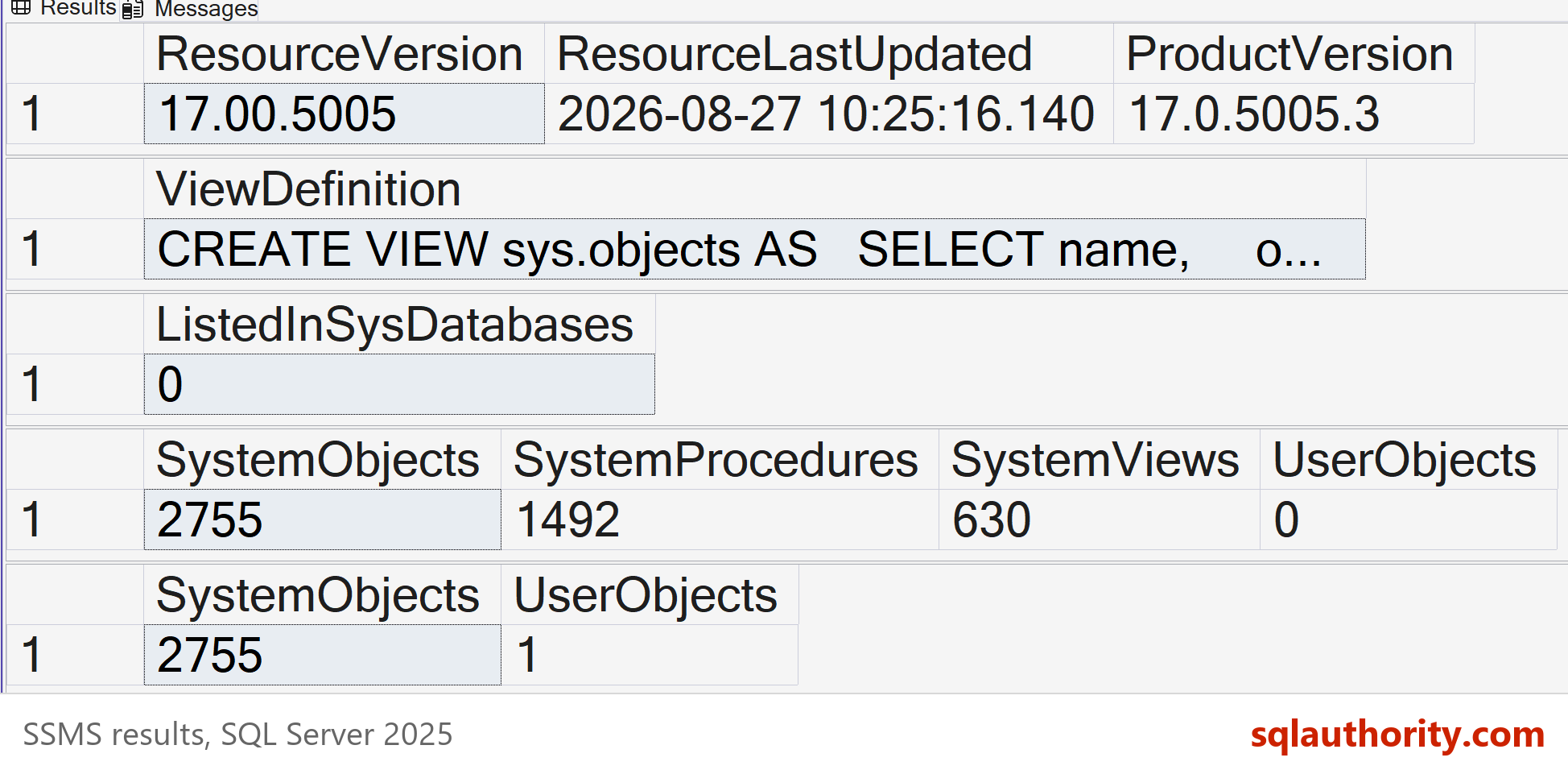
The second result is the definition of sys.objects. This is the text SSMS shows in the ViewDefinition column. It is output, not code to run.
CREATE VIEW sys.objects AS
    SELECT name,
        object_id,
        principal_id,
        schema_id,
        parent_object_id,
        type,
        type_desc,
        create_date,
        modify_date,
        is_ms_shipped,
        is_published,
        is_schema_published
    FROM sys.objects$
The third result returned 0. The Resource database isn’t listed in sys.databases, which is why you never see it in the SSMS database list. The fourth result counted what the empty database can see.
| SystemObjects | SystemProcedures | SystemViews | UserObjects |
|---|---|---|---|
| 2755 | 1492 | 630 | 0 |
After the Cup table was created, the last result showed 2755 system objects and 1 user object. My table added one object, and the system objects stayed exactly the same.
Why the Other Answers Are Wrong
A is the usual guess, because master feels like the home of everything system. It holds server-level data: logins, configuration and the list of databases. Backing up master is essential, but it doesn’t save the system object definitions.
B mixes up two different ideas. The model database is a template. A new database starts as a copy of model, and it carries only what you put into model yourself.
D is the closest wrong answer. Each database does keep its own system tables, with one row for each object you create. But the empty database above showed 2,755 system objects, and it owns none of their definitions. They come from the Resource database, so a database backup can’t include them.
Where the Files Are and How to Protect Them
The Resource database is two files, mssqlsystemresource.mdf and mssqlsystemresource.ldf. They sit in the Binn folder of the instance. On my test server the data file is 40 MB. I wrote about their location in SQL SERVER – Location of Resource Database in SQL Server Editions.
Since BACKUP DATABASE can’t reach it, make the files part of your file-level backup. SQL Server can’t restore the database either. If a copy is ever needed, you put a saved file from the same build back in place. A copy from a different build doesn’t match the rest of the instance.
You also can’t change it. It’s read-only, and you can’t add your own objects to it. Put your own code in a user database.
Why You Can’t Query It Directly
The sys.objects view reads from a table named sys.objects$ inside the Resource database. Your session can’t reach that table by name, and the database has no ID you can look up. This block asks for both.
SELECT DB_ID(N'mssqlsystemresource') AS ResourceDbId;
SELECT TOP (1) name FROM sys.objects$;
The first query returned NULL. The second raised this error, which is the text SSMS shows in the Messages tab. It is output, not code to run.
Msg 208, Level 16, State 1, Line 2
Invalid object name 'sys.objects$'.
That’s by design. The system views are the doorway, and SQL Server keeps the tables behind them out of reach. You can’t tune or index a table you can’t name, so your tuning effort belongs on your own tables.
Reading the Version After Patching
An update can replace the Resource database, so ResourceVersion can move with the build. In the first result above, 17.00.5005 matches the product version 17.0.5005.3. After I patch a server, I read ResourceVersion as one supporting check. It’s a good sign that new system objects arrived. It doesn’t prove that every component updated.
ResourceLastUpdated is a second supporting check. On my server it shows 27 August 2026, the build date that @@VERSION reports. If the date looks old after a patch, compare the full build number before you trust the update.
What to Remember
The system objects aren’t stored in your databases, and they aren’t stored in master. They live in one hidden, read-only database that is part of the build.
So BACKUP DATABASE has nothing to do here. Copy the files, and keep the copy matched to the build. When you finish testing, remove the example database.
USE master;
GO
ALTER DATABASE SqlQuizResourceDatabase SET SINGLE_USER WITH ROLLBACK IMMEDIATE;
DROP DATABASE SqlQuizResourceDatabase;
The Resource database is not a backup target, it is part of the build.
Published by Pinal Dave on SQLAuthority. More of my work at pinaldave.com.
Discover more from SQL Authority with Pinal Dave
Subscribe to get the latest posts sent to your email.