This CHECKPOINT Behavior Quiz is about one question that decides whether a transaction log stays small or fills a disk. The answer depends on the recovery model. Read the setup, pick your answer, and then run the script to check yourself.

The Quiz
Casey looks after two databases for a bakery’s online orders. One uses the SIMPLE recovery model and the other uses FULL. Both take heavy writes all day. Casey wants to know when each one can reuse the space inside its transaction log file.
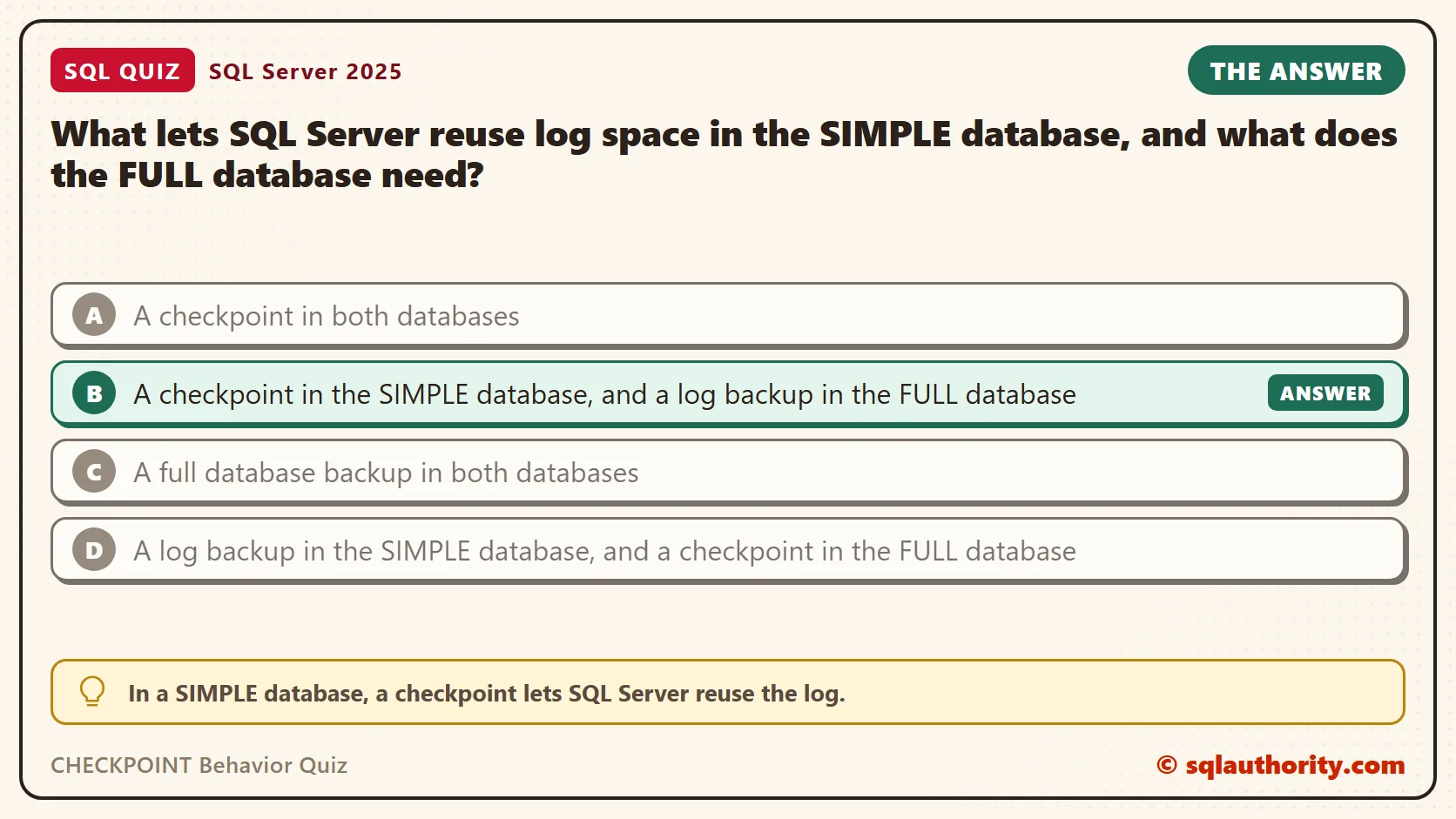
What lets SQL Server reuse log space in the SIMPLE database, and what does the FULL database need?
A. A checkpoint in both databases
B. A checkpoint in the SIMPLE database, and a log backup in the FULL database
C. A full database backup in both databases
D. A log backup in the SIMPLE database, and a checkpoint in the FULL database
Take a moment and pick one before you read on.
The Answer
The answer is B. In a SIMPLE database, a checkpoint lets SQL Server reuse the log. In a FULL database, a checkpoint isn’t enough. The log has to be backed up first.
A checkpoint writes changed pages from memory to the data file. After that, crash recovery no longer needs the log records for those pages. A SIMPLE database promises no log backups, so SQL Server frees that space on its own at the checkpoint.
A FULL database makes a different promise: you can restore to any point in time. To keep it, SQL Server holds every log record until a log backup has copied it out. The log chain only starts after the first full backup, so the script below takes one.
Prove It
The script creates a database called SqlQuizCheckpointBehavior with a small 16 MB log, so the effect shows up fast. It also builds a view named LogStatus. The view reports the wait reason and the log space in use. It also counts the active virtual log files (VLFs), the chunks SQL Server cuts the log into. Use a test server, and change the backup folder to one SQL Server can write to.
IF DB_ID(N'SqlQuizCheckpointBehavior') IS NULL
BEGIN
    DECLARE @dir nvarchar(260) = CONVERT(nvarchar(260), SERVERPROPERTY('InstanceDefaultDataPath'));
    DECLARE @sql nvarchar(max) = N'CREATE DATABASE SqlQuizCheckpointBehavior
        ON (NAME = N''SqlQuizCheckpointBehavior'', FILENAME = N''' + @dir + N'SqlQuizCheckpointBehavior.mdf'', SIZE = 32MB)
        LOG ON (NAME = N''SqlQuizCheckpointBehavior_log'', FILENAME = N''' + @dir + N'SqlQuizCheckpointBehavior_log.ldf'', SIZE = 16MB, FILEGROWTH = 16MB)';
    EXEC (@sql);
END;
GO
USE SqlQuizCheckpointBehavior;
GO
ALTER DATABASE SqlQuizCheckpointBehavior SET RECOVERY SIMPLE;
DROP TABLE IF EXISTS dbo.QuizWork;
CREATE TABLE dbo.QuizWork (WorkID int IDENTITY(1,1) PRIMARY KEY, Payload char(500) NOT NULL);
INSERT INTO dbo.QuizWork (Payload) SELECT TOP (10000) 'x' FROM sys.all_objects AS a CROSS JOIN sys.all_objects AS b;
GO
CREATE OR ALTER VIEW dbo.LogStatus AS
SELECT d.recovery_model_desc AS RecoveryModel, d.log_reuse_wait_desc AS LogReuseWait,
       u.used_log_space_in_bytes / 1024 AS LogUsedKB,
       (SELECT COUNT(*) FROM sys.dm_db_log_info(DB_ID()) WHERE vlf_active = 1) AS ActiveVlfs
FROM sys.databases AS d CROSS JOIN sys.dm_db_log_space_usage AS u
WHERE d.name = DB_NAME();
First the SIMPLE database. The loop makes six committed updates, so the log fills with finished work. Then the script reads the status, runs a checkpoint, and reads it again.
SELECT * FROM dbo.LogStatus;
DECLARE @i int = 1;
WHILE @i <= 6 BEGIN UPDATE dbo.QuizWork SET Payload = CHAR(96 + @i); SET @i += 1; END;
SELECT * FROM dbo.LogStatus;
CHECKPOINT;
SELECT * FROM dbo.LogStatus;
SQL Server returns three separate result sets. I put them in one table and added the first column.
| Moment | RecoveryModel | LogReuseWait | LogUsedKB | ActiveVlfs |
|---|---|---|---|---|
| Before the updates | SIMPLE | ACTIVE_TRANSACTION | 1155 | 1 |
| After the updates | SIMPLE | ACTIVE_TRANSACTION | 7941 | 2 |
| After CHECKPOINT | SIMPLE | NOTHING | 3988 | 1 |
The checkpoint cut the active log from 2 virtual log files to 1. The wait reason in the first two rows says ACTIVE_TRANSACTION, although nothing was open. It stayed stale until the checkpoint refreshed it, so watch the VLF count instead.
Now the same test in FULL. Change the folder first. The script takes the full backup, runs the same updates, runs a checkpoint, and then backs up the log.
ALTER DATABASE SqlQuizCheckpointBehavior SET RECOVERY FULL;
BACKUP DATABASE SqlQuizCheckpointBehavior TO DISK = N'C:\YourBackupFolder\SqlQuizCheckpointBehavior_full.bak' WITH INIT;
SELECT * FROM dbo.LogStatus;
DECLARE @i int = 1;
WHILE @i <= 6 BEGIN UPDATE dbo.QuizWork SET Payload = CHAR(96 + @i); SET @i += 1; END;
SELECT * FROM dbo.LogStatus;
CHECKPOINT;
SELECT * FROM dbo.LogStatus;
BACKUP LOG SqlQuizCheckpointBehavior TO DISK = N'C:\YourBackupFolder\SqlQuizCheckpointBehavior_log.trn' WITH INIT;
SELECT * FROM dbo.LogStatus;
| Moment | RecoveryModel | LogReuseWait | LogUsedKB | ActiveVlfs |
|---|---|---|---|---|
| After the full backup | FULL | NOTHING | 4011 | 1 |
| After the updates | FULL | NOTHING | 10757 | 3 |
| After CHECKPOINT | FULL | LOG_BACKUP | 10762 | 3 |
| After BACKUP LOG | FULL | NOTHING | 2765 | 1 |
Here the checkpoint changed nothing. The wait reason became LOG_BACKUP, and the log stayed at 3 active VLFs. Only the log backup brought it down to 1. That is the whole answer in four rows.
Why the Other Answers Are Wrong
A is half right. It describes SIMPLE correctly, and the first table shows it. It fails for FULL. The second table shows the checkpoint leaving the log untouched, with LOG_BACKUP as the reason.
C mixes up two jobs. A full backup copies the data and starts the log chain. It doesn’t free log space in either model. In FULL, only a log backup does that.
D swaps the two models. A SIMPLE database can’t back up its log at all. Run this and SQL Server refuses.
ALTER DATABASE SqlQuizCheckpointBehavior SET RECOVERY SIMPLE;
BACKUP LOG SqlQuizCheckpointBehavior TO DISK = N'C:\YourBackupFolder\SqlQuizCheckpointBehavior_log.trn' WITH INIT;
This is the text SSMS shows in the Messages tab. It is output, not code to run.
Msg 4208, Level 16, State 1, Line 2
The statement BACKUP LOG is not allowed while the recovery model is SIMPLE. Use BACKUP DATABASE or change the recovery model using ALTER DATABASE.
Msg 3013, Level 16, State 1, Line 2
BACKUP LOG is terminating abnormally.
When a Checkpoint Still Can’t Help
A log backup doesn’t always free the log either. With traditional recovery, an open transaction keeps every log record from its first change onward, in any recovery model. Traditional means Accelerated Database Recovery (ADR) is off. This demo needs two query windows on the same database. First put the database back in FULL, with ADR off and a fresh full backup.
ALTER DATABASE SqlQuizCheckpointBehavior SET RECOVERY FULL;
ALTER DATABASE SqlQuizCheckpointBehavior SET ACCELERATED_DATABASE_RECOVERY = OFF;
BACKUP DATABASE SqlQuizCheckpointBehavior TO DISK = N'C:\YourBackupFolder\SqlQuizCheckpointBehavior_full.bak' WITH INIT;
In window 1, open a transaction and leave it open. Don’t commit yet.
USE SqlQuizCheckpointBehavior;
BEGIN TRANSACTION;
UPDATE dbo.QuizWork SET Payload = 'z' WHERE WorkID <= 10;
In window 2, update other rows. Then run a checkpoint, back up the log and read the status.
USE SqlQuizCheckpointBehavior;
DECLARE @i int = 1;
WHILE @i <= 6 BEGIN UPDATE dbo.QuizWork SET Payload = CHAR(96 + @i) WHERE WorkID > 100; SET @i += 1; END;
CHECKPOINT;
BACKUP LOG SqlQuizCheckpointBehavior TO DISK = N'C:\YourBackupFolder\SqlQuizCheckpointBehavior_log.trn' WITH INIT;
SELECT * FROM dbo.LogStatus;
In my run, the status showed ACTIVE_TRANSACTION, with 9921 KB in use and 2 active VLFs. The log had been backed up a moment earlier. Now run ROLLBACK TRANSACTION; in window 1, then run the last two lines of the window 2 script again. The wait reason went back to NOTHING, with 5662 KB in use and 1 active VLF.
That is traditional recovery, with ADR off. ADR changes how long a transaction holds log and row versions. Don’t assume this result on a database that uses it. I ran the same two windows after ALTER DATABASE SqlQuizCheckpointBehavior SET ACCELERATED_DATABASE_RECOVERY = ON;. The wait reason was still ACTIVE_TRANSACTION, with 50724 KB in use and 7 active VLFs. Other waits stay relevant either way, so read the wait reason first.
What to Remember
A checkpoint frees the log only in a SIMPLE database. In a FULL database, the log is reused after a log backup. An open transaction can still hold it back when ADR is off. When a log file keeps growing, I read the wait reason first, with SELECT name, log_reuse_wait_desc FROM sys.databases.
Don’t shrink the file to fix it. Shrinking returns disk space, but the cause is still there, and the log grows again. A FULL database needs a log backup schedule that matches how much work you can afford to lose.
When you finish testing, remove the example database. The backup files stay in your backup folder until you delete them.
USE master;
GO
ALTER DATABASE SqlQuizCheckpointBehavior SET SINGLE_USER WITH ROLLBACK IMMEDIATE;
DROP DATABASE SqlQuizCheckpointBehavior;
A checkpoint is not a log backup, it is only a promise that the data file is up to date.
Published by Pinal Dave on SQLAuthority. More of my work at pinaldave.com.
Discover more from SQL Authority with Pinal Dave
Subscribe to get the latest posts sent to your email.