This CHAR, VARCHAR, NVARCHAR and VARCHAR(MAX) Quiz stores the same three letters in three columns and counts the bytes. The text is identical, and the storage isn’t. Read the setup, pick your answer, and then run the script to check yourself.
The Quiz
A table has three columns: one char(10), one varchar(10) and one nvarchar(10). The same text, abc, is stored in all three. The function DATALENGTH returns the number of bytes that a value takes.
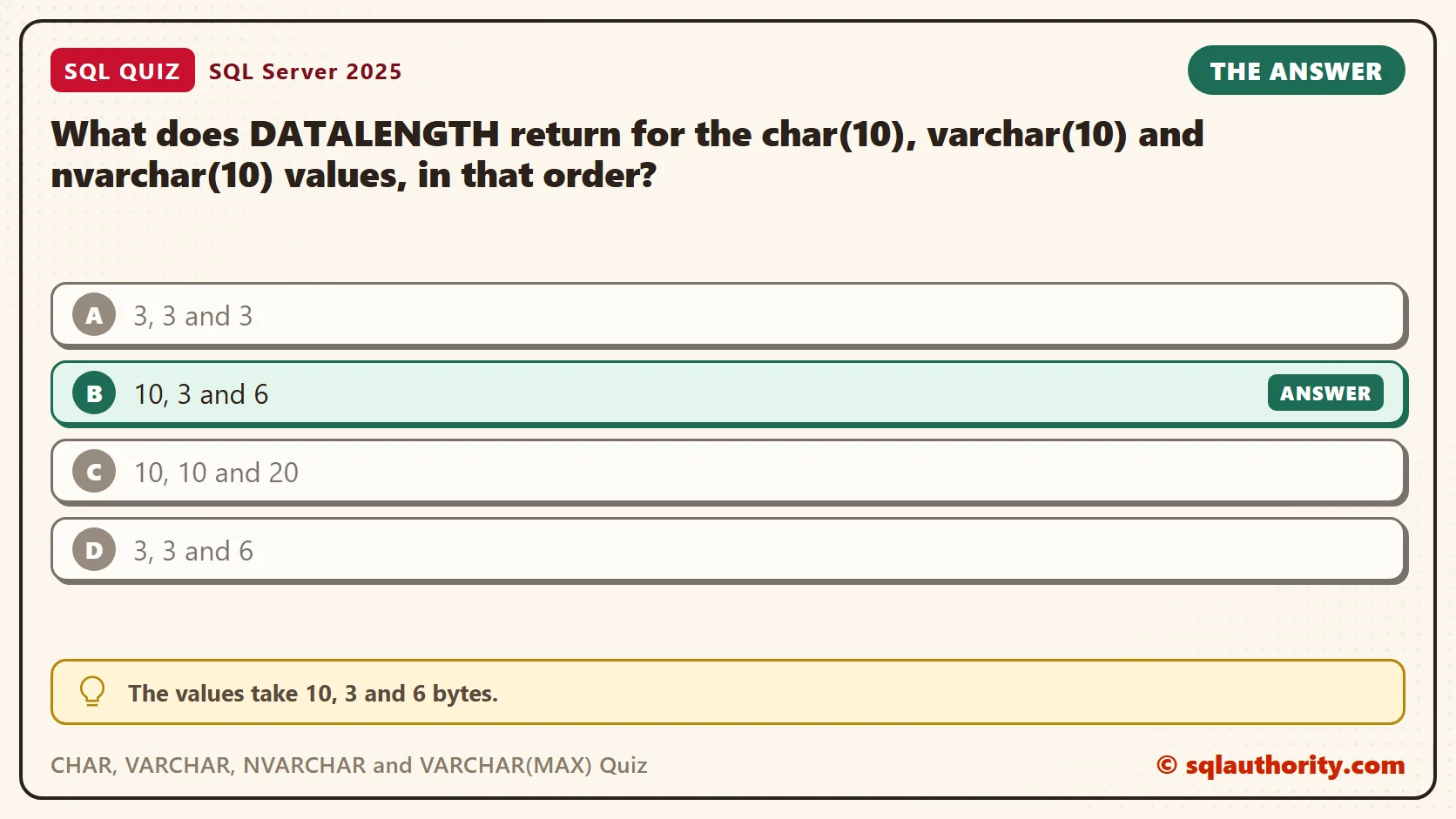
What does DATALENGTH return for the char(10), varchar(10) and nvarchar(10) values, in that order?
A. 3, 3 and 3
B. 10, 3 and 6
C. 10, 10 and 20
D. 3, 3 and 6
Take a moment and pick one before you read on.
The Answer
The answer is B. The values take 10, 3 and 6 bytes.
A char(10) column is fixed width. The 10 is a size in bytes, and the column fills it with spaces, so abc takes 10 bytes. A varchar(10) column has the same limit of 10 bytes, but it stores only what you give it. That is 3 bytes. An nvarchar(10) column stores Unicode text, and its 10 counts pairs of bytes. Most characters take one pair, so abc takes 6 bytes. A few rare characters take two pairs, 4 bytes in all, but plain letters never do.
Prove It
Here is the quiz as a script. It creates a small database called SqlQuizCharVarcharNvarcharAndVarcha, used only for this example, so run it on a test server.
IF DB_ID(N'SqlQuizCharVarcharNvarcharAndVarcha') IS NULL CREATE DATABASE SqlQuizCharVarcharNvarcharAndVarcha;
GO
USE SqlQuizCharVarcharNvarcharAndVarcha;
GO
DROP TABLE IF EXISTS dbo.QuizText;
CREATE TABLE dbo.QuizText
(
    TextID int IDENTITY(1,1) PRIMARY KEY,
    FixedText char(10) NOT NULL,
    VarText varchar(10) NOT NULL,
    UnicodeText nvarchar(10) NOT NULL
);
INSERT INTO dbo.QuizText (FixedText, VarText, UnicodeText) VALUES ('abc', 'abc', N'abc');
SELECT DATALENGTH(FixedText) AS CharBytes, DATALENGTH(VarText) AS VarcharBytes, DATALENGTH(UnicodeText) AS NvarcharBytes
FROM dbo.QuizText;
SELECT LEN(FixedText) AS CharLen, LEN(VarText) AS VarcharLen, LEN(UnicodeText) AS NvarcharLen
FROM dbo.QuizText;
On SQL Server 2025, the first query returned this row.
| CharBytes | VarcharBytes | NvarcharBytes |
|---|---|---|
| 10 | 3 | 6 |
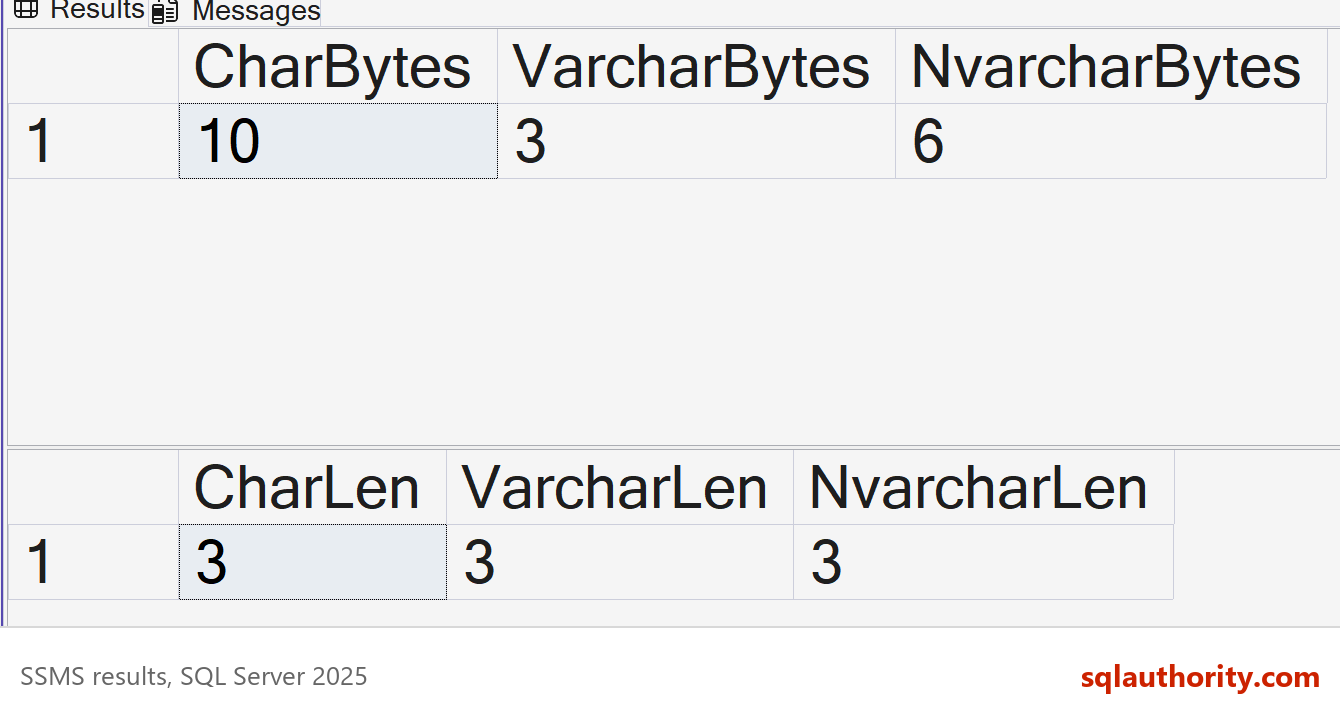
The second query returned 3, 3 and 3. LEN counts characters, not bytes, and it ignores the padding in the char column. That is why DATALENGTH is the right function for this question.
Why the Other Answers Are Wrong
A is what LEN would say. It counts the three letters and ignores how they are stored. DATALENGTH counts storage, so the padding and the 2 bytes per Unicode character show up.
C gets char right, but it treats both variable-width types as if they were full. Neither one pads. A varchar(10) column stores 3 bytes for abc, plus a small length marker inside the row that DATALENGTH doesn’t count. An nvarchar(10) column stores 6 bytes, not 20. The 20 is only the most it could hold.
D gets varchar and nvarchar right and forgets the padding. The char column is the only one of the three that always fills its full width.
The Trailing Space Trap
Now store abc followed by three spaces. Then count bytes, count characters, and search for abc.
INSERT INTO dbo.QuizText (FixedText, VarText, UnicodeText) VALUES ('abc   ', 'abc   ', N'abc   ');
SELECT TextID, DATALENGTH(FixedText) AS CharBytes, DATALENGTH(VarText) AS VarcharBytes,
       DATALENGTH(UnicodeText) AS NvarcharBytes, LEN(VarText) AS VarcharLen
FROM dbo.QuizText WHERE TextID = 2;
SELECT COUNT(*) AS RowsMatched FROM dbo.QuizText WHERE VarText = 'abc';
The varchar value kept its three spaces and used 6 bytes, while LEN still said 3. The nvarchar value used 12 bytes. And the search for abc matched both rows, so RowsMatched was 2.
| TextID | CharBytes | VarcharBytes | NvarcharBytes | VarcharLen |
|---|---|---|---|---|
| 2 | 10 | 6 | 12 | 3 |
SQL Server ignores trailing spaces when it compares strings with an equals sign. LEN ignores them too. DATALENGTH doesn’t. Trimming before you store a value cleans up new input, but it can’t test the rows you already have. When a comparison must tell abc from abc with spaces, add a check on the length or on the bytes.
SELECT COUNT(*) AS PlainMatch,
       SUM(CASE WHEN DATALENGTH(VarText) = DATALENGTH('abc') THEN 1 ELSE 0 END) AS LengthMatch,
       SUM(CASE WHEN CAST(VarText AS varbinary(10)) = CAST('abc' AS varbinary(10)) THEN 1 ELSE 0 END) AS BinaryMatch
FROM dbo.QuizText WHERE VarText = 'abc';
The equals sign matched both rows. The length check and the byte check each kept only the row that is exactly abc.
| PlainMatch | LengthMatch | BinaryMatch |
|---|---|---|
| 2 | 1 | 1 |
When VARCHAR Can’t Hold the Character
A varchar column stores characters from one code page. A character outside that code page can’t be stored. The next script converts one Japanese character to varchar and to nvarchar. It also builds a table with a UTF-8 collation, which SQL Server has supported for varchar since 2019.
SELECT DATABASEPROPERTYEX(DB_NAME(), N'Collation') AS DbCollation;
SELECT CONVERT(varchar(10), NCHAR(0x8A9E)) AS AsVarchar, CONVERT(nvarchar(10), NCHAR(0x8A9E)) AS AsNvarchar;
DROP TABLE IF EXISTS dbo.QuizUtf8;
CREATE TABLE dbo.QuizUtf8
(
    OldStyle varchar(10) COLLATE Latin1_General_100_CI_AS,
    Utf8Style varchar(10) COLLATE Latin1_General_100_CI_AS_SC_UTF8
);
INSERT INTO dbo.QuizUtf8 (OldStyle, Utf8Style) VALUES (NCHAR(0x8A9E), NCHAR(0x8A9E));
SELECT OldStyle, DATALENGTH(OldStyle) AS OldBytes, DATALENGTH(Utf8Style) AS Utf8Bytes,
       CASE WHEN Utf8Style = NCHAR(0x8A9E) THEN 1 ELSE 0 END AS Utf8Kept
FROM dbo.QuizUtf8;
My test database uses the collation SQL_Latin1_General_CP1_CI_AS. In it, the varchar conversion returned a question mark, and the nvarchar conversion kept the character. In the table, the old-style column also held a question mark in 1 byte. The UTF-8 column kept the real character in 3 bytes, and the comparison confirmed it, so Utf8Kept was 1.
So you have two ways to store international text. Use nvarchar, and pay 2 bytes for most characters. Or use varchar with a UTF-8 collation. It stores plain English letters in 1 byte and other characters in up to 4.
There is a catch. The size of a varchar is a limit in bytes. A UTF-8 column can hold fewer characters than the number in its brackets. This Japanese character takes 3 bytes, so a varchar(10) fits three of them and not four.
DROP TABLE IF EXISTS dbo.QuizUtf8Limit;
CREATE TABLE dbo.QuizUtf8Limit (Utf8Text varchar(10) COLLATE Latin1_General_100_CI_AS_SC_UTF8 NOT NULL);
INSERT INTO dbo.QuizUtf8Limit (Utf8Text) VALUES (REPLICATE(NCHAR(0x8A9E), 3));
SELECT LEN(Utf8Text) AS Letters, DATALENGTH(Utf8Text) AS Bytes FROM dbo.QuizUtf8Limit;
GO
INSERT INTO dbo.QuizUtf8Limit (Utf8Text) VALUES (REPLICATE(NCHAR(0x8A9E), 4));
Three characters were stored in 9 bytes. The fourth insert failed, because 12 bytes don’t fit in 10.
| Letters | Bytes |
|---|---|
| 3 | 9 |
This is the text SSMS shows in the Messages tab. It is output, not code to run.
Msg 2628, Level 16, State 1, Line 1
String or binary data would be truncated in table 'SqlQuizCharVarcharNvarcharAndVarcha.dbo.QuizUtf8Limit', column 'Utf8Text'. Truncated value: '語語語'.
The statement has been terminated.
Azure SQL Database supports the same UTF-8 collations, so the same limit applies there.
The 8,000 Byte Ceiling
A varchar(8000) or nvarchar(4000) is the largest size you can name. The MAX types go further, up to 2 GB, and they have a trap of their own. Run this and compare.
SELECT DATALENGTH(REPLICATE('a', 9000)) AS PlainVarchar,
       DATALENGTH(REPLICATE(CAST('a' AS varchar(max)), 9000)) AS MaxVarchar;
SELECT DATALENGTH(REPLICATE(N'a', 9000)) AS PlainNvarchar,
       DATALENGTH(REPLICATE(CAST(N'a' AS nvarchar(max)), 9000)) AS MaxNvarchar;
I asked for 9,000 letters. The plain version returned 8,000 bytes, so SQL Server cut the string silently and raised no error. The MAX version returned all 9,000. The nvarchar pair returned 8,000 and 18,000.
| PlainVarchar | MaxVarchar | PlainNvarchar | MaxNvarchar |
|---|---|---|---|
| 8000 | 9000 | 8000 | 18000 |
When a long string is built from short pieces, cast the first piece to a MAX type. Otherwise the cut can happen without any warning.
What to Remember
Use char only for values that always have the same length, such as a two-letter state code. Use varchar for plain text and nvarchar for text from many languages. Keep the MAX types for values that can truly grow large. For storage, the number in the brackets of a varchar is a limit in bytes, not a reservation. A varchar(200) that holds abc still takes 3 bytes.
When I review a table design, I ask two questions. What is the longest realistic value? Does the text need more than one language? Those two answers pick the type. Then I use DATALENGTH, not LEN, whenever the question is about storage.
When you finish testing, remove the example database.
USE master;
GO
ALTER DATABASE SqlQuizCharVarcharNvarcharAndVarcha SET SINGLE_USER WITH ROLLBACK IMMEDIATE;
DROP DATABASE SqlQuizCharVarcharNvarcharAndVarcha;
A string length is not the space it takes, it is only the number of characters.
Published by Pinal Dave on SQLAuthority. More of my work at pinaldave.com.
Discover more from SQL Authority with Pinal Dave
Subscribe to get the latest posts sent to your email.