
I currently have SQL Server 2012 and SQL Server 2014 both installed on the same machine. My job requires me to travel a lot and I like to travel light. Hence, I have only one computer with all the software installed in it. I can install Virtual Machines but as I was able to install SQL Server 2012 and SQL Server 2014 side by side, I just went ahead with that option. That setup is how I found one day that the compatibility level drop down is empty.
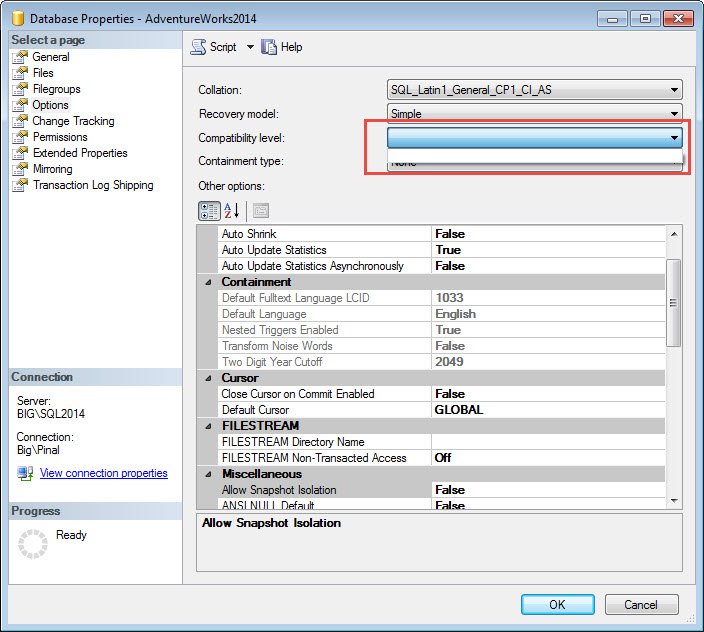
Now one day when I opened up my SQL Server 2014 and went to the properties of the my database, I realized that the dropdown box for Compatibility level is empty. I just can’t select anything there or see what is the current Compatibility level of the database. This was the first time for me so I was bit confused and I tried to search online. Upon searching online I realize that if I was not the first, there are very few questions on this subject on various forums as well as there is no convincing answer to this problem online. That means, I was pretty much first one to face this error.
See the image of the situation I was facing.
Now I decided to resolve this issue as soon as I can. I spent a few minutes here and there and realize my mistake.
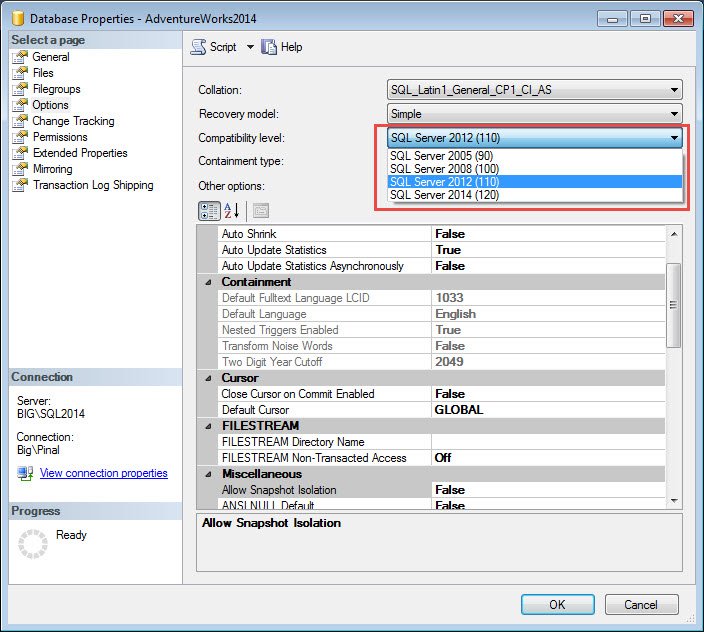
I had connected to SQL Server 2014 instance from SQL Server 2012 Management Studio. Hence, I was not able to see any compatibility related settings. Once I connected to SQL Server 2014 instance with SQL Server 2014 Management Studio – this issue was resolved.
Well, simple things sometimes keep us very busy.
Published by Pinal Dave on SQLAuthority. More of my work at pinaldave.com.




22 Comments. Leave new
Great help.thanks
It’s funny how one little inconsistency can produce completely unexpected and strange results. Thanks for sharing. That is something I’ll keep in mind as I just installed 2014 on a couple of my machines.
“Well, simple things sometimes keep us very busy.”
So true :) Thanks
thank you for this post!!
Thank you for this!
Bravo! )
Thanks Igor
I just ran into this too. Glad I found this – I was a little perplexed. Thanks Pinal!
Thanks!
it helped , thanks Pinal.
Nice to hear that @Deepak
This also happens when you unintentionally connect to another server’s instance of a higher version (server1 SSMS 2014 connecting server2, SQLS 2017) and opening the database properties. Similar situation, but wanted to add the scenario.
Very valid.Thanks for sharing.
Very helpful!
Thank you.
My pleasure.
It’s 2019 and this helped me, thank you!
As long as we have old version of SSMS, it would help.
you rock Pinal
Thanks @Nilesh
Thank you. Also with this fix it fixed when opening through the context menu on a table design (throws error)or Edit top N rows (Crashes SSMS) , With SQL 2019 using a 2016 SSMS
Very helpfull.
Thanks!
good one sir,