
Our indexing basics course, released in 2012, taught SQL Server indexes through practical demonstrations. Vinod Kumar and I recorded it, and preparing it reminded me of my older cartoon about indexes and performance. The conversation in the cartoon still makes me smile.
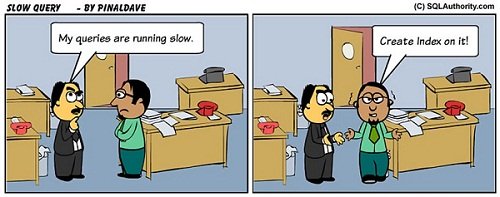
When a query is slow, indexes quickly become part of the conversation. Understanding them helps developers and DBAs ask better questions. The aim is to make deliberate choices instead of adding indexes by habit.
Why We Built the Course
Vinod and I wanted to explain indexing through practical demonstrations. We focused on implementation, query behavior and maintenance, not a deep tour of storage structures. Each topic gave learners something concrete to investigate.
The course covered basic index structures and how SQL Server uses them. We also included an introduction to the SQL Server 2012 columnstore index. That section reflects the version available when we recorded it.
A Note About This Historical Course
This article records the original 2012 course announcement and outline. Read it as a record, not as a current course catalog. Product behavior and learning material have changed since then. I kept the outline and added fresh tests on SQL Server 2025 for four of its practical topics.
Fundamentals and Implementation
We began with index fundamentals and a visual explanation of their structure. The implementation section then covered these topics:
- Primary keys and unique indexes
- Clustered indexes
- Over-indexing and duplicate indexes
- Included columns
- Filtered indexes
- Disabled indexes
Separate sections addressed index maintenance, defragmentation and an introduction to columnstore indexes. These topics connected index design with the work of running a database.
Practical Performance Topics
The rest of the course explored these practical questions through demonstrations:
- Indexes and page types
- Indexes and nondeterministic expressions
- Indexes and SET options
- The role of the clustered index
- Compression and fill factor
- Indexes and functions
- Dynamic management views and fill factor
- Table scans, index scans and index seeks
- The order of columns in an index
A Test Table for the Demos
Four of those topics are easy to test with one table. It holds 200,000 visits to 40 branches over two years. About one visit in a hundred is a refund. The clustered primary key takes 648 pages.
CREATE TABLE dbo.Visits (
  VisitId int IDENTITY(1,1) CONSTRAINT PK_Visits PRIMARY KEY,
  Branch int NOT NULL,
  VisitDate date NOT NULL,
  Status char(1) NOT NULL,
  Spend decimal(8,2) NOT NULL);
INSERT dbo.Visits (Branch, VisitDate, Status, Spend)
SELECT n % 40 + 1,
       DATEADD(DAY, n % 730, '20250101'),
       CASE WHEN n % 100 = 0 THEN 'R' ELSE 'C' END,
       CAST(5 + n % 97 AS decimal(8,2))
FROM (SELECT TOP (200000) ROW_NUMBER() OVER (ORDER BY (SELECT NULL)) AS n
      FROM sys.all_objects AS a CROSS JOIN sys.all_objects AS b) AS t;
The Order of Columns in an Index
An index on Branch and then VisitDate helps a query that filters on Branch. It helps much less when the query skips the first column. The same index served three queries in three different ways. Logical reads show the difference.
CREATE INDEX IX_Visits_Branch_Date ON dbo.Visits (Branch, VisitDate);
GO
SET STATISTICS IO ON;
SELECT COUNT(*) AS Visits FROM dbo.Visits WHERE Branch = 12 AND VisitDate = '20250102';
SELECT COUNT(*) AS Visits FROM dbo.Visits WHERE VisitDate = '20250102';
SELECT COUNT(*) AS Visits FROM dbo.Visits WHERE Branch = 12;
SET STATISTICS IO OFF;
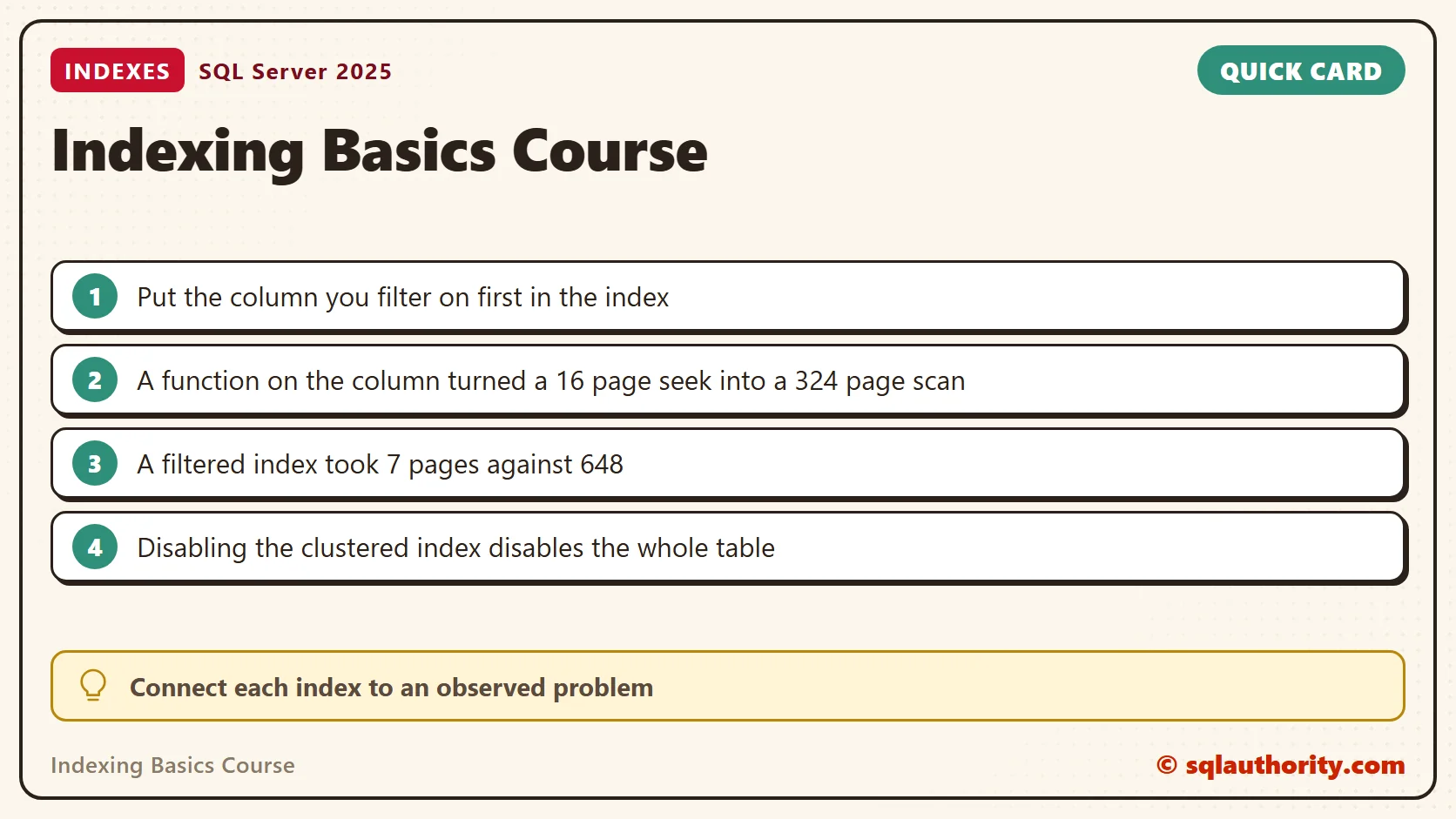
The query on both columns read 3 pages. The query on Branch alone read 15. The query on VisitDate alone had to scan the whole index and read 425 pages. Put the column your queries filter on first.
Indexes and Functions
A function around an indexed column hides the column from the seek. I added an index on VisitDate and asked for the visits of June 2025 twice. The first query wraps the column in YEAR and MONTH. The second states the same month as a date range.
CREATE INDEX IX_Visits_Date ON dbo.Visits (VisitDate);
GO
SET STATISTICS IO ON;
SELECT COUNT(*) AS Visits FROM dbo.Visits WHERE YEAR(VisitDate) = 2025 AND MONTH(VisitDate) = 6;
SELECT COUNT(*) AS Visits FROM dbo.Visits WHERE VisitDate >= '20250601' AND VisitDate < '20250701';
SET STATISTICS IO OFF;
Both returned 8,220 visits. The function version scanned the index and read 324 pages. The range version seeked and read 16.
Filtered Indexes
A filtered index holds only the rows that match a condition. Refunds are 2,000 of the 200,000 rows. Without a helpful index, the refund total read the whole table, 648 pages. A filtered index on those rows answered it in 7.
SET STATISTICS IO ON;
SELECT COUNT(*) AS Refunds, SUM(Spend) AS RefundSpend FROM dbo.Visits WHERE Status = 'R';
CREATE INDEX IX_Visits_Refunds ON dbo.Visits (VisitDate) INCLUDE (Spend) WHERE Status = 'R';
SELECT COUNT(*) AS Refunds, SUM(Spend) AS RefundSpend FROM dbo.Visits WHERE Status = 'R';
SET STATISTICS IO OFF;
Both runs returned 2,000 refunds and 105,894.00 in spend. The new index took 7 pages, against 648 for the table. The optimizer used it without any change to the query.
Disabled Indexes
Disabling an index keeps its definition and drops its data. The optimizer then ignores it. After I disabled the VisitDate index, the June query still ran and read 425 pages through another index. Forcing the disabled index with a hint failed with error 315. A rebuild switched it back on.
ALTER INDEX IX_Visits_Date ON dbo.Visits DISABLE;
GO
SET STATISTICS IO ON;
SELECT COUNT(*) AS Visits FROM dbo.Visits WHERE VisitDate >= '20250601' AND VisitDate < '20250701';
SET STATISTICS IO OFF;
GO
SELECT COUNT(*) AS Visits FROM dbo.Visits WITH (INDEX (IX_Visits_Date)) WHERE VisitDate >= '20250601' AND VisitDate < '20250701';
GO
ALTER INDEX IX_Visits_Date ON dbo.Visits REBUILD;
The clustered index is different, because it is the table. Disabling it disabled all three other indexes too. A plain SELECT COUNT(*) then failed with error 8655. Rebuilding the clustered index brought the table back, but the other indexes stayed disabled until I rebuilt them.
ALTER INDEX PK_Visits ON dbo.Visits DISABLE;
GO
SELECT COUNT(*) AS Visits FROM dbo.Visits;
GO
ALTER INDEX PK_Visits ON dbo.Visits REBUILD;
GO
SELECT COUNT(*) AS Visits FROM dbo.Visits;
The Habit Worth Keeping
We finished the course with a checklist for indexes and performance. The useful habit is to connect each change to an observed problem. Keep a baseline, compare the result and explain why the change belongs in the workload.
Related Reading
An index is not a free speedup, it is a deliberate answer to a query you can name.
Published by Pinal Dave on SQLAuthority. More of my work at pinaldave.com.
Discover more from SQL Authority with Pinal Dave
Subscribe to get the latest posts sent to your email.




11 Comments. Leave new
Hi pinal, I am very big fan of you and your blog..
Your blog helps us in realtime too..
This course sounds great to me and i can learn much more information.
where can i get this course?
I really appreciate you for your valuable time ….
How to get the video?
Pinal, Course outline looks really good. Plz lets us know how to access videos
No Videos.
Hi Pinal,
I am interested too.. please let us know how to access ..?
thanks,
Laxmi
Could you please let us know how to access the video. Thanks
you should probably make at least a brief mention that it’s a subscription service (minus the free trial anyway). between this, and your over-promotion of expressor, i think it’s about time to unsubscribe to your blog. It used to be good. thanks for what I have learned.
How to lauch the course .Please help me
Not seeing the video any where.
to launch the video, is it something we need to pay? please dont hide the things.
Hi Dinesh,
To watch the video please click , If you do not see the play button, please login to the site and you will be able to see the login button.
If you face problem leave a comment at and I will do my best to help you.
Hi Pinal, Do you have a location where I can get all the scripts used on this course? As it would save me having to type them as I’m watching.