
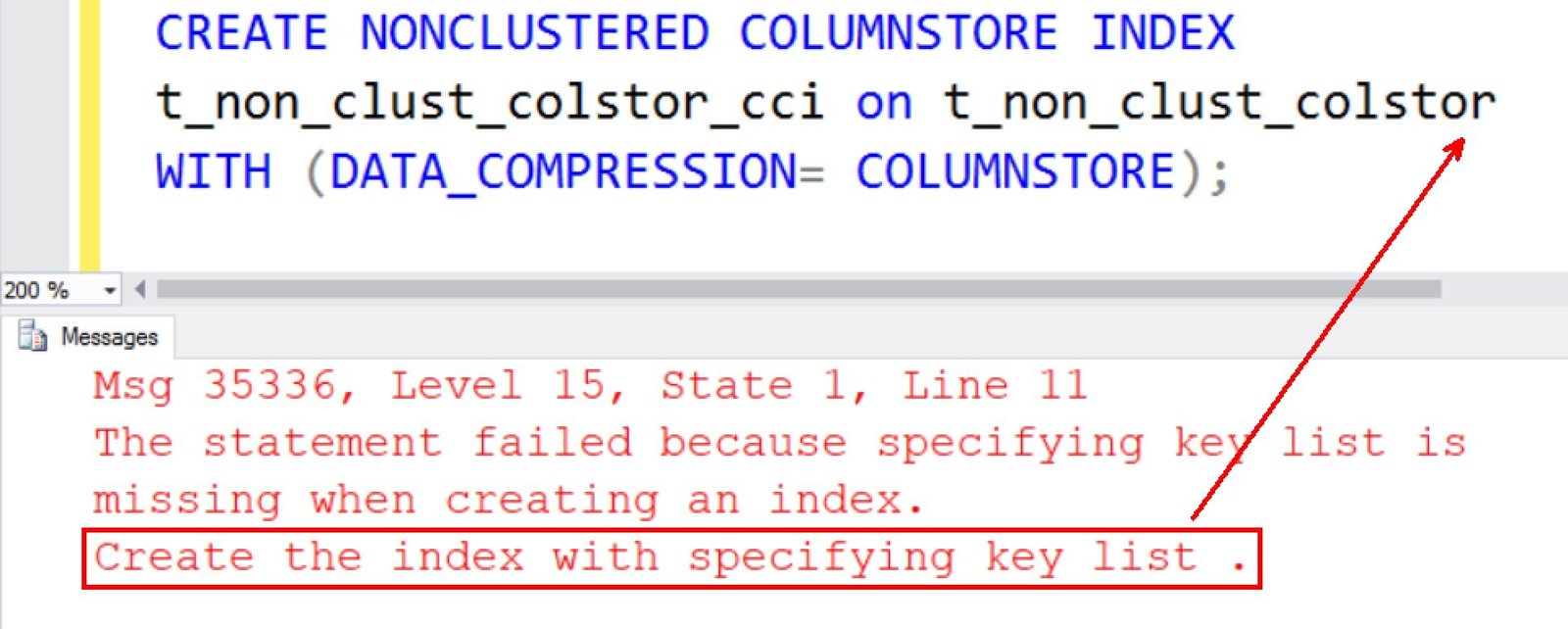
Since my consulting have started around performance tuning, I am able to see a number of customers who want to start using the new capabilities of SQL Server for their existing application as they plan to do an upgrade of their infrastructure. In one of engagement with a bank, who was upgrading their SQL Server 2012 to SQL Server 2016, they were interested in knowing how some of the new InMemory or even usage of ColumnStore Indexes can be used. It was an interesting conversation that started which I am using as a blog here.

SQL SERVER – Simple Example of BCP Command Line Utility
I was recently asked if I know the fastest way to export data from SQL Server table. This was very interesting question personally, as I have not run any such tests in the past. However, everytime when I had to export data, I have used in past BCP command line utility and I have found it does a pretty good job.

SQL SERVER – How to Find Out When Your SQL Login Will Expire?
If you are a SQLDBA, you must have created a login and you must have known about enforcing password policy to SQL Logins. Once of my client asked to provide script to find expiry details about SQL Login. It was an easy task. I went to books online and used LOGINPROPERTY function and passed name to all the possible parameters. Below would work for SQL 2008 onwards.
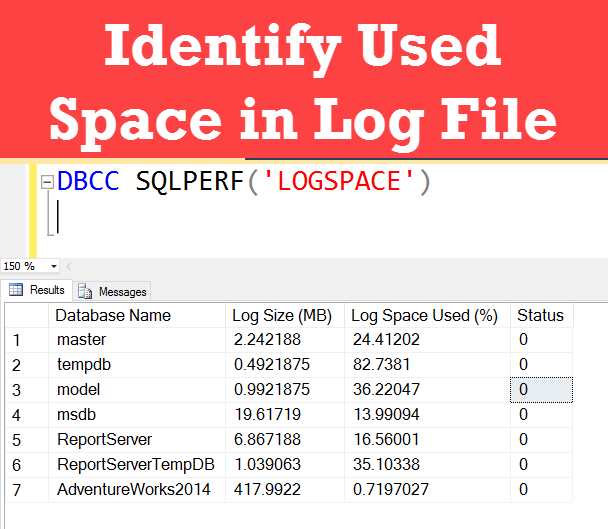
Identify Used Space in Log File- Interview Question of the Week #090
Question: How to identify Used Space in Log File?
Answer: Use following command to display used log file size and total used space in the log file.

SQL SERVER – How to Join a Table Valued Function with a Database Table
Just another day I received following question and I find it very interesting. I decided to try it out on SQL Server 2016’s new WideWorldImporters database. The question was – “How to Join a Table Valued Function with a Database Table?” This is indeed very interesting as this particular feature was introduced in SQL Server 2008, so what you will see in this blog post applies to every version of SQL Server after SQL Server 2008.

SQL SERVER – Set AUTO_CLOSE Database Option to OFF for Better Performance
As many of you know, I am an indecent SQL Server Consultant, who purely focus on SQL Server Performance. Every single day, I keep two slots each hour long available for users who need my help urgently. I never ever pre-book them because, I believe it is critical to help people who needs help NOW. Well let us learn in this blog post about how I recently helped a customer to improve performance by turning off AUTO_CLOSE Database Option.

SQL SERVER – How to Hide Number of Rows Affected Message? – SET NOCOUNT
In this blog post, we are going to talk about how to hide the number of rows affected messages with the help of SET NOCOUNT.