This month's discount Comprehensive Database Performance Health Check · Testimonials
SQLAuthority with Pinal Dave
Home
  • Consulting
    • Health Check
  • Free Videos
  • All Articles
    • AI
    • SQL Performance
    • SQL Tips and Tricks
    • Interview Questions and Answers
    • SQL Puzzle
    • SQL Video
    • SQLAuthority News
    • Personal
  • Books
  • Consulting
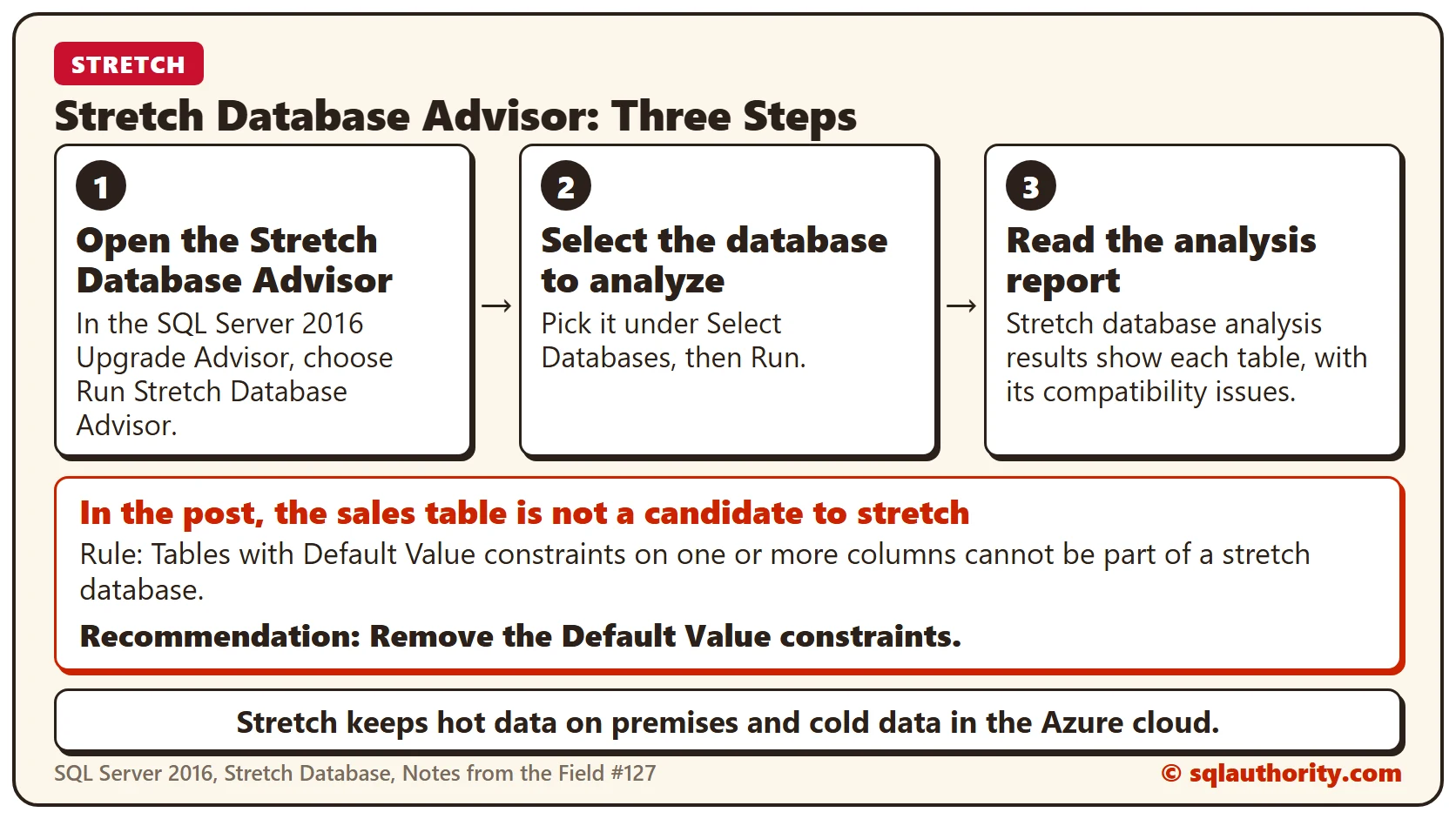
Diagram of the three steps to check a table for Stretch Database: open the Stretch Database Advisor, select the database to analyze, and read the analysis report, which says the sales table needs its Default Value constraints removed

Stretch Database in SQL Server 2016: Notes from the Field #127

June 9, 2016
Pinal Dave
SQL Tips and Tricks
Notes from the Field, SQL Azure, SQL Scripts, SQL Server, SQL Server 2016

Kenneth Urena shows how to use Stretch Database, the SQL Server 2016 feature that moves cold table data to Azure while hot data stays on premises. Microsoft has since discontinued it.
Read More
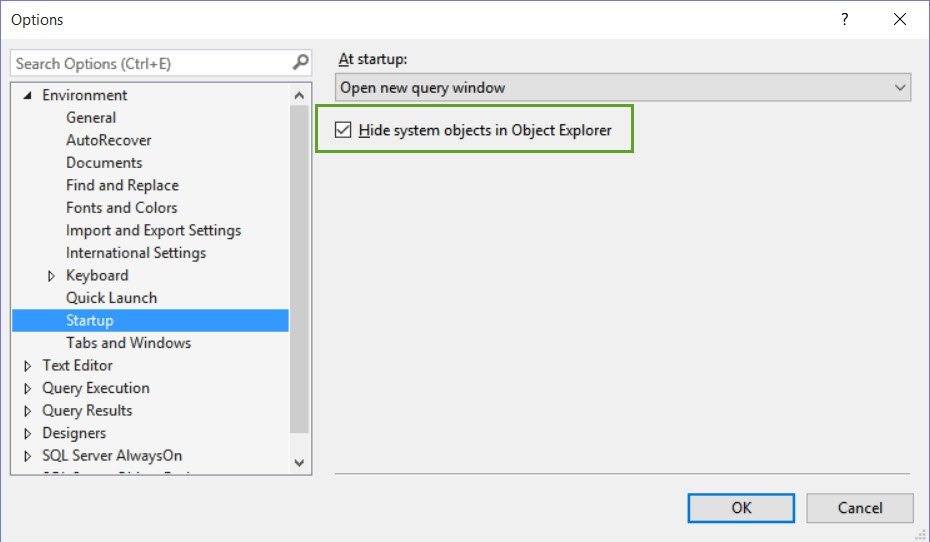
SQL SERVER - System Objects Not Visible in SQL Server Management Studio

SQL SERVER – System Objects Not Visible in SQL Server Management Studio

June 8, 2016
Pinal Dave
SQL Tips and Tricks
SQL Server, SQL Server Management Studio, System Object

Why were system objects not visible in SSMS 2016 when SSMS 2014 showed them on the same instance? A client asked me, and here is the answer.

Read More
An open storage chest has empty internal compartments within a separate surrounding storeroom.

SQL SERVER – How Much Free Space I Have in My Database?

June 7, 2016
Pinal Dave
SQL Interview Questions and Answers
SQL Scripts, SQL Server

Free Space inside data files differs from unused space on the Windows volume. I check both when planning growth.

Read More
SQL SERVER - Vertical Select Mode feature in SQL Server Management Studio

SQL SERVER – Vertical Select Mode feature in SQL Server Management Studio

June 6, 2016
Pinal Dave
SQL Tips and Tricks
SQL Server, SQL Server 2012, SQL Server Management Studio

Balmukund showed me the Vertical Select Mode in SSMS: hold ALT, select a block, then type on every row at once. It works in SQL Server 2012 and later.

Read More
The same ceramic buttons are arranged by color in one tray and by size in another

Sort Query Using Dynamic Variables Without EXEC – Interview Question of the Week #074

June 5, 2016
Pinal Dave
SQL Interview Questions and Answers
SQL Order By, SQL Scripts, SQL Server

How do you sort query results by a column passed in a variable? Here is how to sort query output dynamically without EXEC or sp_executesql.
Read More
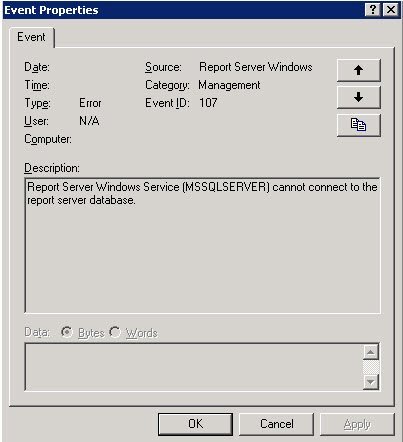
Event Properties window.

SQL SERVER – Event ID 107- Report Server Windows Service (MSSQLSERVER) cannot connect to the report server database.

June 4, 2016
Pinal Dave
SQL Tips and Tricks
Reporting Services, SQL Error Messages, SQL Log, SQL Server

Event ID 107 says the Report Server Windows service cannot connect to the report server database. Here is how I fixed it.

Read More
SQL SERVER - Maintain Carriage Return (Enter Key) in SQL Server 2016 Management Studio While Copy and Paste

SQL SERVER – Maintain Carriage Return (Enter Key) in SQL Server 2016 Management Studio While Copy and Paste

June 3, 2016
Pinal Dave
SQL Tips and Tricks
SQL Server, SQL Server 2016, SQL Server Management Studio, SQL String

Copy grid results with line breaks and paste them: SQL Server 2016 Management Studio drops the carriage returns. Here is the setting that keeps them.

Read More
Previous 1 … 318 319 320 321 322 323 324 … 844 Next
  • Books
  • Testimonials
  • Privacy Policy

© 2006 – 2026 All rights reserved. pinal @ SQLAuthority.com