
Interview question: What is the initial size of tempdb?
Answer: It is the configured size used when SQL Server recreates tempdb at startup. That may differ from the file’s current size after the running workload has caused autogrowth. Check sys.master_files for the configured startup size and tempdb.sys.database_files for the current allocation.

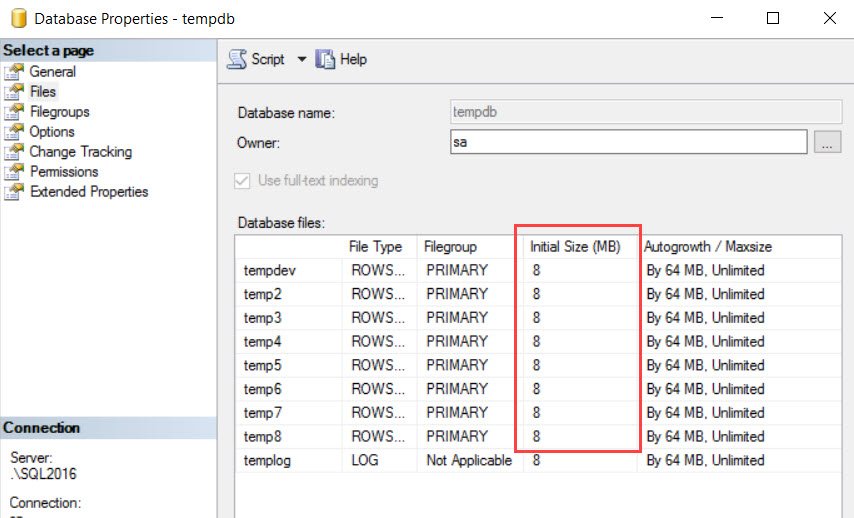
Trust me, this question is more complicated than it looks in one line. In my SQL Server 2016 test, the Files page initially displayed 8 MB for each tempdb file:
I then inserted enough wide rows into a temporary table to make the files grow. This was a lab workload, not something to run on a shared production instance. The same Files page now displayed 72 MB for the data files:
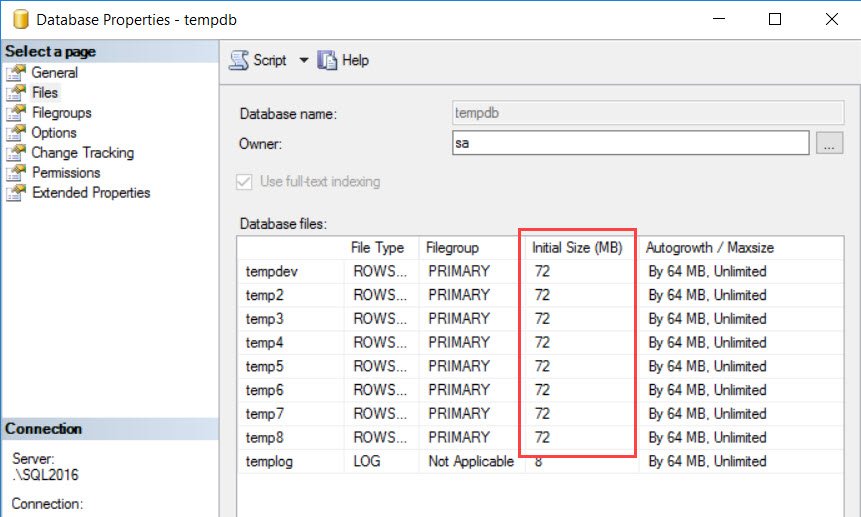
The dialog’s “Initial Size” label can mislead you here: the displayed running-file size had grown, but the configured startup value had not. Unless a DBA explicitly changes the configured file size, SQL Server recreates tempdb at that configured size on the next start.
Use this read-only query to compare both sizes on your instance:
SELECT m.file_id,
       m.name,
       m.type_desc,
       m.size * 8.0 / 1024 AS configured_startup_mb,
       c.size * 8.0 / 1024 AS current_allocated_mb
FROM sys.master_files AS m
JOIN tempdb.sys.database_files AS c
  ON c.file_id = m.file_id
WHERE m.database_id = DB_ID(N'tempdb')
ORDER BY m.file_id;
The original two-query demonstration used the legacy compatibility view. It shows the distinction directly: the same running instance had 72 MB current data files and an 8 MB startup template.
SELECT name, size * 8.0 / 1024 AS [Current Size in MB]
FROM tempdb.sys.database_files;

SELECT name, size * 8.0 / 1024 AS [Initial Size in MB]
FROM master.sys.sysaltfiles
WHERE dbid = 2;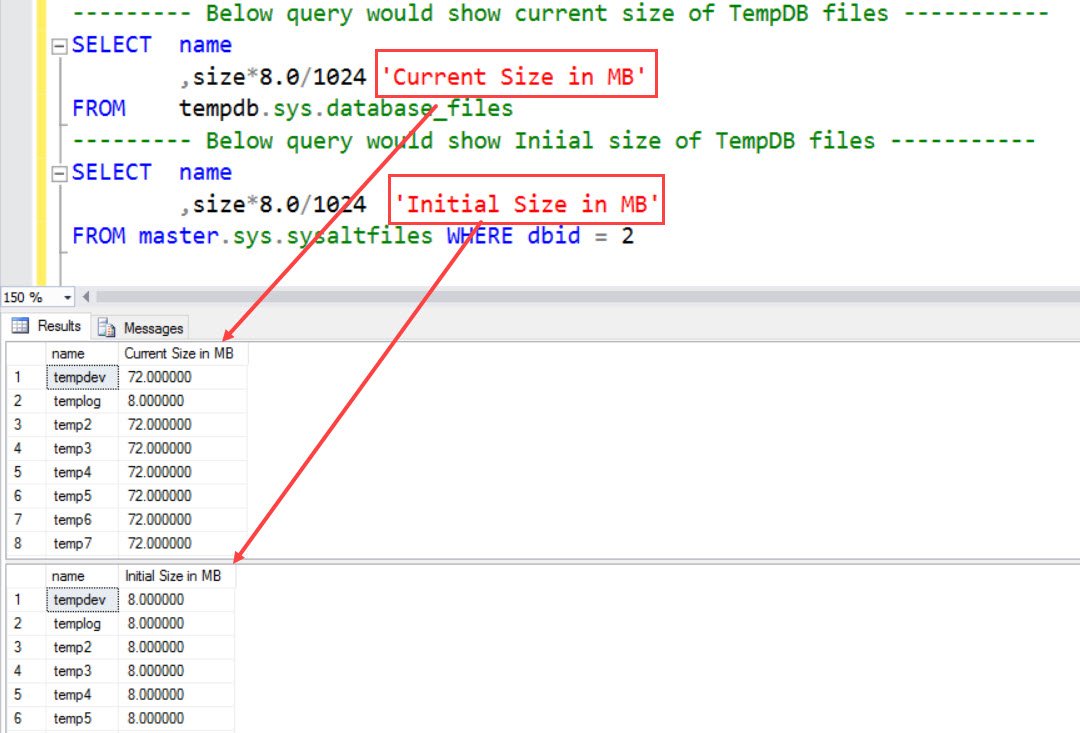
My earlier example used master.sys.sysaltfiles for the startup value. sys.master_files is the supported catalog view for that comparison. Its tempdb size is the startup template and does not increase with ordinary file autogrowth.
A file that repeatedly grows after every restart may be configured too small for the normal workload. Set a deliberate startup size and keep sensible autogrowth, rather than restarting to reclaim space without understanding why it grew.
Published by Pinal Dave on SQLAuthority. More of my work at pinaldave.com.
Discover more from SQL Authority with Pinal Dave
Subscribe to get the latest posts sent to your email.



1 Comment. Leave new
Note: sysaltfiles has been deprecated but is included for backwards compatibility. It has been replaced by sys.master_files. See https://docs.microsoft.com/en-us/sql/relational-databases/system-compatibility-views/sys-sysaltfiles-transact-sql?view=sql-server-2017 and https://docs.microsoft.com/en-us/sql/relational-databases/system-tables/mapping-system-tables-to-system-views-transact-sql?view=sql-server-2017.