
What is a foreign key? It’s one or more columns that must match a key. An enabled foreign key makes SQL Server refuse any value with no match. I think of it as the rule that stops a row from pointing at something that doesn’t exist.

What Is a Foreign Key in Plain Words
Take a small bookshop. Customers sits at the top and Orders sits below it. Every order belongs to a customer, so each row in Orders stores a CustomerID. That column is the foreign key, and the key it points to lives in Customers.
The table that holds the foreign key is the child. The table it points to is the parent. The parent columns need a primary key, a unique constraint or a unique index. Then exactly one row matches each value. A foreign key can use several columns together. It can also point back at its own table, such as an employee row that names a manager row.
Without the rule, nothing stops someone from adding an order for customer 99, who doesn’t exist. That row is an orphan. Reports then drop it from one total and count it in another, and nobody can say why the numbers disagree.
Why Not Check in the Application
The application can check customers before it saves an order. So what is a foreign key worth, when the code already does that? While the key is enabled, it checks ordinary INSERT, UPDATE and DELETE statements. That covers every path: an import script, a hand-typed fix, a second application. One exception matters. BULK INSERT and bcp skip the check unless you ask for CHECK_CONSTRAINTS. A disabled or untrusted key doesn’t protect the rows already in the table.
The database is where all of those paths meet. An enabled rule there holds no matter who writes the row, apart from the bulk-load exception. I treat application checks as a courtesy to the user and the foreign key as the guarantee.
Building the Bookshop With Its Keys
The script below creates a database named SqlBasicsForeignKeys if it’s missing, used only for this example. It then drops and rebuilds four small demo tables inside it, child first, so a second run works. The three REFERENCES clauses are the foreign keys. Each one is named, so the error messages are easy to read. Run it on a test instance.
IF DB_ID(N'SqlBasicsForeignKeys') IS NULL CREATE DATABASE SqlBasicsForeignKeys;
GO
USE SqlBasicsForeignKeys;
GO
DROP TABLE IF EXISTS dbo.OrderLines;
DROP TABLE IF EXISTS dbo.Orders;
DROP TABLE IF EXISTS dbo.Books;
DROP TABLE IF EXISTS dbo.Customers;
CREATE TABLE dbo.Customers (
    CustomerID int NOT NULL CONSTRAINT PK_Customers PRIMARY KEY,
    CustomerName nvarchar(60) NOT NULL,
    City nvarchar(40) NOT NULL);
CREATE TABLE dbo.Books (
    BookID int NOT NULL CONSTRAINT PK_Books PRIMARY KEY,
    Title nvarchar(80) NOT NULL,
    Price decimal(6,2) NOT NULL);
CREATE TABLE dbo.Orders (
    OrderID int NOT NULL CONSTRAINT PK_Orders PRIMARY KEY,
    CustomerID int NOT NULL CONSTRAINT FK_Orders_Customers REFERENCES dbo.Customers (CustomerID),
    OrderDate date NOT NULL);
CREATE TABLE dbo.OrderLines (
    OrderLineID int NOT NULL CONSTRAINT PK_OrderLines PRIMARY KEY,
    OrderID int NOT NULL CONSTRAINT FK_OrderLines_Orders REFERENCES dbo.Orders (OrderID),
    BookID int NOT NULL CONSTRAINT FK_OrderLines_Books REFERENCES dbo.Books (BookID),
    Quantity int NOT NULL);
INSERT INTO dbo.Customers (CustomerID, CustomerName, City) VALUES
    (1, N'Asha Rao', N'Denver'), (2, N'Ben Carter', N'Austin'),
    (3, N'Chloe Nguyen', N'Seattle'), (4, N'Dev Patel', N'Austin');
INSERT INTO dbo.Books (BookID, Title, Price) VALUES
    (1, N'The Tea Garden Cookbook', 18.50), (2, N'Seasonal Fruit Salads', 14.00),
    (3, N'Spice Shelf Basics', 22.25), (4, N'The Garden Notebook', 9.75),
    (5, N'Pocket Guide to Chai', 12.00);
INSERT INTO dbo.Orders (OrderID, CustomerID, OrderDate) VALUES
    (101, 1, '2026-09-01'), (102, 1, '2026-09-14'), (103, 2, '2026-09-15'),
    (104, 3, '2026-09-20'), (105, 3, '2026-09-28');
INSERT INTO dbo.OrderLines (OrderLineID, OrderID, BookID, Quantity) VALUES
    (1, 101, 1, 1), (2, 101, 4, 2), (3, 102, 2, 1), (4, 103, 3, 1),
    (5, 103, 1, 1), (6, 104, 5, 3), (7, 105, 2, 1), (8, 105, 4, 1);
What the Foreign Key Refuses
Try to add an order for a customer who isn’t in the table.
INSERT INTO dbo.Orders (OrderID, CustomerID, OrderDate) VALUES (106, 99, '2026-10-01');
SQL Server stops the statement with error 547. The message names the constraint, the database, the table and the column, and no row is added. Read the constraint name first. A good name such as FK_Orders_Customers tells you where to look.
This is the text SSMS shows in the Messages tab. It is output, not code to run.
Msg 547, Level 16
The INSERT statement conflicted with the FOREIGN KEY constraint "FK_Orders_Customers". The conflict occurred in database "SqlBasicsForeignKeys", table "dbo.Customers", column 'CustomerID'.
The statement has been terminated.
The rule works in the other direction too. Deleting a customer who still has orders fails with the same error number, because those orders would become orphans. Deleting customer 4 would work, since that customer has no orders.
DELETE FROM dbo.Customers WHERE CustomerID = 1;
One exception matters. A NULL in a foreign key column is not checked against the parent. If every order must have a customer, declare the column NOT NULL, as the script does for CustomerID.
ON DELETE and ON UPDATE Options
What you saw is the default, called NO ACTION. The statement fails and nothing changes. You can pick another behavior when you create the key.
CASCADE passes the change down: delete a parent and SQL Server deletes its children. SET NULL clears the child column instead, so that column must allow NULL. SET DEFAULT puts in the column’s default value. That value must exist in the parent, unless the column allows NULL and its default is NULL. ON UPDATE offers the same four choices.
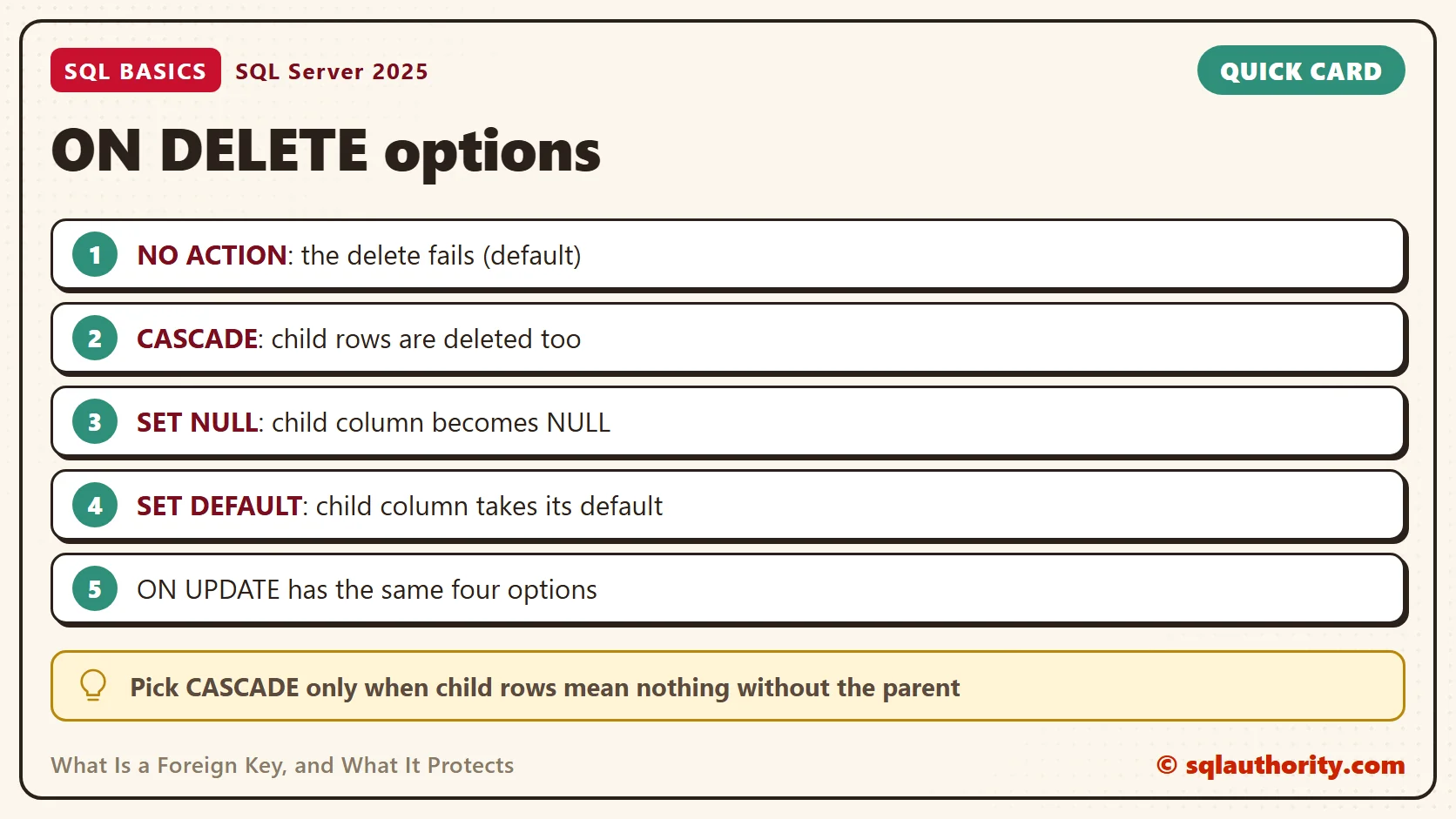
Here’s CASCADE on order lines. I choose it only when the child rows mean nothing without the parent. A line without its order is a good example. The script replaces the key, deletes order 104, and then counts the lines that remain for it. It expects the tables from the setup script, so rebuild them first if you ran it before.
ALTER TABLE dbo.OrderLines DROP CONSTRAINT FK_OrderLines_Orders;
ALTER TABLE dbo.OrderLines ADD CONSTRAINT FK_OrderLines_Orders
    FOREIGN KEY (OrderID) REFERENCES dbo.Orders (OrderID) ON DELETE CASCADE;
DELETE FROM dbo.Orders WHERE OrderID = 104;
SELECT COUNT(*) AS LinesLeftForOrder104 FROM dbo.OrderLines WHERE OrderID = 104;
The count is 0, and the line for order 104 is gone. One delete can remove many rows this way. Be careful with CASCADE on a table that has children of its own. To see the options a table uses, ask the catalog.
SELECT name, delete_referential_action_desc, update_referential_action_desc
FROM sys.foreign_keys
WHERE parent_object_id = OBJECT_ID(N'dbo.OrderLines');
Give the Foreign Key Column an Index
SQL Server does not create an index on the foreign key column when you add the key. The parent’s primary key has an index, but the child column has none. That’s a common gap in new databases.
It matters for two jobs. A join from Customers to Orders has to find the orders of each customer. A delete on Customers has to check Orders for matching rows. An index on Orders.CustomerID gives SQL Server a cheaper way to find those rows. The optimizer still picks the plan. Check the existing indexes first. Then index the foreign key columns that your joins and parent deletes use. The script drops each index first if it exists, so it can run twice.
DROP INDEX IF EXISTS IX_Orders_CustomerID ON dbo.Orders;
CREATE INDEX IX_Orders_CustomerID ON dbo.Orders (CustomerID);
DROP INDEX IF EXISTS IX_OrderLines_OrderID ON dbo.OrderLines;
CREATE INDEX IX_OrderLines_OrderID ON dbo.OrderLines (OrderID);
DROP INDEX IF EXISTS IX_OrderLines_BookID ON dbo.OrderLines;
CREATE INDEX IX_OrderLines_BookID ON dbo.OrderLines (BookID);
What a Foreign Key Does Not Do
A foreign key checks that a value exists in the parent. It does not check that the value is the right one. An order filed under the wrong customer still passes, as long as that customer exists. It also does not make joins faster by itself, which is why the index above matters.
You can see this in the bookshop. Order 105 belongs to customer 3. Change it to customer 2 and SQL Server accepts the update without a word, because customer 2 is real. Only the person who knows the business can say whether the order was filed correctly.
Related reading
What Is a Primary Key, and What Happens Without One?: the key a foreign key points at.
What Is an Index in SQL Server?: how an index finds rows without scanning the table.
Joining Three Tables: Following the Keys Step by Step: the same bookshop, followed through a join.
A foreign key is not paperwork for the database, it is a promise that every row points at something real.
Published by Pinal Dave on SQLAuthority. More of my work at pinaldave.com.
Discover more from SQL Authority with Pinal Dave
Subscribe to get the latest posts sent to your email.




4 Comments. Leave new
nice information
Nice Article to under stand these Core Concepts.
Good Work ..
Thanks keep Blogging.
its critical information nd can get thousands of opinions..