
To enable adaptive join in SQL Server, three things must be true. The compatibility level must be high enough. The feature must be switched on. The query must qualify. When an adaptive join never shows up in a plan, one of the three is the cause.

How to Know You Have an Adaptive Join
An adaptive join is a plan operator named Adaptive Join. It holds a nested loops branch and a hash branch, and it picks one at run time. If the operator is missing, the optimizer chose a normal join. The first script builds a database named AdaptiveEnableDemo. It holds a sales table of 400,000 rows and a customer table of 20,000 rows. A columnstore index on the sales table lets the query run in batch mode, which an adaptive join needs.
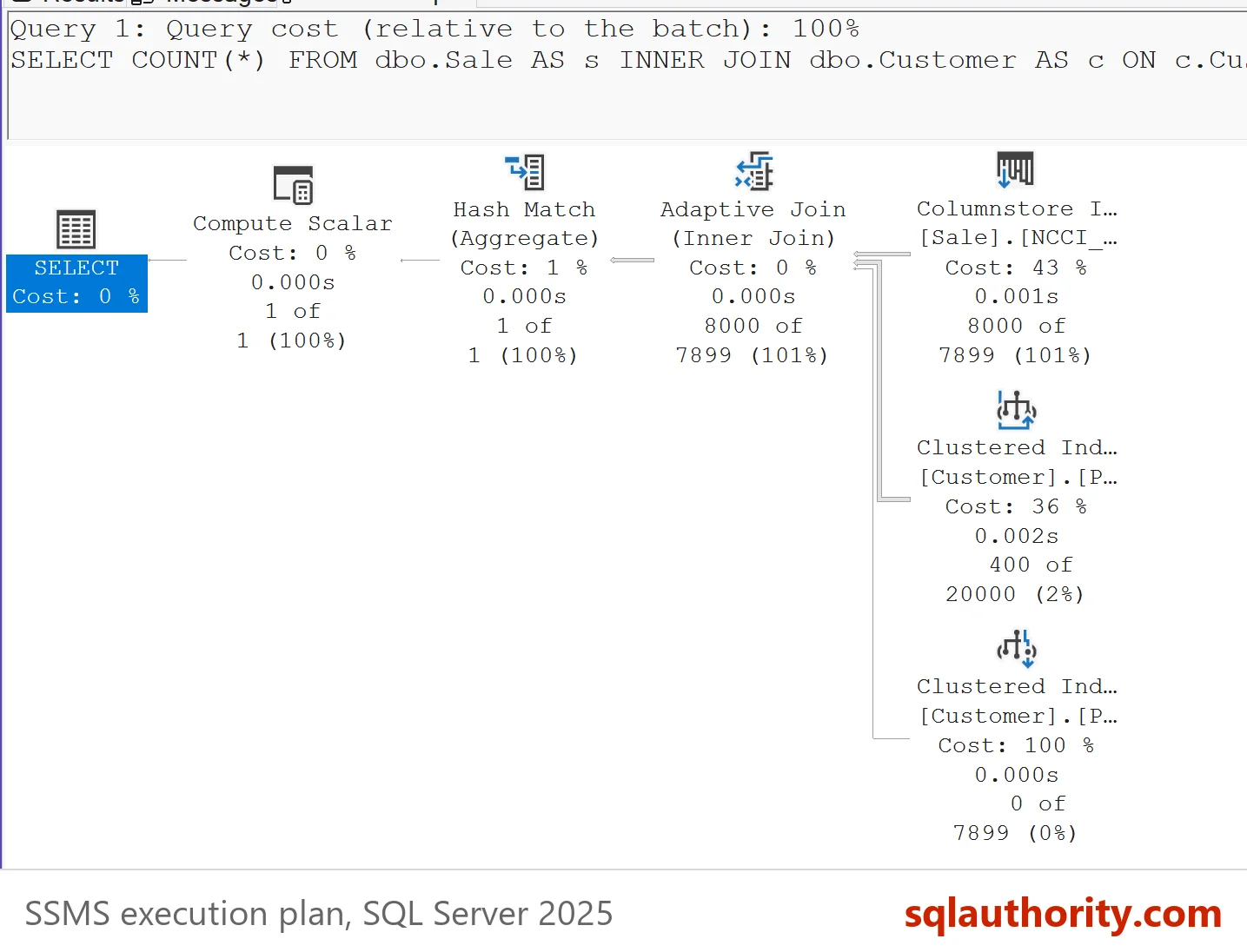
IF DB_ID(N'AdaptiveEnableDemo') IS NULL CREATE DATABASE AdaptiveEnableDemo;
GO
USE AdaptiveEnableDemo;
GO
DROP TABLE IF EXISTS dbo.Sale;
DROP TABLE IF EXISTS dbo.Customer;
DROP TABLE IF EXISTS dbo.ProbeLog;
CREATE TABLE dbo.Customer (CustomerID int NOT NULL PRIMARY KEY, Region nvarchar(20) NOT NULL);
CREATE TABLE dbo.Sale (SaleID int IDENTITY(1,1) NOT NULL PRIMARY KEY, CustomerID int NOT NULL, Amount decimal(10,2) NOT NULL);
CREATE TABLE dbo.ProbeLog (Setting nvarchar(40) NOT NULL, JoinInPlan nvarchar(20) NOT NULL);
WITH n AS (SELECT TOP (400000) ROW_NUMBER() OVER (ORDER BY (SELECT NULL)) AS i FROM sys.all_columns AS a CROSS JOIN sys.all_columns AS b)
INSERT INTO dbo.Customer (CustomerID, Region)
SELECT i, CHOOSE(i % 4 + 1, N'North', N'South', N'East', N'West') FROM n WHERE i <= 20000;
WITH n AS (SELECT TOP (400000) ROW_NUMBER() OVER (ORDER BY (SELECT NULL)) AS i FROM sys.all_columns AS a CROSS JOIN sys.all_columns AS b)
INSERT INTO dbo.Sale (CustomerID, Amount) SELECT i % 20000 + 1, (i % 1000) + 0.5 FROM n;
CREATE NONCLUSTERED COLUMNSTORE INDEX NCCI_Sale ON dbo.Sale (SaleID, CustomerID, Amount);
The second script creates a small probe procedure. It runs a join query and finds the cached plan by its label. Then it records whether the plan holds an Adaptive Join. The label sits in a comment at the end of the query text. Reading the cache needs VIEW SERVER STATE. On SQL Server 2022 and later the permission is VIEW SERVER PERFORMANCE STATE.
CREATE OR ALTER PROCEDURE dbo.ProbeAdaptive @Setting nvarchar(40), @MaxAmount int
AS
BEGIN
    DECLARE @sql nvarchar(max) = N'SELECT COUNT(*) FROM dbo.Sale AS s INNER JOIN dbo.Customer AS c ON c.CustomerID = s.CustomerID WHERE s.Amount < '
        + CONVERT(nvarchar(10), @MaxAmount) + N'; -- probe ' + @Setting;
    DECLARE @ignore TABLE (n int);
    INSERT INTO @ignore EXEC (@sql);
    WITH XMLNAMESPACES (DEFAULT 'http://schemas.microsoft.com/sqlserver/2004/07/showplan')
    INSERT INTO dbo.ProbeLog (Setting, JoinInPlan)
    SELECT @Setting, CASE WHEN qp.query_plan.exist('//RelOp[@PhysicalOp="Adaptive Join"]') = 1 THEN N'Adaptive Join' ELSE N'Other join' END
    FROM sys.dm_exec_cached_plans AS cp
    CROSS APPLY sys.dm_exec_sql_text(cp.plan_handle) AS st
    CROSS APPLY sys.dm_exec_query_plan(cp.plan_handle) AS qp
    WHERE st.text = @sql;
END;
Reason One: The Compatibility Level Is Too Low
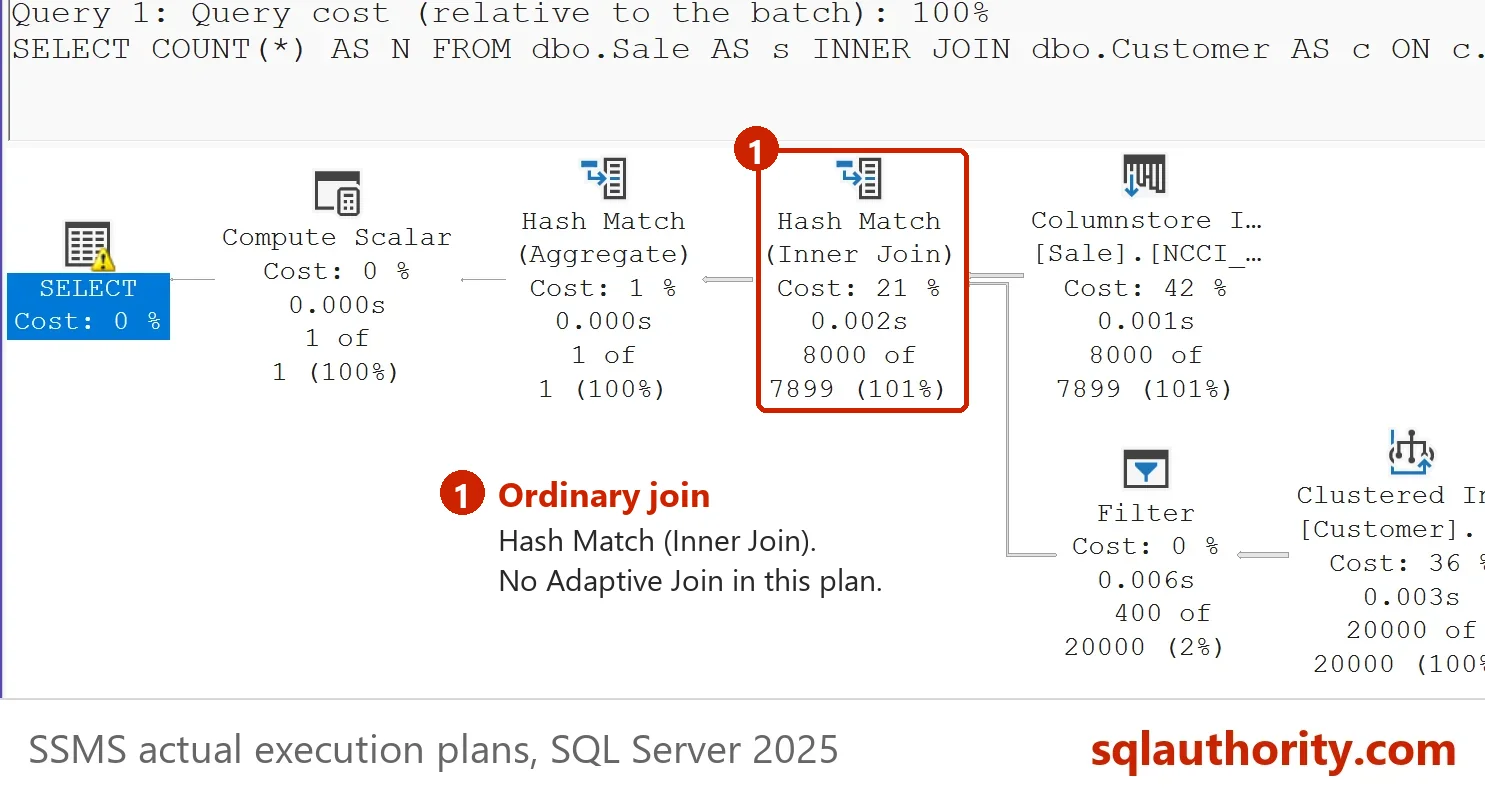
Adaptive joins need database compatibility level 140, which is SQL Server 2017, or higher. A database that was upgraded or restored from an older server keeps its old level. To enable adaptive join there, raise the level first. The script below runs the probe at levels 130, 140 and 150. Changing the level of a real database changes more than this one feature, so try it on a copy first.
TRUNCATE TABLE dbo.ProbeLog;
ALTER DATABASE AdaptiveEnableDemo SET COMPATIBILITY_LEVEL = 130;
GO
EXEC dbo.ProbeAdaptive N'level 130', 20;
ALTER DATABASE AdaptiveEnableDemo SET COMPATIBILITY_LEVEL = 140;
GO
EXEC dbo.ProbeAdaptive N'level 140', 20;
ALTER DATABASE AdaptiveEnableDemo SET COMPATIBILITY_LEVEL = 150;
GO
EXEC dbo.ProbeAdaptive N'level 150', 20;
SELECT Setting, JoinInPlan FROM dbo.ProbeLog ORDER BY Setting;
| Setting | JoinInPlan |
|---|---|
| level 130 | Other join |
| level 140 | Adaptive Join |
| level 150 | Adaptive Join |
Level 130 gives a normal join. Levels 140 and 150 give an adaptive join. To check your own database, read compatibility_level from sys.databases. Each ALTER DATABASE sits in its own batch, because the new level applies to the next batch. In one batch, the probe after the change to 130 still reported an Adaptive Join.
Reason Two: The Feature Is Switched Off
SQL Server 2019 and later have a database scoped configuration named BATCH_MODE_ADAPTIVE_JOINS. Its default is on. Someone can switch it off, and then no query in the database gets an adaptive join. The next script turns it off and on again, and probes after each change.
TRUNCATE TABLE dbo.ProbeLog;
ALTER DATABASE SCOPED CONFIGURATION SET BATCH_MODE_ADAPTIVE_JOINS = OFF;
GO
EXEC dbo.ProbeAdaptive N'setting off', 20;
ALTER DATABASE SCOPED CONFIGURATION SET BATCH_MODE_ADAPTIVE_JOINS = ON;
GO
EXEC dbo.ProbeAdaptive N'setting on', 20;
SELECT Setting, JoinInPlan FROM dbo.ProbeLog ORDER BY Setting;
SELECT name, value FROM sys.database_scoped_configurations WHERE name = N'BATCH_MODE_ADAPTIVE_JOINS';
| Setting | JoinInPlan |
|---|---|
| setting off | Other join |
| setting on | Adaptive Join |
| name | value |
|---|---|
| BATCH_MODE_ADAPTIVE_JOINS | 1 |
A value of 1 means the feature is on. A value of 0 means someone switched it off. To enable adaptive join again, run the statement with ON.
Older advice shows two statements for this setting. Both of them turn the feature off. One uses the name DISABLE_BATCH_MODE_ADAPTIVE_JOINS, which does not exist as a scoped configuration on SQL Server 2025.
ALTER DATABASE SCOPED CONFIGURATION SET DISABLE_BATCH_MODE_ADAPTIVE_JOINS = ON;
Msg 102, Level 15, State 1, Line 1
Incorrect syntax near 'DISABLE_BATCH_MODE_ADAPTIVE_JOINS'.
The other statement uses the correct name with OFF, and it disables the feature. Anyone who wants the feature on should run it with ON. Both statements disable it. SQL Server 2017 has no such setting, so the compatibility level and the query decide there.
Reason Three: The Query Does Not Qualify
The operator needs a join that runs in batch mode. The documentation adds that the optimizer must see nested loops and hash as close competitors. In the demo, a columnstore index makes batch mode possible. When the filter returns many rows, the optimizer picks a hash join without any adaptive step. The probe below compares a filter that returns 1,200 sales with one that returns about half of them.
TRUNCATE TABLE dbo.ProbeLog;
EXEC dbo.ProbeAdaptive N'few rows', 20;
EXEC dbo.ProbeAdaptive N'many rows', 500;
SELECT Setting, JoinInPlan FROM dbo.ProbeLog ORDER BY Setting;
| Setting | JoinInPlan |
|---|---|
| few rows | Adaptive Join |
| many rows | Other join |
Try other filter values in the probe to find where the plan changes on your data. The cutoff depends on row counts and statistics, so it differs from table to table.
A single query can also opt out with the hint DISABLE_BATCH_MODE_ADAPTIVE_JOINS. The post Disable Adaptive Join for One Query or a Whole Database covers it. To see how the join decides at run time, read Adaptive Threshold Rows: How an Adaptive Join Chooses.
Is the Feature Worth Enabling?
You could argue that you should leave the optimizer alone. Adaptive joins are on by default at level 140 and higher, so most databases need no action. The checks above are for the database where the operator is missing. If the level is old, ask why before you raise it. A new level changes many plan choices at once.
What to Remember
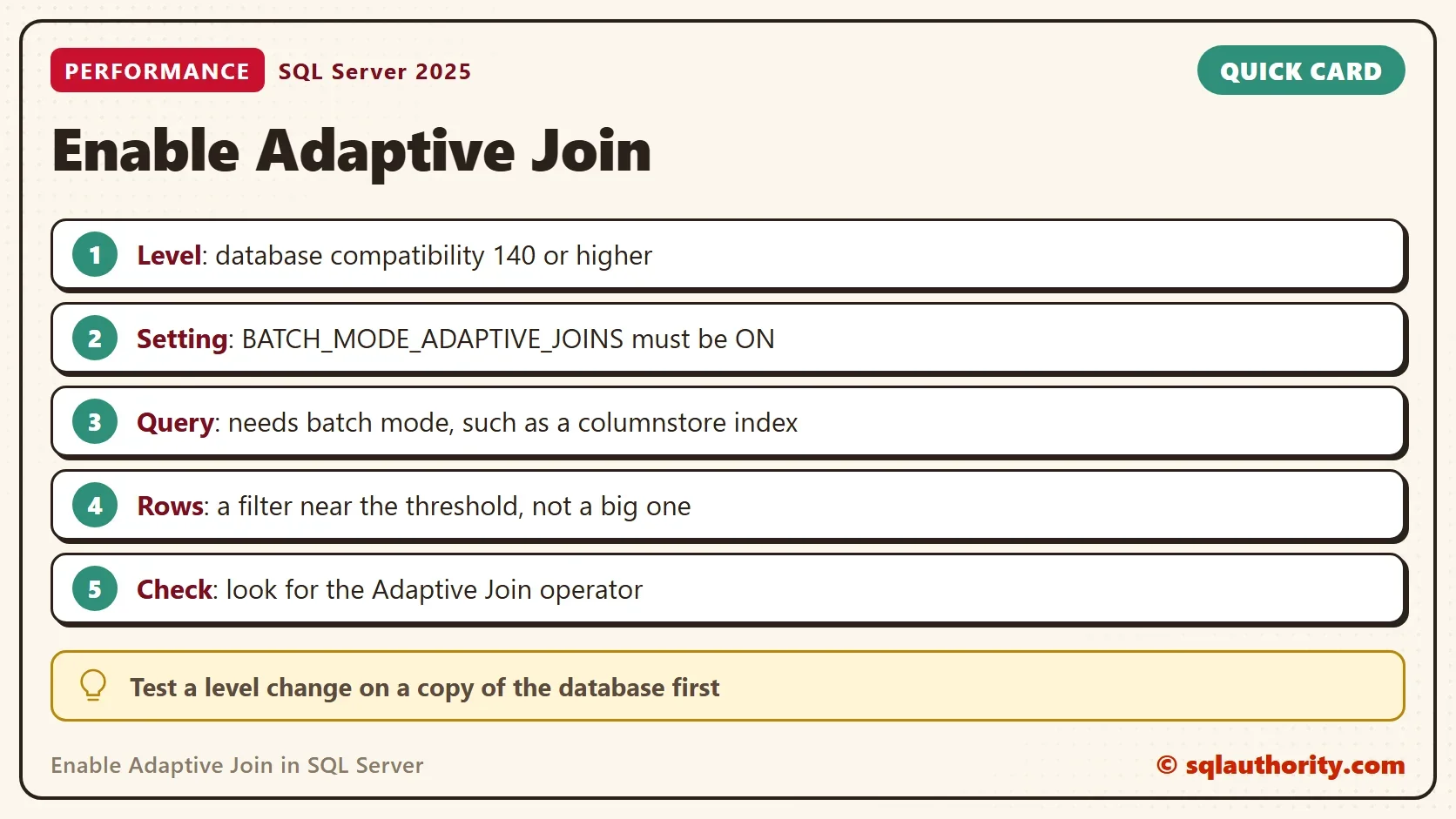
To enable adaptive join, check the compatibility level first. Then read the BATCH_MODE_ADAPTIVE_JOINS setting, and set it to ON if it is off. Last, check that the query runs in batch mode and that its row count sits near the threshold. The cleanup script drops the demo database.
USE master;
GO
IF DB_ID(N'AdaptiveEnableDemo') IS NOT NULL
BEGIN
    ALTER DATABASE AdaptiveEnableDemo SET SINGLE_USER WITH ROLLBACK IMMEDIATE;
    DROP DATABASE AdaptiveEnableDemo;
END;
An adaptive join is not a switch, it is three settings that agree.
Published by Pinal Dave on SQLAuthority. More of my work at pinaldave.com.
Discover more from SQL Authority with Pinal Dave
Subscribe to get the latest posts sent to your email.




1 Comment. Leave new
Hi Pinal, thanks for the excellent and precise article. Are those alter scoped configuration statements from “Reason 2” supposed to Enable or Disable the Adaptive join feature? For me seems, they intended to disable it.