
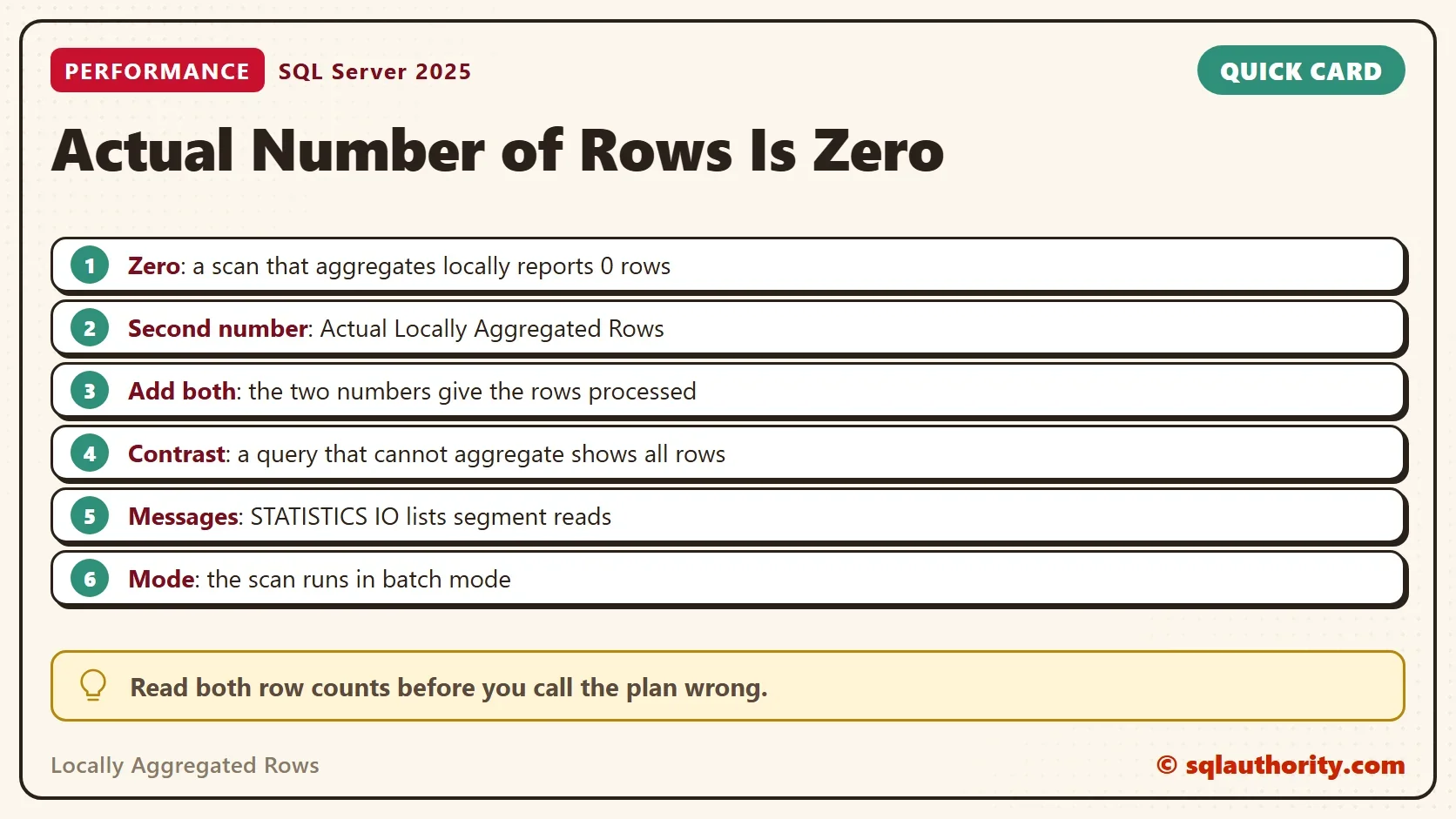
A columnstore scan shows zero actual rows when its work sits in the locally aggregated rows. The rows are not missing. The plan counts them in a second property, and the two numbers add up.

A Plan That Looks Wrong
In a plan with a columnstore scan, the Actual Number of Rows can be 0. Right after it, a hash match says it processed 50 rows. Zero rows can’t feed 50, so the plan looks broken. A client once stopped on exactly this picture and asked what was going on.
Nothing is broken. A columnstore scan can do part of an aggregate before it hands anything on. The locally aggregated rows are not counted as rows output.
Build a Columnstore Table
The script creates a database named ColumnstoreRowsDemo with one table of 1,000,000 sales lines in a clustered columnstore index. Run it on a test server.
IF DB_ID(N'ColumnstoreRowsDemo') IS NULL CREATE DATABASE ColumnstoreRowsDemo;
GO
USE ColumnstoreRowsDemo;
GO
DROP TABLE IF EXISTS dbo.SalesLines;
CREATE TABLE dbo.SalesLines (
    LineID int NOT NULL,
    ProductID int NOT NULL,
    Quantity int NOT NULL,
    UnitPrice decimal(10,2) NOT NULL
);
INSERT INTO dbo.SalesLines (LineID, ProductID, Quantity, UnitPrice)
SELECT s.value, (s.value % 50) + 1, (s.value % 7) + 1, ((s.value % 40) + 5) * 1.25
FROM GENERATE_SERIES(1, 1000000) AS s;
CREATE CLUSTERED COLUMNSTORE INDEX CCI_SalesLines ON dbo.SalesLines;
A columnstore index stores rows in row groups. This query lists them. A million rows fit in one row group, which is why the scan below reports one row group.
SELECT row_group_id, state_desc, total_rows
FROM sys.dm_db_column_store_row_group_physical_stats
WHERE object_id = OBJECT_ID(N'dbo.SalesLines');
| row_group_id | state_desc | total_rows |
|---|---|---|
| 0 | COMPRESSED | 1000000 |
The Messages tab prints a join order warning for this view. The warning is harmless here.
Run an Aggregate and Read the Plan
Turn on Include Actual Execution Plan and run the query. It groups by product and sums and averages two columns. MAXDOP 1 keeps the plan to one thread, so each operator has one row of numbers. The first line turns on STATISTICS IO.
SET STATISTICS IO ON;
SELECT ProductID,
       SUM(UnitPrice) AS SumPrice, AVG(UnitPrice) AS AvgPrice,
       SUM(Quantity) AS SumQty, AVG(Quantity) AS AvgQty
FROM dbo.SalesLines
GROUP BY ProductID
ORDER BY ProductID
OPTION (MAXDOP 1);
SET STATISTICS IO OFF;
Click the scan operator and open Properties. Look for Actual Number of Rows and Actual Number of Locally Aggregated Rows. SSMS 22 names the first one Actual Number of Rows for All Executions. Here is what the operators reported.
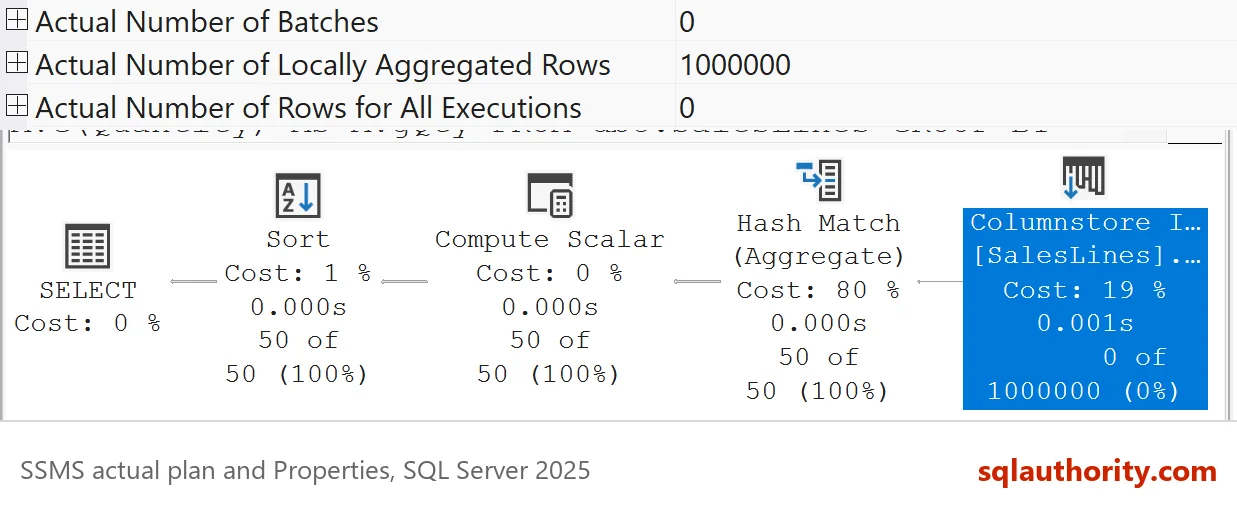
| Operator | ActualRows | LocallyAggregatedRows | Batches |
|---|---|---|---|
| Hash Match | 50 | 0 | 1 |
| Clustered Index Scan | 0 | 1,000,000 | 0 |
The scan reports 0 actual rows and 1,000,000 locally aggregated rows. The hash match above it reports 50 rows, one for each product. Add the scan’s two numbers and you get the million rows the scan processed.
Two Sections in STATISTICS IO
The Messages tab splits the same story in two. One line counts reads of the column data, as lob logical reads. A second line counts row groups.
Table 'SalesLines'. Scan count 1, logical reads 0, physical reads 0, page server reads 0, read-ahead reads 0, page server read-ahead reads 0, lob logical reads 13, lob physical reads 0, lob page server reads 0, lob read-ahead reads 0, lob page server read-ahead reads 0.
Table 'SalesLines'. Segment reads 1, segment skipped 0.
The first line shows 0 logical reads and about 13 lob logical reads, and your count differs. The columns live in large objects, so the ordinary read counter stays at zero. On the second line, Segment reads 1 means one row group was read. Segment skipped 0 means none were skipped. The query reads three columns inside that one row group.
The counter counts row groups, not columns. In a test with 2,200,000 rows, which fill three row groups, the same query printed Segment reads 3.
Why the Scan Does the Work
A columnstore segment holds one column of a row group in compressed form. SQL Server can add up a compressed segment without turning it back into rows. That is cheaper than building a million rows and passing them up the plan. When the aggregate allows it, the scan sums the segment itself and sends only the totals on.
A Query That Cannot Aggregate in the Scan
Not every aggregate can run inside the scan. The next query asks for a standard deviation, which the scan can’t compute alone.
SELECT ProductID, STDEV(UnitPrice) AS PriceSpread
FROM dbo.SalesLines
GROUP BY ProductID
ORDER BY ProductID
OPTION (MAXDOP 1);
| Operator | ActualRows | LocallyAggregatedRows | Batches |
|---|---|---|---|
| Hash Match | 50 | 0 | 1 |
| Clustered Index Scan | 1,000,000 | 0 | 1,400 |
Now the scan reports 1,000,000 actual rows in 1,400 batches, and the locally aggregated count is 0. The scan passes every row on, so the rows are counted as output. That is the contrast. Zero actual rows with a large locally aggregated count means the scan did aggregate work. Zero actual rows and no locally aggregated count means the scan found no rows. Batch mode moves rows in groups, and here a batch holds about 714 rows.
An Empty Scan Also Shows Zero
A zero can also mean the scan found nothing. This query asks for lines with a negative LineID, and none exist. It returns 0.
SELECT COUNT(*) AS LinesFound
FROM dbo.SalesLines
WHERE LineID < 0
OPTION (MAXDOP 1);
| Operator | ActualRows | LocallyAggregatedRows | Segments skipped |
|---|---|---|---|
| Stream Aggregate | 1 | 0 | not applicable |
| Clustered Index Scan | 0 | property not present | 1 |
The scan again shows zero actual rows, but there is no locally aggregated count to add. The scan skipped the one row group, so it read nothing. The Messages tab says so with Segment reads 0 and segment skipped 1. That is the second half of the rule. A zero with a large locally aggregated count is work. A zero with no second number is an empty scan.
What to Check in a Real Plan
A healthy aggregate over a columnstore table shows a scan with zero actual rows and many locally aggregated rows. A slow one shows a scan with every row and many batches, as in the standard deviation query. Then look for the aggregate that blocked the shortcut, and see if you can rewrite it.
Could SSMS Show the Total?
You could argue that SSMS should add the two numbers and show one. It would spare a lot of confusion. The properties already hold both values, so the information is there. The graphical plan label shows only the Actual Number of Rows, which is zero here.
For more on how columnstore behaves when no aggregation happens, read Columnstore Indexes Without Aggregation: Do They Still Help?.
What to Remember
A zero in the Actual Number of Rows of a columnstore scan needs the second property. A large Actual Number of Locally Aggregated Rows means local aggregation. No second number means an empty scan. Check it before you doubt the plan. When a scan shows every row and many batches, no aggregate was pushed into it. Both numbers also sit in the plan XML, so a saved plan keeps the evidence.
When you finish, drop the demo database.
USE master;
GO
IF DB_ID(N'ColumnstoreRowsDemo') IS NOT NULL
BEGIN
    ALTER DATABASE ColumnstoreRowsDemo SET SINGLE_USER WITH ROLLBACK IMMEDIATE;
    DROP DATABASE ColumnstoreRowsDemo;
END;
A zero row count is not proof of an empty scan, it is a prompt to read the second number.
Published by Pinal Dave on SQLAuthority. More of my work at pinaldave.com.
Discover more from SQL Authority with Pinal Dave
Subscribe to get the latest posts sent to your email.


