Columnstore indexes without aggregation still help, because a columnstore reads only the columns that a query names. It is a myth that the index is only for sums and counts.

Where the Myth Comes From
Columnstore indexes were introduced for data warehouses, where queries add up millions of rows. Every example shows a SUM or a GROUP BY. So people ask whether columnstore indexes without aggregation help a plain query that filters rows and returns them. A team of database administrators asked exactly that after a columnstore index made their aggregation fast.
The answer comes from how the data is stored. A rowstore table keeps whole rows together on a page. To check two columns, SQL Server reads the pages with all six. A columnstore keeps each column in its own compressed segments. A query that names four columns reads four columns.
Two Copies of the Same Table
The next script creates a database named ColumnstoreScanDemo and a table of one million order lines. The table has a clustered primary key. The script copies the rows into a second table and builds a clustered columnstore index on it. GENERATE_SERIES needs SQL Server 2022 and compatibility level 160. On older versions, fill the table from any numbers source.
IF DB_ID(N'ColumnstoreScanDemo') IS NULL CREATE DATABASE ColumnstoreScanDemo;
GO
USE ColumnstoreScanDemo;
GO
DROP TABLE IF EXISTS dbo.OrderLinesRow, dbo.OrderLinesColumn;
CREATE TABLE dbo.OrderLinesRow (
    OrderLineID int           NOT NULL,
    OrderID     int           NOT NULL,
    StockItemID int           NOT NULL,
    Quantity    int           NOT NULL,
    UnitPrice   decimal(9,2)  NOT NULL,
    Description nvarchar(100) NOT NULL,
    CONSTRAINT PK_OrderLinesRow PRIMARY KEY CLUSTERED (OrderLineID)
);
INSERT INTO dbo.OrderLinesRow (OrderLineID, OrderID, StockItemID, Quantity, UnitPrice, Description)
SELECT value, value / 4 + 1, (value * 37) % 1000 + 1, value % 10 + 1, 5 + (value % 90), CONCAT(N'Packed item number ', value)
FROM GENERATE_SERIES(1, 1000000);
SELECT * INTO dbo.OrderLinesColumn FROM dbo.OrderLinesRow;
CREATE CLUSTERED COLUMNSTORE INDEX CCI_OrderLinesColumn ON dbo.OrderLinesColumn;
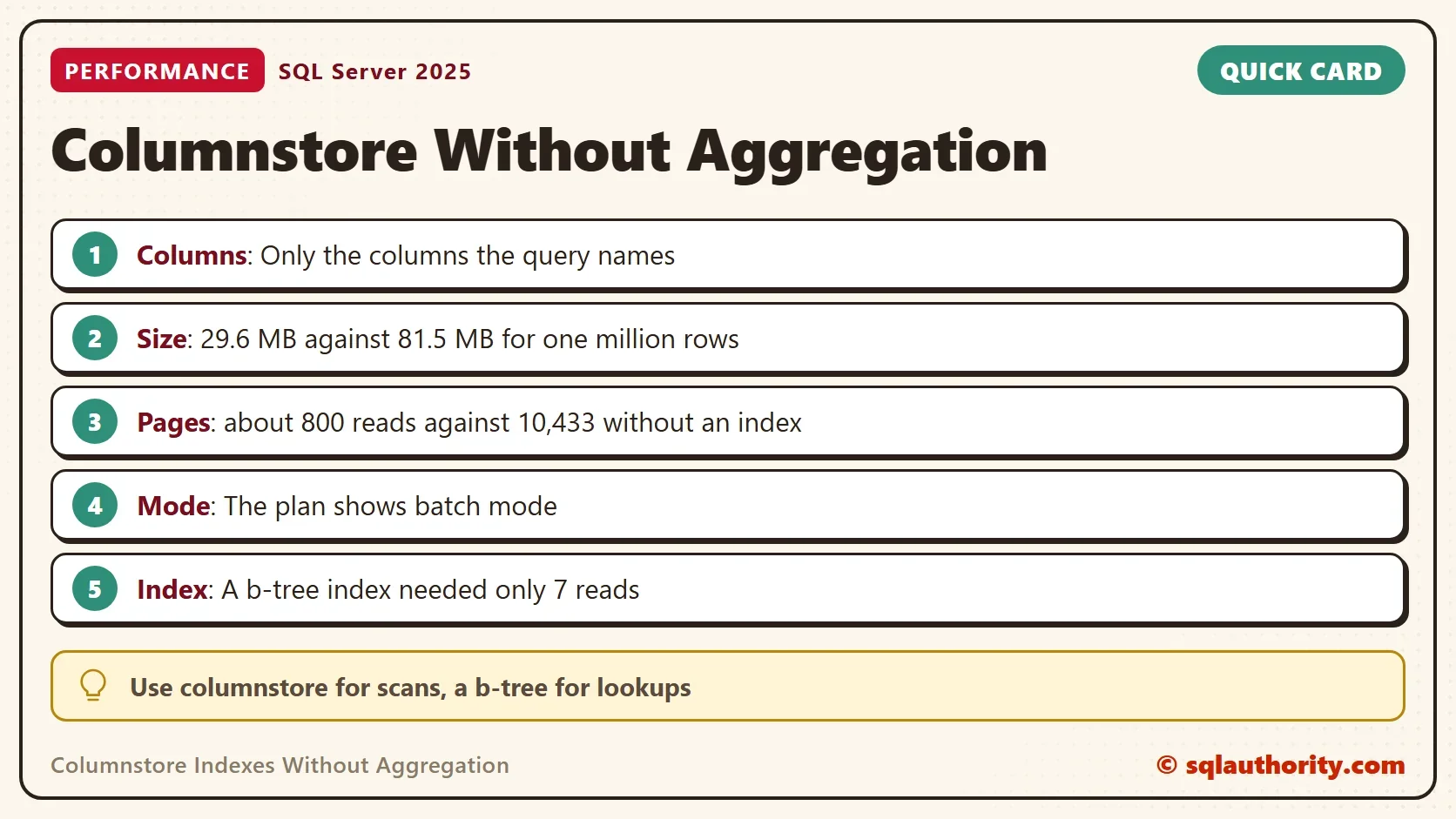
First compare the size. The columnstore copy holds the same rows in a little over a third of the space.
SELECT OBJECT_NAME(object_id) AS TableName, SUM(used_page_count) * 8 / 1024.0 AS UsedMB, SUM(row_count) AS TotalRows
FROM sys.dm_db_partition_stats
WHERE object_id IN (OBJECT_ID(N'dbo.OrderLinesRow'), OBJECT_ID(N'dbo.OrderLinesColumn')) AND index_id IN (0, 1)
GROUP BY object_id
ORDER BY TableName DESC;
| TableName | UsedMB | TotalRows |
|---|---|---|
| OrderLinesRow | 81.5 | 1000000 |
| OrderLinesColumn | 29.6 | 1000000 |
Your sizes will differ a little.
A Query With No Aggregation
The query filters on two columns and returns four. It has no GROUP BY and no SUM. Each batch uses variables, so SQL Server caches the plan under the batch text. The comment at the top labels each run. The first batch reads the rowstore table, and the second reads the columnstore copy.
/* rowstore */
DECLARE @Item int = 42, @Price decimal(9,2) = 38;
SELECT OrderLineID, StockItemID, Quantity, UnitPrice
FROM dbo.OrderLinesRow
WHERE StockItemID = @Item AND UnitPrice = @Price;
GO
/* columnstore */
DECLARE @Item int = 42, @Price decimal(9,2) = 38;
SELECT OrderLineID, StockItemID, Quantity, UnitPrice
FROM dbo.OrderLinesColumn
WHERE StockItemID = @Item AND UnitPrice = @Price;
Both return the same 111 rows. The difference is the work. The next query reads the plan cache. For the last run of each batch, it returns the reads and the execution mode of the plan.
SELECT CASE WHEN st.text LIKE N'%/* rowstore index */%' THEN N'Rowstore table with an index'
            WHEN st.text LIKE N'%/* rowstore */%' THEN N'Rowstore table, no index'
            ELSE N'Columnstore table' END AS Query,
       qs.last_logical_reads AS LogicalReads, qs.last_rows AS RowsReturned,
       IIF(CONVERT(nvarchar(max), qp.query_plan) LIKE N'%EstimatedExecutionMode="Batch"%', N'Batch', N'Row') AS ExecutionMode
FROM sys.dm_exec_query_stats AS qs
CROSS APPLY sys.dm_exec_sql_text(qs.sql_handle) AS st
CROSS APPLY sys.dm_exec_query_plan(qs.plan_handle) AS qp
WHERE (st.text LIKE N'%/* rowstore */%' OR st.text LIKE N'%/* rowstore index */%' OR st.text LIKE N'%/* columnstore */%')
  AND st.text NOT LIKE N'%dm_exec_query_stats%'
ORDER BY qs.last_logical_reads DESC;| Query | LogicalReads | RowsReturned | ExecutionMode |
|---|---|---|---|
| Rowstore table, no index | 10433 | 111 | Row |
| Columnstore table | 849 | 111 | Batch |
The rowstore table needs 10,433 reads, because it scans every page. The columnstore copy needs 849 in this run, and the count moves a little from load to load. The plan also switched to batch mode. Batch mode processes rows in groups of about 900, not one at a time. A query that has nothing to aggregate gets both benefits. The rowstore plan stayed in row mode, even though this database is at compatibility level 170.
Add a B-Tree Index
Be fair to the rowstore table before you decide. A rowstore index on StockItemID that includes the two other columns answers this query without a scan. Create it and run the rowstore query again with a new label. Then run the plan cache query a second time.
CREATE NONCLUSTERED INDEX IX_OrderLinesRow_StockItem ON dbo.OrderLinesRow (StockItemID) INCLUDE (Quantity, UnitPrice);
GO
/* rowstore index */
DECLARE @Item int = 42, @Price decimal(9,2) = 38;
SELECT OrderLineID, StockItemID, Quantity, UnitPrice
FROM dbo.OrderLinesRow
WHERE StockItemID = @Item AND UnitPrice = @Price;
| Query | LogicalReads | RowsReturned | ExecutionMode |
|---|---|---|---|
| Rowstore table, no index | 10433 | 111 | Row |
| Columnstore table | 849 | 111 | Batch |
| Rowstore table with an index | 7 | 111 | Row |
The indexed query needs 7 reads. For a selective lookup like this one, a b-tree index wins by a wide margin. A columnstore index doesn’t replace it.
Why Segments Matter
Each column is stored in segments, one for each group of up to about a million rows. SQL Server keeps the lowest and the highest value, or dictionary id, of every segment. A filter can skip a segment that cannot hold a match. The next query shows the range of each StockItemID segment. SQL Server prints a join order warning for this catalog view, and you can ignore it.
SELECT s.segment_id, s.min_data_id, s.max_data_id
FROM sys.column_store_segments AS s
JOIN sys.partitions AS p ON s.hobt_id = p.hobt_id
JOIN sys.columns AS c ON c.object_id = p.object_id AND c.column_id = s.column_id
WHERE p.object_id = OBJECT_ID(N'dbo.OrderLinesColumn') AND c.name = N'StockItemID'
ORDER BY s.segment_id;
| segment_id | min_data_id | max_data_id |
|---|---|---|
| 0 | 1 | 1000 |
| 1 | 1 | 1000 |
One million rows give two segments, because the load produced two row groups. Both segments span 1 to 1000, because the rows were loaded in OrderLineID order, not StockItemID order. No segment can be skipped for this filter, so the 849 reads come from compression and from reading fewer columns. Load the rows sorted by the filter column, and a segment can be skipped.
Choose by the Shape of the Query
You could argue that the test proves too little, because one query never decides an index. That’s right. A columnstore index pays off when a query scans many rows and touches few columns. It also pays off when a filter column has no b-tree index. A b-tree index wins for narrow lookups on a known key.
Writes cost more on a columnstore. New rows wait in a delta store, and an update is a delete plus an insert. Weigh that against the read gain.
What to Remember
Columnstore indexes without aggregation help when the query scans a lot and names few columns. Compare reads and execution mode before you decide, and keep a b-tree index for the narrow lookups. Test on your own data, because the gain depends on the row count and the columns.
When you finish, drop the demo database.
USE master;
GO
IF DB_ID(N'ColumnstoreScanDemo') IS NOT NULL
BEGIN
    ALTER DATABASE ColumnstoreScanDemo SET SINGLE_USER WITH ROLLBACK IMMEDIATE;
    DROP DATABASE ColumnstoreScanDemo;
END;
A columnstore is not an aggregation tool, it is a way to read less of each row.
Published by Pinal Dave on SQLAuthority. More of my work at pinaldave.com.
Discover more from SQL Authority with Pinal Dave
Subscribe to get the latest posts sent to your email.