
The Set-ClusterParameter error “ProbePort does not exist” came from two wrong values in my script, not from PowerShell. I’m getting more clients who want an Always On availability group on Azure virtual machines. To stay current, I try their scenario in my lab.

The Error
I was following Microsoft’s article on configuring a load balancer for an Always On availability group in Azure. Everything went well until I ran this script:
$ClusterNetworkName = "WinCluster"
$IPResourceName = "MyListenerIP"
$ListenerILBIP = "10.0.0.22"
[int]$ListenerProbePort = 59999
Import-Module FailoverClusters
Get-ClusterResource $IPResourceName | Set-ClusterParameter -Multiple @{"Address"="$ListenerILBIP";"ProbePort"=$ListenerProbePort;"SubnetMask"="255.255.255.255";"Network"="$ClusterNetworkName";"EnableDhcp"=0}
It failed with this long error. I trimmed the underline line.
Set-ClusterParameter : Parameter 'ProbePort' does not exist on the cluster object 'WinCluster'. If you are trying to update an existing parameter, please make sure the parameter name is specified correctly. You can check for the current parameters by passing the .NET object received from the appropriate Get-Cluster* cmdlet to '| Get-ClusterParameter'. If you are trying to update a common property on the cluster object, you should set the property directly on the .NET object received by the appropriate Get-Cluster* cmdlet. You can check for the current common properties by passing the .NET object received from the appropriate Get-Cluster* cmdlet to "| fl *". If you are trying to create a new unknown parameter, please use -Create with this Set-ClusterParameter cmdlet.
At line:5 char:39
+ ... ourceName | Set-ClusterParameter -Multiple @{"Address"="$ILBIP";"Prob ...
+ CategoryInfo : InvalidOperation: (:) [Set-ClusterParameter], ClusterCmdletException
+ FullyQualifiedErrorId : InvalidOperation,Microsoft.FailoverClusters.PowerShell.SetClusterParameterCommand
Why It Happens
The message says that ProbePort isn’t the right parameter. My first thought was that my PowerShell was old and didn’t understand it. That wasn’t the cause. I was passing the wrong values.
The first mistake was the value of $ClusterNetworkName. I had used the Windows cluster name. It should be the cluster network name, such as Cluster Network 1, or a value shown by Get-ClusterNetwork.
The second mistake was the value of $IPResourceName. It should be the name of the IP Address resource, not the value that the cluster manager UI shows. Right-click the IP resource, open its Properties and take the Name from there.

The Fix
Once I fixed both values, the script ran. I was able to configure the internal load balancer (ILB) correctly.
How to Prevent It
Check each name against the cluster before you run a script from an article. Use Get-ClusterNetwork for the network name, and the Properties of the IP resource for its name. Don’t reuse the Windows cluster name where the script wants a network name.
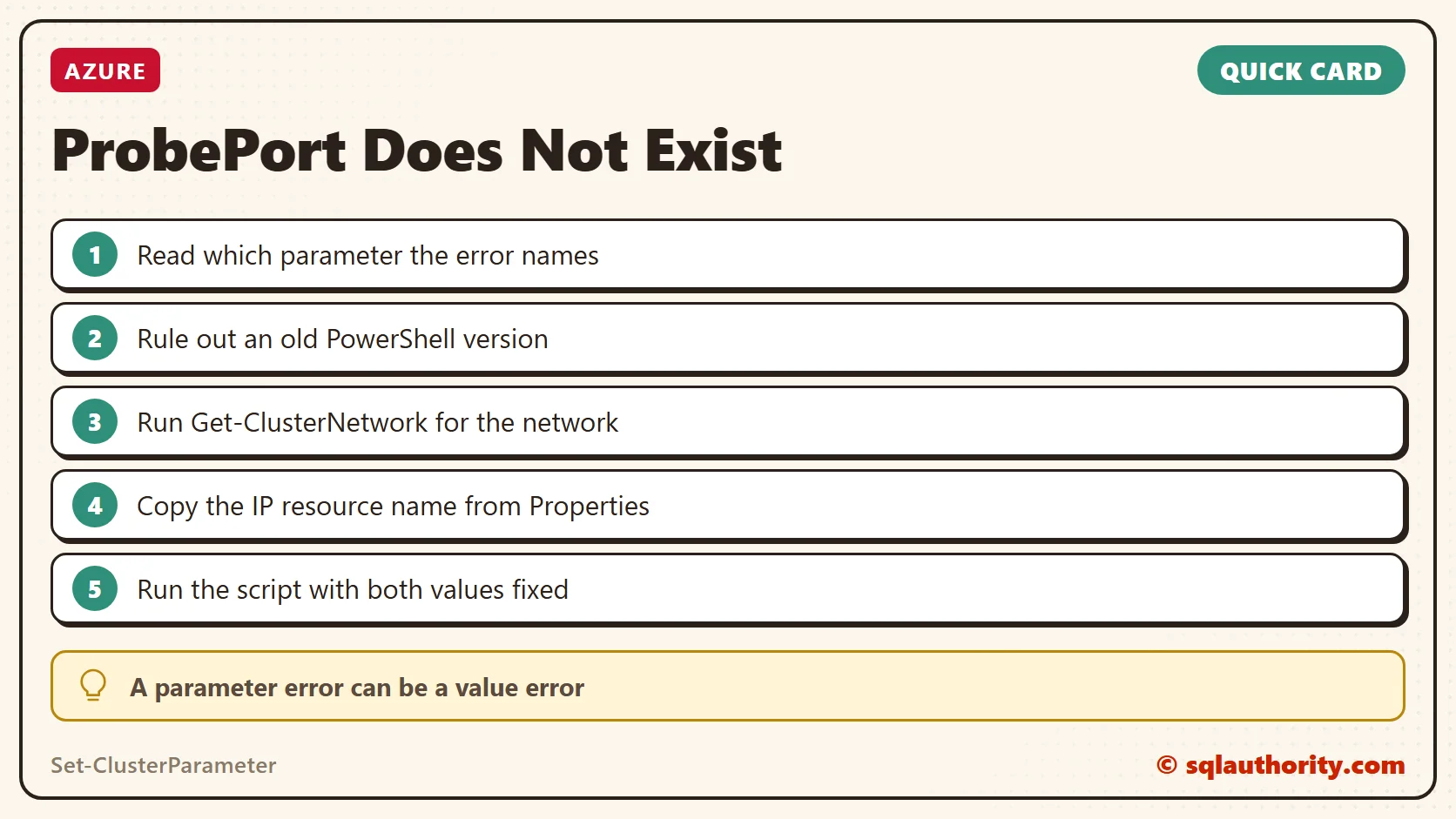
ProbePort is not missing, it is waiting for the right name.
Published by Pinal Dave on SQLAuthority. More of my work at pinaldave.com.
Discover more from SQL Authority with Pinal Dave
Subscribe to get the latest posts sent to your email.




1 Comment. Leave new
Thank you. Thank you. Yep, selecting IP and going to Name directly was the issue.