
Recently, I was playing with some settings in SQL Server Agent and encountered an interesting issue. In this blog we would learn about how to fix error Msg 22004 – The log file is not using Unicode format.
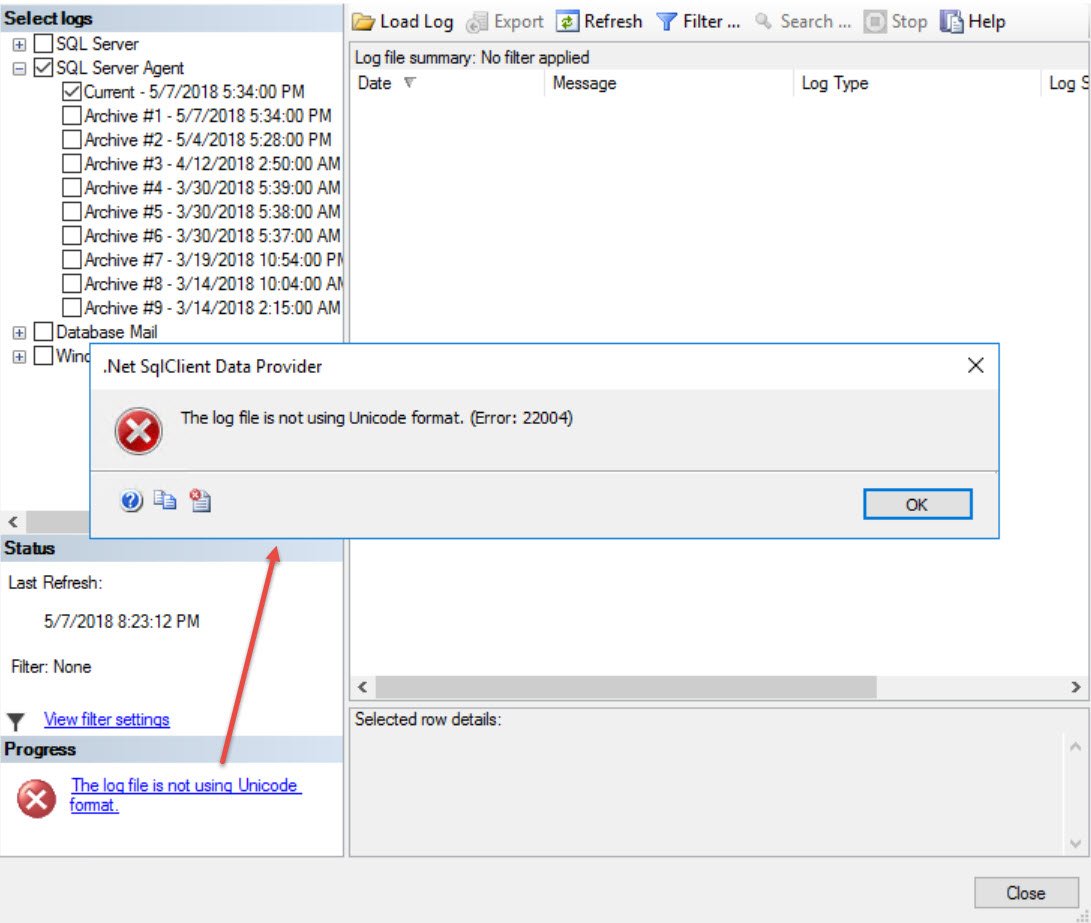
When I tried to open SQL Server Agent Log via SQL Server Management Studio, I was getting an error.
TITLE:.Net SqlClient Data Provider
——————————
The log file is not using Unicode format.
Here is how it looks like.
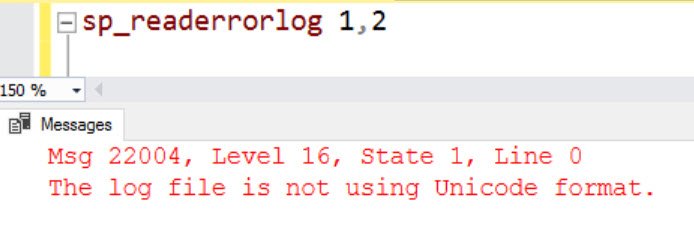
If we run sp_readerrorlog to read SQL Agent Logs, we get same error which is shown in the UI.
Interesting enough, if we open “SQLAGENT.OUT” file from Windows side, using notepad or any other text editor, we were able to open it and read it as well.
WORKAROUND/SOLUTION
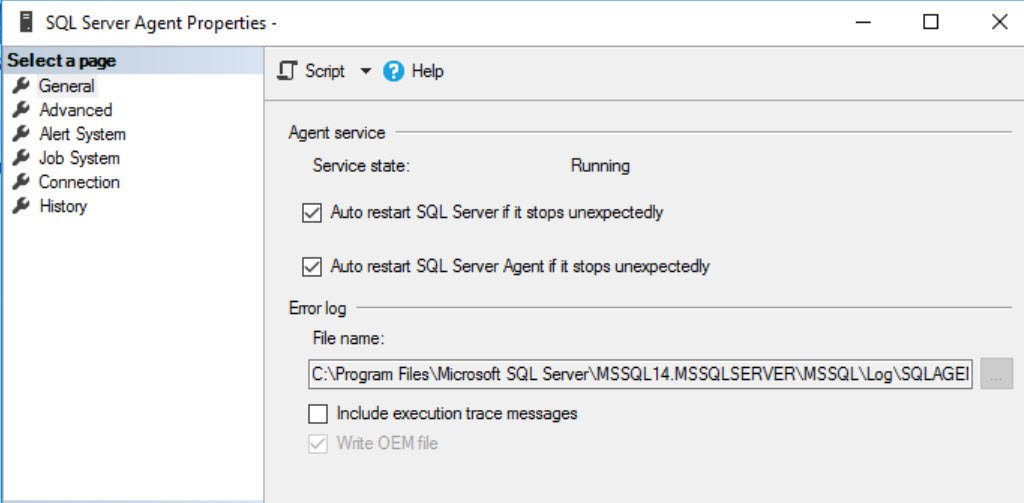
When I tried to compare SQL Server Agent properties from my server, there was a difference in highlighted section (Write OEM file)
As per documentation on MSDN:
Write OEM error log: Writes the error log file as a non-Unicode file. This reduces the amount of disk space consumed by the log file. However, messages that include Unicode data may be more difficult to read when this option is enabled.
Now, how do I change it? It’s disabled in above screen! There is another place.
- Connect to Object Explorer to SSMS > Expand “SQL Server Agent” > Right Click on “Error Logs” and choose “Configure”
- Uncheck the box “Write OEM error log”
If you like T-SQL then you can run below T-SQL to fix it.
USE [msdb]
GO
EXEC msdb.dbo.sp_set_sqlagent_properties @oem_errorlog=0
GO
Once done, we need to restart SQL Agent service and then we should be able to read newly generated logs.
Have you encountered this issue? Please comment and let me know.
Published by Pinal Dave on SQLAuthority. More of my work at pinaldave.com.
Discover more from SQL Authority with Pinal Dave
Subscribe to get the latest posts sent to your email.


