
This ANSI Isolation Levels Quiz asks which level lets one session read data that another session has not committed. The answer is short, but the proof needs two query windows. Read the setup, pick your answer, and then follow the steps in order.

The Quiz
A small shop keeps its prices in one table. Granola costs 10.00. Session A starts a transaction and raises the price to 19.99. It doesn’t commit. Session B now reads the same row.
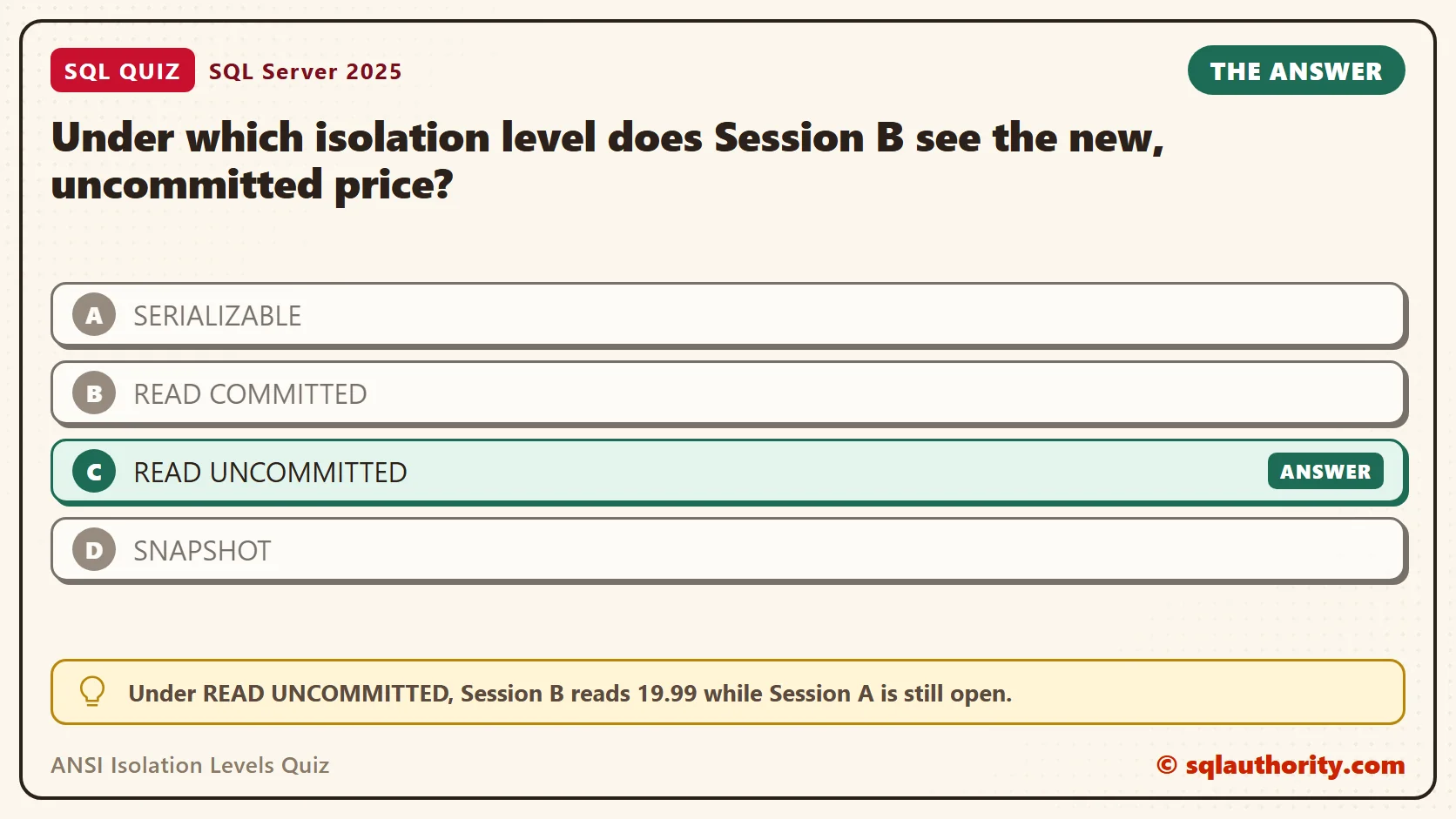
Under which isolation level does Session B see the new, uncommitted price?
A. SERIALIZABLE
B. READ COMMITTED
C. READ UNCOMMITTED
D. SNAPSHOT
Pick one before you read on.
The Answer
The answer is C. Under READ UNCOMMITTED, Session B reads 19.99 while Session A is still open.
A read at this level asks for no shared lock, so a locked row doesn’t stop it. It takes whatever sits on the page right now. Reading data that nobody has committed is called a dirty read.
The ANSI standard defines four levels: READ UNCOMMITTED, READ COMMITTED, REPEATABLE READ and SERIALIZABLE. Each one blocks more unwanted reads than the one before. SQL Server adds a fifth level, SNAPSHOT, which works a different way.
Prove It
This test uses two query windows connected to the same server. Window 1 plays Session A, and Window 2 plays Session B. Run each step in the window named. Keep Window 1 open until a step closes its transaction.
Step 1, in Window 1: create a small test database. Snapshot isolation is switched on so SNAPSHOT can be tested too. Use a test server.
IF DB_ID(N'SqlQuizAnsiIsolationLevels') IS NULL CREATE DATABASE SqlQuizAnsiIsolationLevels;
GO
ALTER DATABASE SqlQuizAnsiIsolationLevels SET ALLOW_SNAPSHOT_ISOLATION ON;
GO
USE SqlQuizAnsiIsolationLevels;
GO
DROP TABLE IF EXISTS dbo.QuizPrice;
CREATE TABLE dbo.QuizPrice
(
    ProductID int PRIMARY KEY,
    ProductName nvarchar(40) NOT NULL,
    Price decimal(10,2) NOT NULL
);
INSERT INTO dbo.QuizPrice (ProductID, ProductName, Price)
VALUES (1, N'Granola', 10.00), (2, N'Oat Milk', 4.00), (3, N'Trail Mix', 7.50);
Step 2, in Window 1: start the transaction, change the price, and leave the transaction open. Don’t commit it yet.
USE SqlQuizAnsiIsolationLevels;
BEGIN TRANSACTION;
UPDATE dbo.QuizPrice SET Price = 19.99 WHERE ProductID = 1;
Step 3, in Window 2: read the price under each of the five levels. A lock timeout of 1.5 seconds ends any wait with error 1222. The script catches that error and records it, so you see one result table.
USE SqlQuizAnsiIsolationLevels;
SET LOCK_TIMEOUT 1500;
DECLARE @LevelName varchar(20), @sql nvarchar(200), @Price decimal(10,2);
CREATE TABLE #Result (LevelName varchar(20), Outcome varchar(40));
DECLARE LevelCursor CURSOR LOCAL FAST_FORWARD FOR
    SELECT v.LevelName FROM (VALUES ('READ UNCOMMITTED'), ('READ COMMITTED'), ('REPEATABLE READ'), ('SERIALIZABLE'), ('SNAPSHOT')) AS v (LevelName);
OPEN LevelCursor;
FETCH NEXT FROM LevelCursor INTO @LevelName;
WHILE @@FETCH_STATUS = 0
BEGIN
    SET @sql = N'SET TRANSACTION ISOLATION LEVEL ' + @LevelName + N'; SELECT @Price = Price FROM dbo.QuizPrice WHERE ProductID = 1;';
    BEGIN TRY
        EXEC sys.sp_executesql @sql, N'@Price decimal(10,2) OUTPUT', @Price OUTPUT;
        INSERT #Result VALUES (@LevelName, CONCAT('Read price ', @Price));
    END TRY
    BEGIN CATCH
        INSERT #Result VALUES (@LevelName, CONCAT('Error ', ERROR_NUMBER(), ', lock timeout'));
    END CATCH;
    FETCH NEXT FROM LevelCursor INTO @LevelName;
END;
CLOSE LevelCursor;
DEALLOCATE LevelCursor;
SELECT LevelName, Outcome FROM #Result;
On SQL Server 2025, the result looked like this.
| LevelName | Outcome |
|---|---|
| READ UNCOMMITTED | Read price 19.99 |
| READ COMMITTED | Error 1222, lock timeout |
| REPEATABLE READ | Error 1222, lock timeout |
| SERIALIZABLE | Error 1222, lock timeout |
| SNAPSHOT | Read price 10.00 |
Only READ UNCOMMITTED saw 19.99. SNAPSHOT saw the old price, 10.00, without waiting. The other three waited for the lock, then gave up.
Step 4: undo the change in Window 1, then read the row again in Window 2 under READ UNCOMMITTED. First, Window 1.
ROLLBACK TRANSACTION;
Then Window 2.
SET TRANSACTION ISOLATION LEVEL READ UNCOMMITTED;
SELECT ProductName, Price FROM dbo.QuizPrice WHERE ProductID = 1;
| ProductName | Price |
|---|---|
| Granola | 10.00 |
The price is back to 10.00. The 19.99 was never committed, so it never became real. Any report that read it a moment earlier showed a number that doesn’t exist.
Window 2 now keeps READ UNCOMMITTED until you change it or disconnect. A session remembers its level, so it helps to ask. This query shows the level of your own session as a number.
SELECT session_id, transaction_isolation_level FROM sys.dm_exec_sessions WHERE session_id = @@SPID;
| session_id | transaction_isolation_level |
|---|---|
| 53 | 1 |
The number 1 means READ UNCOMMITTED. A new connection starts at 2, which is READ COMMITTED. The others are 3 for REPEATABLE READ, 4 for SERIALIZABLE and 5 for SNAPSHOT.
Why the Other Answers Are Wrong
A is wrong because SERIALIZABLE is the strictest level. Its reads hold locks until the transaction ends, so Session B waits for Session A. REPEATABLE READ behaved the same way in the test.
B is wrong because READ COMMITTED is the SQL Server default, and its promise is committed data only. It keeps that promise with a shared lock. Session A’s exclusive lock blocks that request, so Session B waits.
D is the tricky one, because SNAPSHOT doesn’t wait either. But it returned 10.00, the last committed value. It reads an older copy of the row from the version store. You get no wait and no dirty data.
What Each Level Protects You From
The levels differ in which odd results they allow. A dirty read is a read of uncommitted data. A nonrepeatable read happens when you read a row twice and it changes in between. A phantom is a new row that appears in a range you already read.
READ UNCOMMITTED allows all three. READ COMMITTED stops dirty reads. REPEATABLE READ also stops nonrepeatable reads, and SERIALIZABLE stops phantoms as well. SNAPSHOT stops all three by giving the whole transaction one consistent view of the data.
Make READ COMMITTED Stop Waiting
A database option called READ_COMMITTED_SNAPSHOT changes what READ COMMITTED does. It reads the last committed version of a row instead of waiting for the lock. It’s on by default in Azure SQL Database, but a new SQL Server database starts with it off.
The option needs a moment with no other connections in the database. In Window 1, move to master first. The test database has no open transactions now.
USE master;
In Window 2, switch the option on. ROLLBACK IMMEDIATE closes any other connection to this test database, so use it only here.
USE master;
ALTER DATABASE SqlQuizAnsiIsolationLevels SET READ_COMMITTED_SNAPSHOT ON WITH ROLLBACK IMMEDIATE;
SELECT name, is_read_committed_snapshot_on FROM sys.databases WHERE name = N'SqlQuizAnsiIsolationLevels';
The column showed 1. Now repeat the quiz. In Window 1, change the price again and stay open.
USE SqlQuizAnsiIsolationLevels;
BEGIN TRANSACTION;
UPDATE dbo.QuizPrice SET Price = 19.99 WHERE ProductID = 1;
In Window 2, read under plain READ COMMITTED.
USE SqlQuizAnsiIsolationLevels;
SET LOCK_TIMEOUT 1500;
SET TRANSACTION ISOLATION LEVEL READ COMMITTED;
SELECT ProductName, Price FROM dbo.QuizPrice WHERE ProductID = 1;
| ProductName | Price |
|---|---|
| Granola | 10.00 |
This time the read returned 10.00 at once, with no error 1222. Finish by rolling back in Window 1.
ROLLBACK TRANSACTION;
What Row Versioning Does Not Fix
Row versioning removes the wait for a writer’s row lock. It doesn’t remove every wait. A schema change takes a stronger lock on the whole table, and every reader needs a schema stability lock first. In Window 1, start a transaction that adds a column, and leave it open.
USE SqlQuizAnsiIsolationLevels;
BEGIN TRANSACTION;
ALTER TABLE dbo.QuizPrice ADD Note nvarchar(20) NULL;
In Window 2, read the same row two ways. First use READ COMMITTED, which now uses row versions. Then use the NOLOCK hint.
USE SqlQuizAnsiIsolationLevels;
SET LOCK_TIMEOUT 1500;
SET TRANSACTION ISOLATION LEVEL READ COMMITTED;
DECLARE @Price decimal(10,2);
DECLARE @Result TABLE (Reader varchar(40), Outcome varchar(40));
BEGIN TRY
    EXEC sys.sp_executesql N'SELECT @Price = Price FROM dbo.QuizPrice WHERE ProductID = 1;', N'@Price decimal(10,2) OUTPUT', @Price OUTPUT;
    INSERT @Result VALUES ('READ COMMITTED, row versions', CONCAT('Read price ', @Price));
END TRY
BEGIN CATCH
    INSERT @Result VALUES ('READ COMMITTED, row versions', CONCAT('Error ', ERROR_NUMBER(), ', lock timeout'));
END CATCH;
BEGIN TRY
    EXEC sys.sp_executesql N'SELECT @Price = Price FROM dbo.QuizPrice WITH (NOLOCK) WHERE ProductID = 1;', N'@Price decimal(10,2) OUTPUT', @Price OUTPUT;
    INSERT @Result VALUES ('NOLOCK hint', CONCAT('Read price ', @Price));
END TRY
BEGIN CATCH
    INSERT @Result VALUES ('NOLOCK hint', CONCAT('Error ', ERROR_NUMBER(), ', lock timeout'));
END CATCH;
SELECT Reader, Outcome FROM @Result;| Reader | Outcome |
|---|---|
| READ COMMITTED, row versions | Error 1222, lock timeout |
| NOLOCK hint | Error 1222, lock timeout |
Both readers waited. Row versioning and NOLOCK change how a read treats row locks, not schema locks. Roll back in Window 1 to remove the new column.
ROLLBACK TRANSACTION;
What to Remember
Only READ UNCOMMITTED reads data nobody has committed. The NOLOCK table hint does the same for one table. In my test it returned 19.99 while Window 1 held its update. Both skip the checks that keep data real, so a report built on them can show numbers that never existed.
When blocked reads hurt, I look at READ_COMMITTED_SNAPSHOT before I reach for NOLOCK. In this test it let the reader skip the writer’s row lock and return the last committed price. The price is extra work for updates and more space for row versions. Schema changes can still block readers, as the last test showed.
When you finish testing, remove the example database. Run this in either window.
USE master;
GO
ALTER DATABASE SqlQuizAnsiIsolationLevels SET SINGLE_USER WITH ROLLBACK IMMEDIATE;
DROP DATABASE SqlQuizAnsiIsolationLevels;
NOLOCK is not a speed switch, it is a promise to accept data that nobody has confirmed.
Published by Pinal Dave on SQLAuthority. More of my work at pinaldave.com.
Discover more from SQL Authority with Pinal Dave
Subscribe to get the latest posts sent to your email.




3 Comments. Leave new
i hav to write SQL script for migrate the data from one table to another table. (Only one column.) How to write SQL script for that, and how to execute that script please help me.
SELECT col.name INTO #new table name
FROM table name