
This Types of Triggers Quiz has one question, and a wrong guess ends in an error message. It’s about the trigger you need when someone inserts into a view. Read the setup, pick your answer, and then run the script to check yourself.
The Quiz
A members table holds an ID and a name. A second table holds the city for each member. A view joins the two. The app sees one row per member, with the name and the city side by side.
Avery wants to insert a new member through the view, with a name and a city in one statement. SQL Server can’t split that insert on its own, so the plan is to put custom logic on the view.
Which trigger can you put on the view to handle the insert?
A. An AFTER INSERT trigger
B. An INSTEAD OF INSERT trigger
C. A DDL trigger
D. A logon trigger
Take a moment and pick one before you read on.
The Answer
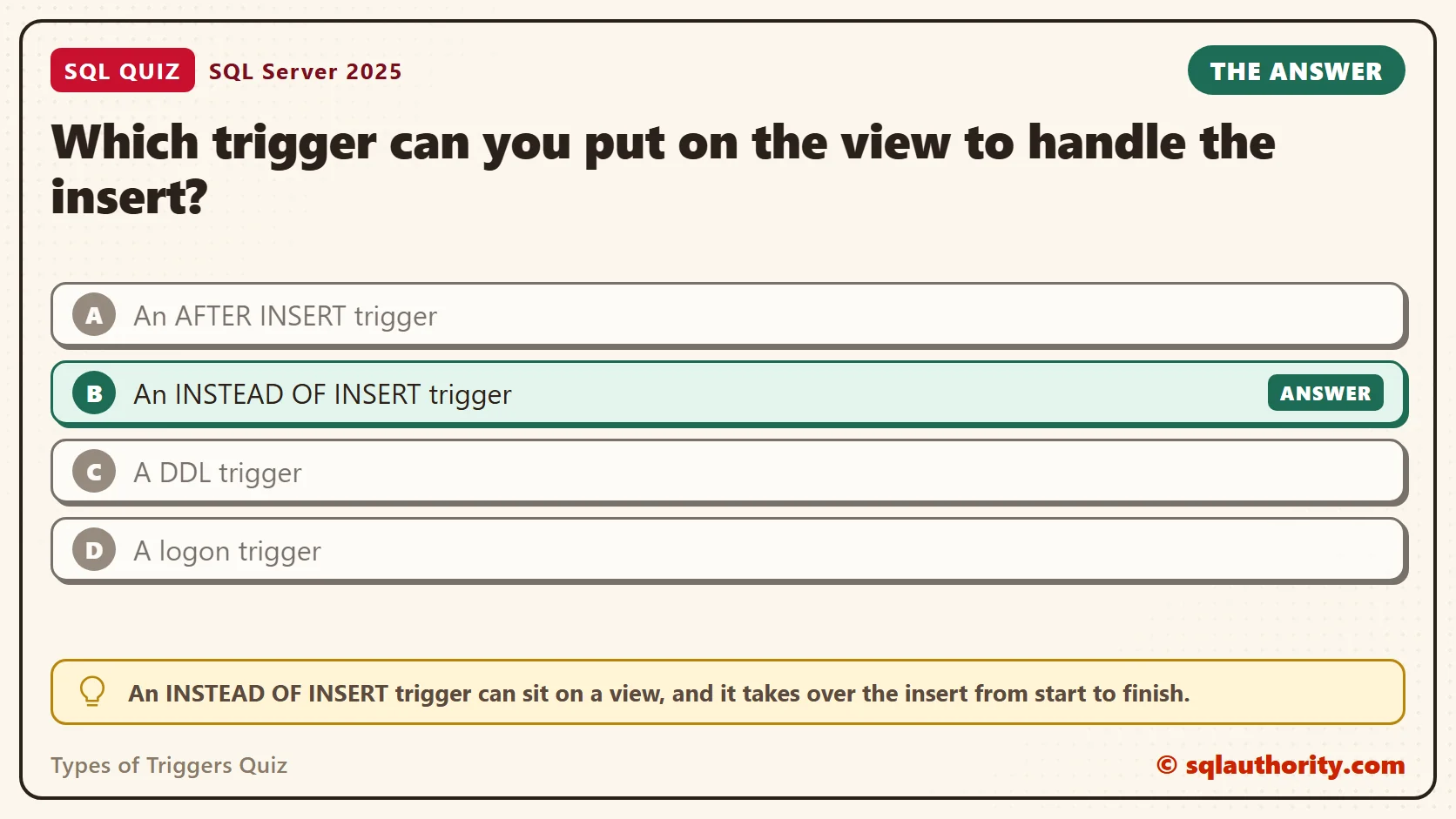
The answer is B. An INSTEAD OF INSERT trigger can sit on a view, and it takes over the insert from start to finish.
The trigger runs in place of the statement. Your code reads the rows the caller tried to insert from the inserted table. Then it decides what to do with them. Here it writes the name to one table and the city to the other.
A view can have one INSTEAD OF trigger for each action. If callers also update or delete through the view, you write a trigger for each of those too. A simple view over one table can accept an insert with no trigger at all. It’s the join over two tables that forces custom logic.
Prove It
The first script creates a small database called SqlQuizTypesOfTriggers. It is used only for this example, so run it on a test server. The script builds the two tables, a log table for later, and the view.
IF DB_ID(N'SqlQuizTypesOfTriggers') IS NULL CREATE DATABASE SqlQuizTypesOfTriggers;
GO
USE SqlQuizTypesOfTriggers;
GO
DROP TRIGGER IF EXISTS trgQuizNoDropTable ON DATABASE;
DROP VIEW IF EXISTS dbo.QuizMemberList;
DROP TABLE IF EXISTS dbo.QuizMemberLog;
DROP TABLE IF EXISTS dbo.QuizMemberCity;
DROP TABLE IF EXISTS dbo.QuizMember;
CREATE TABLE dbo.QuizMember
(
    MemberID int NOT NULL PRIMARY KEY,
    MemberName nvarchar(40) NOT NULL
);
CREATE TABLE dbo.QuizMemberCity
(
    MemberID int NOT NULL PRIMARY KEY REFERENCES dbo.QuizMember (MemberID),
    City nvarchar(40) NOT NULL
);
CREATE TABLE dbo.QuizMemberLog
(
    LogID int IDENTITY(1,1) PRIMARY KEY,
    MemberID int NOT NULL,
    Note nvarchar(60) NOT NULL
);
GO
CREATE VIEW dbo.QuizMemberList
AS
SELECT m.MemberID, m.MemberName, c.City
FROM dbo.QuizMember AS m
JOIN dbo.QuizMemberCity AS c ON c.MemberID = m.MemberID;
Now try the insert with no trigger, and then try the AFTER trigger from answer A.
INSERT INTO dbo.QuizMemberList (MemberID, MemberName, City)
VALUES (1, N'Avery', N'Denver');
GO
CREATE TRIGGER dbo.trgMemberListAfter ON dbo.QuizMemberList
AFTER INSERT
AS
BEGIN
    SET NOCOUNT ON;
    PRINT N'This never runs.';
END;
This is the text SSMS shows in the Messages tab. It is output, not code to run. Both statements fail.
Msg 4405, Level 16, State 1, Line 1
View or function 'dbo.QuizMemberList' is not updatable because the modification affects multiple base tables.

Msg 8197, Level 16, State 6, Procedure trgMemberListAfter, Line 1
The object 'dbo.QuizMemberList' does not exist or is invalid for this operation.
The second message is the answer to the quiz in one line. For an AFTER trigger, a view is an invalid object. Now create the INSTEAD OF trigger and insert two members through the view.
CREATE TRIGGER dbo.trgMemberListInstead ON dbo.QuizMemberList
INSTEAD OF INSERT
AS
BEGIN
    SET NOCOUNT ON;
    INSERT INTO dbo.QuizMember (MemberID, MemberName)
    SELECT MemberID, MemberName FROM inserted;
    INSERT INTO dbo.QuizMemberCity (MemberID, City)
    SELECT MemberID, City FROM inserted;
END;
GO
INSERT INTO dbo.QuizMemberList (MemberID, MemberName, City)
VALUES (1, N'Avery', N'Denver'), (2, N'Jordan', N'Austin');
SELECT MemberID, MemberName, City FROM dbo.QuizMemberList ORDER BY MemberID;
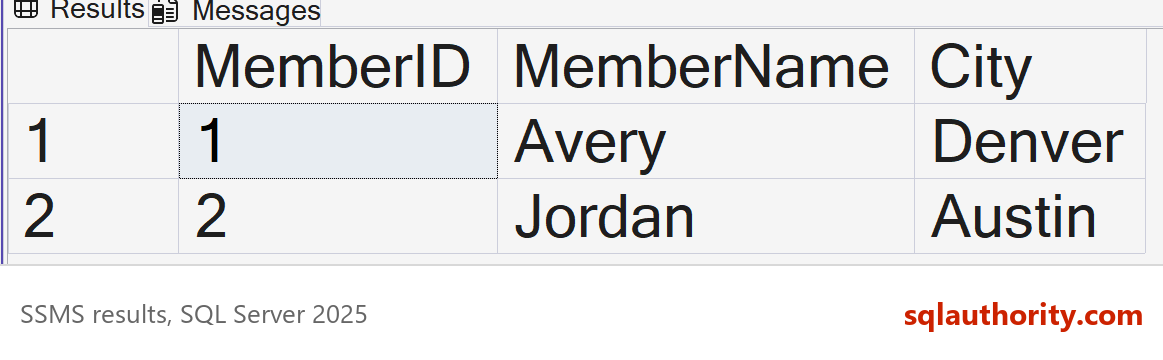
On SQL Server 2025, the insert worked and the view returned both members.
| MemberID | MemberName | City |
|---|---|---|
| 1 | Avery | Denver |
| 2 | Jordan | Austin |
The app that sends the insert never sees the trigger. From its side, this is an ordinary insert into a view. That is the reason to use one: the caller keeps its code, and the database decides where each value goes.
Why the Other Answers Are Wrong
A is a fair guess, because AFTER triggers are the ones most people write first. But an AFTER trigger runs after the rows are in a table. A view holds no rows of its own. SQL Server refuses to create the trigger, as the error above showed.
C is the wrong kind of trigger. A DDL trigger reacts to schema changes such as CREATE, ALTER and DROP. It doesn’t see the rows of an insert.
D is also the wrong kind. A logon trigger runs when a session signs in to the server. It never looks at a table or a view.
AFTER and INSTEAD OF Work Together
Answer A isn’t useless. It belongs on a table. An AFTER trigger on a base table still fires when the INSTEAD OF trigger writes to that table. The script below adds a log trigger to QuizMember. Then it inserts a third member through the view.
CREATE TRIGGER dbo.trgMemberLog ON dbo.QuizMember
AFTER INSERT
AS
BEGIN
    SET NOCOUNT ON;
    INSERT INTO dbo.QuizMemberLog (MemberID, Note)
    SELECT MemberID, N'Row added to QuizMember' FROM inserted;
END;
GO
INSERT INTO dbo.QuizMemberList (MemberID, MemberName, City)
VALUES (3, N'Riley', N'Boise');
SELECT MemberID, Note FROM dbo.QuizMemberLog;
The log holds one row, for Riley only, because the trigger didn’t exist when members 1 and 2 went in.
| MemberID | Note |
|---|---|
| 3 | Row added to QuizMember |
DDL and Logon Triggers
A DDL trigger guards the structure instead of the data. This one blocks DROP TABLE in the current database. It prints a message and rolls the statement back. A DDL trigger can also be created for the whole server, where it sees events in every database.
CREATE TRIGGER trgQuizNoDropTable ON DATABASE
FOR DROP_TABLE
AS
BEGIN
    PRINT N'Tables cannot be dropped here.';
    ROLLBACK;
END;
GO
DROP TABLE dbo.QuizMemberCity;
GO
SELECT COUNT(*) AS TablesLeft FROM sys.tables WHERE name = N'QuizMemberCity';
SELECT name, parent_class_desc FROM sys.triggers ORDER BY parent_class_desc, name;
This is the text SSMS shows in the Messages tab. It is output, not code to run.
Tables cannot be dropped here.
Msg 3609, Level 16, State 2, Line 1
The transaction ended in the trigger. The batch has been aborted.
The table is still there, so TablesLeft is 1. The catalog view lists the DDL trigger with the scope DATABASE. The two DML triggers show the scope OBJECT_OR_COLUMN.
A logon trigger works at the server level, so I didn’t create one in this script. It runs after a sign-in succeeds and before the session starts. It can refuse the connection, which is why a faulty one can lock out every login. If you build one, keep a second window connected while you test it.
What to Remember
Use AFTER triggers on tables and INSTEAD OF triggers on views or tables. Use DDL triggers for schema events and logon triggers for sign-ins. Each type answers a different question, and only INSTEAD OF fits a view.
When I review a trigger, I read the inserted table first. A trigger that assumes one row breaks on the first multi-row insert. The INSTEAD OF trigger above handles any number of rows.
A stored procedure that takes the name and the city does the same job without any trigger. The catch is that every caller must change to use it. A trigger lets old callers keep inserting into the view.
When you finish testing, remove the example database.
USE master;
GO
ALTER DATABASE SqlQuizTypesOfTriggers SET SINGLE_USER WITH ROLLBACK IMMEDIATE;
DROP DATABASE SqlQuizTypesOfTriggers;
A join view is not a table for AFTER triggers, it is a window that needs INSTEAD OF for inserts.
Published by Pinal Dave on SQLAuthority. More of my work at pinaldave.com.
Discover more from SQL Authority with Pinal Dave
Subscribe to get the latest posts sent to your email.




1 Comment. Leave new
Thanks Pinal