AI database schemas are the part I would be most careful with, and not because the SQL is bad. The SQL is good. It’s the tables underneath it that worry me.
I ran into this again on a recent consulting engagement. I do both database work and AI work. So teams show me two things at once: a slow server, and the way they’re building on it. This time the interesting part was a conversation, not a query.
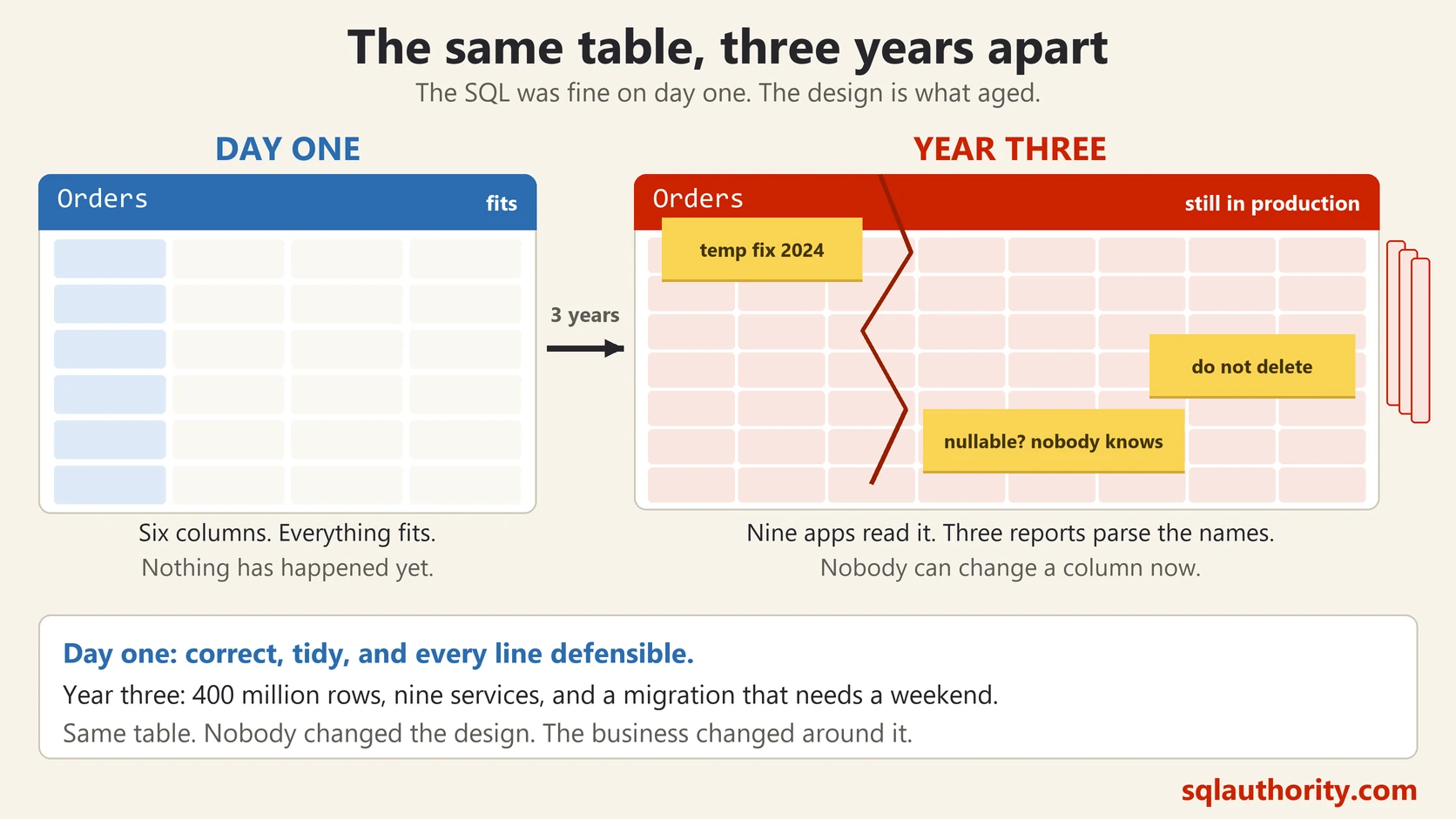
A developer showed me the schema for a new orders service. An assistant had written it in about a minute, and it was clean. Then the team lead asked the best question I heard all week: “What does this look like in year three?”
The Schema We Were Handed
Here’s the shape of it. I’ve simplified the names, and this is close to what an assistant hands you for “an orders table”:
CREATE TABLE dbo.Orders_v1
(
    OrderId       UNIQUEIDENTIFIER NOT NULL DEFAULT NEWID(),
    CustomerEmail NVARCHAR(MAX)    NOT NULL,
    OrderStatus   NVARCHAR(50)     NOT NULL,
    OrderTotal    FLOAT            NOT NULL,
    CurrencyCode  NVARCHAR(50)     NULL,
    OrderDate     DATETIME         NOT NULL DEFAULT GETDATE(),
    IsDeleted     BIT              NOT NULL DEFAULT 0,
    CONSTRAINT PK_Orders_v1 PRIMARY KEY CLUSTERED (OrderId)
);
Five lines in there will hurt. Shortest version first:
Look at what it got right, though. The names are consistent, nothing important is nullable, and there’s a primary key with a default for the date. Every line is defensible on the day it’s written, which is what makes this hard.
Why the Gap Exists
A query is right or wrong today. You run it, you get the wrong number or a nine second wait, and you fix it inside a minute. Millions of those corrections are in the training data.
A schema is right for two years and then it’s wrong. By then you have four hundred million rows and nine applications reading them. The migration needs a weekend and a rollback plan. Nobody writes that follow-up post.
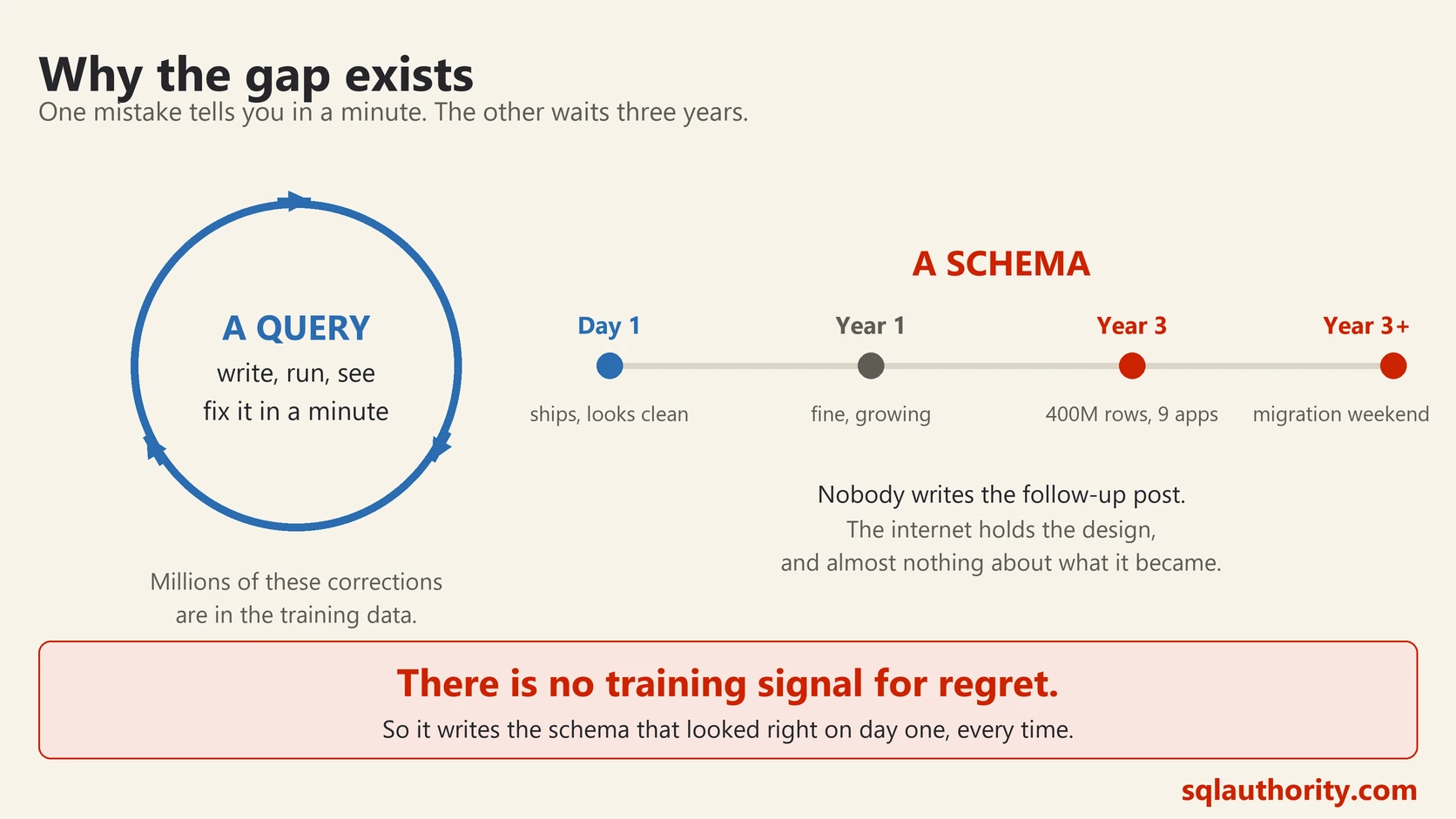
So the internet is full of schemas as they were designed. It holds almost nothing about what they became. There’s no training signal for regret.
What We Changed
The clustered key. The API needed a GUID, so it became the public order number. We clustered the table on a BIGINT identity instead.
The email column. It moved to a Customers table as NVARCHAR(254) with a unique constraint.
Money, status, currency and the date. DECIMAL(12,2) for the total. Small lookup tables with foreign keys for status and currency, and CHAR(3) for the currency code. DATETIME2(3) in UTC for the timestamp.
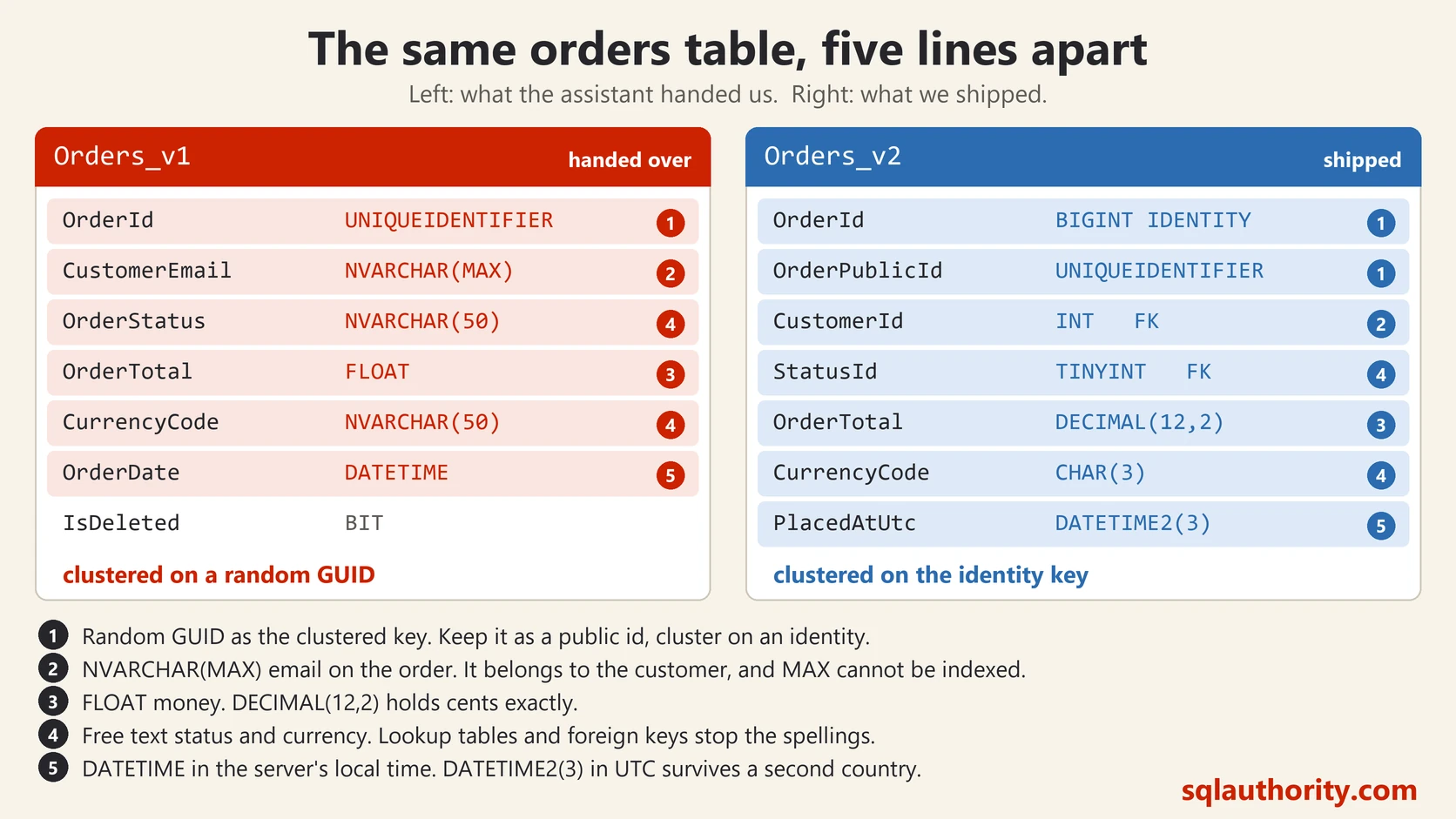
Here’s the table we shipped, with the two lookup tables it leans on:
CREATE TABLE dbo.Orders_v2
(
    OrderId       BIGINT IDENTITY(1,1) NOT NULL,
    OrderPublicId UNIQUEIDENTIFIER NOT NULL CONSTRAINT DF_Orders_v2_PublicId DEFAULT NEWID(),
    CustomerId    INT              NOT NULL,
    StatusId      TINYINT          NOT NULL,
    OrderTotal    DECIMAL(12,2)    NOT NULL,
    CurrencyCode  CHAR(3)          NOT NULL,
    PlacedAtUtc   DATETIME2(3)     NOT NULL CONSTRAINT DF_Orders_v2_PlacedAtUtc DEFAULT SYSUTCDATETIME(),
    CONSTRAINT PK_Orders_v2 PRIMARY KEY CLUSTERED (OrderId),
    CONSTRAINT UQ_Orders_v2_PublicId UNIQUE NONCLUSTERED (OrderPublicId),
    CONSTRAINT FK_Orders_v2_Customers FOREIGN KEY (CustomerId) REFERENCES dbo.Customers (CustomerId),
    CONSTRAINT FK_Orders_v2_OrderStatus FOREIGN KEY (StatusId) REFERENCES dbo.OrderStatus (StatusId),
    CONSTRAINT CK_Orders_v2_Total CHECK (OrderTotal >= 0)
);

CREATE INDEX IX_Orders_v2_PlacedAtUtc ON dbo.Orders_v2 (PlacedAtUtc) INCLUDE (OrderTotal);
What Those Five Lines Cost
I rebuilt both tables on my own server afterward, with 500,000 identical orders in each, on SQL Server 2025. These are my numbers from that test, not the client’s.
Rows got half as wide. The average row went from 119.6 bytes to 55.0. The same orders went from 7,569 data pages to 3,522.
The 90 day report got twice as cheap. Revenue by status for the last ninety days needed 7,624 logical reads on the first design. The second needed 3,540.
The float total drifted. Summing the same 500,000 amounts gave 9,995,000.000087 in FLOAT and exactly 9,995,000.00 in DECIMAL. Revenue by status printed as 518140.79999983468, which is the kind of number that starts a meeting.
The status column collected spellings. I inserted three typos that a real application would send. They were “Shippped”, “shipped ” with a trailing space, and the currency “US Dollars”. The first design took all three. The second rejected them with error 547, the foreign key violation.
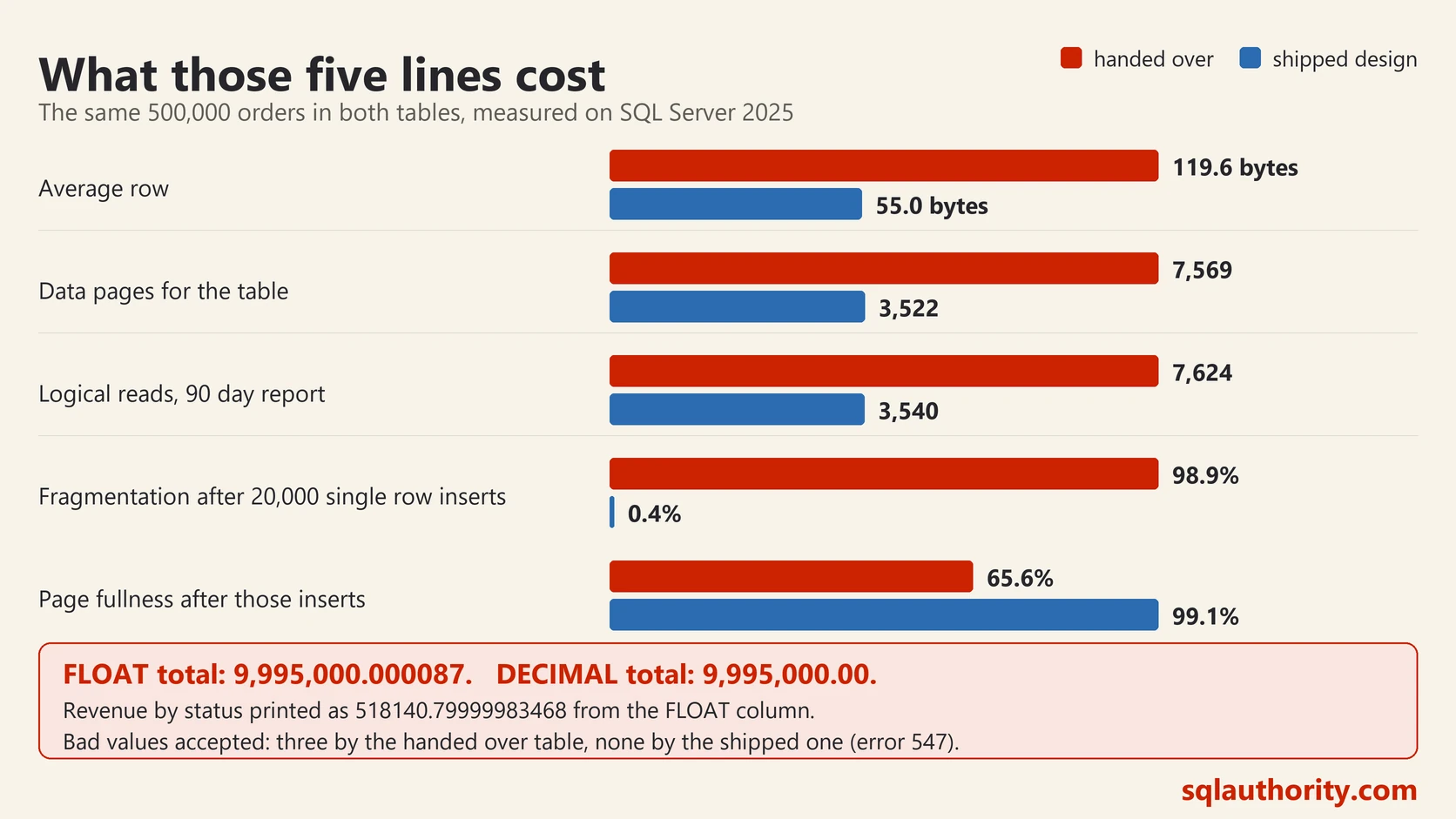
The GUID key fragmented as orders arrived. A bulk load hides this, because SQL Server sorts the rows first. So I inserted 20,000 rows one at a time into each shape, the way orders arrive in production.
The GUID table ended up 98.9% fragmented, its pages 65.6% full, using 847 pages. The identity table was 0.4% fragmented, 99.1% full, using 541 pages.
I wrote about that cost on its own in When a GUID Clustered Primary Key Gets Expensive.
Three Questions That Change the Answer
Here’s the part worth stealing from that conversation. The assistant knew all of this. Nobody had asked it.
So we asked three questions and generated the schema again. What does this look like with a thousand times more rows? Which of these columns will someone want to change the meaning of in two years? What happens when we open in a second country with another currency?
The second answer was a different schema. It suggested a lookup table for status, a wider identity type, UTC timestamps, and it asked about archiving. All of that was available the whole time.
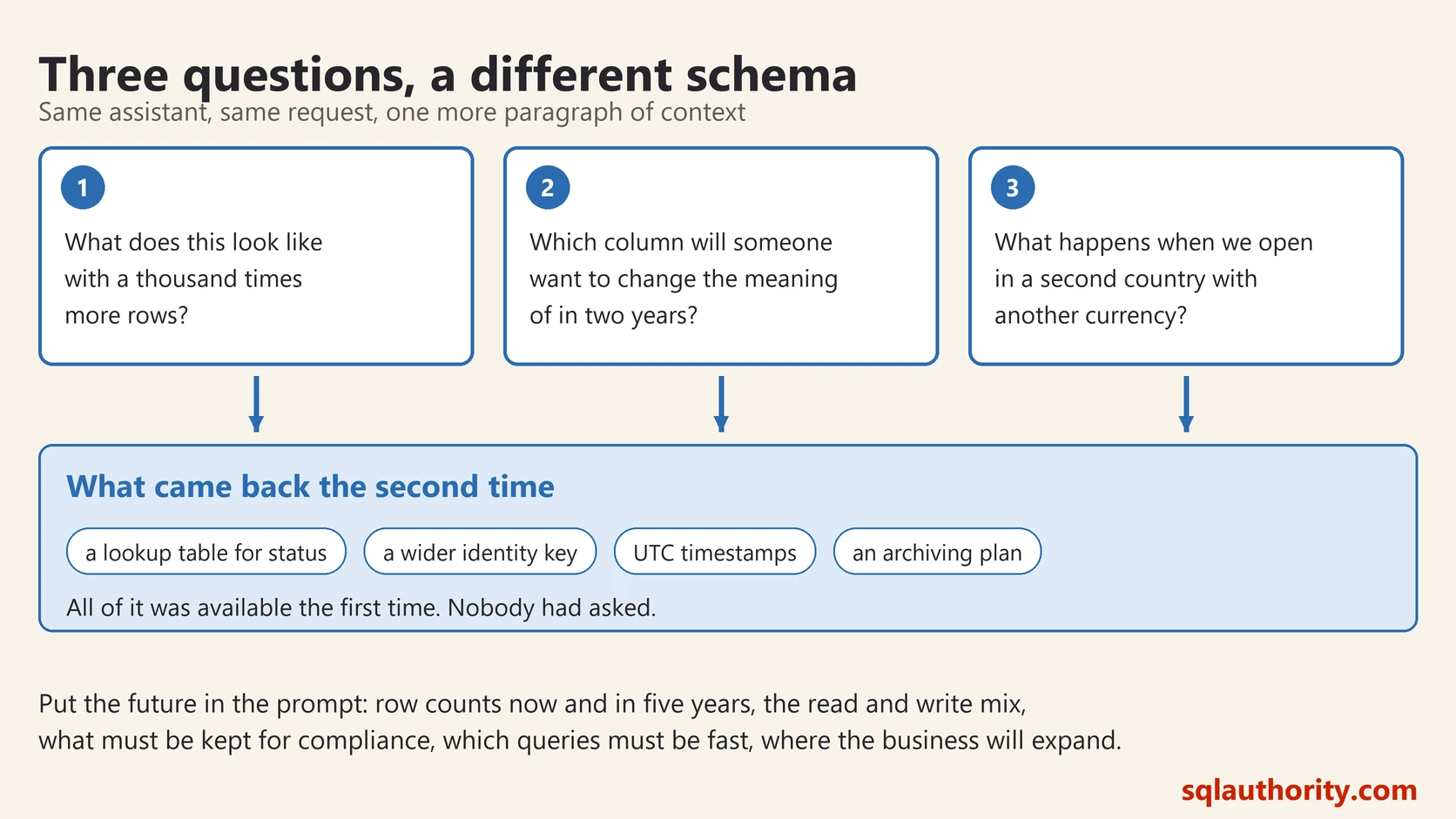
Now I put the future in the prompt. That means row counts at launch and in five years. It means the read and write mix, and what has to be kept for compliance. It also means which queries must be fast, and where the business plans to expand.
What I Still Decide Myself
The clustered index is a physical decision, and it depends on how rows arrive and how they’re read. Partitioning, filegroups and archiving are the same. Those depend on the machine, the maintenance window and the backup plan, which aren’t in any prompt I could write.
I also keep the boring tables honest. Most databases share the same handful, and I wrote about them in Every Database Has These Seven Tables.
Why This Matters More Than Query Quality
A bad query is a bad afternoon. You find it, rewrite it, deploy it, and by Thursday nobody remembers.
A bad schema is a bad decade. It gets built on. Nine services read it, reports depend on the column names, and three integrations parse the types. By the time everyone agrees it’s wrong, fixing it needs a budget and a steering committee.
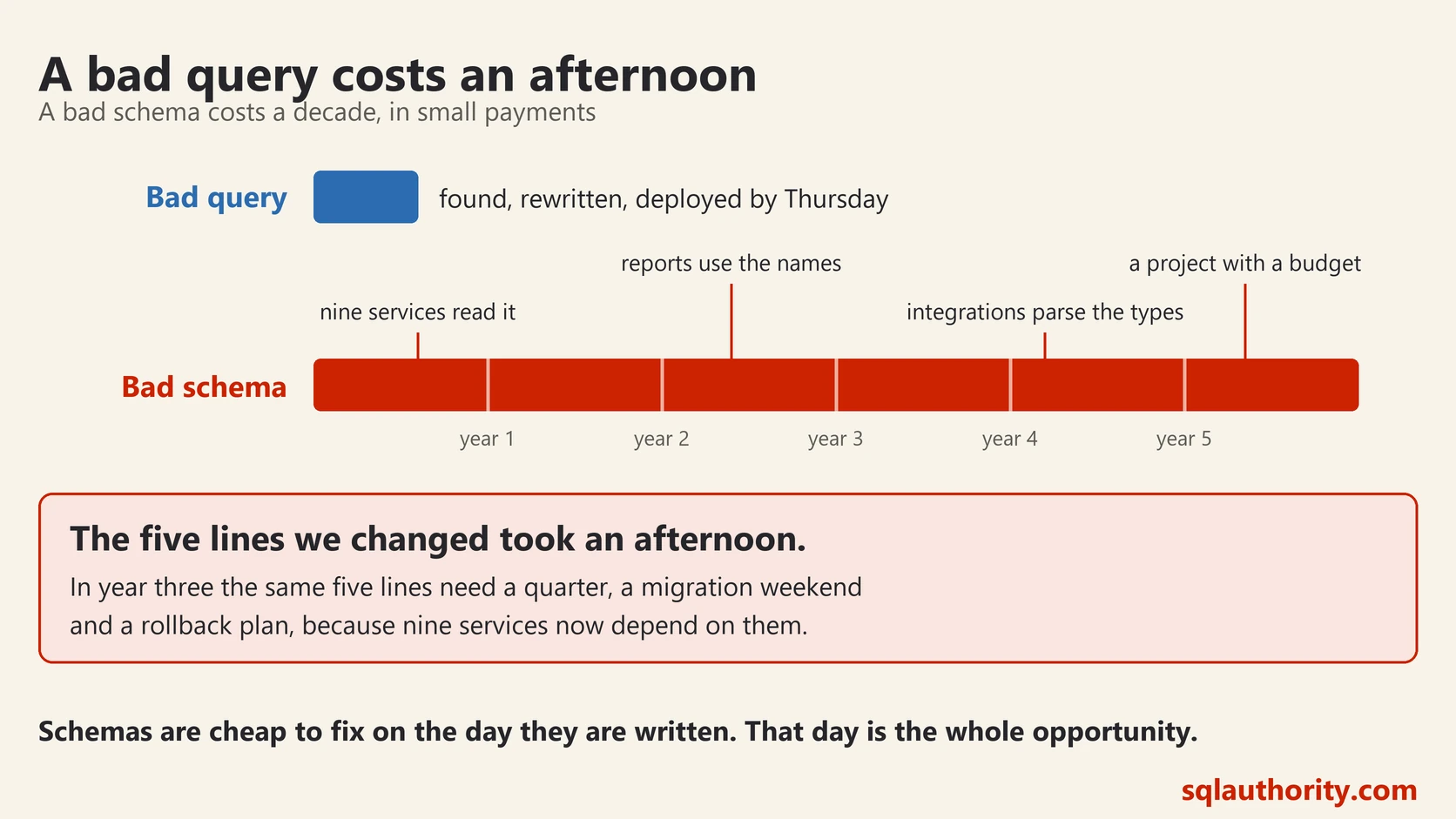
The five lines we changed took an afternoon. In year three, they would have taken a quarter.
If you’re about to build on a schema an assistant wrote, that’s the kind of review I do with teams. You can see how it works on my consulting page.
I wrote about the habit behind that team lead’s question in Stop Asking AI for Answers. It’s an essay about asking the machine to argue with you instead of agree with you. It’s one of thirty essays in my book AI: Nobody’s in There. But we’re still in here. All of them are free to read online, and the paperback is on Amazon.
A schema is not a design, it is a prediction about a future the machine never lives in.
Published by Pinal Dave on SQLAuthority. More of my work at pinaldave.com.
Discover more from SQL Authority with Pinal Dave
Subscribe to get the latest posts sent to your email.