
SQL Server Developer Edition is free for development and testing. It includes the features of its matching paid edition, and it’s licensed for non-production use only.
Two questions come up again and again. Which download should I pick for a demo, a class or a new project? And a week later: can we keep using it for the real app? Start with the download table below, then read the production limits before you build anything on it.
Disclaimer: I’m not a licensing expert. I’m a SQL Server person, and this post shares what Microsoft’s own pages say plus my practical experience. Licensing rules change, and they depend on your exact setup and agreement. Before you make any licensing decision, confirm it with Microsoft, your Microsoft partner or your licensing team.
SQL Server Developer Edition Download Links, Version by Version
All links below point to official Microsoft pages, and each one opened on September 30, 2026. Each download link starts a small installer that fetches the rest. Microsoft’s main SQL Server downloads page always has the current version.
| Version | Developer download | Editions and features | Support ends |
|---|---|---|---|
| SQL Server 2025 | Enterprise Developer Standard Developer | 2025 editions | January 6, 2036 |
| SQL Server 2022 | Developer | 2022 editions | January 11, 2033 |
| SQL Server 2019 | Developer | 2019 editions | January 8, 2030 |
| SQL Server 2017 | Developer | 2017 editions | October 12, 2027 |
The last column shows the end of extended support. After that date, regular security updates stop. Unless your deployment qualifies for Extended Security Updates, the server gets no more fixes. The rules differ by version, so read the Extended Security Updates FAQ.
SQL Server 2014 and SQL Server 2016 are not in this list on purpose. Extended support for SQL Server 2014 ended on July 9, 2024, and for SQL Server 2016 on July 14, 2026. Please don’t start new work on either one. If you still run them, plan the upgrade and test it on a supported Developer Edition.
What SQL Server Developer Edition Is
Developer Edition is the full engine with a different license. Microsoft describes it as an ideal choice for people who build and test applications. Developer Edition includes the features of its corresponding paid edition. Behavior and performance still depend on the version, configuration and hardware. It costs nothing to download or use.
SQL Server 2025 changed one thing here, and it’s a good change. There are now two Developer editions. Enterprise Developer has everything in Enterprise, like the Developer Edition we had before. Standard Developer is new and has only what Standard has. If your production server runs Standard, pick Standard Developer.
Standard Developer helps you avoid Enterprise-only features. Match your production SQL Server version too. SQL Server 2025 Standard Developer can still have features that an older Standard server lacks. A laptop on 2025 and a production server on 2019 are not the same target.

What Developer Edition Is Good For
- Writing and debugging code. Stored procedures, functions, triggers and queries, with every feature turned on.
- Testing. Unit tests, integration tests, performance tests and upgrade tests before a new version goes live.
- Learning. Practice for interviews and certifications, and trying new features without a budget request.
- Trying a restore. Restore a copy of a backup to check that it works, or to test a change against real-sized data.
- Classes and workshops. Every student can install the same full engine at no cost.
The engine has no editor of its own. To write queries, install SQL Server Management Studio (SSMS), the free management tool.
Why It’s Not for Production
Microsoft’s download page says the free Developer edition is for non-production development and testing. The 2025 editions page says the same about Standard Developer. It’s licensed as a development and test system, not as a production server. The software won’t stop you, and nothing pops up to warn you. That’s why people get into trouble.
Here is my simple test. If real users or a real business depends on that server today, it’s production. A reporting server that managers open every morning is production. A “temporary” server that has been live for eight months is production too. When a server moves into that role, license it with a paid edition, or move the database to one.

If you need free SQL Server in production for a small app, look at SQL Server 2025 Express. It’s free for production use, with size and resource limits. To try a paid edition before you buy, use the SQL Server 2025 Evaluation. It runs for 180 days.
SQL Server Licensing Links
Developer Edition requires no product key, but its license permits development and testing only. Production use requires appropriate licensing. These are the pages I send people to when the conversation turns to money. Read the guidance before you buy. Core and client access rules shape the price as much as the edition does.
- SQL Server licensing guidance, Microsoft’s current guidance, including SQL Server 2025.
- SQL Server licensing overview, Microsoft’s main licensing page for SQL Server.
- SQL Server 2022 licensing guide (PDF), the full rules for SQL Server 2022.
- SQL Server 2022 licensing datasheet (PDF), the short version for SQL Server 2022.
- Microsoft product terms and use rights, where the legal wording lives.
- Microsoft licensing FAQ, for the quick questions.
A guide summarizes the rules. The product terms and your own agreement are what count, so check with your licensing team before a purchase.
How to Check Which Edition You Are Running
Before you move a database anywhere, check what the server is running. This query works on every version in the table above.
SELECT SERVERPROPERTY('Edition')             AS Edition,
       SERVERPROPERTY('EngineEdition')       AS EngineEdition,
       SERVERPROPERTY('ProductVersion')      AS ProductVersion,
       SERVERPROPERTY('ProductMajorVersion') AS MajorVersion;
Here is what it returns on my laptop:
Edition                                EngineEdition  ProductVersion  MajorVersion
Enterprise Developer Edition (64-bit)  3              17.0.4085.5     17
Version 17 is SQL Server 2025. Engine edition 3 covers the Enterprise family, including Enterprise Developer and Evaluation. So the Edition column is the one that shows a Developer license. See Developer on a server that customers depend on? Fix the license this week.
Moving From Developer Edition to Production
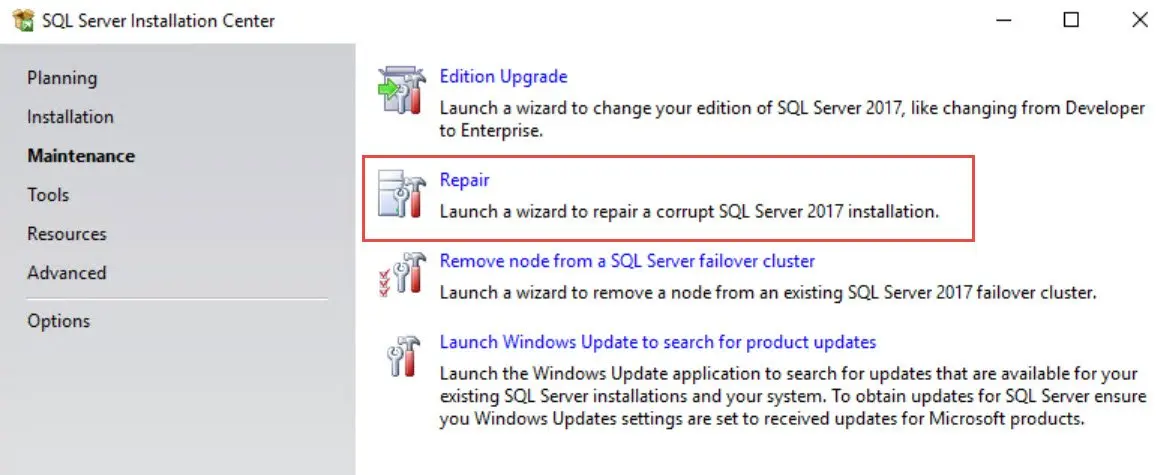
Supported installations can move from Developer to a paid edition through Setup’s Edition Upgrade option. Check your version and installation type first. Some paths have restrictions, for example on failover cluster instances. Pick the target with care. If you move to Standard, first check that the database uses no Enterprise-only features.
The supported version and edition upgrades page lists the paths and their restrictions for SQL Server 2025. The SQL Server 2025 release notes are worth a read before you start too.

The easier habit is to decide on day one. Match your Developer edition and version to what production will run. Run that edition query before you touch a server you don’t know. Developer Edition is free and complete, and it saves hours. Keep it where it belongs.
SQL Server Developer Edition is not a free production server, it is a free workshop for building one.
Published by Pinal Dave on SQLAuthority. More of my work at pinaldave.com.
Discover more from SQL Authority with Pinal Dave
Subscribe to get the latest posts sent to your email.



2 Comments. Leave new
Thanks Pinal, this serves a lot! BTW, do you have the SQL Server Express Download links somewhere?
Here you can find it https://www.microsoft.com/en-in/sql-server/sql-server-downloads