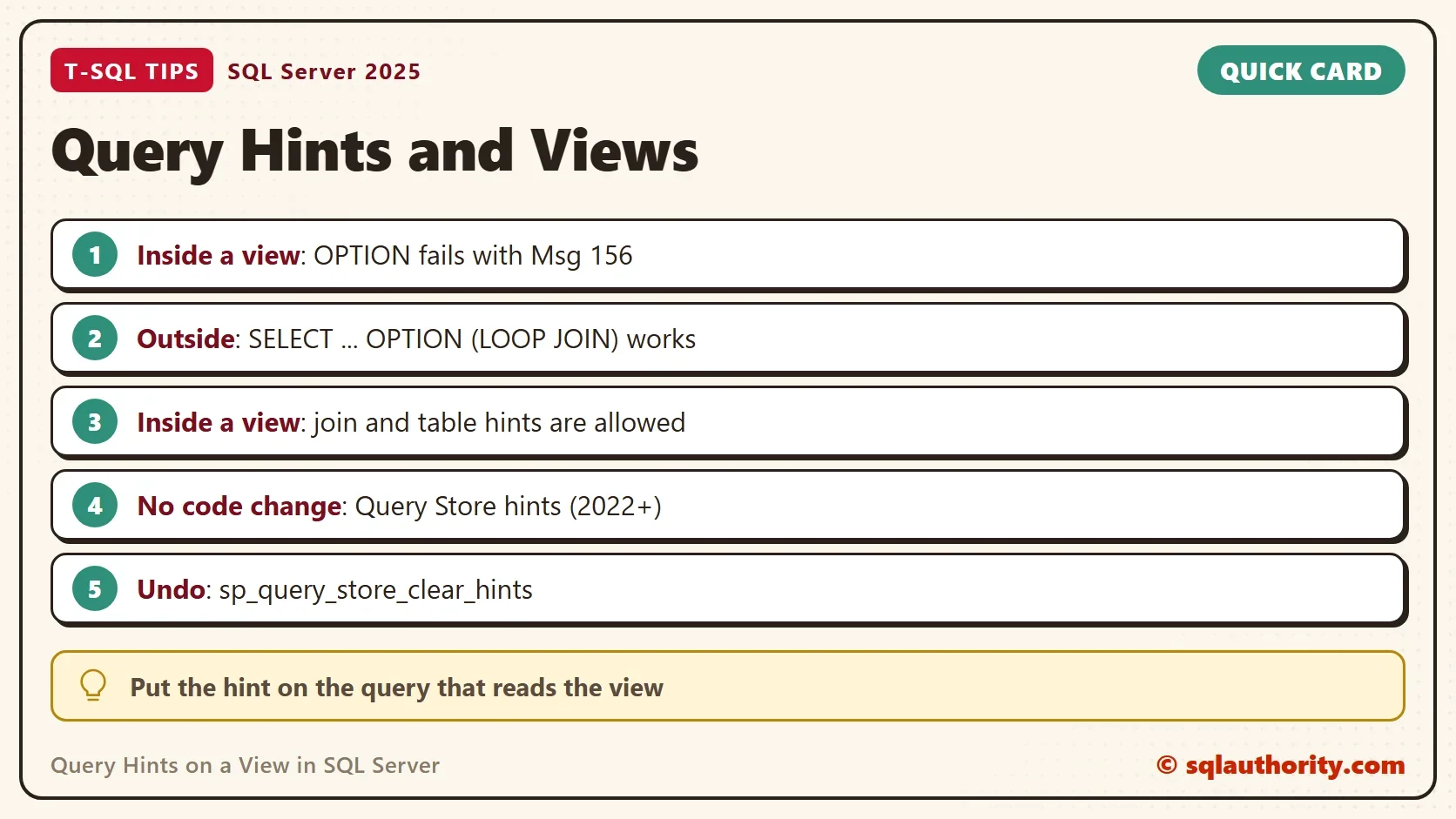
Query hints on a view do not go inside the view, they go on the SELECT that reads it. Put an OPTION clause in the view definition, and SQL Server answers with a syntax error.

Build a View to Test
The demo creates a database named ViewHintDemo. It holds 4,000 customers, 200,000 orders and a view that joins them. The view is a stored definition, so every query that reads it expands it first. Run the scripts on a test server.
IF DB_ID(N'ViewHintDemo') IS NULL CREATE DATABASE ViewHintDemo;
GO
USE ViewHintDemo;
GO
DROP VIEW IF EXISTS dbo.CustomerOrders, dbo.CustomerOrdersLoop;
DROP TABLE IF EXISTS dbo.Orders, dbo.Customers;
CREATE TABLE dbo.Customers (
    CustomerID   int          NOT NULL PRIMARY KEY,
    CustomerName nvarchar(40) NOT NULL,
    City         nvarchar(30) NOT NULL
);
CREATE TABLE dbo.Orders (
    OrderID    int           NOT NULL PRIMARY KEY,
    CustomerID int           NOT NULL REFERENCES dbo.Customers (CustomerID),
    Amount     decimal(10,2) NOT NULL
);
CREATE INDEX IX_Orders_CustomerID ON dbo.Orders (CustomerID) INCLUDE (Amount);
WITH Numbers AS (
    SELECT TOP (200000) ROW_NUMBER() OVER (ORDER BY (SELECT NULL)) AS n
    FROM sys.all_objects AS a CROSS JOIN sys.all_objects AS b
)
INSERT INTO dbo.Customers (CustomerID, CustomerName, City)
SELECT n, CONCAT(N'Customer ', n), CHOOSE(1 + n % 4, N'Portland', N'Austin', N'Denver', N'Boise')
FROM Numbers WHERE n <= 4000;
WITH Numbers AS (
    SELECT TOP (200000) ROW_NUMBER() OVER (ORDER BY (SELECT NULL)) AS n
    FROM sys.all_objects AS a CROSS JOIN sys.all_objects AS b
)
INSERT INTO dbo.Orders (OrderID, CustomerID, Amount)
SELECT n, 1 + n % 4000, n % 300 + 0.5 FROM Numbers;
CREATE VIEW dbo.CustomerOrders
AS
SELECT c.CustomerID, c.CustomerName, c.City, o.OrderID, o.Amount
FROM dbo.Customers AS c
INNER JOIN dbo.Orders AS o ON o.CustomerID = c.CustomerID;
A small procedure reports which join operator the latest test query used. It reads the cached plan, and it changes no data.
CREATE OR ALTER PROCEDURE dbo.ShowJoinType
AS
BEGIN
    SET NOCOUNT ON;
    SELECT TOP (1) qs.plan_handle
    INTO #Last
    FROM sys.dm_exec_query_stats AS qs
    CROSS APPLY sys.dm_exec_sql_text(qs.sql_handle) AS st
    WHERE st.text LIKE N'SELECT SUM(Amount) AS Step%dbo.CustomerOrders%' AND st.text NOT LIKE N'%dm_exec%'
    ORDER BY qs.last_execution_time DESC;
    WITH XMLNAMESPACES (DEFAULT 'http://schemas.microsoft.com/sqlserver/2004/07/showplan')
    SELECT x.value('(//RelOp[@PhysicalOp = "Hash Match" or @PhysicalOp = "Nested Loops" or @PhysicalOp = "Merge Join"]/@PhysicalOp)[1]', 'nvarchar(60)') AS JoinOperator
    FROM #Last AS l
    CROSS APPLY sys.dm_exec_query_plan(l.plan_handle) AS q
    CROSS APPLY (SELECT q.query_plan AS x) AS p;
END;
The Error
The hint that most people try first is OPTION (LOOP JOIN). It forces nested loops joins. Here it sits at the end of a view definition.
CREATE VIEW dbo.CustomerOrdersHinted
AS
SELECT c.CustomerID, c.CustomerName, c.City, o.OrderID, o.Amount
FROM dbo.Customers AS c
INNER JOIN dbo.Orders AS o ON o.CustomerID = c.CustomerID
OPTION (LOOP JOIN);
SQL Server refuses to create the view.
Msg 156, Level 15, State 1, Procedure CustomerOrdersHinted, Line 6
Incorrect syntax near the keyword 'OPTION'.
An OPTION clause belongs to a statement. A view is a definition, not a statement, so it has no place for one. The statement that reads the view does.
Put the Hint on the Outer Query
Write the hint on the SELECT that reads the view. The first query runs without a hint and shows the join SQL Server chooses.
SELECT SUM(Amount) AS Step1 FROM dbo.CustomerOrders WHERE City = N'Austin';
GO
EXEC dbo.ShowJoinType;
| JoinOperator |
|---|
| Merge Join |
The second query adds the hint to the same SELECT. The hint reaches inside the view, because the view is expanded into the statement.
SELECT SUM(Amount) AS Step2 FROM dbo.CustomerOrders WHERE City = N'Austin' OPTION (LOOP JOIN);
GO
EXEC dbo.ShowJoinType;
| JoinOperator |
|---|
| Nested Loops |
The default join was a Merge Join. With the hint it became Nested Loops, and the answer is the same. This is the way to apply query hints on a view when you can edit the calling query. Other query hints, such as MAXDOP 1 or RECOMPILE, go in the same OPTION clause of the outer query.
What a View Can Contain
Join hints and table hints are allowed inside a view. A join hint sits in the JOIN keyword, as in INNER LOOP JOIN. A table hint, such as FORCESEEK, sits after the table name. Both belong to the FROM clause, which is part of the view’s SELECT, so SQL Server accepts them. OPTION closes a whole statement, and that is why it fails.
Two hints are made for views. NOEXPAND is a table hint on the view in the outer query. It makes SQL Server read an indexed view as stored. OPTION (EXPAND VIEWS) does the opposite and expands every indexed view.
CREATE VIEW dbo.CustomerOrdersLoop
AS
SELECT c.CustomerID, c.CustomerName, c.City, o.OrderID, o.Amount
FROM dbo.Customers AS c
INNER LOOP JOIN dbo.Orders AS o ON o.CustomerID = c.CustomerID;
Warning: The join order has been enforced because a local join hint is used.
SELECT SUM(Amount) AS Step3 FROM dbo.CustomerOrdersLoop WHERE City = N'Austin';
GO
EXEC dbo.ShowJoinType;
| JoinOperator |
|---|
| Nested Loops |
SQL Server created the view and printed a warning. A join hint also enforces the join order for the query, which can break other uses of the view. Every query that reads the view now gets nested loops, whatever its filter. The caller cannot switch the hint off. A hint inside a view is a decision made for all callers.
You could argue that this is the better place, because nobody can forget the hint. That is true. It is also the reason I keep hints out of views. A hint that fits the current data can hurt next year. The people who read the calling query will not see it.
Add a Hint Without Touching the Query
Sometimes you cannot edit the calling query. An application or a report tool writes it. Query Store hints solve that. They attach a hint to a query that Query Store has recorded. The feature needs SQL Server 2022 or later and a database with Query Store on.
The script turns Query Store on for the demo database. It captures every query, because the default capture mode skips queries that run rarely. It then runs one query against the view and shows its current join.
USE master;
GO
ALTER DATABASE ViewHintDemo SET QUERY_STORE = ON (OPERATION_MODE = READ_WRITE, QUERY_CAPTURE_MODE = ALL);
GO
USE ViewHintDemo;
GO
SELECT SUM(Amount) AS Step5 FROM dbo.CustomerOrders WHERE City = N'Boise';
GO
EXEC sys.sp_query_store_flush_db;
GO
EXEC dbo.ShowJoinType;
| JoinOperator |
|---|
| Merge Join |
Now find the query in Query Store and give it the hint. The query text stays the same, and so does the application.
DECLARE @QueryID bigint = (SELECT TOP (1) q.query_id
    FROM sys.query_store_query AS q
    JOIN sys.query_store_query_text AS qt ON qt.query_text_id = q.query_text_id
    WHERE qt.query_sql_text LIKE N'SELECT SUM(Amount) AS Step5%');
EXEC sys.sp_query_store_set_hints @query_id = @QueryID, @query_hints = N'OPTION (LOOP JOIN)';
SELECT query_hint_text AS HintText, source_desc AS SetBy FROM sys.query_store_query_hints;
GO
SELECT SUM(Amount) AS Step5 FROM dbo.CustomerOrders WHERE City = N'Boise';
GO
EXEC dbo.ShowJoinType;| HintText | SetBy |
|---|---|
| OPTION (LOOP JOIN) | User |
| JoinOperator |
|---|
| Nested Loops |
The same text now runs with nested loops. The hint lives in Query Store, and nothing in the application changed. To remove it, clear the hint for that query. Neither step needed a restart or a plan cache clear. Setting hints needs the ALTER permission on the database.
DECLARE @QueryID bigint = (SELECT TOP (1) q.query_id
    FROM sys.query_store_query AS q
    JOIN sys.query_store_query_text AS qt ON qt.query_text_id = q.query_text_id
    WHERE qt.query_sql_text LIKE N'SELECT SUM(Amount) AS Step5%');
EXEC sys.sp_query_store_clear_hints @query_id = @QueryID;
GO
SELECT SUM(Amount) AS Step5 FROM dbo.CustomerOrders WHERE City = N'Boise';
GO
EXEC dbo.ShowJoinType;| JoinOperator |
|---|
| Merge Join |
The join is a Merge Join again. Clearing a hint is as easy as setting it. That makes Query Store hints a low risk way to test a hint on a live query.
What to Remember
Query hints on a view cannot go inside the view definition. Put the OPTION clause on the SELECT that reads the view. Join and table hints can sit inside the view, and they bind every caller. Use Query Store hints when you cannot change the query. When you finish with the demo, remove the database.
USE master;
GO
DROP DATABASE ViewHintDemo;
A hint is not a property of a view, it is a property of the query that uses it.
Published by Pinal Dave on SQLAuthority. More of my work at pinaldave.com.
Discover more from SQL Authority with Pinal Dave
Subscribe to get the latest posts sent to your email.