
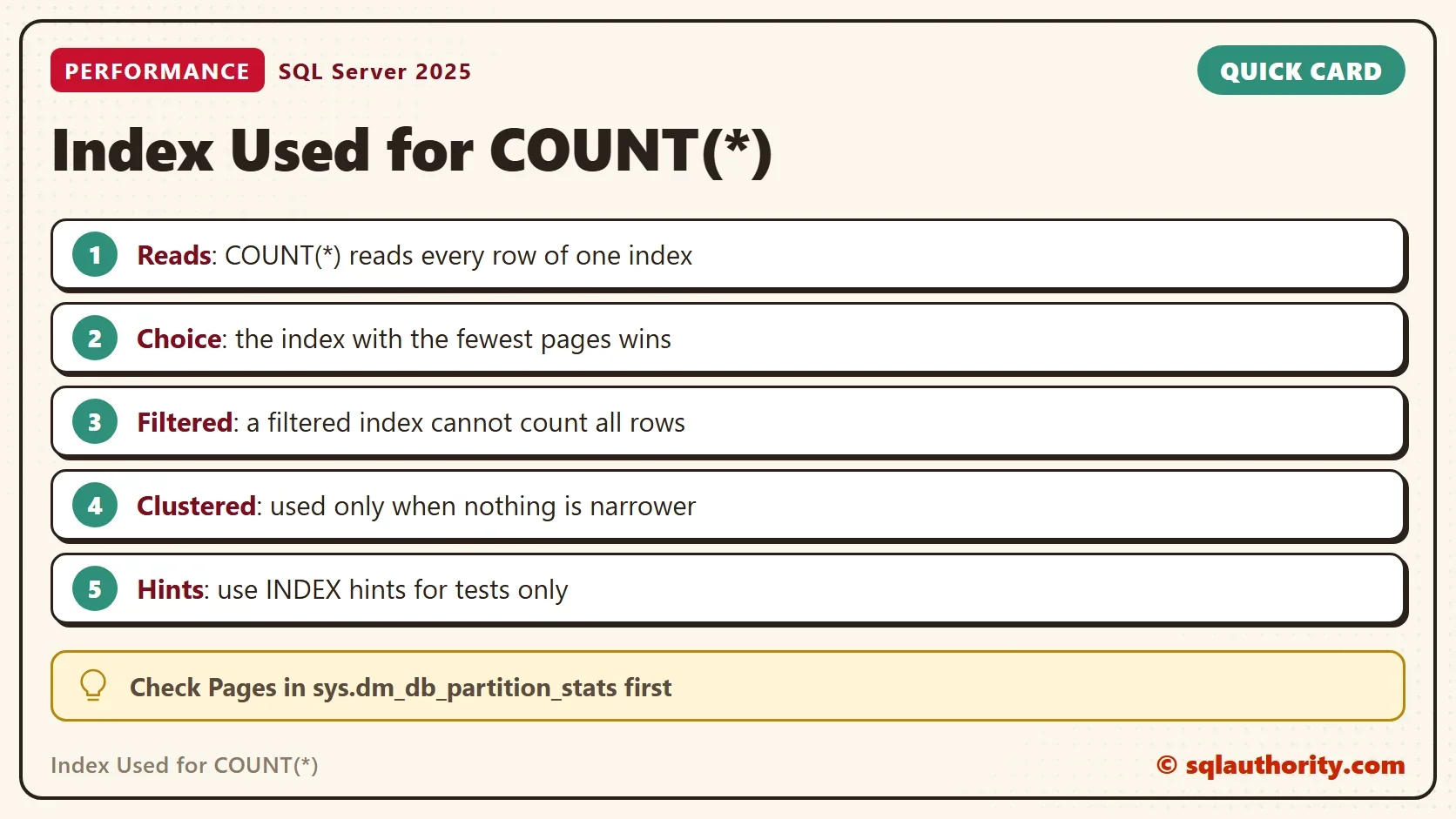
The index used for COUNT(*) is the narrowest index that holds every row. The clustered index is used only when no narrower index holds every row. SQL Server reads every row of the index it picks, and a narrow index has fewer pages.

The Belief and the Answer
Many people assume that COUNT(*) scans the whole table. They expect a table scan on a heap or a clustered index scan on a table with a clustered index. That happens when no other index exists. It stops happening when a narrower index is available.
A fair objection says that COUNT(*) reads all the rows whatever index it uses. That is true. It reads all the rows of one index, and it picks the index with the fewest pages. The clustered index holds every column. A nonclustered index holds only its own columns, so it has fewer pages for the same rows.
The demo creates a database named CountNarrowDemo with 100,000 orders. The Note column is 100 characters wide, which makes each clustered row large. Run the scripts on a test server.
IF DB_ID(N'CountNarrowDemo') IS NULL CREATE DATABASE CountNarrowDemo;
GO
USE CountNarrowDemo;
GO
DROP TABLE IF EXISTS dbo.CountOrders;
CREATE TABLE dbo.CountOrders (
    OrderID    int       NOT NULL,
    CustomerID int       NOT NULL,
    Status     tinyint   NOT NULL,
    Note       char(100) NOT NULL,
    CONSTRAINT PK_CountOrders PRIMARY KEY CLUSTERED (OrderID)
);
WITH Numbers AS (
    SELECT TOP (100000) ROW_NUMBER() OVER (ORDER BY (SELECT NULL)) AS n
    FROM sys.all_objects AS a CROSS JOIN sys.all_objects AS b
)
INSERT INTO dbo.CountOrders (OrderID, CustomerID, Status, Note)
SELECT n, n % 2000, n % 5, 'Order note'
FROM Numbers;
A small procedure lists each index on the table. used_page_count is the size of the index in pages. user_scans counts the scans that user queries made on it. The procedure is plain reading of system views, so it changes nothing.
CREATE OR ALTER PROCEDURE dbo.ShowIndexes
AS
BEGIN
    SET NOCOUNT ON;
    SELECT i.name AS IndexName, i.type_desc AS IndexType, ps.used_page_count AS Pages,
           ISNULL(us.user_scans, 0) AS UserScans
    FROM sys.indexes AS i
    JOIN sys.dm_db_partition_stats AS ps ON ps.object_id = i.object_id AND ps.index_id = i.index_id
    LEFT JOIN sys.dm_db_index_usage_stats AS us
           ON us.object_id = i.object_id AND us.index_id = i.index_id AND us.database_id = DB_ID()
    WHERE i.object_id = OBJECT_ID(N'dbo.CountOrders')
    ORDER BY ps.used_page_count DESC;
END;
Now run the count, and list the indexes.
SELECT COUNT(*) AS Step1 FROM dbo.CountOrders;
EXEC dbo.ShowIndexes;
| IndexName | IndexType | Pages | UserScans |
|---|---|---|---|
| PK_CountOrders | CLUSTERED | 1478 | 1 |
The table has one index, so the count had one choice. The clustered index has 1,478 pages, and the count scanned all of them.
Add Narrow and Wide Indexes
The next script adds a narrow index on Status, runs the count again, and adds two more indexes. One is wide, because it includes the Note column. The other is filtered: it holds only the rows where Status is 0.
CREATE INDEX IX_CountOrders_Status ON dbo.CountOrders (Status);
GO
SELECT COUNT(*) AS Step2 FROM dbo.CountOrders;
CREATE INDEX IX_CountOrders_Wide ON dbo.CountOrders (CustomerID) INCLUDE (Note);
GO
CREATE INDEX IX_CountOrders_Filtered ON dbo.CountOrders (Status) WHERE Status = 0;
GO
SELECT COUNT(*) AS Step3 FROM dbo.CountOrders;
EXEC dbo.ShowIndexes;
| IndexName | IndexType | Pages | UserScans |
|---|---|---|---|
| PK_CountOrders | CLUSTERED | 1478 | 1 |
| IX_CountOrders_Wide | NONCLUSTERED | 1414 | 0 |
| IX_CountOrders_Status | NONCLUSTERED | 138 | 2 |
| IX_CountOrders_Filtered | NONCLUSTERED | 30 | 0 |
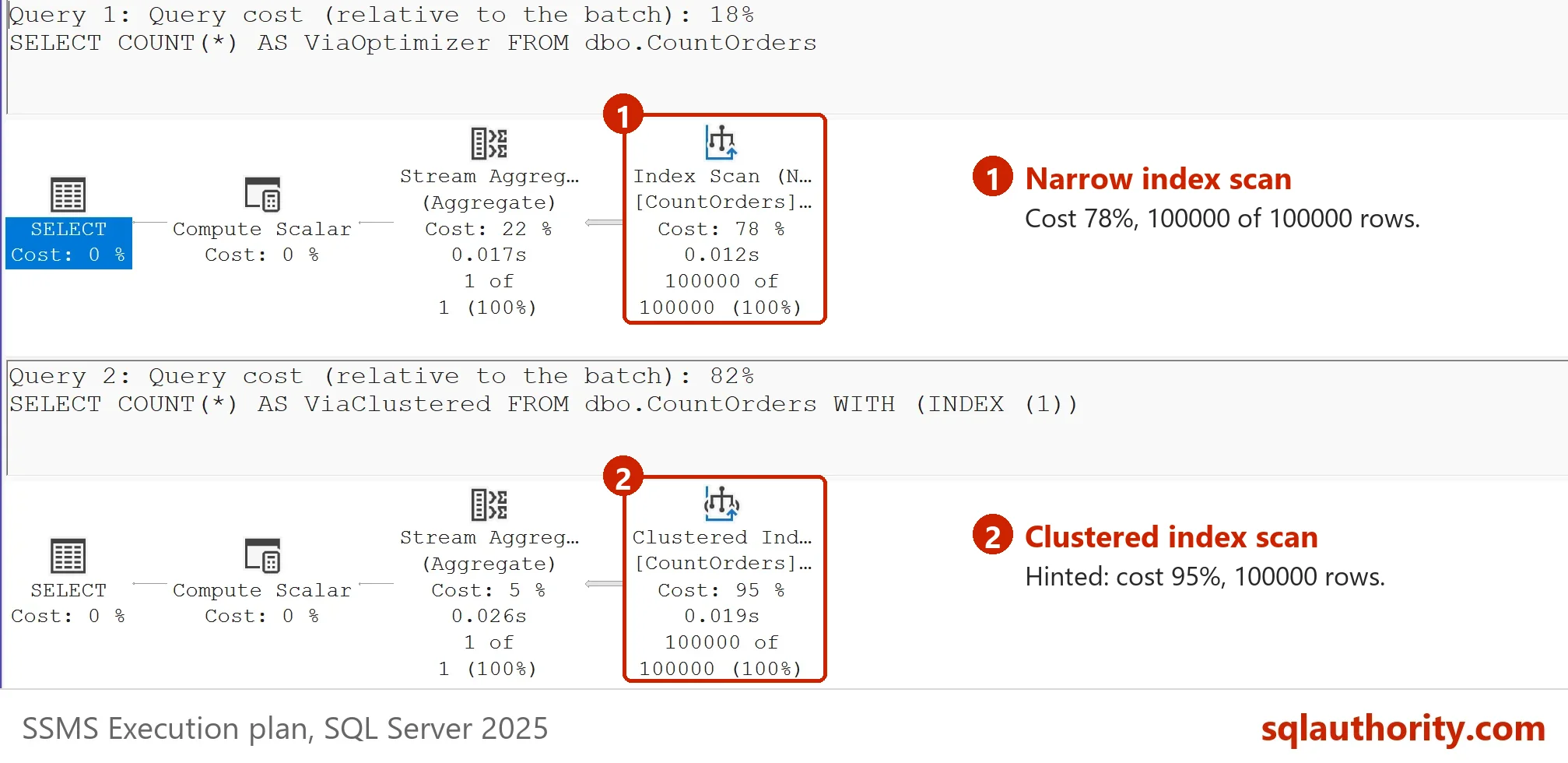
Both counts after the new index scanned IX_CountOrders_Status. It has 138 pages, a tenth of the clustered index. The wide index has 1,414 pages, so it saves almost nothing. The filtered index has only 30 pages, yet no count used it. It holds the rows with Status 0, so it cannot answer for all 100,000 rows.

Prove It With Reads
Logical reads are the pages a query reads from memory. The next script forces each index with a hint, then runs the plain count once more. A second procedure lists the last logical reads of each statement.
ALTER DATABASE SCOPED CONFIGURATION CLEAR PROCEDURE_CACHE;
GO
SELECT COUNT(*) AS ViaClustered FROM dbo.CountOrders WITH (INDEX (1));
GO
SELECT COUNT(*) AS ViaStatus FROM dbo.CountOrders WITH (INDEX (IX_CountOrders_Status));
GO
SELECT COUNT(*) AS ViaWide FROM dbo.CountOrders WITH (INDEX (IX_CountOrders_Wide));
GO
SELECT COUNT(*) AS ViaOptimizer FROM dbo.CountOrders;
CREATE OR ALTER PROCEDURE dbo.ShowReads
AS
BEGIN
    SET NOCOUNT ON;
    SELECT SUBSTRING(st.text, CHARINDEX(N' AS ', st.text) + 4, CHARINDEX(N' FROM', st.text) - CHARINDEX(N' AS ', st.text) - 4) AS Query,
           qs.last_logical_reads AS Reads
    FROM sys.dm_exec_query_stats AS qs
    CROSS APPLY sys.dm_exec_sql_text(qs.sql_handle) AS st
    WHERE st.text LIKE N'SELECT COUNT(%) AS Via%FROM dbo.CountOrders%' AND st.text NOT LIKE N'%dm_exec%'
    ORDER BY qs.last_logical_reads DESC, Query;
END;
EXEC dbo.ShowReads;
| Query | Reads |
|---|---|
| ViaClustered | 1478 |
| ViaWide | 1414 |
| ViaOptimizer | 138 |
| ViaStatus | 138 |
Each count read exactly as many pages as its index holds. The count without a hint read 138 pages, the same as the forced narrow index. SQL Server picked the index used for COUNT(*) without help. Keep the hints in tests. In production code they lock in a choice that the optimizer should make for you.
You could argue that COUNT(*) stays slow whichever index it uses. That is fair. Even 138 pages is a full scan, and it grows with the table. For a rough row count of a big table, read the row count of the index from sys.dm_db_partition_stats. The post Count Rows and Indexes for Every Table in SQL Server shows that approach. The counts there are approximate, so use them for monitoring and not for billing.
COUNT(1) and COUNT(Column)
COUNT(1) and COUNT(*) do the same work. A column inside COUNT is different. COUNT(Column) skips NULL values, so SQL Server must look at the column. When the column is NOT NULL, nothing needs skipping, so the narrow index still works. When the column allows NULL, only an index that holds the column can answer.
The script adds a nullable column named Region, which is empty in every row. It then counts a NOT NULL column, the number 1, and the nullable column.
ALTER TABLE dbo.CountOrders ADD Region varchar(20) NULL;
GO
SELECT COUNT(CustomerID) AS ViaNotNull FROM dbo.CountOrders;
GO
SELECT COUNT(1) AS ViaOne FROM dbo.CountOrders;
GO
SELECT COUNT(Region) AS ViaNullable FROM dbo.CountOrders;
EXEC dbo.ShowReads;
| Query | Reads |
|---|---|
| ViaClustered | 1478 |
| ViaNullable | 1478 |
| ViaWide | 1414 |
| ViaNotNull | 138 |
| ViaOne | 138 |
| ViaOptimizer | 138 |
| ViaStatus | 138 |
The same listing now shows the new statements too. The NOT NULL column and COUNT(1) read 138 pages. The nullable column read 1,478, the whole clustered index, because only that index holds Region. The count returned 0, since every Region is NULL. Choose COUNT(*) when you want to count rows. It never has to look at a column.
What to Remember
The index used for COUNT(*) is the narrowest one that holds every row. A clustered index scan means that nothing narrower exists. A filtered index never counts for all rows.
For the heap case, read Count Rows in a Heap: Which Scan Does SQL Server Use?. When you finish with the demo, remove the database.
USE master;
GO
DROP DATABASE CountNarrowDemo;
COUNT(*) is not a scan of the table, it is a scan of the smallest index that holds every row.
Published by Pinal Dave on SQLAuthority. More of my work at pinaldave.com.
Discover more from SQL Authority with Pinal Dave
Subscribe to get the latest posts sent to your email.




2 Comments. Leave new
Irrespective of type of index used, I believe it still going to read all the rows..
It just reads all the rows of that index and not the table.