To escape text for JSON, pass each value through STRING_ESCAPE before you glue it into the JSON text. The JSON you build by hand then stays valid. It adds backslashes in front of characters that JSON does not allow. It does not build the JSON for you, and it does not escape everything that people expect.

Where a Hand Built JSON Text Breaks
Take a note with a double quote, a backslash, a slash, a line break and a tab. All of them appear in real text. The function escapes each one. The script below prints the escaped note. It needs SQL Server 2016 or later.
DECLARE @note nvarchar(200) = N'Say "hi" to Maya O''Neil / C:\Temp' + NCHAR(13) + NCHAR(10) + N'Next' + NCHAR(9) + N'tab';
SELECT STRING_ESCAPE(@note, 'json') AS Escaped;
| Escaped |
|---|
| Say \”hi\” to Maya O’Neil \/ C:\\Temp\r\nNext\ttab |
The quotes got backslashes. The backslash in the path doubled. The slash became \/. The line break became \r\n and the tab became \t. Now put the note into a JSON text twice, once raw and once escaped, and ask ISJSON about both.
DECLARE @note nvarchar(200) = N'Say "hi" to Maya O''Neil / C:\Temp' + NCHAR(13) + NCHAR(10) + N'Next' + NCHAR(9) + N'tab';
DECLARE @bad nvarchar(400) = N'[{"Note":"' + @note + N'"}]';
DECLARE @good nvarchar(400) = N'[{"Note":"' + STRING_ESCAPE(@note, 'json') + N'"}]';
SELECT ISJSON(@bad) AS WithoutEscape, ISJSON(@good) AS WithEscape;
SELECT CASE WHEN JSON_VALUE(@good, '$[0].Note') = @note THEN 'same text' ELSE 'different text' END AS RoundTrip;| WithoutEscape | WithEscape |
|---|---|
| 0 | 1 |
| RoundTrip |
|---|
| same text |
The raw note breaks the JSON text, and the escaped one is valid. JSON_VALUE reads the value back and returns the original text. The function and the parser are a matched pair.
Which Characters Need Escaping
A common belief is that single quotes and slashes break JSON. Both are legal inside a JSON string. The next query asks ISJSON about each character inside a text value.
SELECT ISJSON(N'{"a":"it''s"}') AS SingleQuote,
       ISJSON(N'{"a":"x/y"}') AS Slash,
       ISJSON(N'{"a":"x"y"}') AS DoubleQuote,
       ISJSON(N'{"a":"C:\Temp"}') AS Backslash,
ISJSON(N'{"a":"C:\\Temp"}') AS EscapedBackslash;| SingleQuote | Slash | DoubleQuote | Backslash | EscapedBackslash |
|---|---|---|---|---|
| 1 | 1 | 0 | 0 | 1 |
A single quote and a slash are legal in JSON. A double quote and a lone backslash are not. A doubled backslash is fine, because it stands for one backslash. The single quote matters only to T-SQL, where you write it twice inside a string literal. That is a T-SQL rule, and STRING_ESCAPE has nothing to do with it.
Now look at what the function does with a few characters.
SELECT STRING_ESCAPE(N'it''s', 'json') AS SingleQuote,
       STRING_ESCAPE(N'a/b', 'json') AS Slash,
       STRING_ESCAPE(N'a\b', 'json') AS Backslash,
       STRING_ESCAPE(NCHAR(1), 'json') AS ControlChar,
       LEN(STRING_ESCAPE(NCHAR(233) + NCHAR(8364), 'json')) AS AccentAndEuroLength,
STRING_ESCAPE(NULL, 'json') AS NullIn;| SingleQuote | Slash | Backslash | ControlChar | AccentAndEuroLength | NullIn |
|---|---|---|---|---|---|
| it’s | a\/b | a\\b | \u0001 | 2 | NULL |
The single quote stays. The slash becomes \/, which is legal and harmless. Backspace and form feed become \b and \f. The other control characters below a space become a \u code, such as \u0001. The delete character is not escaped. Accented letters and the euro sign pass through unchanged, because JSON allows them. A NULL input gives NULL, so one NULL value makes the whole concatenated JSON NULL. Wrap an optional value in ISNULL first. ISNULL gives an empty string, not a JSON null.
Why Not Escape Text for JSON With REPLACE?
A common way to escape text for JSON uses REPLACE on the two obvious characters. That handles the quote and the backslash and misses the rest. The next script does exactly that on the same note.
DECLARE @note nvarchar(200) = N'Say "hi" to Maya O''Neil / C:\Temp' + NCHAR(13) + NCHAR(10) + N'Next' + NCHAR(9) + N'tab';
DECLARE @manual nvarchar(400) = N'[{"Note":"' + REPLACE(REPLACE(@note, N'\', N'\\'), N'"', N'\"') + N'"}]';
SELECT ISJSON(@manual) AS ManualReplace;| ManualReplace |
|---|
| 0 |
The result is still invalid, because the line break and the tab are raw characters. A REPLACE chain also has an order problem: the backslash must be doubled first. STRING_ESCAPE knows every JSON rule, so the chain is not worth writing.
When You Can Skip the Function
You do not always need it. JSON_MODIFY and FOR JSON escape text on their own. A value that goes through them is already safe, and escaping it again would double the backslashes. The script below sets the same note with JSON_MODIFY and builds a second text with FOR JSON PATH.
DECLARE @note nvarchar(200) = N'Say "hi" to Maya O''Neil / C:\Temp' + NCHAR(13) + NCHAR(10) + N'Next' + NCHAR(9) + N'tab';
SELECT JSON_MODIFY(N'{}', '$.Note', @note) AS ByJsonModify;
SELECT ISJSON((SELECT @note AS Note FOR JSON PATH)) AS ByForJson;| ByJsonModify |
|---|
| {“Note”:”Say \”hi\” to Maya O’Neil \/ C:\\Temp\r\nNext\ttab”} |
| ByForJson |
|---|
| 1 |
Use STRING_ESCAPE when you glue text together yourself. A log line or a message that your code sends is a good case. Prefer FOR JSON when a query can produce the document.
The Size Trap
Escaping makes text longer, because each special character becomes two or more. A variable sized for the raw text can cut the escaped text in the middle. The result is invalid JSON, and no error appears. The script below stores the escaped text in a variable of 30 characters.
DECLARE @short varchar(30);
SET @short = '[{"N":"' + STRING_ESCAPE('a"b"c"d"e"f"g"h"i"j"k"l"', 'json') + '"}]';
SELECT @short AS CutText, ISJSON(@short) AS IsValid;| CutText | IsValid |
|---|---|
| [{“N”:”a\”b\”c\”d\”e\”f\”g\”h\ | 0 |
The text ends in a backslash and has no closing quote. Use nvarchar(max) for the result, or size the variable for the worst case. The function accepts only the type json. Any other name returns Msg 13622, which says that an invalid value was specified for argument 2.
Should You Escape Text for JSON in T-SQL?
You could argue that the application should build the JSON, because every language has a serializer for it. That is the better design. A database job that writes a log message or a message for a queue has no application in between. In that case, escape each value on its own, and never the whole JSON text. I use the function only for values, and I check the result with ISJSON.
What to Remember
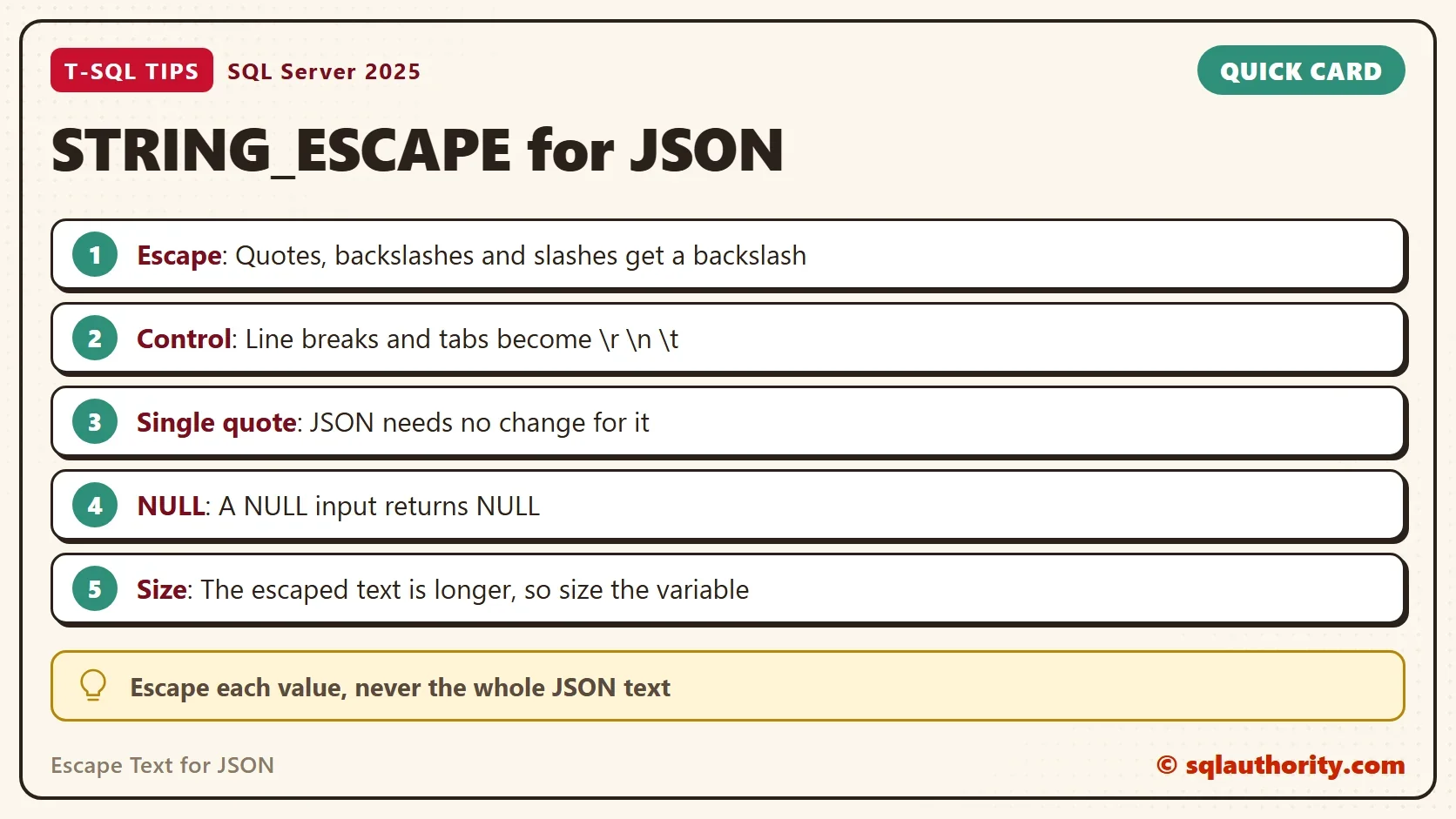
To escape text for JSON, protect one value at a time with STRING_ESCAPE. Quotes, backslashes, slashes and control characters are escaped, and single quotes are not. NULL stays NULL, and the output is longer than the input. Leave JSON_MODIFY and FOR JSON values alone, because they escape for themselves.
A valid JSON text is not one that looks right, it is one that ISJSON accepts.
Published by Pinal Dave on SQLAuthority. More of my work at pinaldave.com.
Discover more from SQL Authority with Pinal Dave
Subscribe to get the latest posts sent to your email.